Manage the navigation menu of your Hostinger AI Builder manual mode website from the Pages and navigation panel. Pages under Main navigation appear in your website’s menu bar, while pages under Hidden from navigation do not. To make a menu item open a different page, add a link to the menu and hide the original page.
Manage your pages
All your website pages are managed from the Pages and navigation panel on the left within your AI Builder:
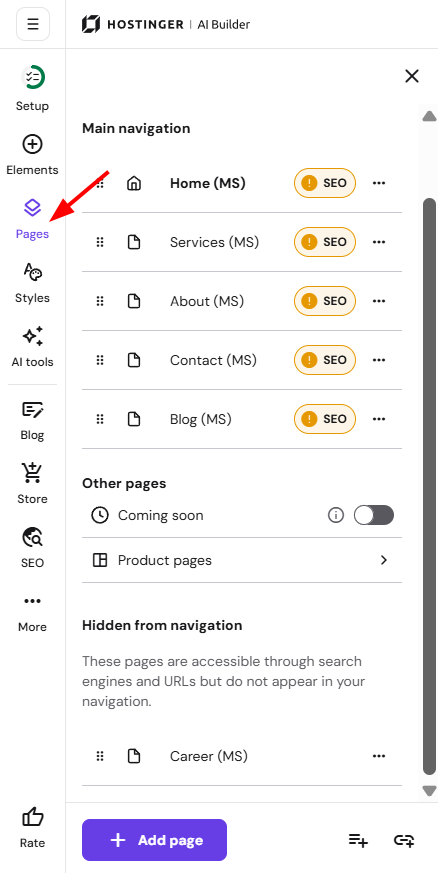
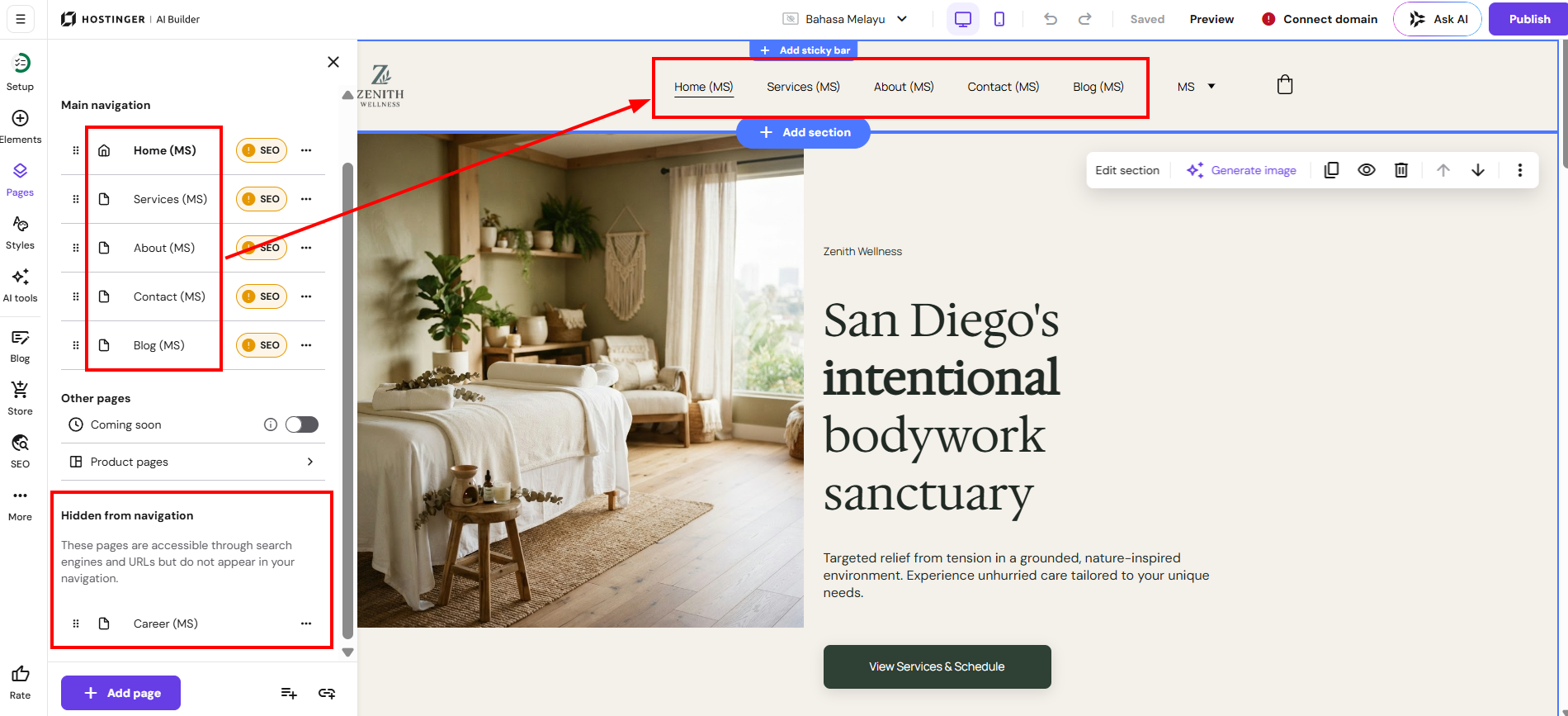
The pages under the Main navigation are visible in the website’s menu bar, and the pages under the Hidden from navigation are not shown there:
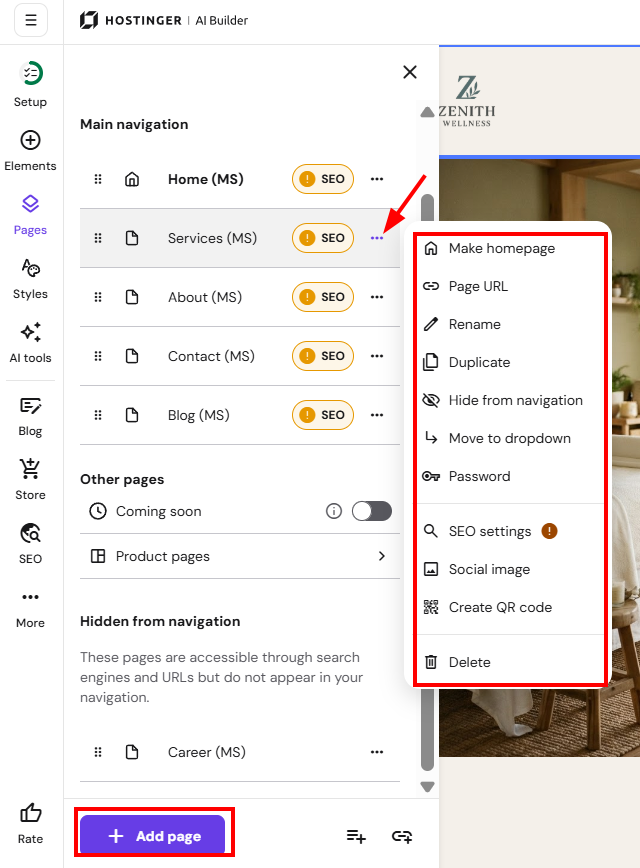
Within the Pages and navigation panel, you can do the following:
-
Make any page a homepage
-
Access the general and SEO settings of a page
-
Password-protect a page
-
Rename a page
-
Move a page to/out of a dropdown
-
Duplicate a page
-
Delete a page
-
Create a dropdown menu
-
Add links to the website’s menu bar
*Pages hidden from the navigation menu remain publicly accessible via their URLs and appear in search engines; you can hide pages from search engines in the SEO settings
Point a navigation menu item to a different page in Hostinger AI Builder
To make a menu item open a different page, add a link to the navigation menu that points to that page. Then hide the original page from the navigation menu.
- Open the Pages and navigation panel and click Add link.
- Name the link with the menu text you want visitors to see.
- For Link to, select Pages and choose the page the menu item should open.
- Save the changes.
- Hide the original page from the navigation menu.
- The original page stays publicly accessible through its URL. For other link types, such as a section, a file, or a WhatsApp number, see Hostinger AI Builder: How to add links in manual mode.
Additional resources