Hide a page from your Hostinger AI Builder manual mode website’s navigation menu, and add a link to that page to a button, image, or text.
Hide a page
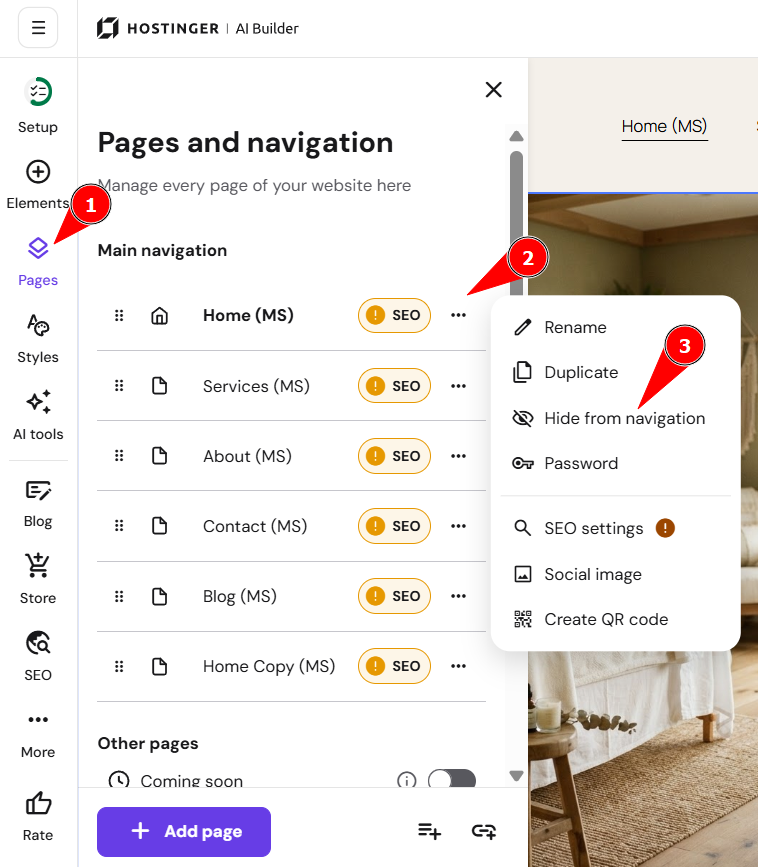
- Within the editor, open the Pages and navigation panel on the left.
- Find the page in question and click on the settings wheel next to its title.
- Select Hide from navigation or drag the page down to the Hidden from navigation section:

- Update your website for the changes to reflect online.
Unhide a page
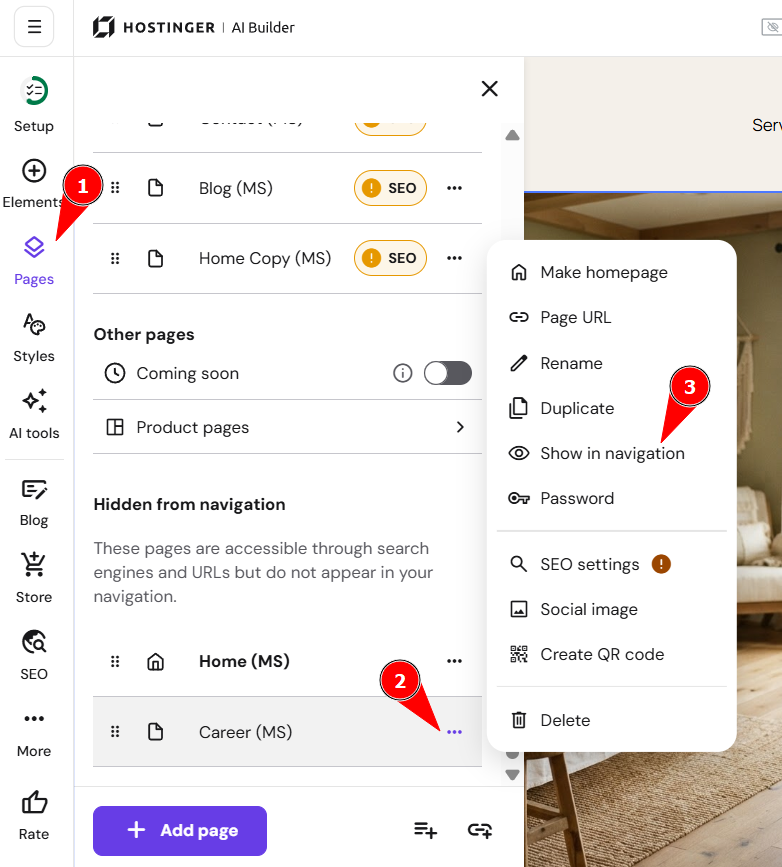
To unhide a page, open its settings and select Show or drag the page up to the Main navigation section:
NOTES
-
If you hide all your pages, it means you’ll hide the whole website’s menu section, including the logo
-
You can hide pages from search engines in the SEO settings
- See How to Manage the Navigation Menu for the full set of navigation menu options.