A homepage is the main page of your website, the address of which is (usually) your root domain:
-
The address of your homepage is
https://domain.tld -
Meanwhile, the address of any other of your website pages would be
https://domain.tld/contact,https://domain.tld/about, etc.
Using Hostinger AI Builder, you can easily set any page as a homepage in the page settings.
Set a page as the homepage
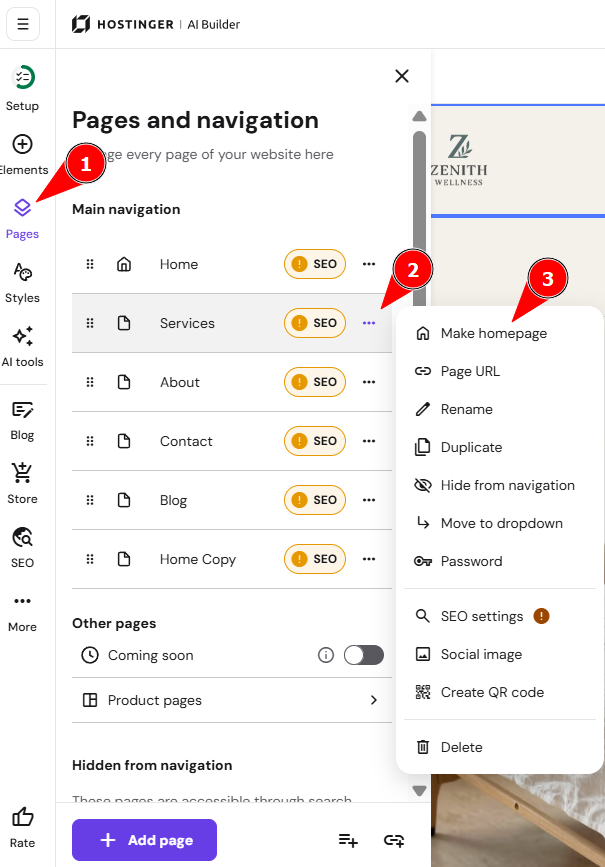
- Within the builder, expand the Pages and navigation panel on the left
- Find the page in question, click ellipsis
- Select Make homepage:
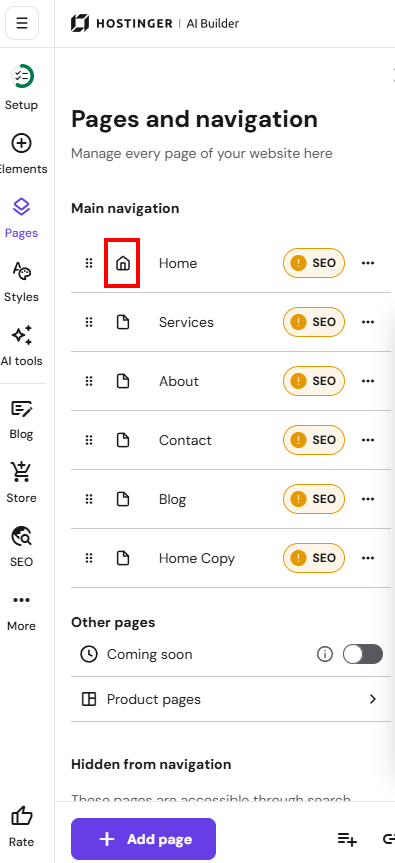
Once you set a new page as a homepage, the home icon appears next to its title. The previous homepage becomes a regular page:
You can also rename the homepage (and other pages) in the page settings. To change the display order of pages, drag them up or down by the six-dots handle.