Hostinger AI Builder manual mode creates a product page automatically once you create a product.
Before you start
- Create an online store to enable product pages.
How to access product pages
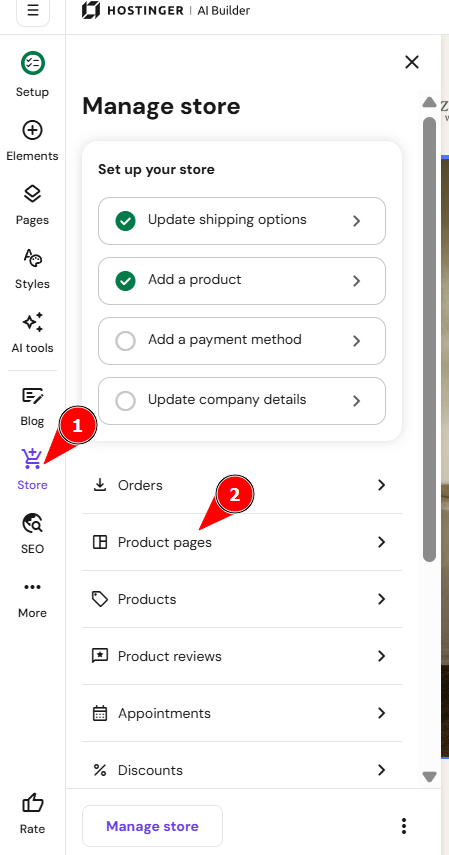
To find all your product pages:
- Access the AI builder and expand the Online store panel on the left.
- Click Product pages.
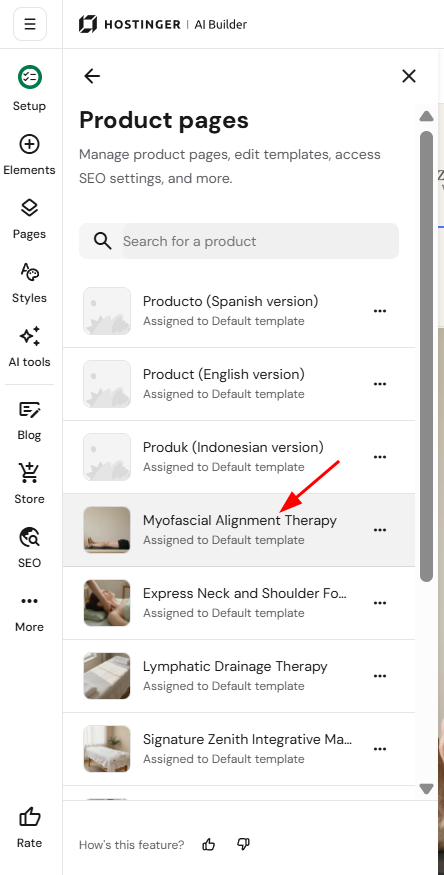
- Click on the product in question to open its page:
- Here, you can edit the main product section, as well as add more sections and customize them however you like!
How to access product page settings
- Expand the Online store panel on the left.
- Click Product pages.
- Cick on the ellipsis menu next to the product title:
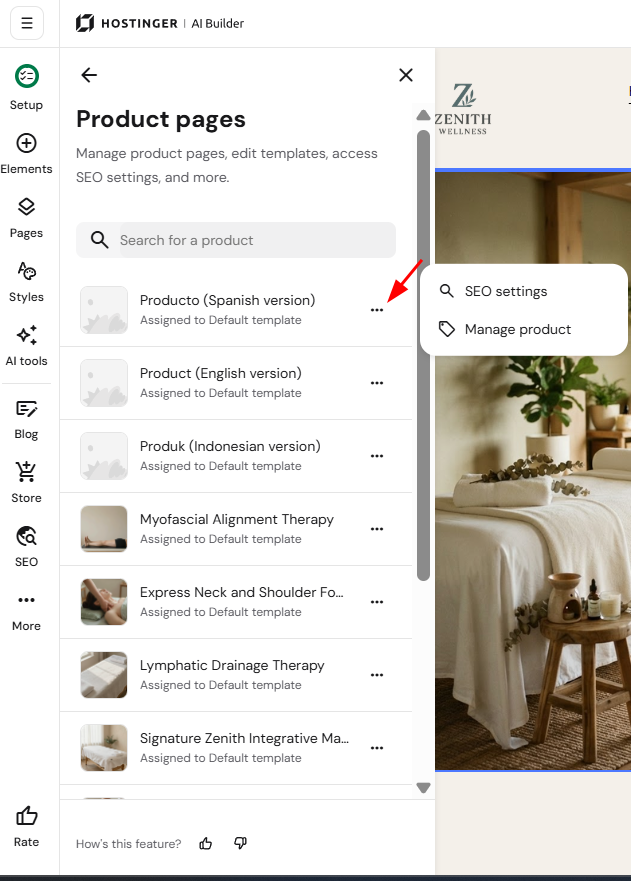
- Here, you’ll find the following options:
|
|
|
Manage product |
|
How to customize product pages
You can customize every product page individually.
- Expand the Online store panel on the left.
- Click Product pages.
- Click on the product page to open it:
- Click on the product section to reveal its settings menu and select Edit section:
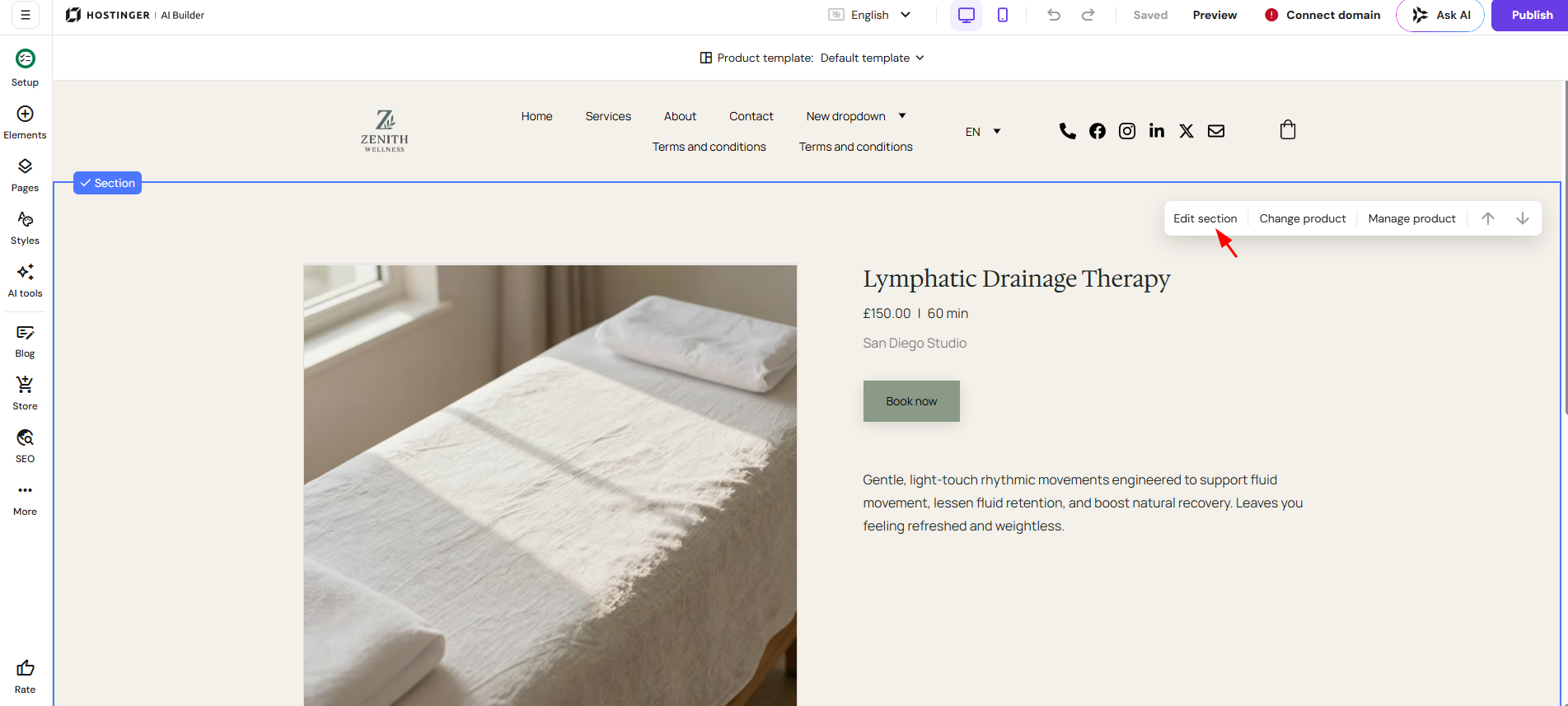
- Here, you can customize the following areas of the product section:
|
Product |
|
|
Layout |
|
|
Style |
|
|
Button |
|
You can also customize each of your product pages individually by adding more sections and placing various elements within them. You can also create product subcategories to group similar product pages together.