Hostinger AI Builder manual mode lets you control your website’s meta titles, descriptions, URLs, keywords, and page visibility directly from the SEO settings panel. Website speed and sitemaps are handled automatically and don’t need manual setup.
Accessing the SEO settings in Hostinger AI Builder manual mode
There are two ways to access the SEO settings in Hostinger AI Builder manual mode: via the sidebar on the left or via the page settings.
Via the sidebar
Within the builder, click on the SEO settings.
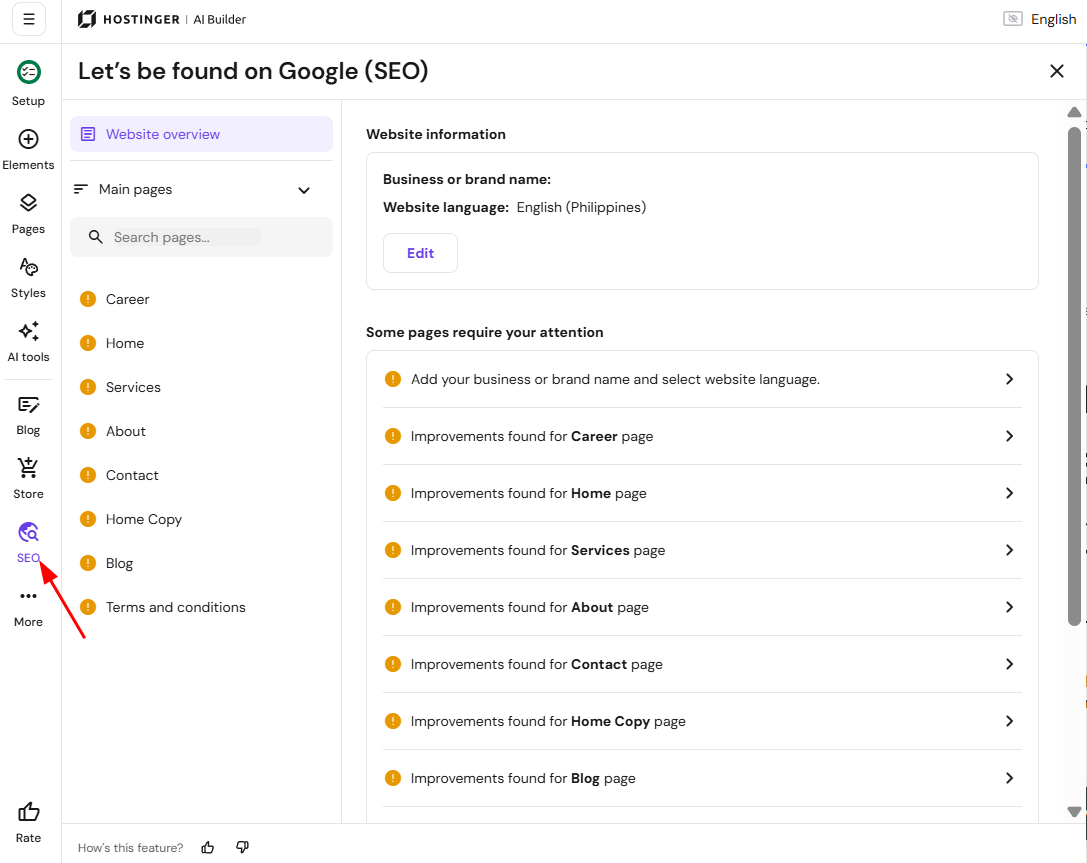
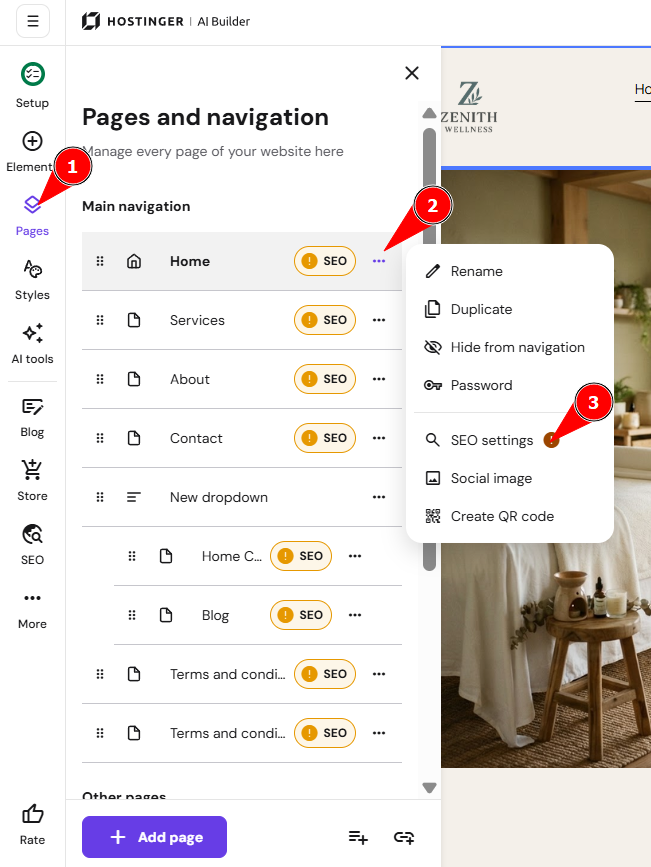
Via the Page settings
Within the builder, expand the Pages and navigation panel on the left, click on the page settings, and select SEO settings:
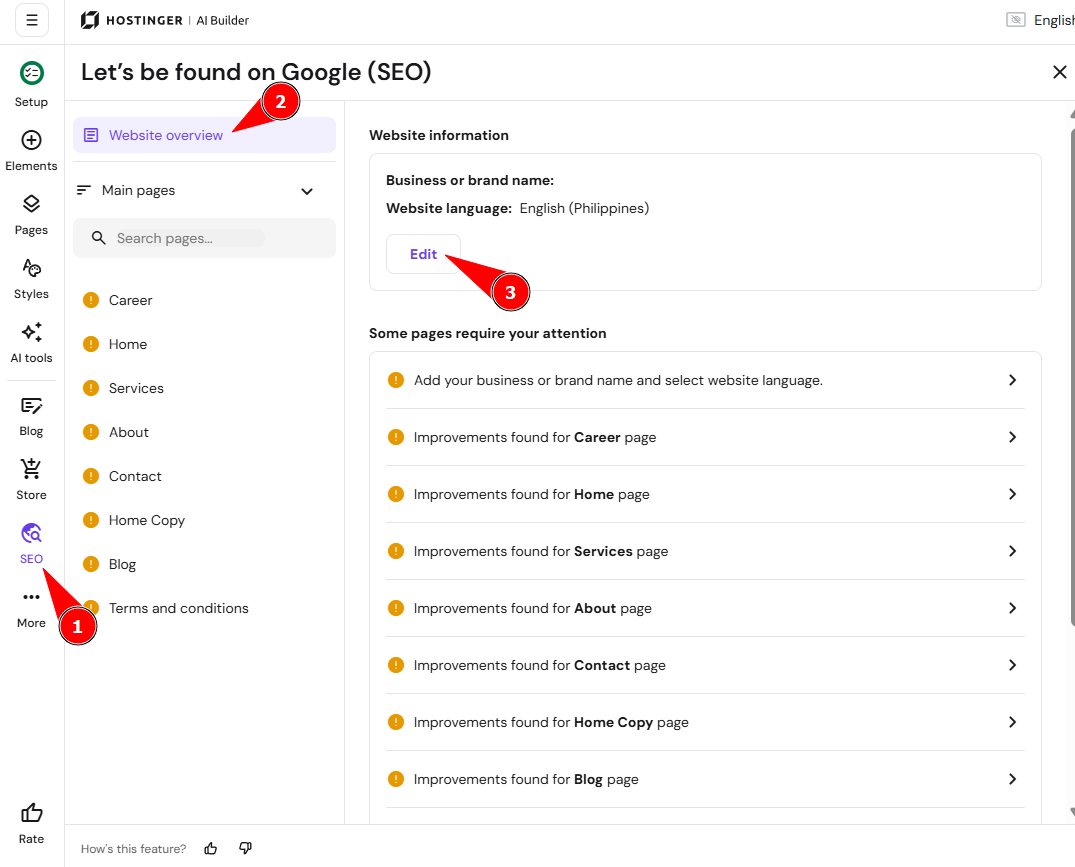
In the SEO settings, you can do the following:
-
Specify your business or brand name in the Overview section.
-
Specify the default website’s language in the Overview section.

-
Customize the SEO settings of your website pages:
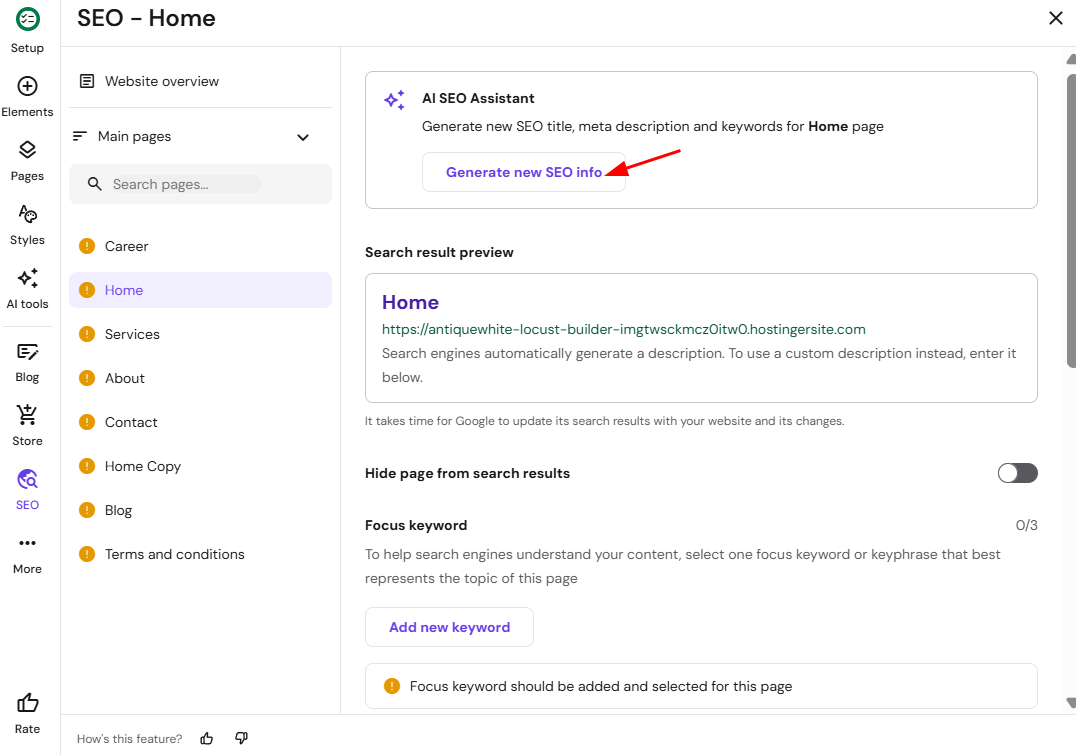
The SEO settings panel also includes the AI SEO Assistant, which asks for your business or brand name, a short page description, and your preferred keywords, then generates an SEO title and meta description for your page for you to review before applying.
Alternatively, you can ask the AI assistant directly in the builder editor to update your page’s meta title, meta description, or other SEO metadata via chat, without opening the SEO settings panel manually. Your website is now set up with page-level SEO controls to help it perform better in search results. Learn more about Hostinger AI Builder manual mode and its other features.
NOTES
-
Product SEO is managed in the product page settings
-
You can add alt text to images in the image element settings
-
Learn how to use header tags for SEO
-
Learn about dofollow and nofollow links
Frequently asked questions
Where do I find SEO settings in Hostinger AI Builder manual mode?
You can access them from the sidebar within the builder, or by expanding the Pages and navigation panel, opening page settings, and selecting SEO settings.
Can AI help me write meta titles and descriptions?
Yes. The AI SEO Assistant asks for your business name, a short page description, and your preferred keywords, then generates an SEO title and meta description you can review before applying.
Can I hide a specific page from search engines?
Yes. Page visibility can be turned off from the SEO settings of your website pages.