A sitemap helps search engines discover your Hostinger AI Builder website and understand its structure. Hostinger AI Builder configures your sitemap automatically, so no manual setup is needed. This is one part of getting your site to appear on Google, alongside factors like content quality and page indexing.
Access your sitemap
Once you publish your website, you can access its sitemap by typing the domain.tld/sitemap.xml in the address bar of an internet browser:

Replace domain.tld with your actual domain name
The sitemap.xml file is also automatically updated each time you update your website.
Submit your sitemap to Google Search Console
Submitting a sitemap to Google Search Console (GSC) may help index your website pages on Google
- Open your GSC account. If you haven’t used GSC before, you’ll be asked to add and verify your domain name, or verify a URL property at Google Search Console if you need ownership at the URL level.
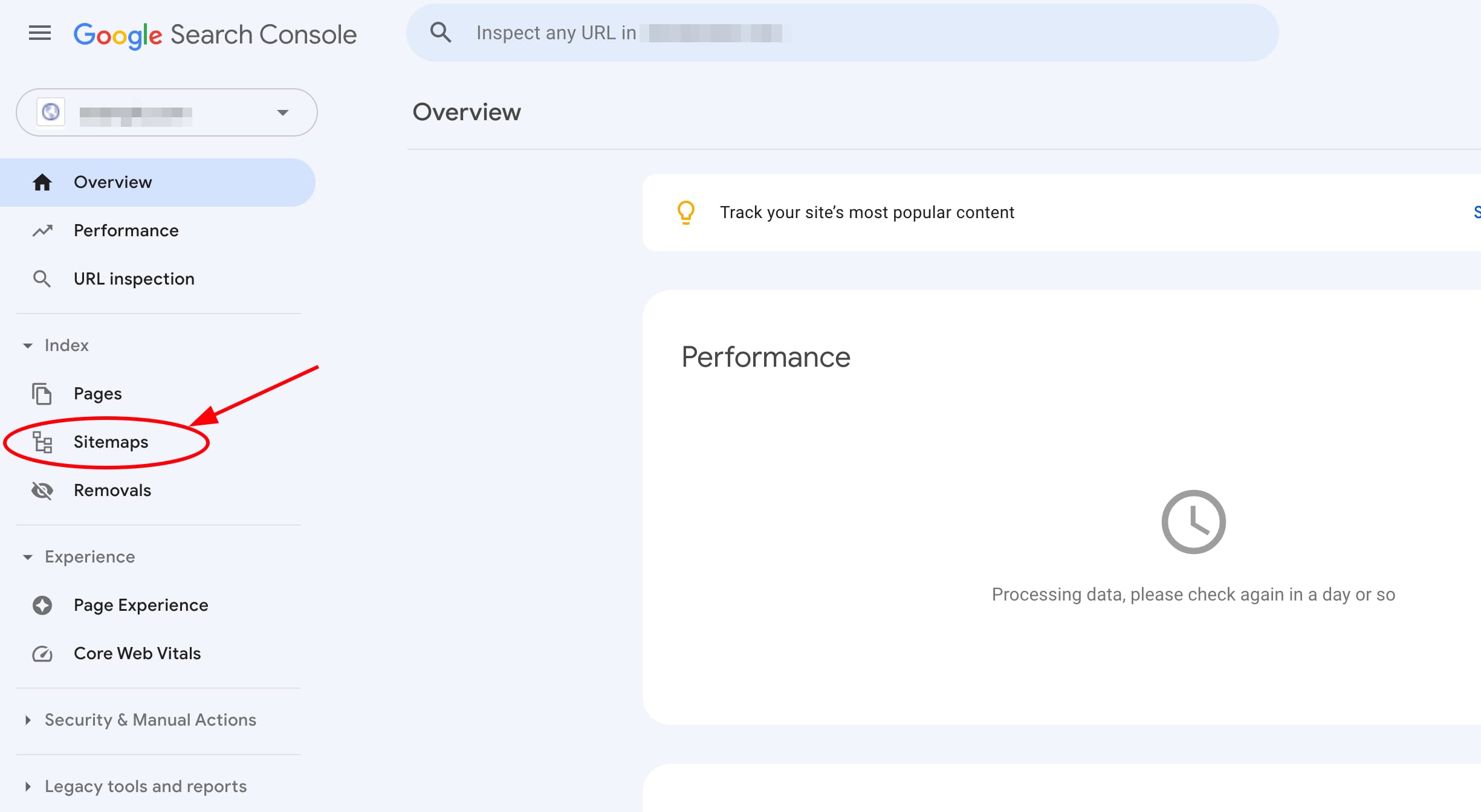
- In your GSC account, open the Sitemaps tab on the left:
- Enter your sitemap URL and click Submit:
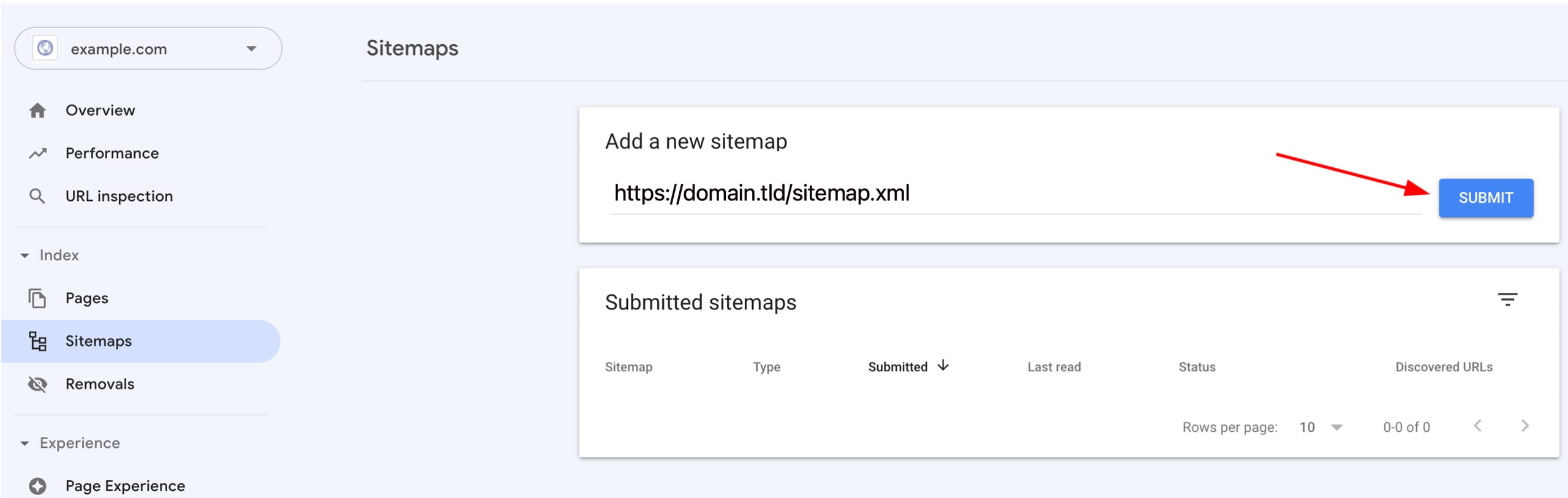
The URL should contain WWW only if the WWW prefix is enabled in your website’s general settings
Your sitemap is now accessible and submitted to Google Search Console, helping search engines discover and index your website.
NOTES
- If a specific page isn’t showing up afterward, you can request that Google index it directly.
- Conversely, if you need a page taken out of results, learn how to remove a page from Google search results.
- If you hit errors along the way, check common warnings in Google Search Console.