Verify your URL property at Google Search Console to prove ownership of your Hostinger AI Builder website.
This is one step toward getting your site properly indexed — see how to make your website appear on Google for the bigger picture, and confirm your website’s sitemap is submitted as well.
Verify your URL property
- Access your Google Search Console account.
- Select URL prefix as the property type, insert your URL there, and click on Continue:

The URL should contain WWW only if the WWW prefix is enabled in your website’s general settings - Scroll down and select to verify the property via the HTML tag; this option is usually under the “other verification methods”. Copy the tag:

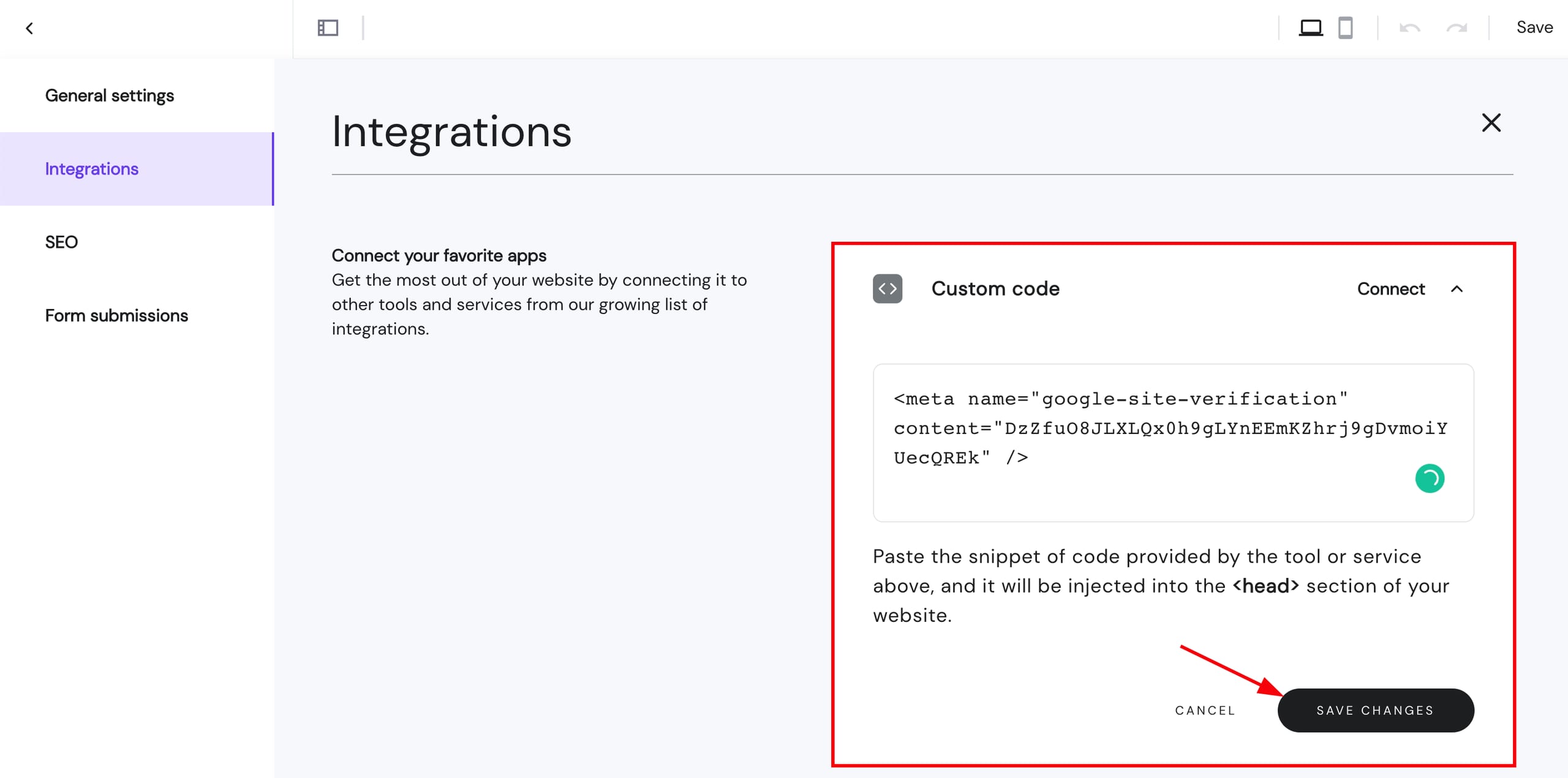
- Access your website’s integrations settings in Hostinger AI Builder. Paste the HTML tag in the Custom code field, save the changes, and update your website:
- Go back to Google Search Console, and click on Verify. Once done, you’ll be prompted with a notification about successful verification:

Now you know how to verify your URL at Google Search Console.
NOTES
- With verification complete, you can request that Google index your pages, or remove a page from search results if needed.
- If you run into issues at any point, check common warnings in Google Search Console.