The HTML lang attribute for a Hostinger AI Builder manual mode website specifies the site’s language, which improves SEO and accessibility:
-
Search engines use the language attribute to return language-specific search results
-
Screen reading tools use this attribute to recognize the language and provide the correct accent and pronunciation while reading website texts
When using Hostinger AI Builder, you can add a language attribute by selecting the preferred language in the SEO settings.
Add a language attribute
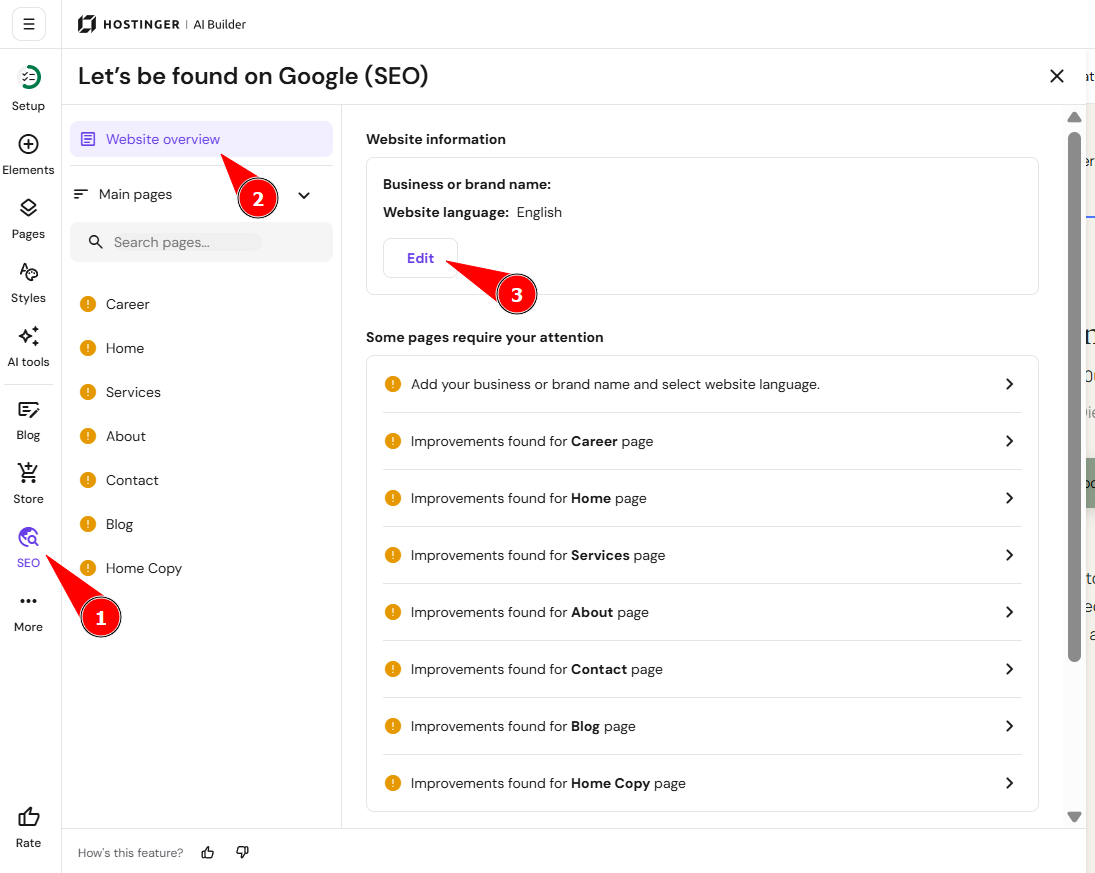
- Within the builder, click on the ellipsis ⋯ button on the left to access the website settings
- Then select SEO.
- Within the Overview section, find the subsection Website information, and click on Edit:
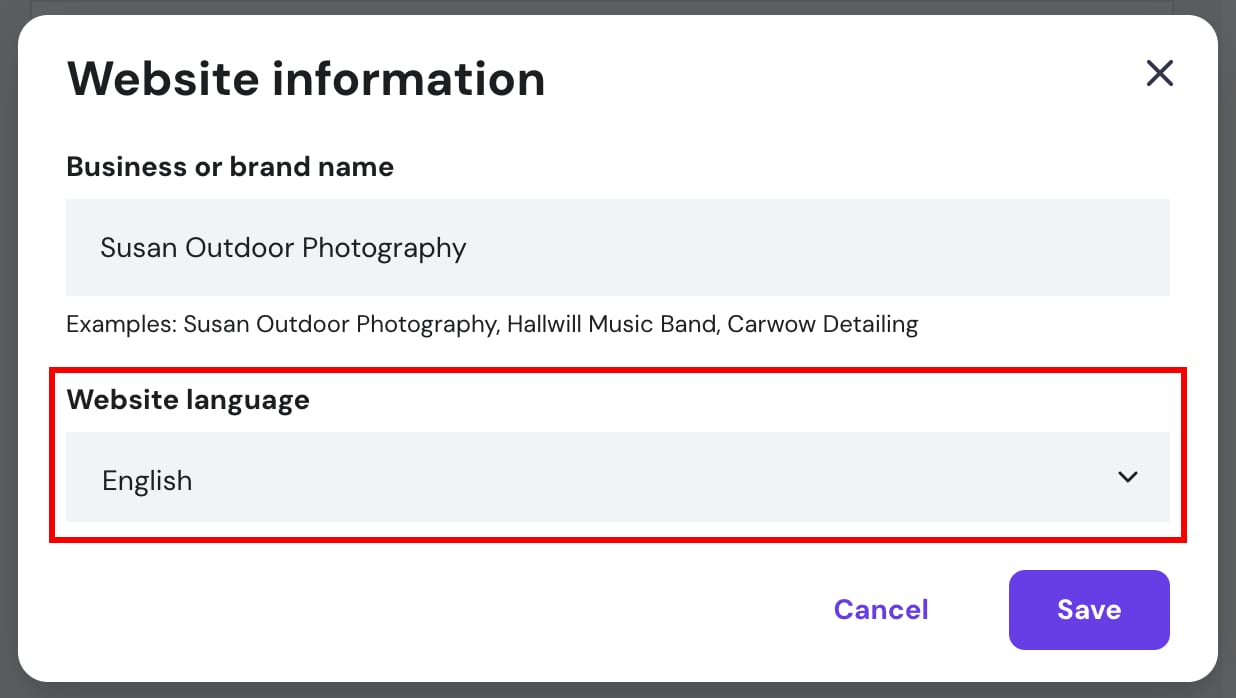
- Select the preferred language from the dropdown and save the changes:
- Finally, update your site.
Your website now uses the selected language attribute.
See How to add more languages to your website for other details about setting up multilingual content.