Adding alternative text to images not only makes your website more accessible for visitors (e.g., people using screen readers) but also helps search engines understand your page content better. In Hostinger AI Builder manual mode, there are two ways to add alt text to images:
Add alt text from the media library
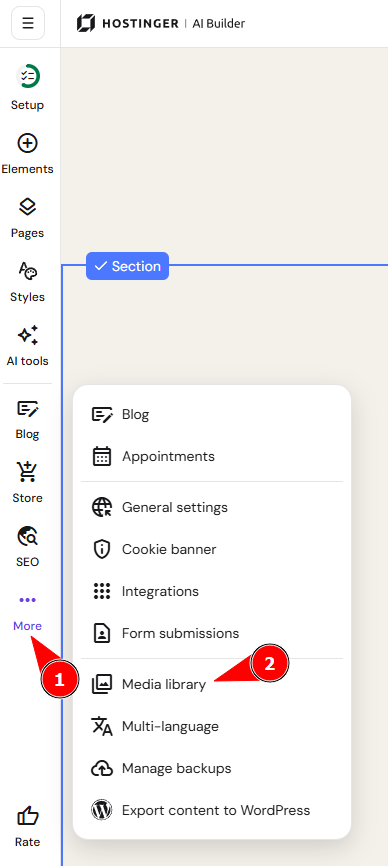
- Within the builder, click on the three dots on the left
- Once the menu opens up, click on Media library
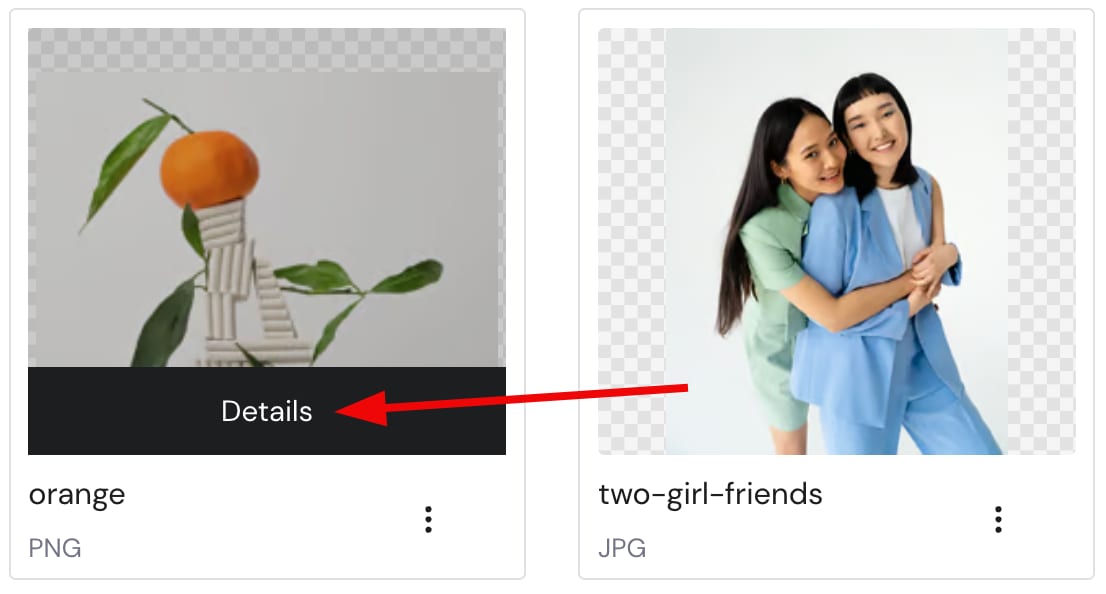
- Open the details of the preferred image file:
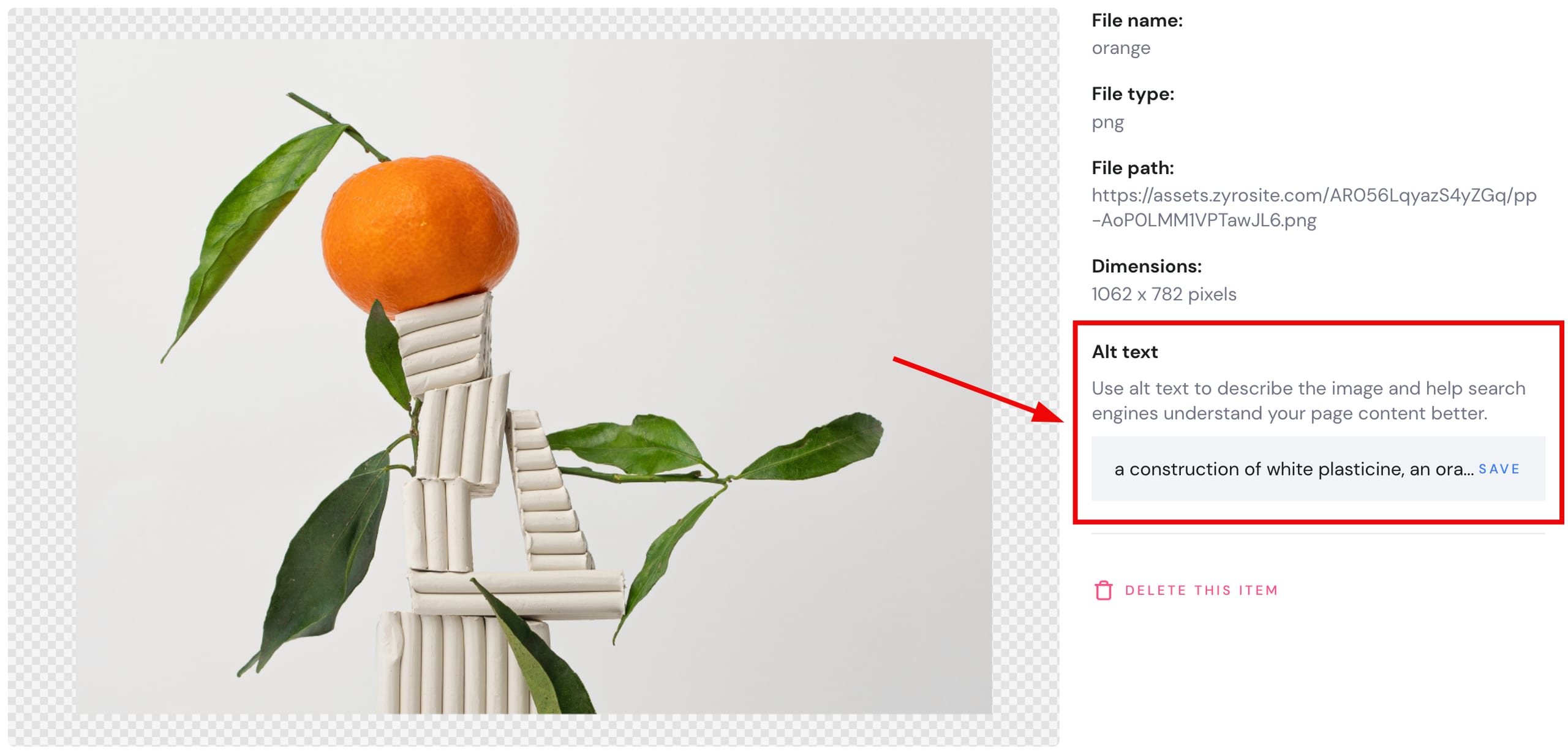
- Insert the description of the image and save it:
Add alt text from the image element settings
- Open a page on your website and click on the preferred image.
- Then, select Edit image.
- In the image settings, find the Alt text field and insert a description of the image there:
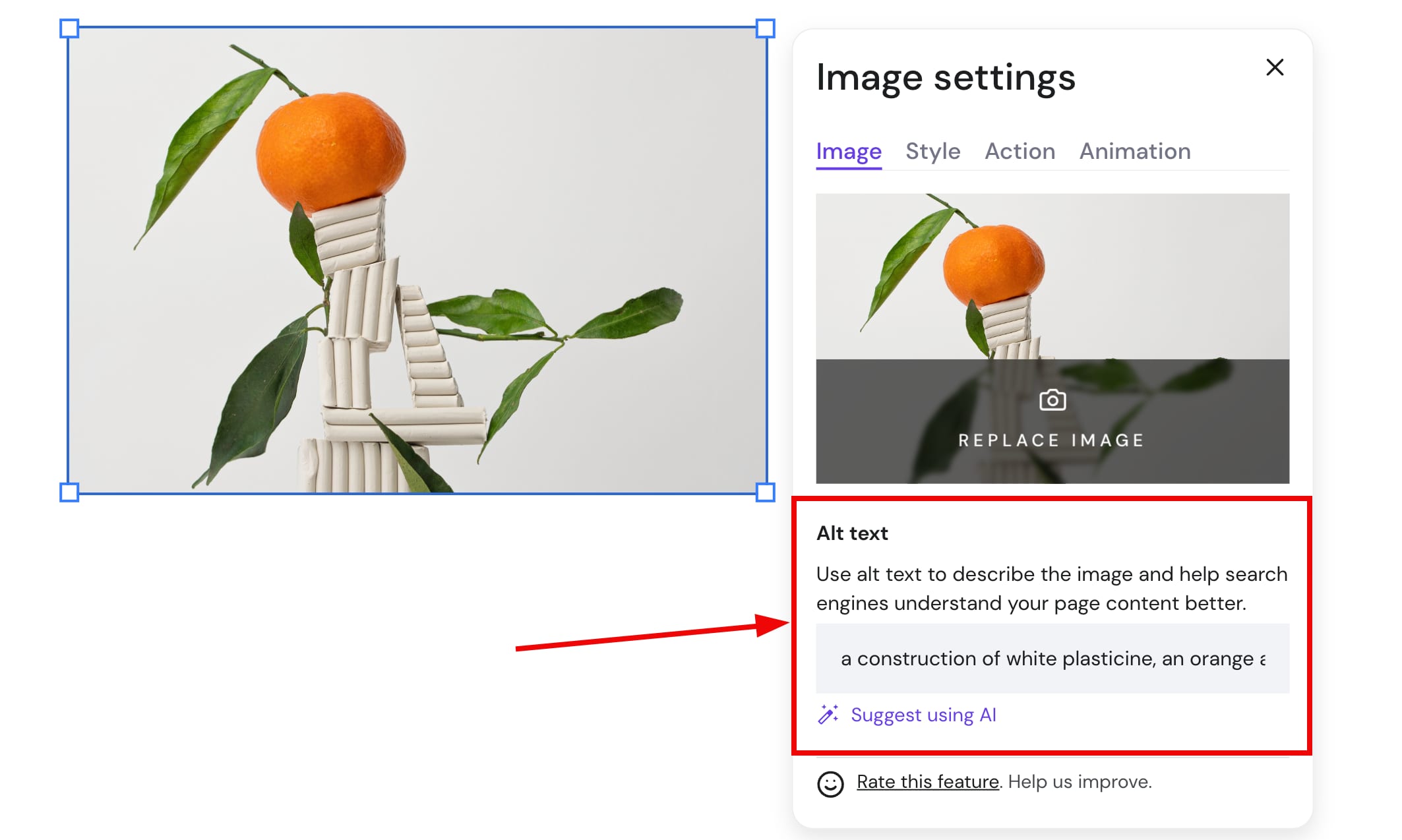
You may also use an AI-generated alt text by clicking on Suggest using AI.
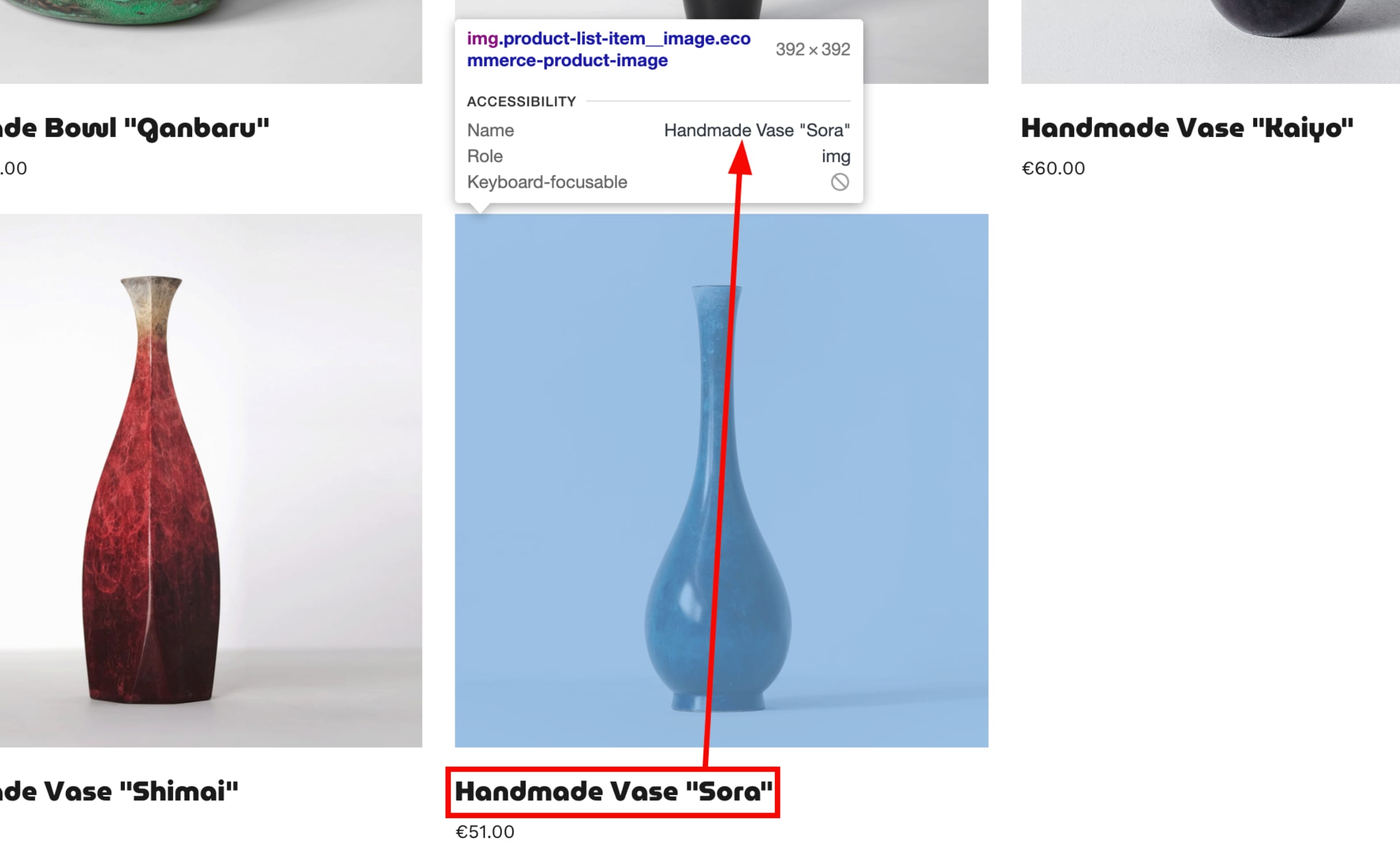
If you run an online store, the product title is automatically used as the alt text for the main product image by default:
Your images now have descriptive alt text, improving accessibility and helping search engines understand your page content.
Alt text is one part of on-page SEO — see SEO settings, How to add keywords to your pages, How to use heading tags for SEO, and How to add meta titles and descriptions for other details about improving how your pages rank.