You can easily create and manage Titan email accounts from the Emails section of Hostinger dashboard:
-
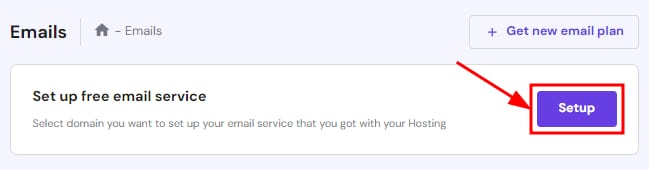
If it’s the first time you’ll be creating email accounts for a domain or subdomain on the Titan Free email included with your hosting plan, click on Setup next to Set up free email service:
-
For domains or subdomains that already have email accounts, open and click on Mailboxes next to the domain or subdomain:

Creating email accounts
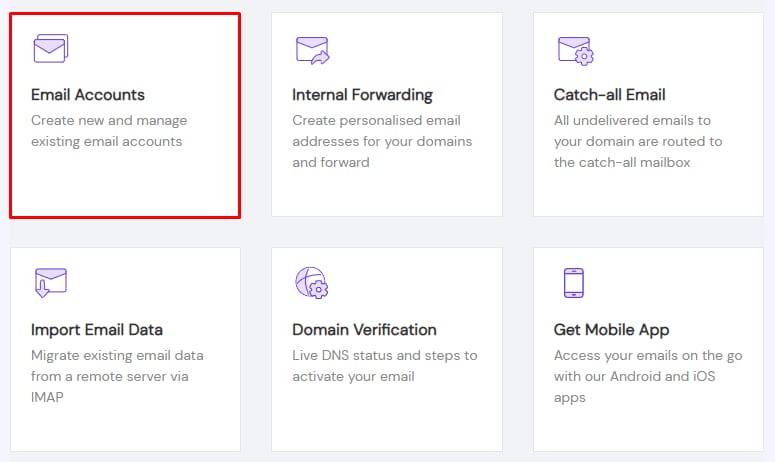
Click on Email Accounts:
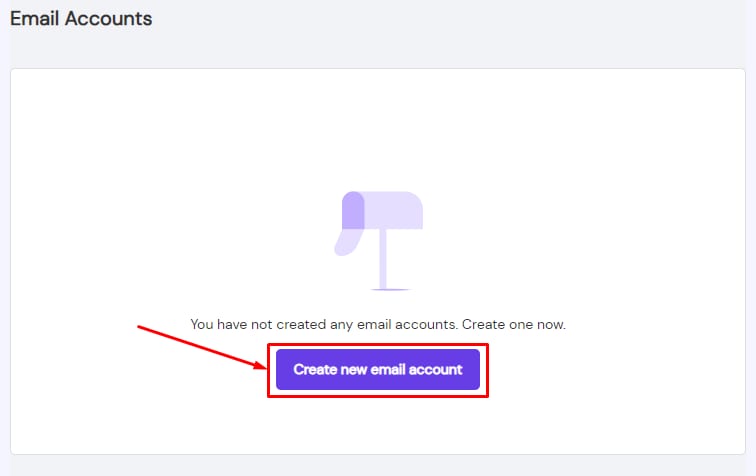
There, you can create an email account by clicking on Create new email account:
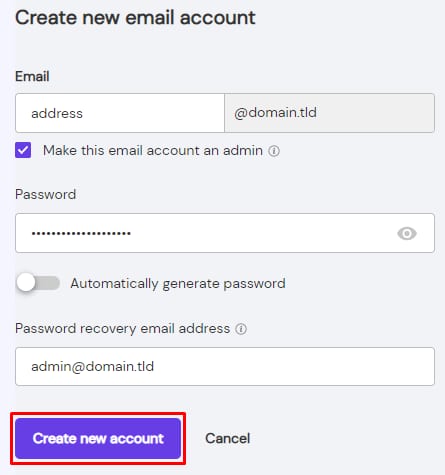
Insert the email address and choose if you want to make the account an admin. Create a password, add a password recovery email address, and click on Create new account:
Managing email accounts
To find email account management options, click on the ellipsis button ⋮ in the Email Accounts section:
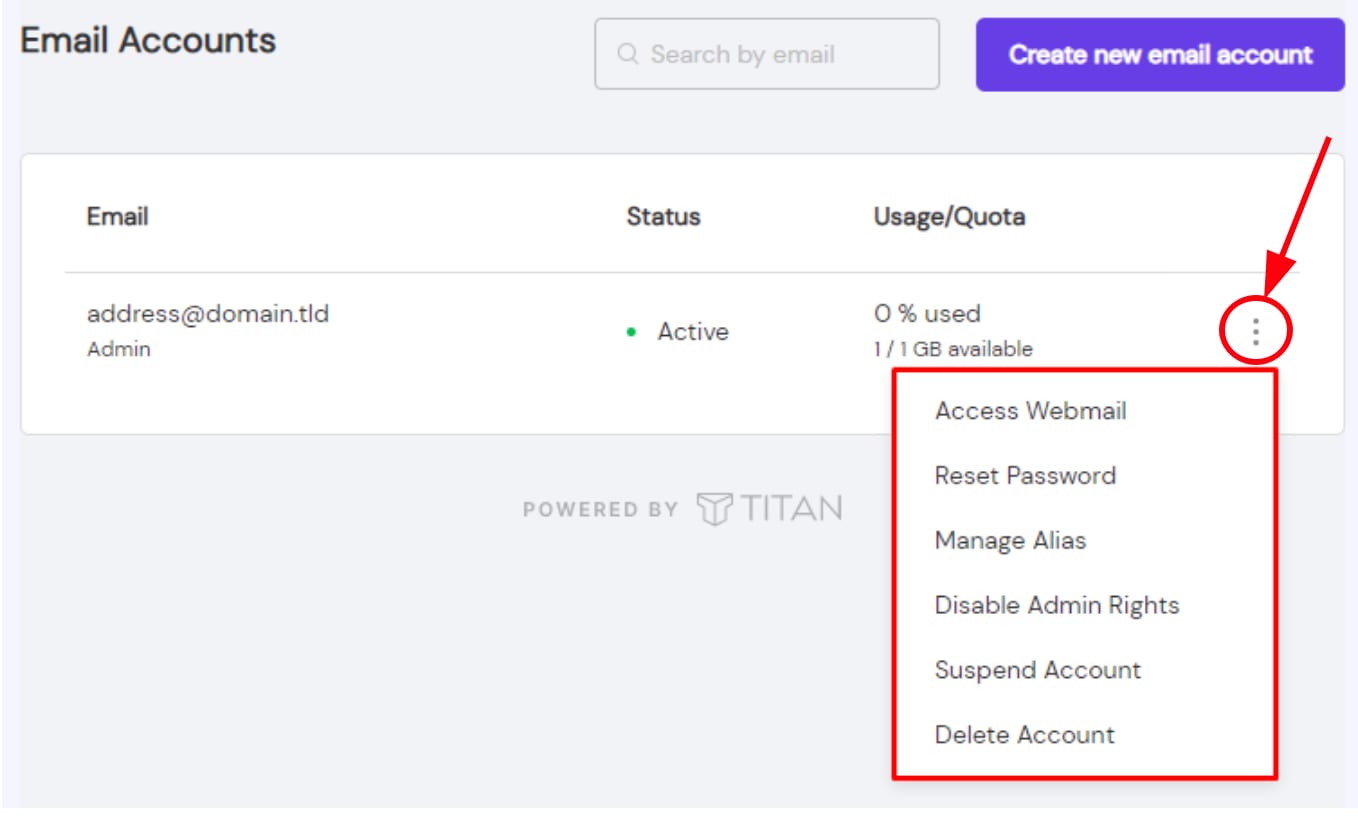
There, you’ll find the following options:
-
Disable Admin Rights – this option is available if the email account is set as admin
-
Suspend Account – prevent the account from sending/receiving emails while keeping the existing messages
-
Delete Account
NOTE
-
Deleting an email account is not reversible; once you delete an email account, all the messages stored in the account are permanently deleted as well
- If your domain isn’t set up for Titan Email yet, see how to set up a domain for Titan Email.
Additional resources
Configure and use your email account
- Get email account configuration details for Titan Email
- Set up email filters with Titan Email
- Set up automatic replies with Titan Email
- Set up a catch-all with Titan Email
- Set up an internal forwarder with Titan Email
- Create an email signature with Titan Email
- Import emails to Titan Email
Manage your Titan Email plan
- Parameters and limits of Titan Email
- Purchase additional Titan Email mailboxes
- Upgrade a Titan Email plan
- Renew a Titan Email plan
Troubleshooting