An email alias is an alternative name for your email account. Set up an email alias with Titan Email at Hostinger to receive messages under an alternative address, without creating a whole separate mailbox. Note that receiving mail via an alias is available on the free plan, but sending from it requires an upgrade.
Create an alias
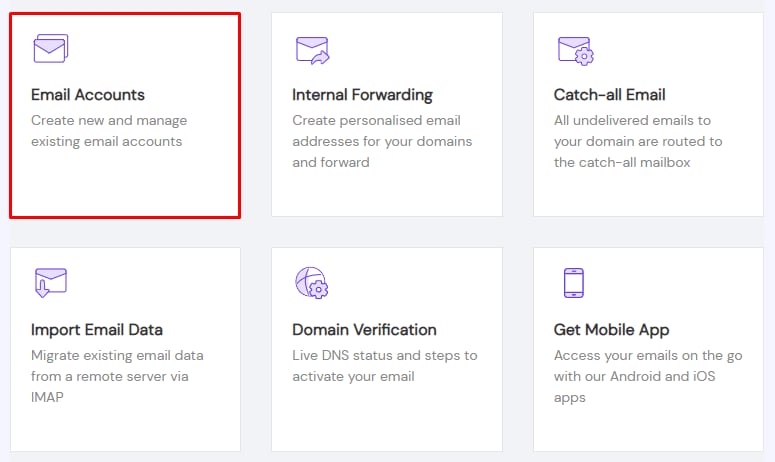
To create an alias for your emails with Titan Email, open the Emails section, click on Mailboxes next to the domain in question, and go to Email Accounts:
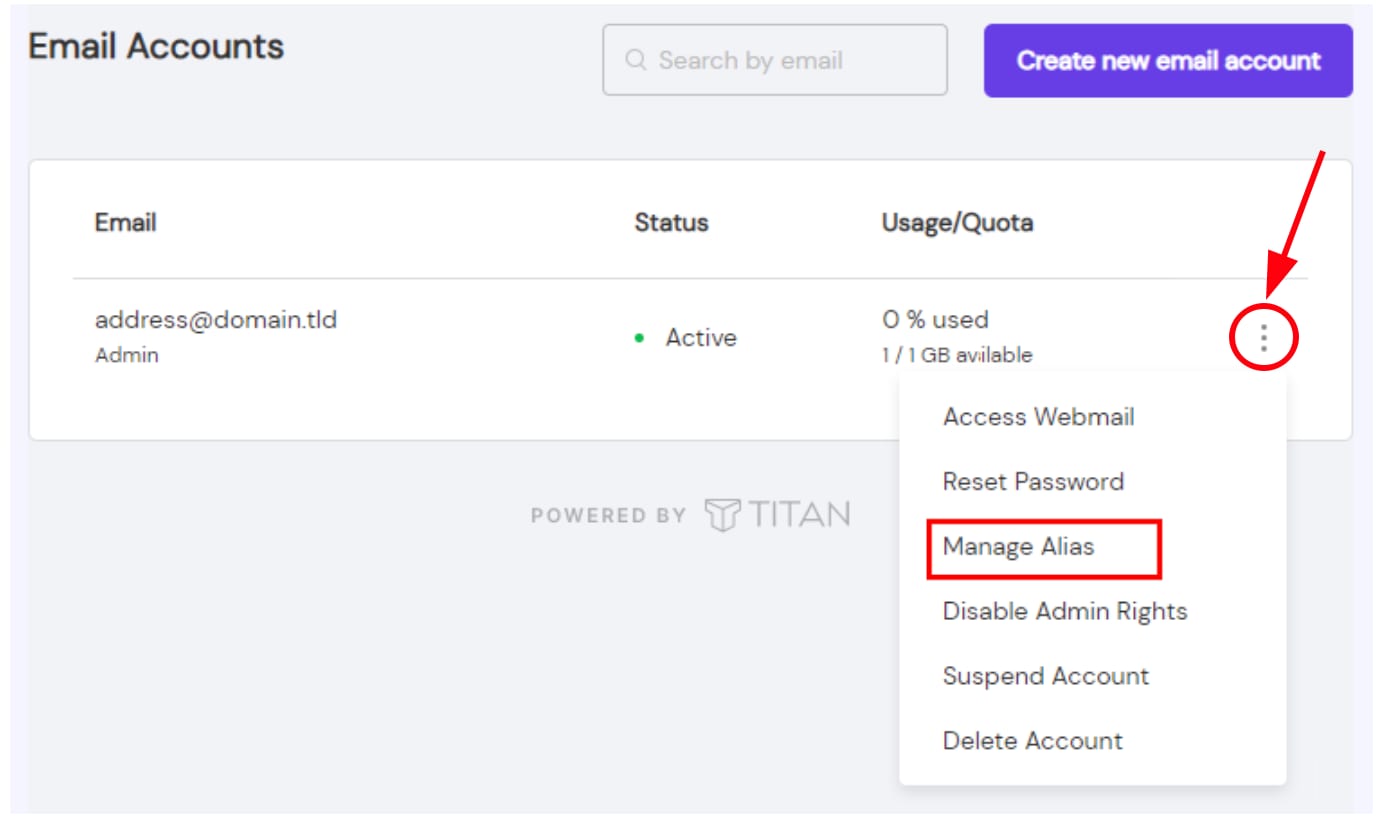
Click on the ellipsis button ⋮ and choose Manage Alias:
Click on Add new alias to enter a display name that will be shown as the sender and the alias for the email address:
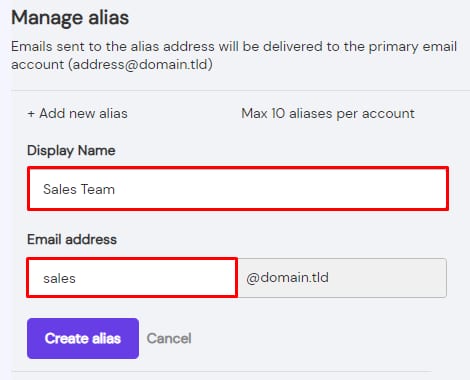
Finally, click on Create alias.
And that’s it! Now you will be able to receive email using this alias.