Access webmail for Titan Email at Hostinger to check your inbox from any browser, without needing a separate email client installed.
Log in via the webmail URL
To access the webmail of Titan Email, open the hostinger.titan.email page, and insert the credentials of your email account.
At Hostinger, we care about customers’ security the most. This is why you’ll need to enter your email account’s address and the email password to reach your email inbox.
Access webmail from Hostinger dashboard
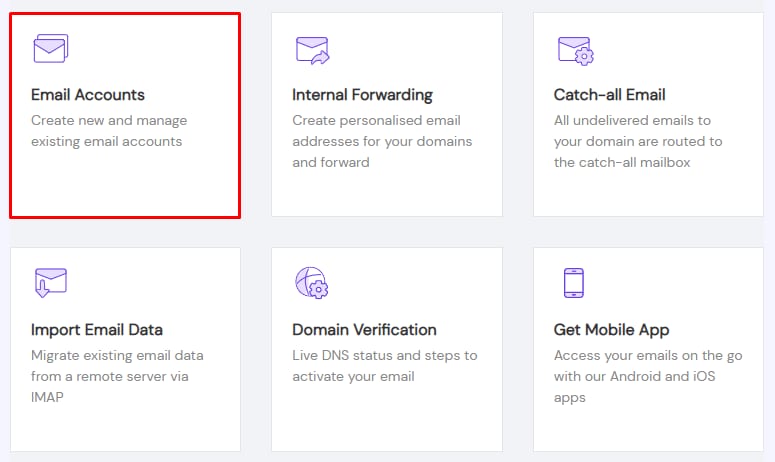
You can also find the link to webmail in your Hostinger account. Open the Emails section, click on Mailboxes next to the domain name in question, and select Email Accounts:
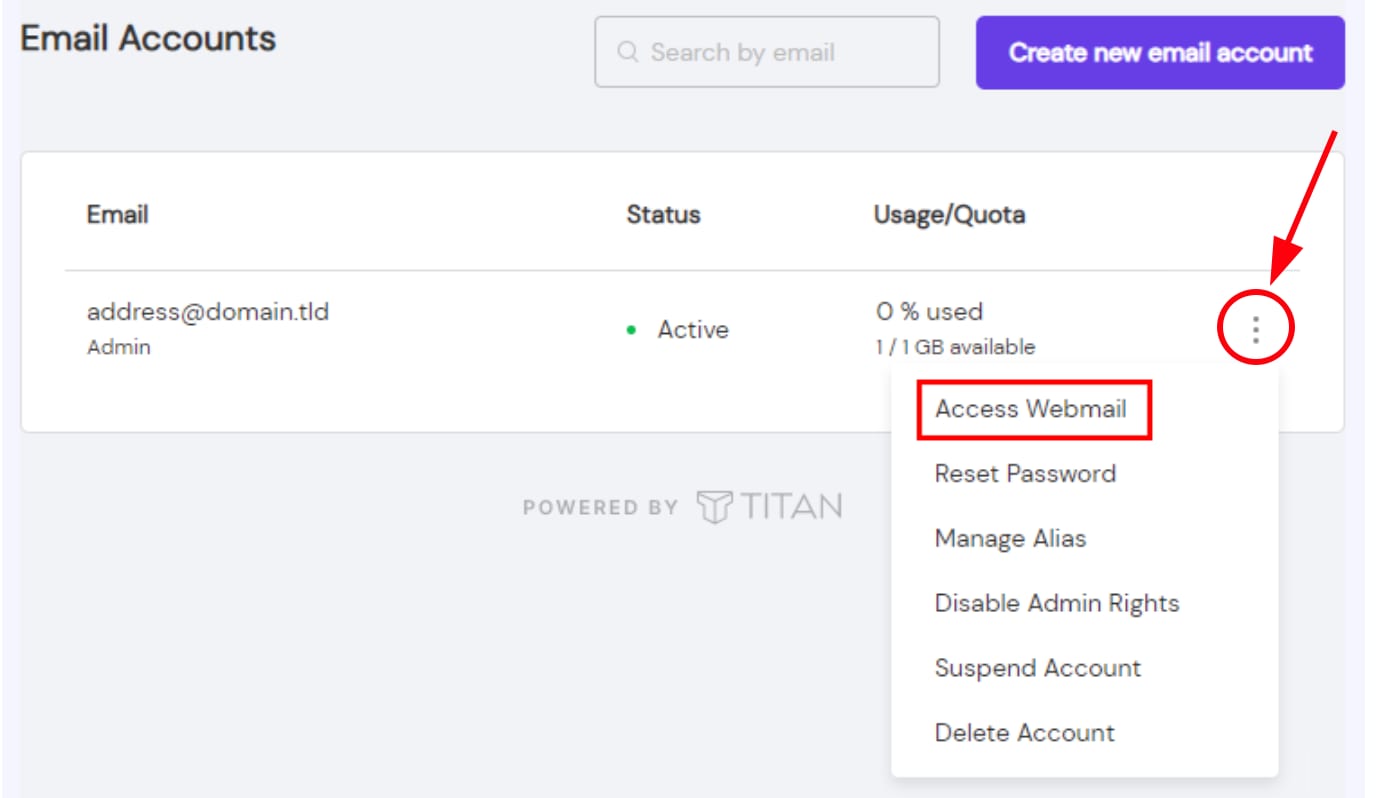
Click on the ellipsis button ⋮ and choose Access Webmail:
If you don’t have an email account yet, you can create one by following this guide: How to Create and Manage Email Accounts With Titan Email.
Once logged in, you can also import your existing contacts to get your webmail set up exactly the way you need it.