Import contacts to Titan Email at Hostinger from other email services, using a CSV file exported from your previous provider.
Before you start
Import your contacts
To import contacts to your Titan email account, go to Hostinger dashboard → Emails, find the email service in question, and click on Mailboxes:

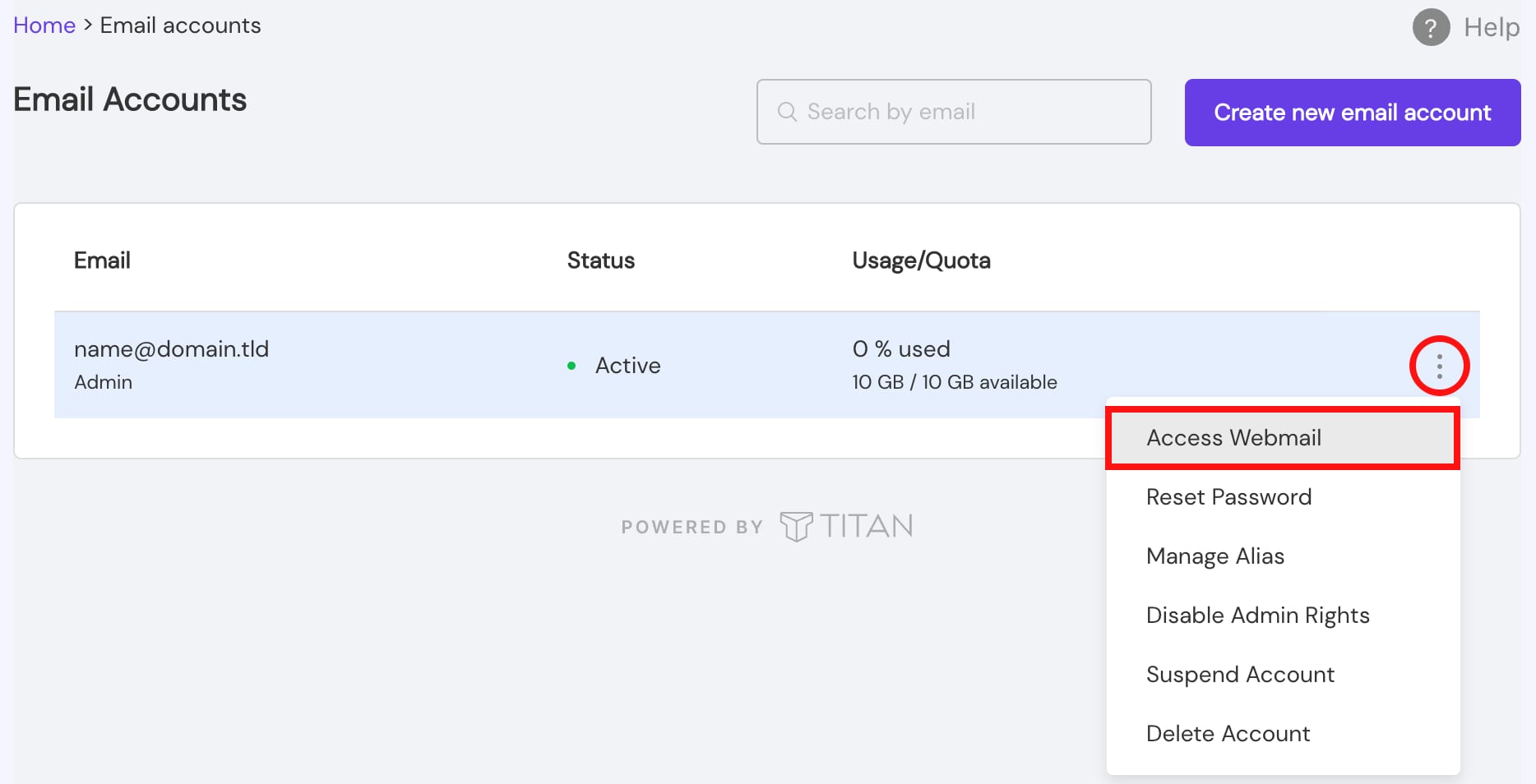
Go to Email Accounts, click on the ellipsis ⋮ button, select Access Webmail, and log into your email account:
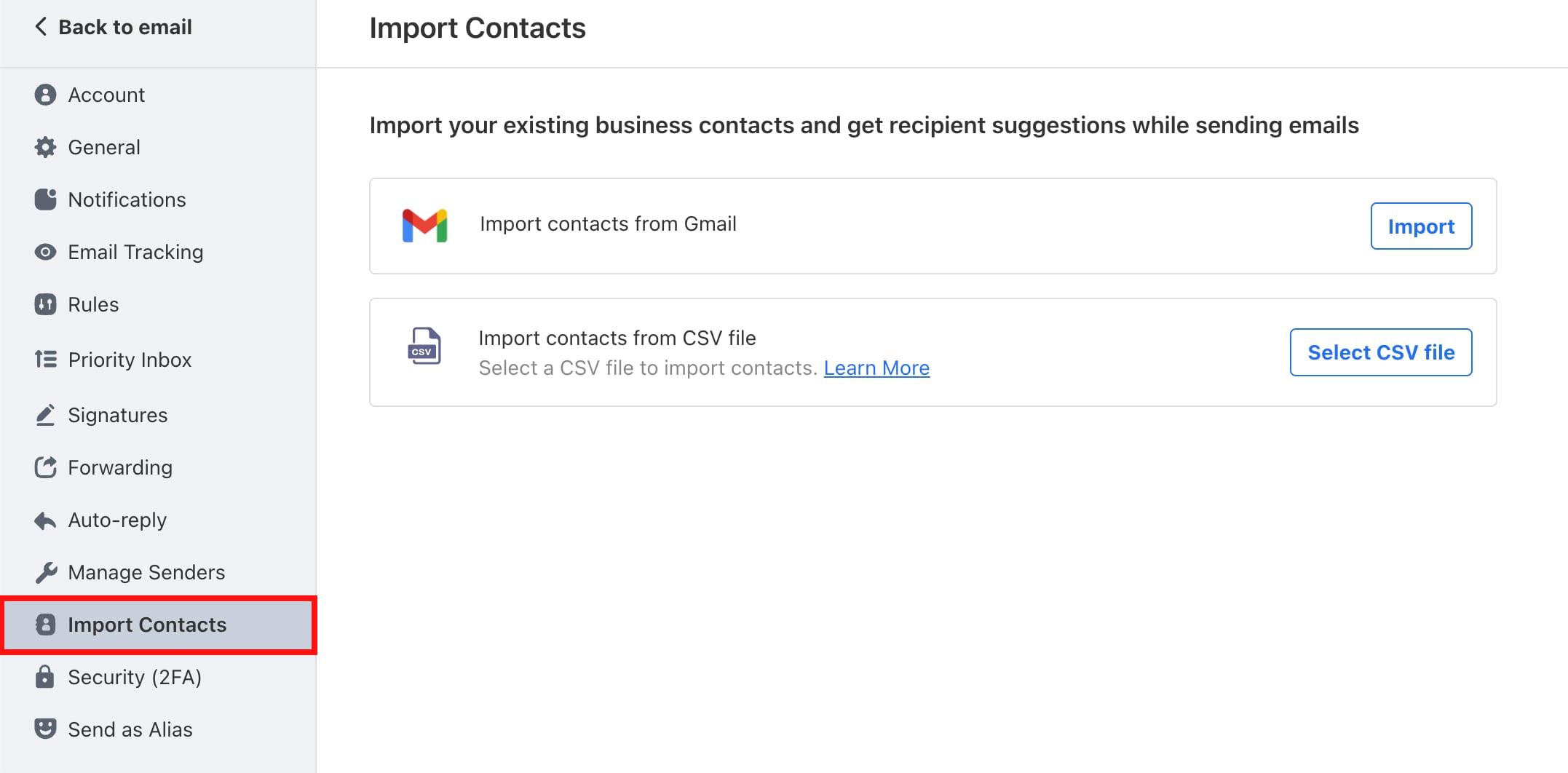
Within your email account, go to Settings → Preferences → Import Contacts, and select if you want to import contacts from a CSV file, or directly from Gmail:
Finally, complete the rest of the steps by following this guide: Import Contacts to Titan.