Hostinger AI Automation Applications let you deploy AI automation and workflow tools directly from Hostinger dashboard without server setup or maintenance. Choose OpenClaw for chat-first AI assistance, Hermes Agent for self-improving task execution, n8n for node-based workflow automation, or Paperclip for orchestrating teams of AI coding agents. Hostinger handles installation, updates, backups, and security, so you only need to configure the application itself.
Available Hostinger AI Automation Applications
- OpenClaw – a chat-first AI assistant for everyday automation. It connects to WhatsApp, Telegram, or Hostinger Email, and works well for bots, alerts, reports, and quick lookups.
- Hermes Agent – a self-improving AI agent built for deeper, multi-step work. It builds memory over time and handles tasks like research, coding, and planning.
- n8n – a node-based workflow automation tool for connecting apps without writing code.
- Paperclip – a managed AI orchestration app for running teams of AI coding agents from a single Hostinger dashboard. Connect an API key for OpenAI, Anthropic, Gemini, or Cursor, or use your ChatGPT subscription to power your agents.
What’s included with Hostinger AI Automation Applications
- Automated onboarding, so you can deploy an application without manual server setup.
- For OpenClaw, Hermes Agent and Paperclip, AI provider flexibility — use nexos.ai for ready-to-use credits and models, or connect your own AI model such as OpenAI, Anthropic, xAI, or Gemini API key.
- For OpenClaw, a Channels section to connect WhatsApp or Telegram directly from the dashboard. For Hermes, a Channels section to connect Telegram.
- An isolated environment for each application, running in a dedicated Docker container.
- Managed infrastructure, so Hostinger handles backend security and software updates.
- Application-level controls such as status monitoring, restart, deletion, and disk usage upgrades.
- For OpenClaw and Hermes Agent, a Hostinger Connector setting to let your agent read and manage your Hostinger resources, including VPS, domains, DNS, email, and billing, directly from chat.
- Environment variable management, so you can view and edit the keys and settings your application needs to run.
- Backups, with options to restore or download a previous backup.
- Logs, including an AI-powered log analysis feature to help identify and fix issues.
n8n’s dashboard currently includes Dashboard, Environment, Backups, and Logs only. Two sections vary by application: AI provider is available for OpenClaw, Hermes Agent, and Paperclip, and Channels is available for OpenClaw and Hermes Agent only.
How to deploy a Hostinger AI Automation Application
If you don’t have an active instance yet, purchase a plan first:
- Log in to Hostinger dashboard and, under AI agents in the sidebar, select OpenClaw, Hermes Agent, Paperclip, or n8n.
- If you don’t have an active instance for that application, click Get started to open the AI Automation Apps landing page.
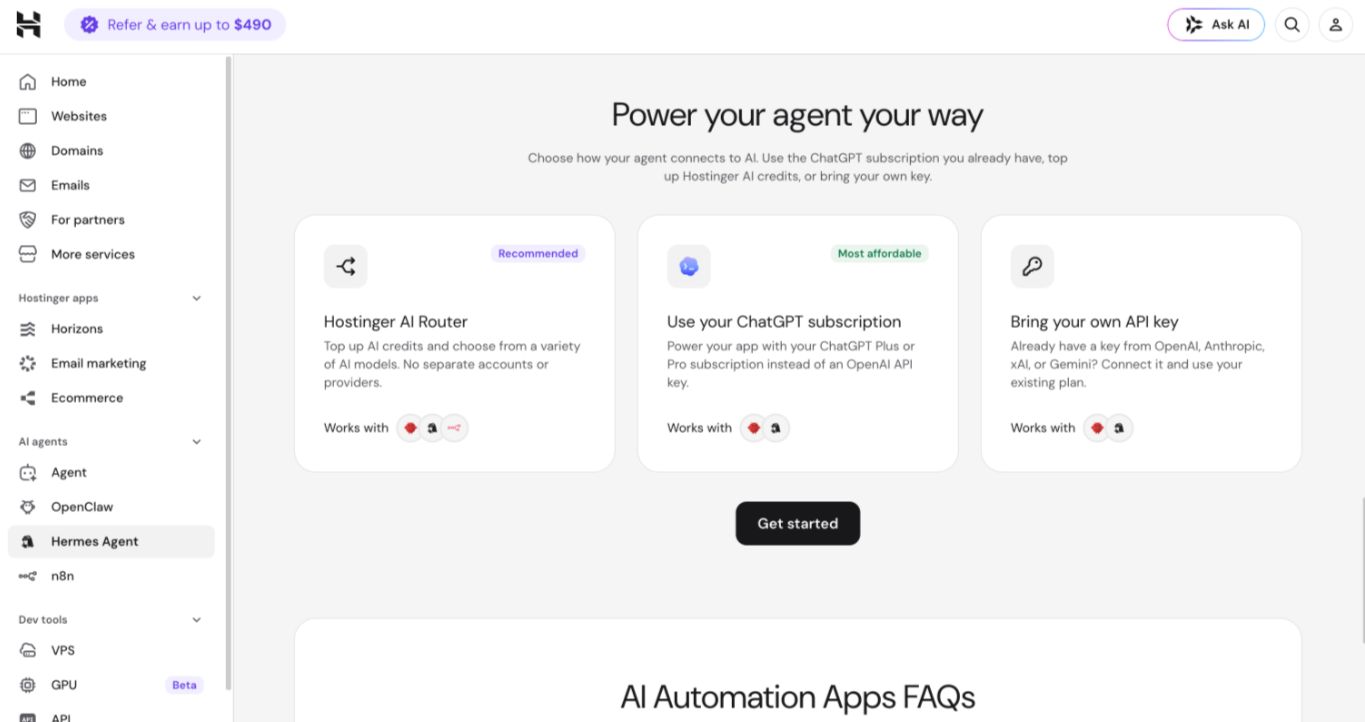
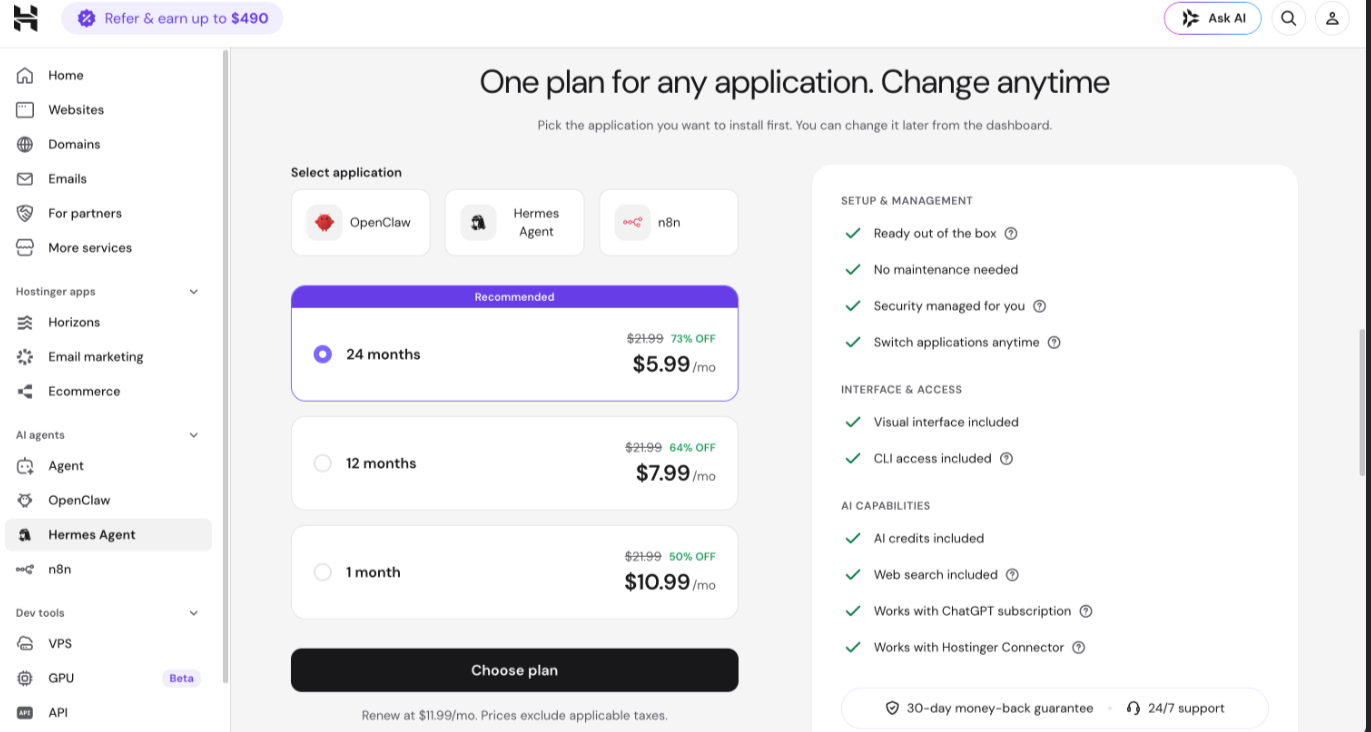
- Select OpenClaw, Hermes Agent, Paperclip, or n8n, then continue to pricing. If you opened the landing page from a specific app’s tab, that application is preselected for you.
- Choose your plan duration and click Choose plan, then complete your purchase.
Once your plan is active:
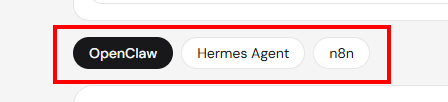
- On the AI Automation applications page, use the tabs at the top to confirm which application you’re deploying.
- If you don’t have an active instance for that application, click Add [application name] to start.
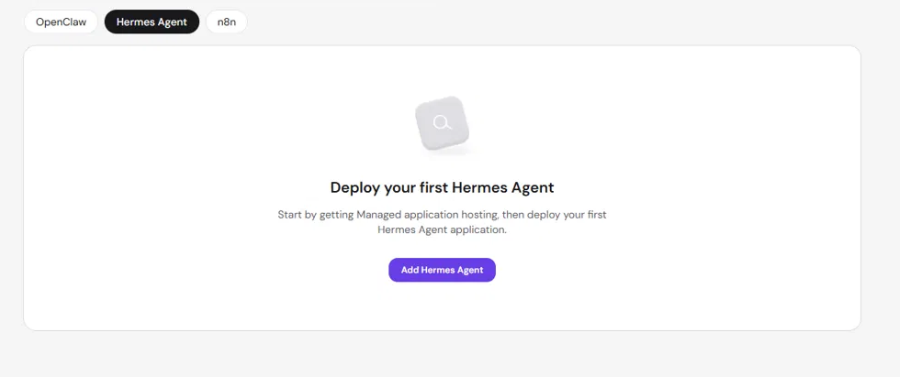
- Follow the guided onboarding for the application you selected.
NOTES
- Each AI Automation Application runs on its own plan. To run more than one application, such as OpenClaw and n8n at the same time, you need a separate plan for each.
- You can switch a deployed instance to a different application at any time by deleting the current one and setting up the new one on the same plan. See How to switch your Hostinger AI Automation application.
Once deployed, your Hostinger AI Automation Application is ready to use, and you can manage it directly from its dashboard in Hostinger dashboard.
Additional resources