Your Hostinger AI Automation application plan includes OpenClaw, Hermes Agent, n8n and Paperclip under the same subscription. You can set up any of these applications at any time from Hostinger dashboard. If you only want one application active, delete the current one first and set up the other in its place.
Before you start
- Active Hostinger AI Automation application plan.
- Access to Hostinger dashboard.
NOTE
- Switching between applications is not a subscription migration. No refund or proration applies when you delete an AI Automation application.
Step 1 – Delete the current application
- Log in to Hostinger dashboard.
- Go to AI agents, then select OpenClaw, Hermes Agent, or n8n, depending on your current application.
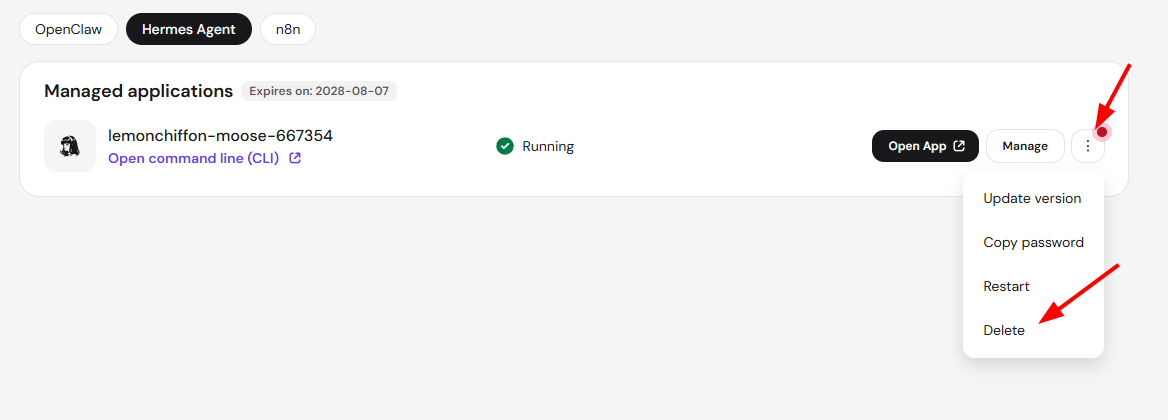
- In the AI Automation applications section, click the options button next to Manage for that application.
- Select Delete.
Step 2 – Set up the new application
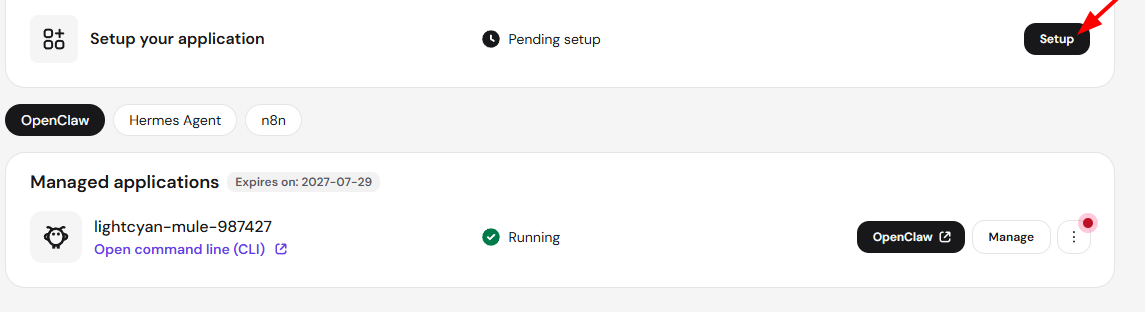
- Once deleted, the application slot shows a Pending setup status.
- Click Setup.
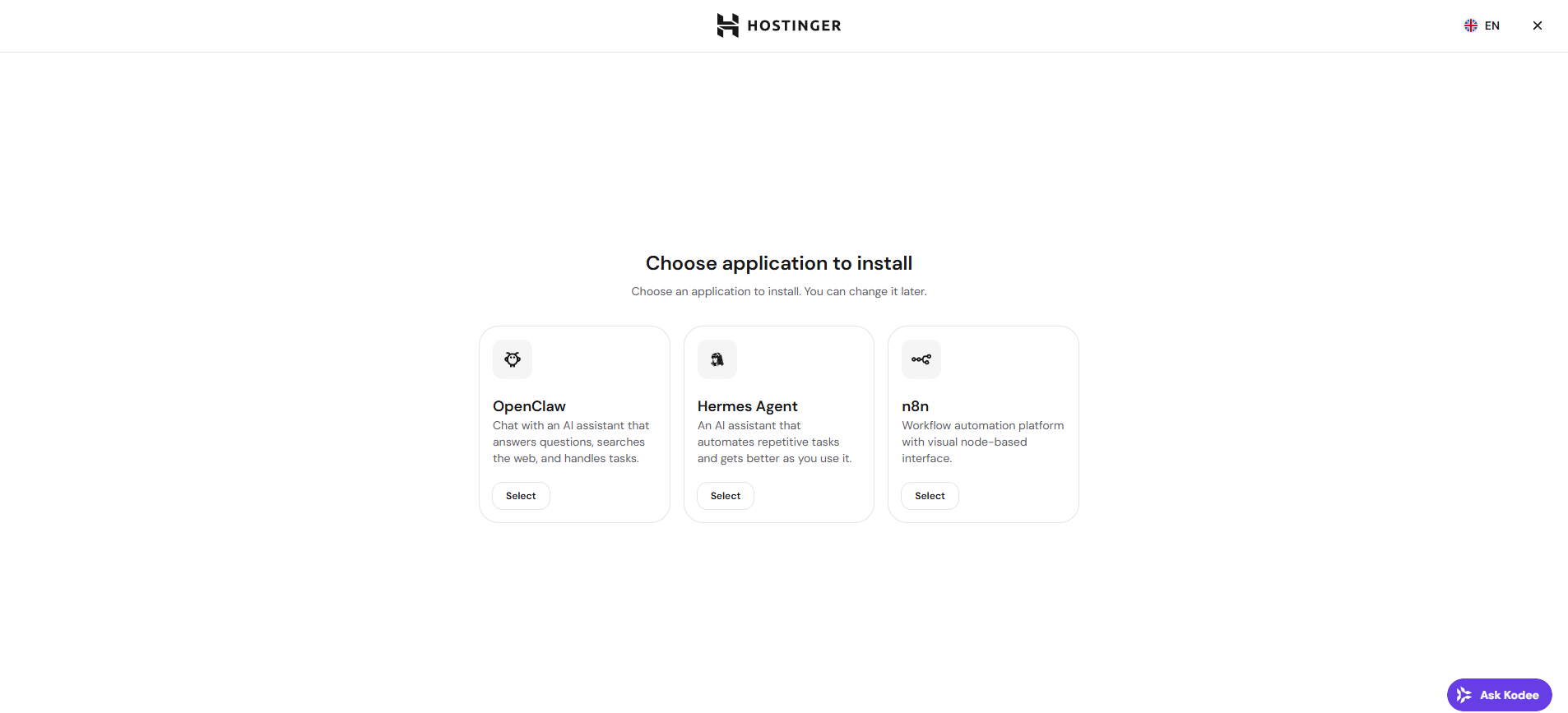
- On the Choose application to install screen, select the new application.
- Click Select to start setup and continue the installation steps.
The new application shows a Running status once installation finishes. You can repeat these steps at any time to switch to a different AI Automation application.