To connect WhatsApp to Hostinger Managed OpenClaw, open the Channels section in Hostinger dashboard, generate a QR code, and scan it with WhatsApp Linked devices. Once connected, you can interact with your AI assistant directly through your mobile device.
Before you start
-
You must have an active Hostinger Managed OpenClaw.
- You need a mobile device with WhatsApp installed and an active account.
WhatsApp can also be connected directly during Managed OpenClaw onboarding in Hostinger dashboard, without opening the OpenClaw dashboard.
How to link Whatsapp to Hostinger Managed OpenClaw
- Access Hostinger dashboard.
- Navigate to your OpenClaw dashboard by clicking the Manage button next to your application.
- Head to Channels.
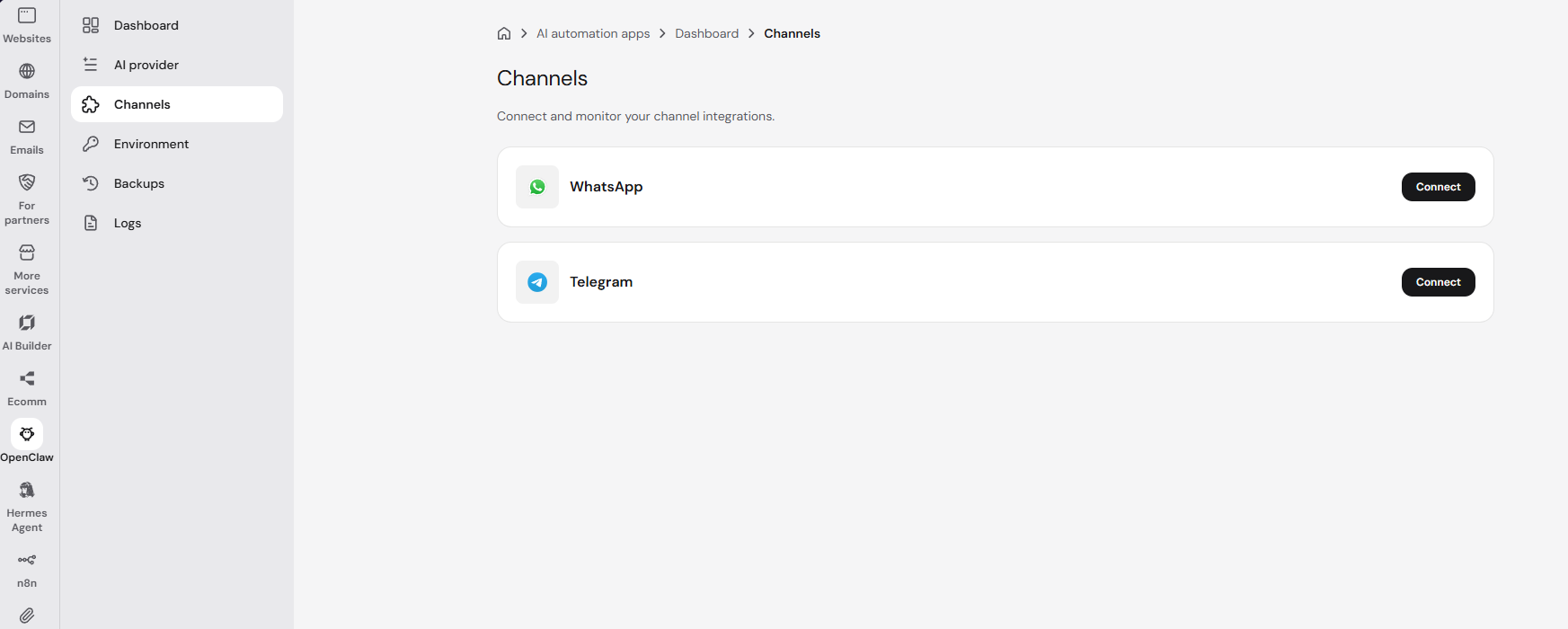
- Click Connect on the WhatsApp option.
- You will see several steps to proceed on your personal WhatsApp account to be able to connect it with your OpenClaw instance:
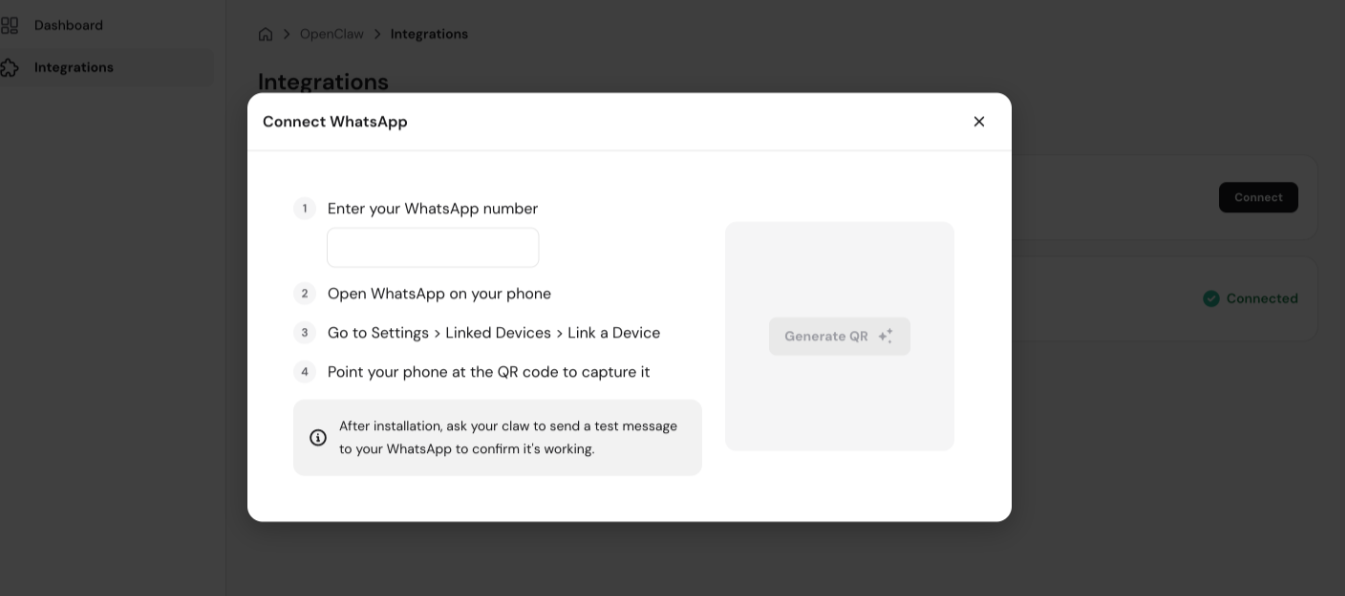
Continue setting up in WhatsApp
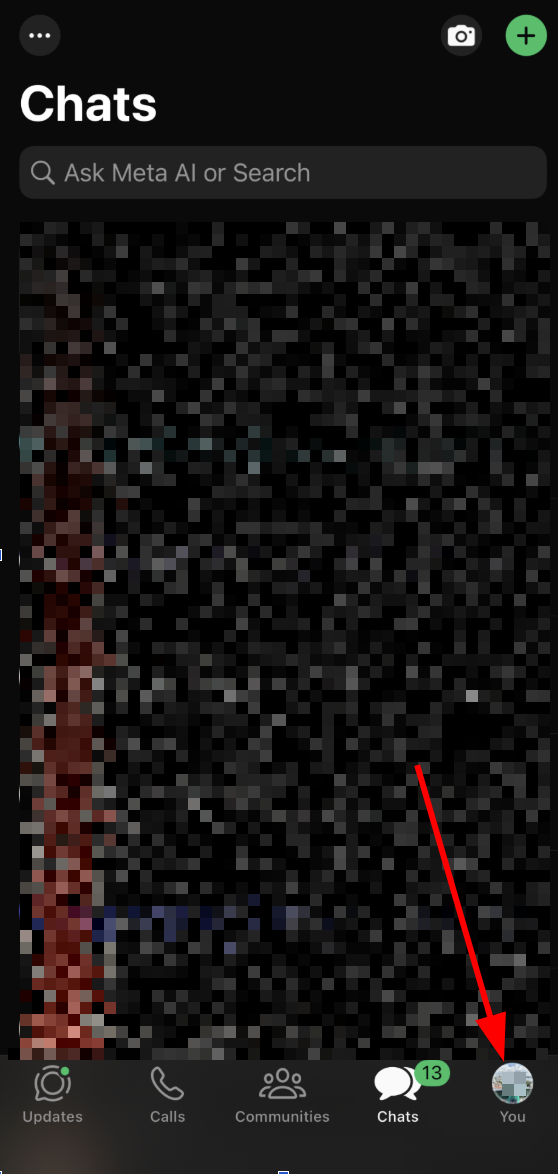
- Go to Settings (You).
- Click on Linked devices button.
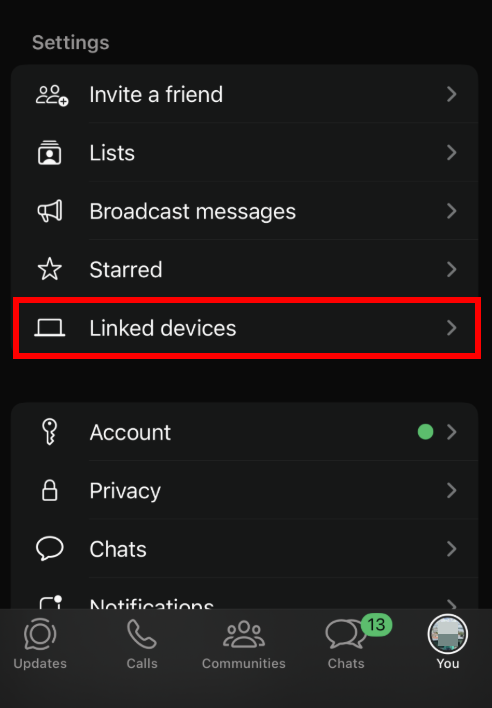
3. Click on Link a device button.
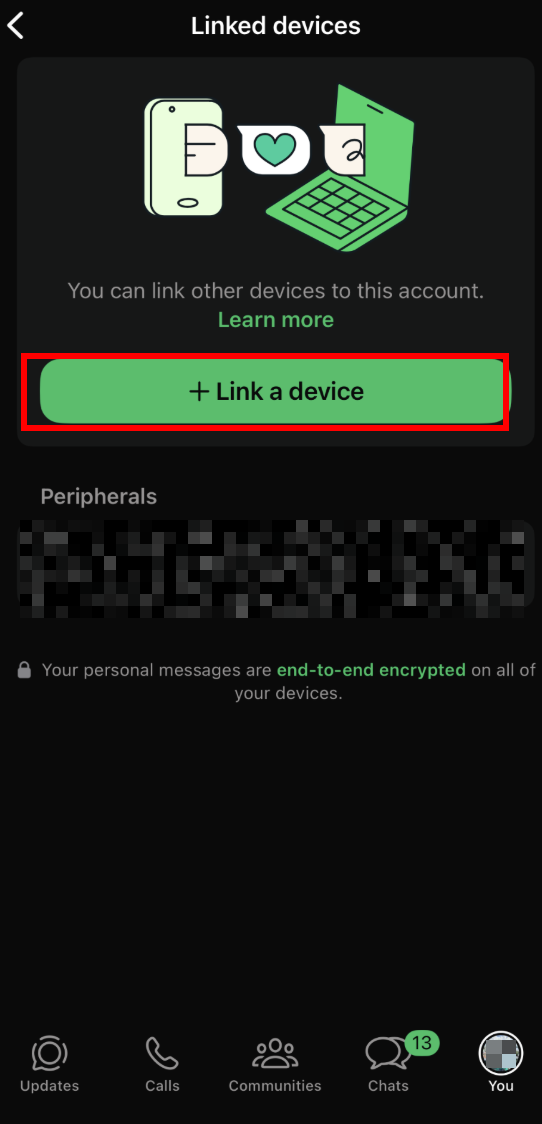
4. Click on Generate QR button on Hostinger dashboard and point your phone camera to it.
Your WhatsApp account is now connected to your Hostinger Managed OpenClaw instance. Say Hi to your app to start interacting.