Hostinger Agent business planning skills turn a short description of your business into a plan, research report, or sales document in the same chat. Use them to write a one-page business plan, brainstorm business names, analyze your market and competitors, review your prices, build recurring revenue, find your first customers, and write outreach emails, sales proposals, and presentations. Most of these skills ask a few questions in a form first, then deliver the result in the chat or as a downloadable file.
Before you start
- Start each skill by describing the task in the chat, or select it with the bolt icon or from the Skills tab. See how to use Hostinger Agent skills for both options.
- Premium skills in Hostinger Agent, such as the Business Advisor skills, are included in Agent Plus. See Hostinger Agent pricing for what Agent Plus includes.
Plan your business with Hostinger Agent
Hostinger Agent has two skills for the early planning stage: One-page business plan and Brainstorm business names. Both ask a few questions about your business before they deliver results in the chat.
Write a one-page business plan with Hostinger Agent
The One-page business plan skill creates a short business plan with the problem you solve, your customers, your revenue, the numbers to track, and your first 90-day priorities. To write a one-page business plan:
- Ask Hostinger Agent for a business plan and name your business type and location. For example: Create a business plan for my bakery in Lisbon.
- Answer the questions in the form, such as who your main customer is and how the business will earn revenue.

- Review the plan in the chat.
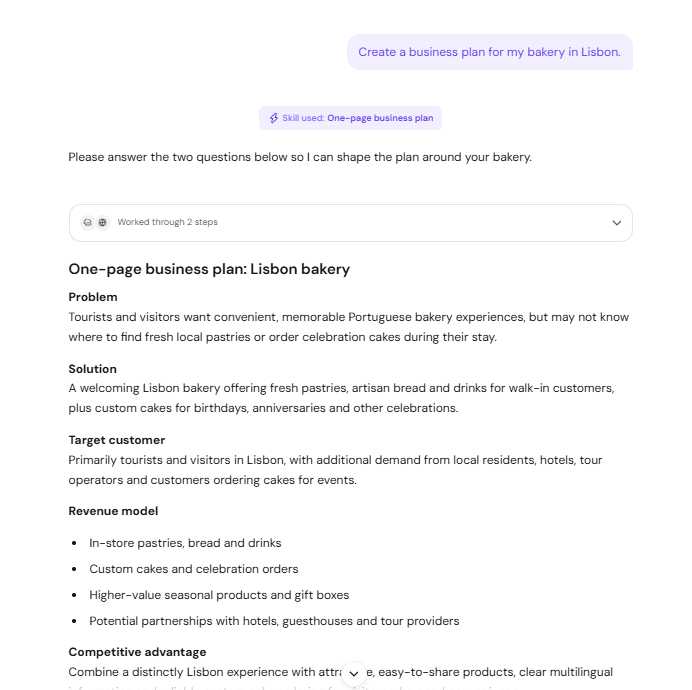
Next-step cards appear below the plan, such as Build the bakery website, Choose a bakery domain, and Plan the first customers. Select a card to continue in the same chat. See how to use Hostinger Agent to create a website for the website step.
Brainstorm business names with Hostinger Agent
The Brainstorm business names skill suggests name ideas grouped by style, picks the strongest five, and adds tips for choosing a name. To brainstorm business names:
- Ask Hostinger Agent for name ideas. For example: Brainstorm business names for my coffee shop.
- Answer the questions in the form, such as the type of business, the feeling the name should convey, and words to use or avoid.

- Review the name ideas and the shortlist in the chat.
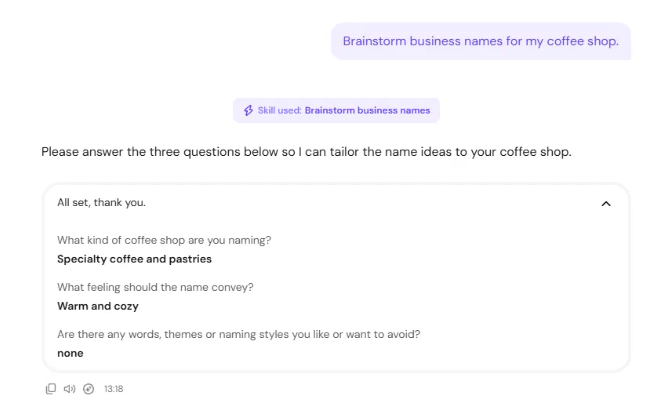
Hostinger Agent does not check domain availability for the suggested names. Search for a matching domain before you decide, and see how to purchase a domain name at Hostinger to register it. Once you choose a name, see how to design a logo with Hostinger Agent to create a matching logo.
Research your market and competitors with Hostinger Agent
Hostinger Agent researches markets and competitors by searching the web and reading public pages, then delivers a sourced report as a Markdown (.md) file. The Market analysis and Analyze my competitors skills each show a short summary in the chat, with the full report attached as a file you can preview and download.
Run a market analysis with Hostinger Agent
The Market analysis skill screens a market for demand, sales channels, sourcing, regulation, and entry risks. To run a market analysis:
- Ask Hostinger Agent for a market analysis and name the product and country. For example: Do a market analysis for handmade candles in Germany.
- Answer the question about which decision the analysis should support, such as starting the business, choosing sales channels, or comparing countries. Hostinger Agent screens the market broadly if you are not sure.
- Review the verdict in the chat, then open the .md file for the full analysis, dated sources, and limitations.
The Market analysis report uses public figures and marks them as proxies when no exact figure exists. Treat the report as a screening tool and confirm compliance points with a qualified advisor before launch.
Analyze your competitors with Hostinger Agent
The Analyze my competitors skill reviews your website and named or nearby competitors, then compares their audience, offer, pricing signals, proof, and messaging. To analyze your competitors:
- Ask Hostinger Agent to analyze your competitors and include your website address and city. For example: Analyze my competitors for domain.tld in Belgrade.
- Wait while Hostinger Agent reviews your website and searches for competitors.
- Review the suggested positioning and highest-impact action in the chat, then open the .md file for the full competitor analysis.

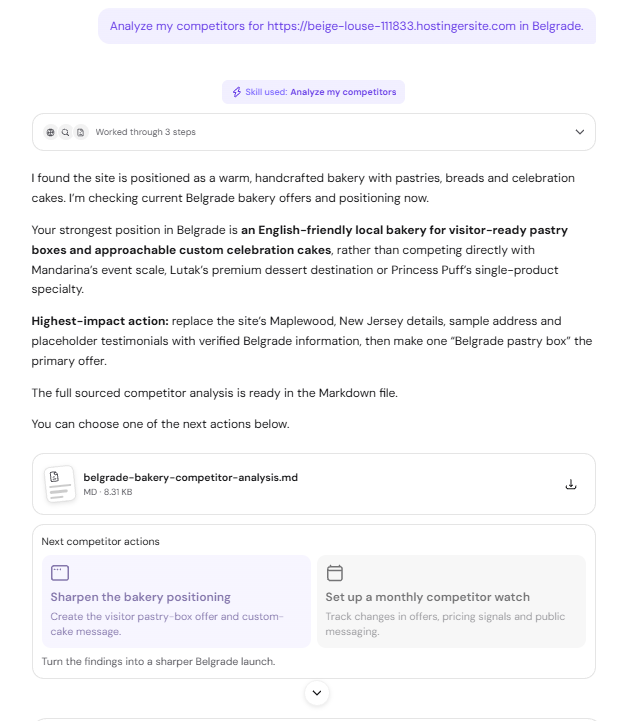
Next-action cards appear below the report, such as Sharpen the bakery positioning and Set up a monthly competitor watch. Select Set up a monthly competitor watch to repeat the analysis every month. Hostinger Agent shows a Schedule this job card with the schedule and instructions, and runs the job once to check it works after you click Confirm. See how to ask Hostinger Agent to check something at regular intervals for more about scheduled jobs.
Review prices and build recurring revenue with Hostinger Agent
Hostinger Agent has two skills for revenue decisions: Raise your prices and Build recurring revenue. Both deliver their recommendations in the chat.
Check whether to raise your prices with Hostinger Agent
The Raise your prices skill compares your current prices with your competitors and recommends new prices with a rollout plan. To check your prices:
- Ask Hostinger Agent whether to raise your prices. For example: Should I raise my prices?
- Answer the questions in the form about what you sell, your customers, your competitors, and why you are considering a change.

- Share your current prices and your competitors’ prices when Hostinger Agent asks for them.
- Review the verdict, the recommended price table, and the rollout plan in the chat.
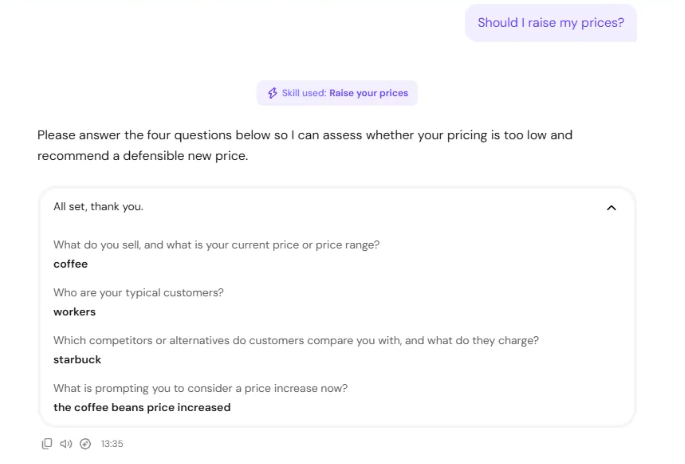
The Raise your prices recommendation depends on the figures you provide, so give exact current prices and comparable competitor prices for the most accurate result.
Build recurring revenue with Hostinger Agent
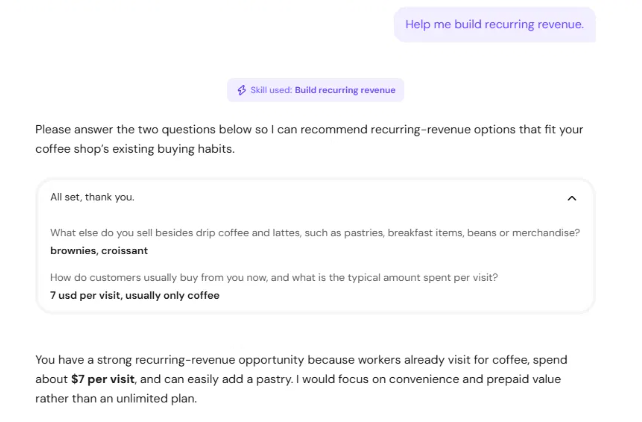
The Build recurring revenue skill suggests subscription, membership, and prepaid offers that fit how your customers already buy. To build recurring revenue:
- Ask Hostinger Agent for recurring revenue ideas. For example: Help me build recurring revenue.

- Answer the questions in the form, such as what else you sell and how much customers usually spend per visit.
- Review the offers, each with a suggested price, implementation steps, and a recommended launch order.
Find customers and sell with Hostinger Agent
Hostinger Agent has four skills for winning customers: Get your first 100 customers, Sales outreach, Sales proposal, and Generate a presentation.
Get your first 100 customers with Hostinger Agent
The Get your first 100 customers skill creates a priority plan of low-cost tactics, such as local partnerships, referral networks, and review requests, plus a 30-day target. Ask Hostinger Agent for help finding your first customers and name your business, city, and target audience. For example: Help me get my first bakery customers in Lisbon, focusing on tourists and custom cake orders.
Hostinger Agent asks what you have tried so far, then tailors the plan to your answer. To bring visitors to your website rather than customers to your business, see how to ask Hostinger Agent to get your first 100 visitors.
Write sales outreach emails with Hostinger Agent
The Sales outreach skill writes one personalized email for each prospect, with a subject line and a short call to action. To write sales outreach emails:
- Ask Hostinger Agent for outreach emails. For example: Write a sales outreach email for my web design agency and send it to three prospects.
- Answer the questions in the form about your offer and your prospects. For each prospect, include the business name, contact person, email address, website, and one personalization detail.
- Click Connect on the Gmail card if you want Hostinger Agent to send the emails from your account.

- Review the emails in the chat before anything is sent.
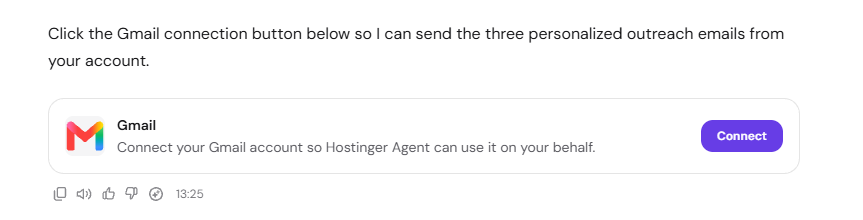
Hostinger Agent shows the finished emails in the chat when sending is not available, so you can copy and send them yourself. See connect apps and custom MCP servers to Hostinger Agent for how app connections work. To follow up automatically with prospects who haven’t replied, see how to send automatic sales follow-up emails with Hostinger Agent.
Write a sales proposal with Hostinger Agent
The Sales proposal skill writes a client proposal with an executive summary, business challenge, proposed solution, deliverables, investment, timeline, success measures, and next steps. To write a sales proposal:
- Ask Hostinger Agent for a proposal and name the project type. For example: Write a sales proposal for a website redesign project.
- Answer the questions in the form about the client, the goals the project should address, and the scope and budget. Answer plan it for me to let Hostinger Agent suggest the scope and budget.
- Choose one client if Hostinger Agent asks which one the proposal is for.
- Review the proposal in the chat and replace placeholders such as [Your Agency Name] before you send it.
Generate a presentation with Hostinger Agent
The Generate a presentation skill creates a downloadable PowerPoint (.pptx) presentation about your product or business. To generate a presentation:
- Ask Hostinger Agent for a presentation. For example: Create a presentation about my product.
- Answer the questions in the form about the product, the audience, the number of slides, and the visual style.
- Open the .pptx file to preview the slides, or download it.
Quick actions appear below the presentation for common changes, such as adding product images or matching your brand colors.
Your business plans, research reports, and sales documents are ready to review, adjust, and use with customers and partners. All files Hostinger Agent creates, including .md reports and .pptx presentations, are collected in Files, where you can preview and download them.