Access your Hostinger AI Builder store management area to manage products, orders, payments, and store settings in either manual mode or agentic mode. From there, you can edit product details and product pages, and find dedicated guides for store setup, sales, payments, and other store features.
Before you start
This applies if you have an active Hostinger Ecommerce subscription — enabled in manual mode, or enabled in agentic mode.
Store management area
For manual mode:
- In the Websites section, click on Edit website.
- Click on Online store on the left, and select Manage store:

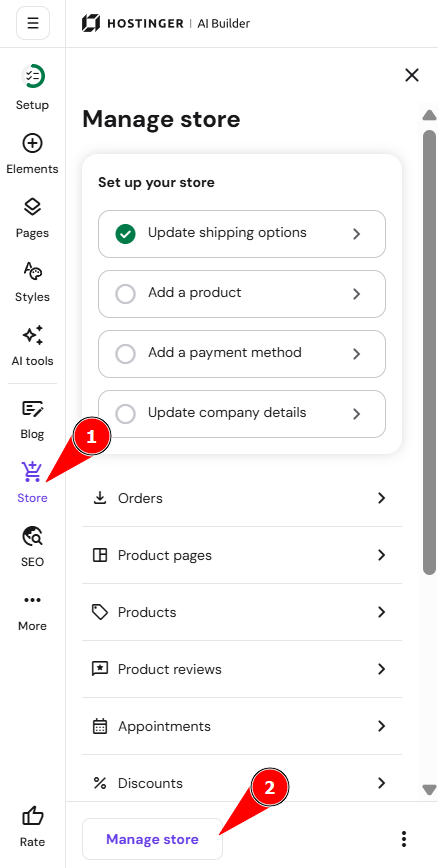
For agentic mode:
- In the Websites section, click on Edit website.
- You can manage your store anytime by clicking Ecommerce in the top navigation bar.

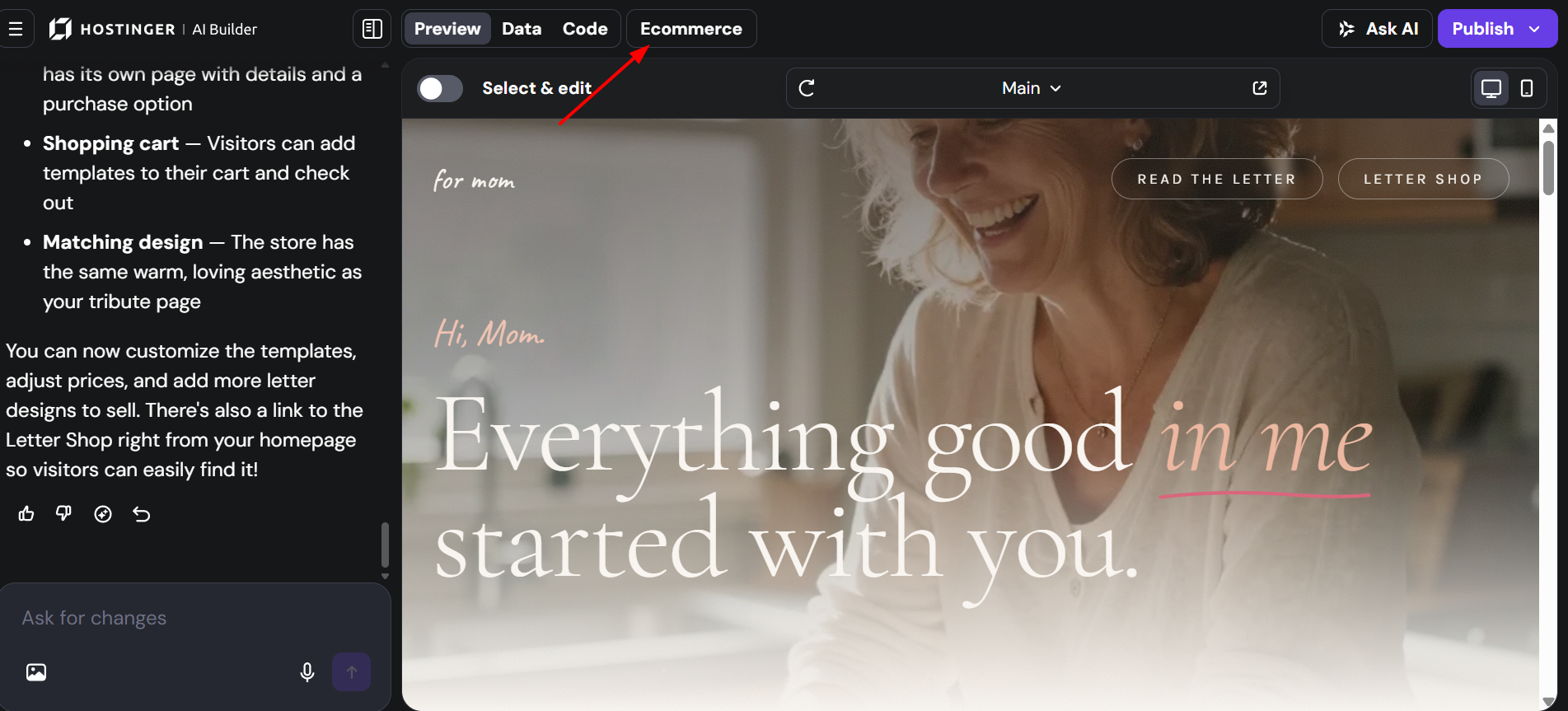
This way, you’ll be redirected to the store management area.
Product management area
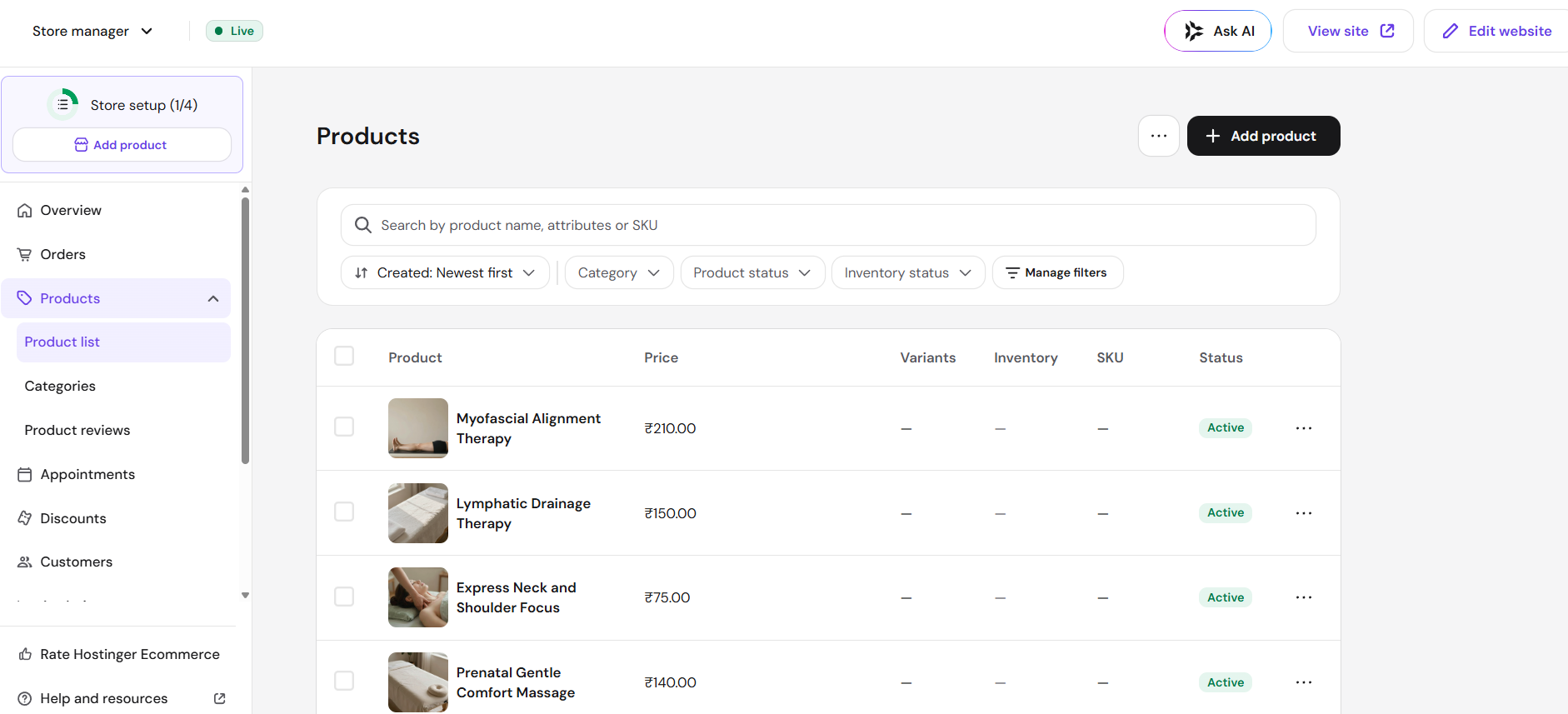
In the store management area → Products, you can edit the information about all your products. Change their titles, images, prices, descriptions, variations, SKUs, and other details.
Product page for manual mode
For manual mode, to edit the design (style, layout, etc.) of a particular product page, click on Store on the left, click Product Pages, and then click on the preferred product title:
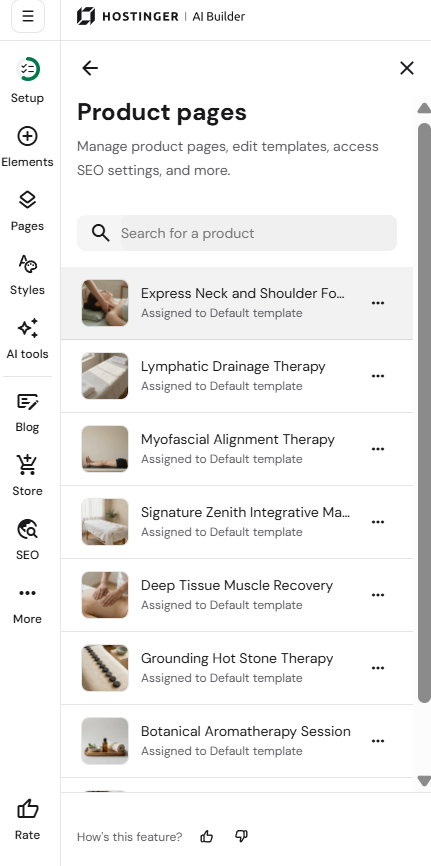
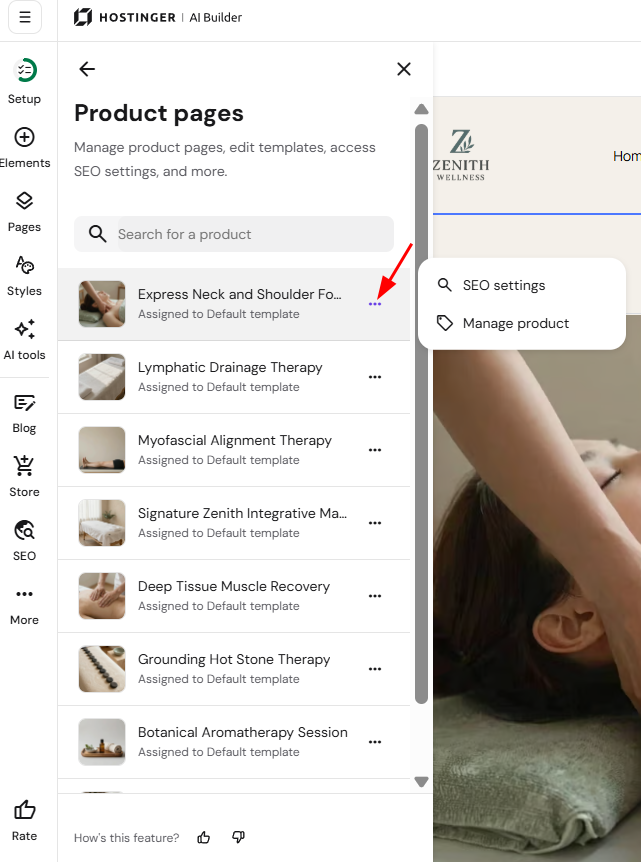
To edit the settings of a particular product page in manual mode, click on Store on the left, clicking the ellipsis (⋯) menu next to the product title in Product Pages, and access the following:
-
SEO settings: meta title and description of a page, keywords, the option to hide a page from search engines
- Manage products: it will redirect to product page in store management area
Manage your online store
Once you’re in the store management area, you can fine-tune specific parts of your store:
Store setup
- Create an online store in manual mode.
- Set the store name and regional settings.
- Edit company information.
- Change the store currency.
Products and sales
Orders and payments
- Manage orders.
- Manage checkout settings.
- Set up shipping.
- Manage taxes.
- Set up online payment gateways.
Other store features
Now you know how to access the store management area in Hostinger AI Builder!