Hostinger AI Builder product reviews let shoppers rate and review products in your online store, in both manual mode and agentic mode. Turn on reviews from Products → Product reviews in the Store Manager, choose whether the AI scan publishes reviews automatically or you approve each one, and send customers an email inviting them to review their order.
How to enable and manage product reviews
-
Go to Store manager.
-
Head to Products.
-
Select Product reviews.
-
Click Settings.
-
Toggle Collect reviews ON to activate reviews on your store.
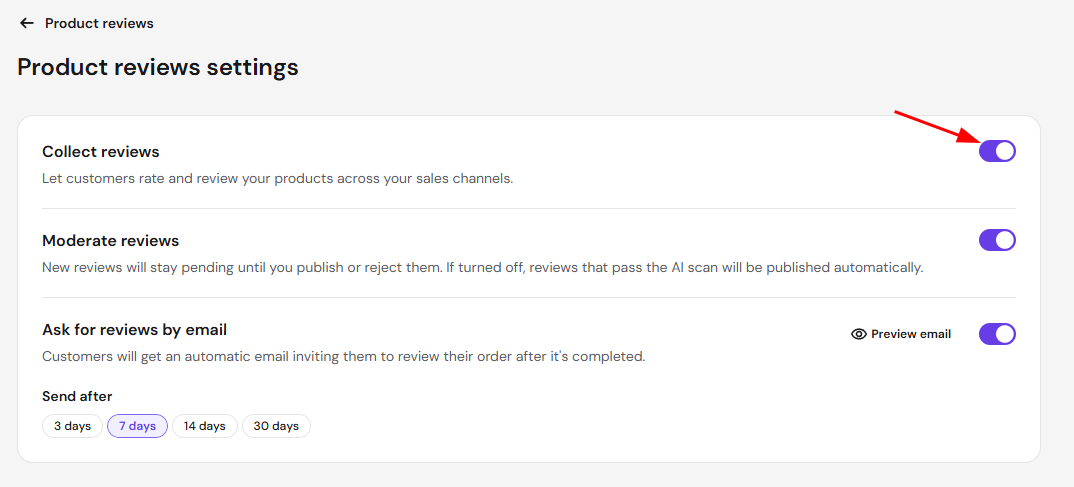
Each connected sales channel has its own review collection toggle under Collect reviews, and new sales channels collect reviews automatically. Your sales channels share reviews, so a review left on one channel appears on all of them. To manage reviews across Hostinger AI Builder and Quick link sales channels, see Hostinger Ecommerce: How to manage product reviews.
Want to see how this looks on your site? Jump to: How product reviews appear on your website
Moderate or Automate?
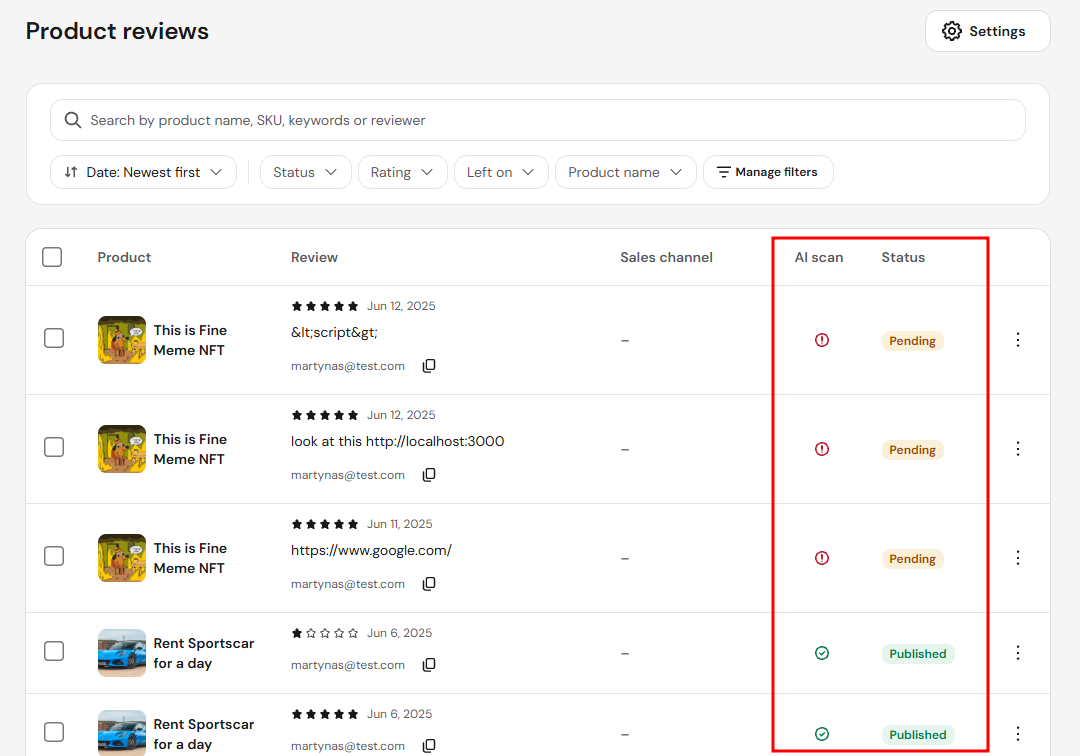
- To avoid moderating each review manually, keep the Moderate reviews toggle off and let the built-in AI scan check each review. The result appears in the AI scan column of the reviews list:
- Green check icon: the review passed the AI scan and is published automatically.
- Red Flagged icon: the review stays Pending and appears on your site only after you publish it.
This saves time while keeping your reviews trustworthy and respectful.
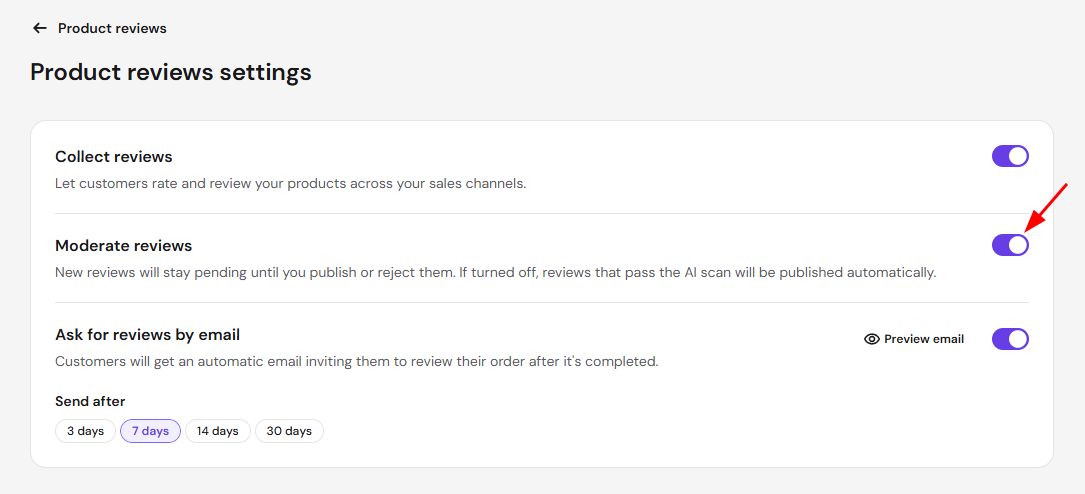
- If you’d like to have full control over what appears on your product pages, enable the Moderate reviews toggle. This allows you to manually review and approve each comment before it goes live.
Email review reminders
To help collect more feedback, automated emails invite customers to review their order after it’s completed.
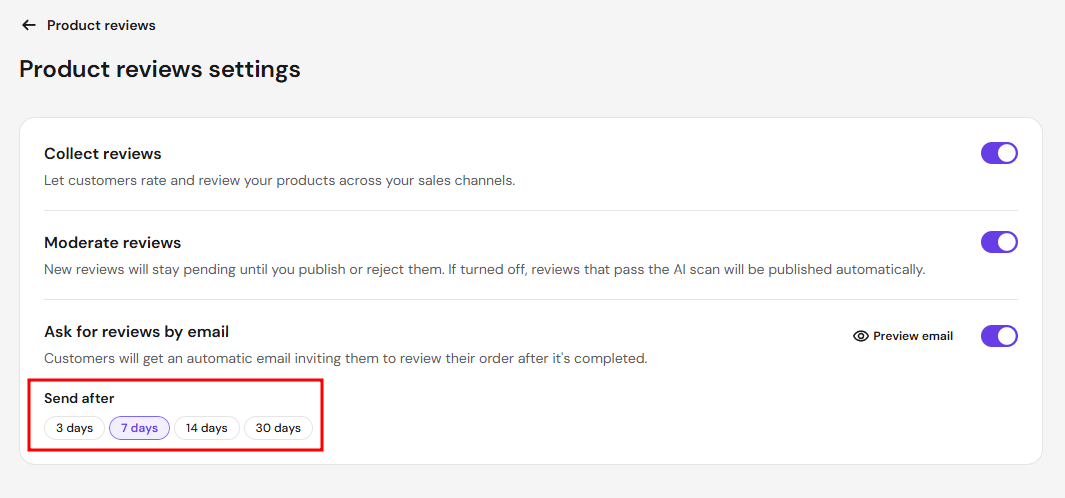
- Default reminder: 7 days after the order is completed.
- You can choose to send reminders 3, 7, 14, or 30 days after the order is completed.
To change this:
- In the Store Manager, go to Products → Product reviews.
- Click Settings.
- Make sure the Ask for reviews by email toggle is on.
- Under Send after, select your preferred delay.
Choose a reminder delay that allows your customers enough time to try your product before leaving a review. This results in more thoughtful and helpful feedback.
How do product reviews look like on my website?
-
Visitors can leave reviews directly on your product pages. If no reviews exist yet, customers will see a prompt to “Be the first to leave a review”.

-
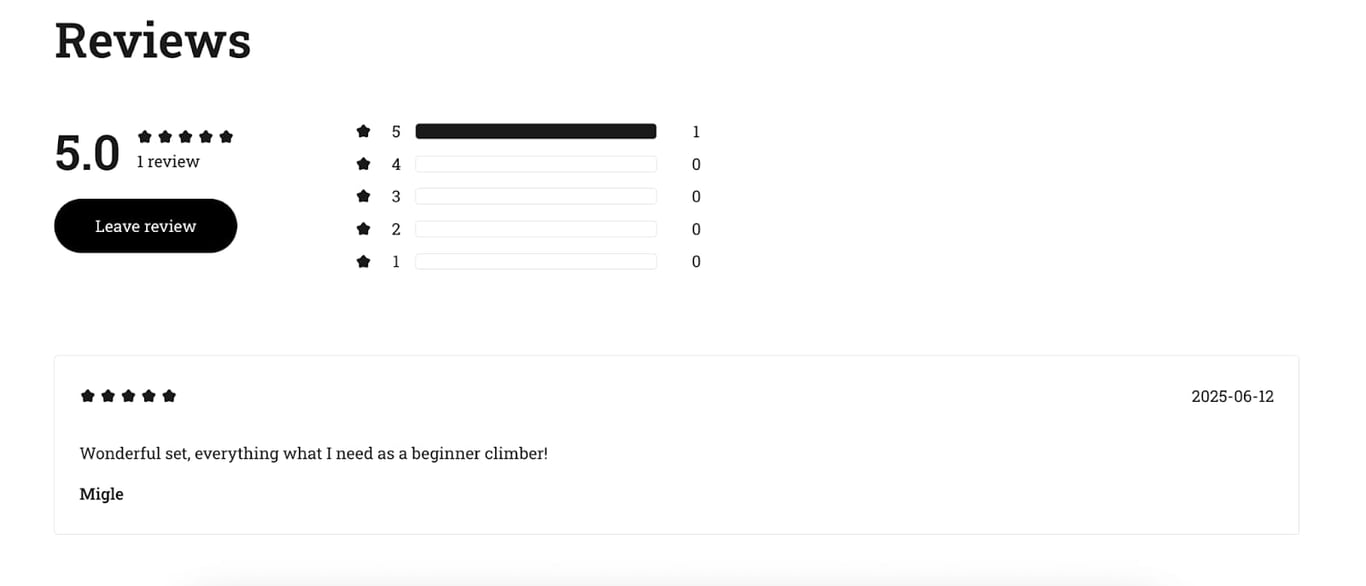
Once reviews are submitted, they appear just below the product info (unless you’re manually approving each review, then reviews will only appear once you approve them in Store Manager, as below:
-
Customers can also review a product from the review-request email. Each star in the email opens the product page with the review form already filled in.
-
Reviews submitted from the review-request email are marked Verified. Reviews left directly on the product page are unverified.
Honest and diverse feedback builds more trust than only showing perfect reviews.
NOTE
- Existing Hostinger AI Builder agentic mode stores get product reviews automatically. Hostinger AI Builder adds the review list and review form to the product page the next time it works on that page.
Managing reviews in the Store Manager
- In the Store Manager, go to Products → Product reviews. The reviews list shows each review’s product, rating, date, review text, reviewer email, Sales channel, AI scan result, and Status.
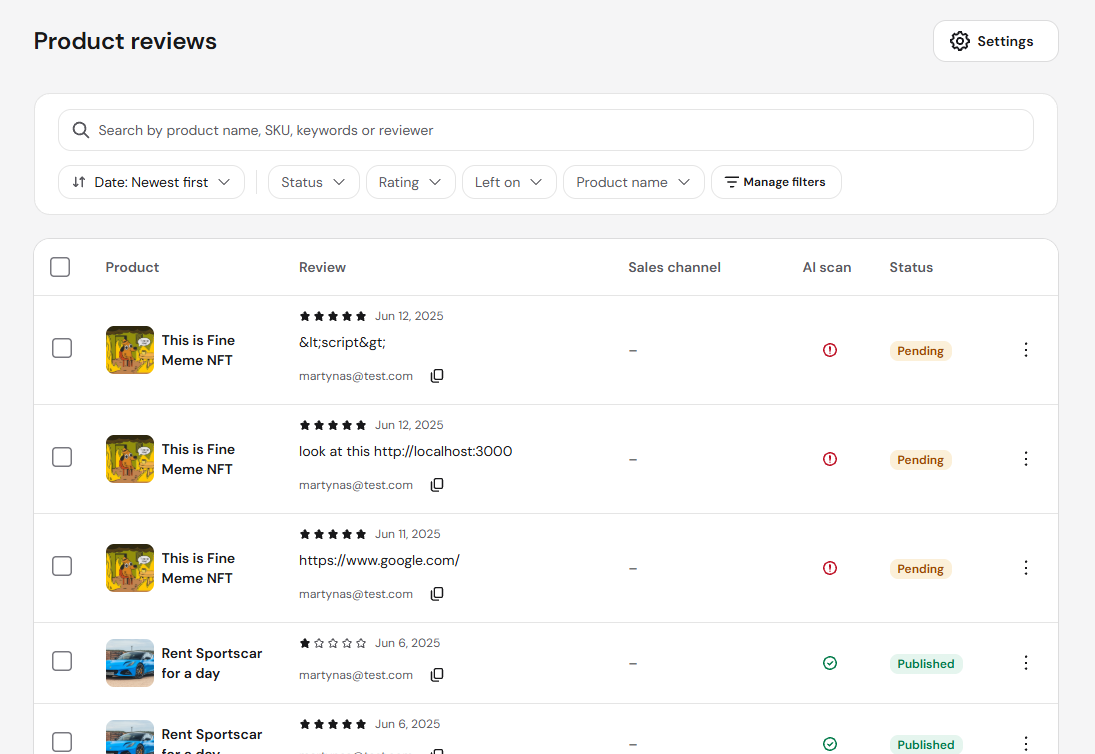
- Use the search bar to find reviews by product name, SKU, keywords, or reviewer. Sort by date, or filter by Status, Rating, Left on, and Product name. Click Manage filters to choose which filters appear.
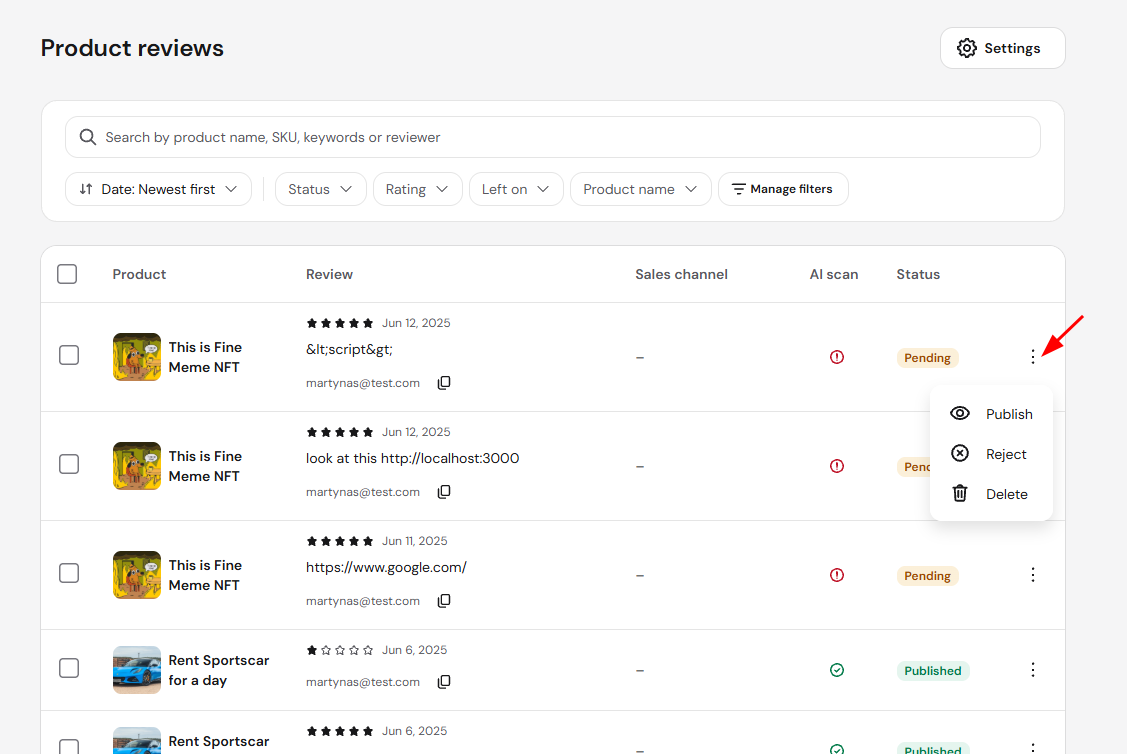
- Click the options (⋮) button next to a review to manage it:
- Publish: makes the review visible on your site.
- Reject: hides the review from your site.
- Delete: permanently removes the review from your site.
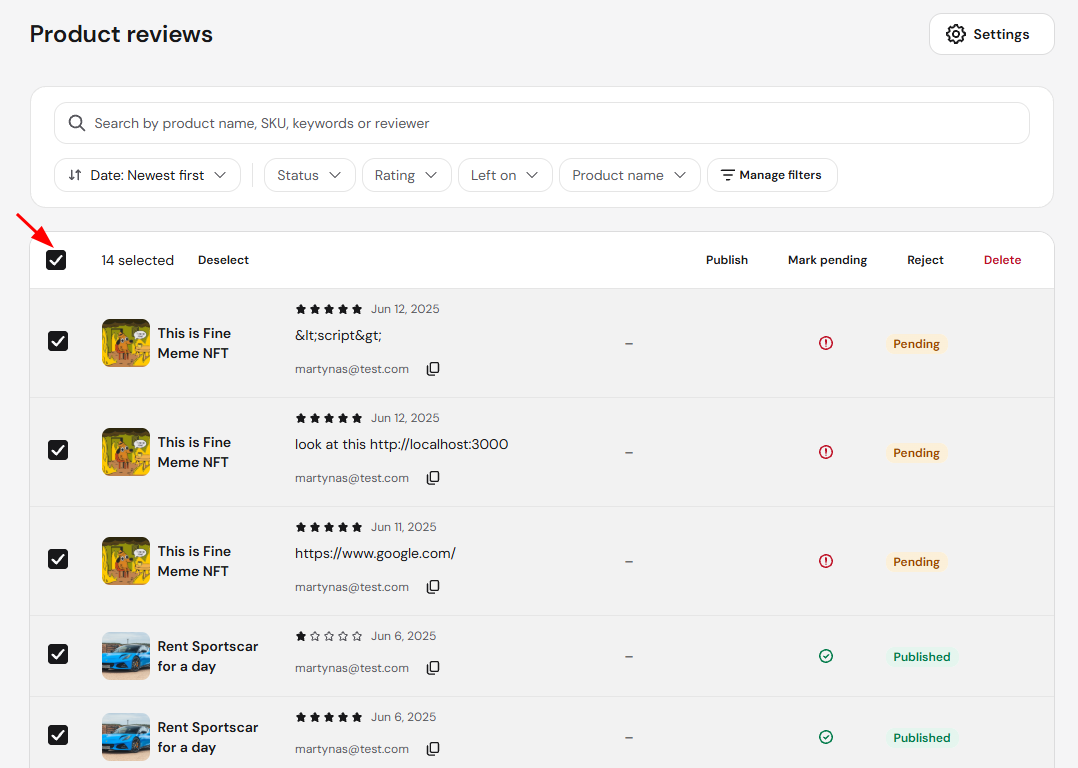
- To update several reviews at once, select them with the checkboxes.
Final tips
-
Turn on email reminders to increase the number of reviews
-
Use AI scan for scale and safety
-
Showcase real customer voices to grow trust and sales