Hostinger Ecommerce product reviews let shoppers rate and review products directly on the product page, and are available for Quick link stores. Turn reviews on from Products → Product reviews in your Store Manager, moderate submissions before they go live, and configure whether reviews are collected per sales channel or shared across all of them.
How shoppers see and submit product reviews
On the product page, shoppers see a star rating summary under the product title, showing the average rating and review count. Clicking it scrolls down to the full reviews section, which includes the overall rating, a star distribution breakdown, and a paginated list of individual reviews (5 per page, with a Show more reviews button). If a product has no reviews yet, shoppers see a prompt inviting them to leave the first one.
To leave a review, shoppers select a star rating, and optionally add their name, email, and a comment. If a shopper is reviewing after receiving a review-request email, their rating and email are pre-filled, though they can still change them. On mobile devices, the review form opens as a bottom sheet.
Managing product reviews
To check your product reviews, go to Products → Product reviews.
If reviews aren’t enabled yet, you’ll see a prompt to turn on reviews.
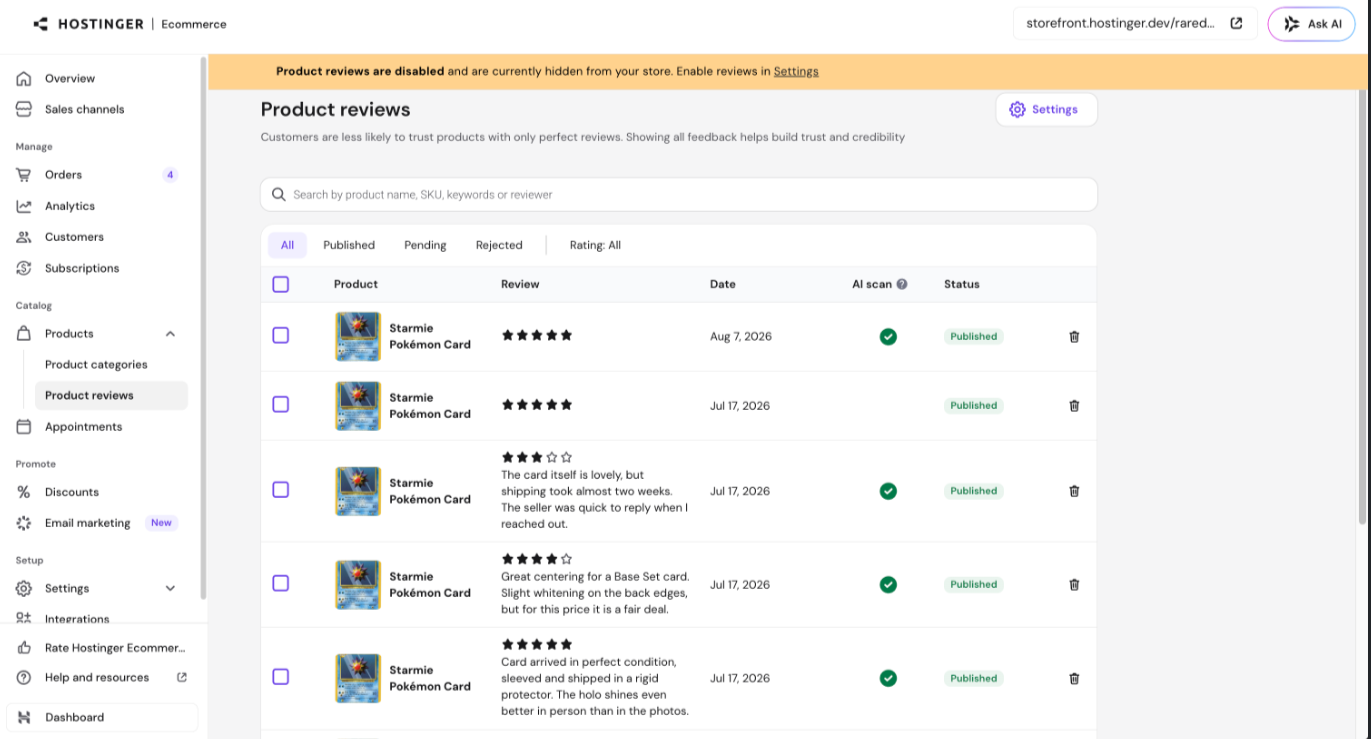
If they’re already on, you’ll see the full list of reviews, with the following tools:
- Search — search by product name, SKU, review text, or reviewer.
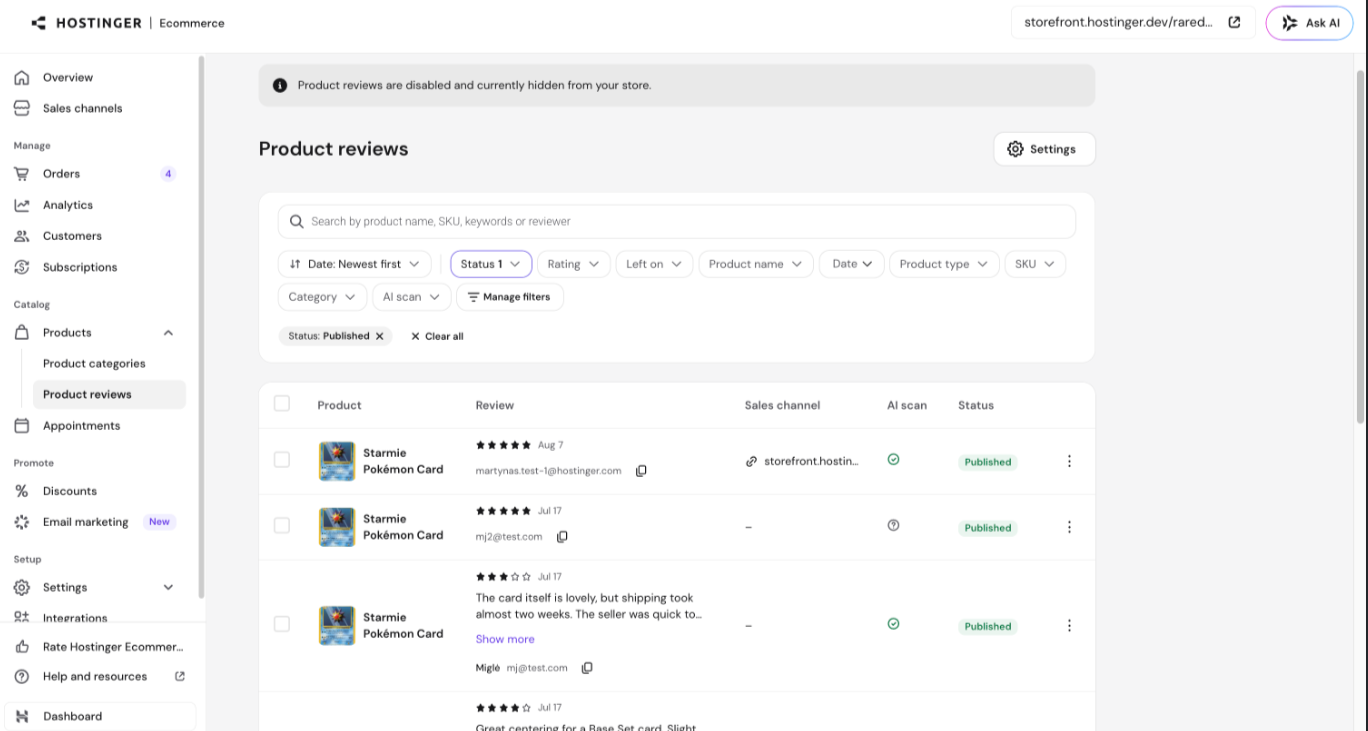
- Sort and filter — filter by status, rating, date, product name, and more. Each filter shows how many reviews match. Click Manage filters to choose which filters are visible and in what order. Your filter selections are saved in the URL, so you can bookmark or share a specific filtered view.
- Row and bulk actions — select one or more reviews using the checkboxes, then Publish, Mark pending, Reject, or Delete them.
On mobile, reviews display as stacked cards instead of a table, with the same moderation actions available.
Product reviews settings
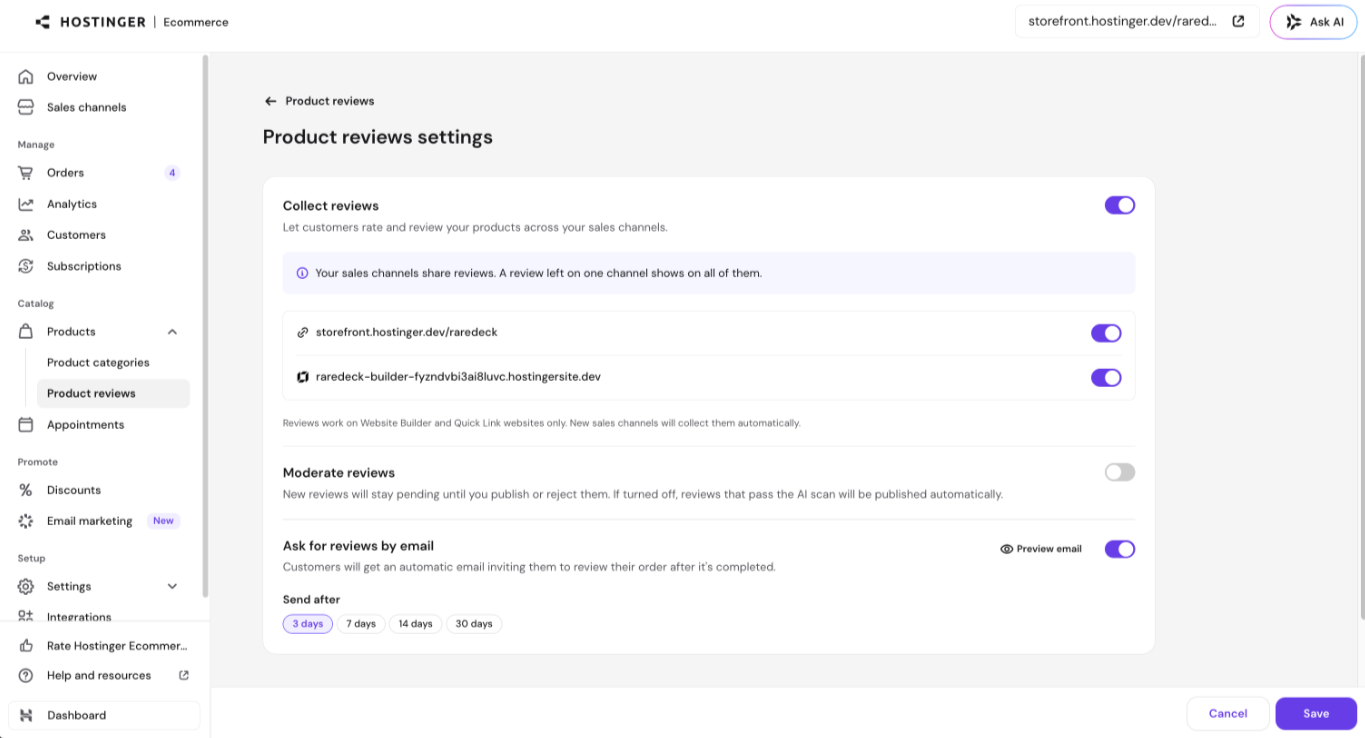
Go to Settings on the Product reviews page to manage:
- Collect reviews — the global on/off toggle for review collection across your store.
- Per-channel toggles — enable or disable review collection independently for each AI Builder or Quick Link sales channel connected to your store. Reviews are shared across channels that have collection enabled: a review left on one channel appears on all of them.
- Moderate reviews — when on, new reviews stay pending until you publish or reject them. When off, reviews that pass the AI scan are published automatically.
- Ask for reviews by email — automatically emails customers inviting them to review their order a set number of days after it’s completed. If you disable review collection for a channel, any queued review-request emails for that channel are canceled automatically.
With reviews turned on and moderation configured, shoppers can build trust in your store through visible, verified feedback.