Add Hostinger Ecommerce, a separate subscription, to your Hostinger AI Builder manual mode website to sell physical and digital products, and accept appointments and donations.
NOTES
- Your Hostinger Ecommerce subscription must be active to access the store management area and accept payments.
- To sell subscription-type products, use Hostinger AI Builder agentic mode instead: How to sell subscriptions.
Enable the Ecommerce platform
To enable the eCommerce platform on your website:
- Open the builder
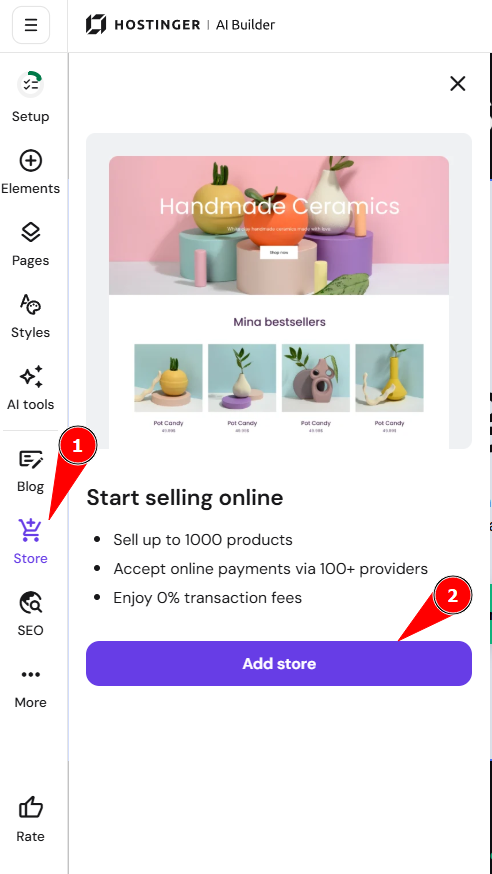
- Expand the Online store panel on the left
- Click on Add store:
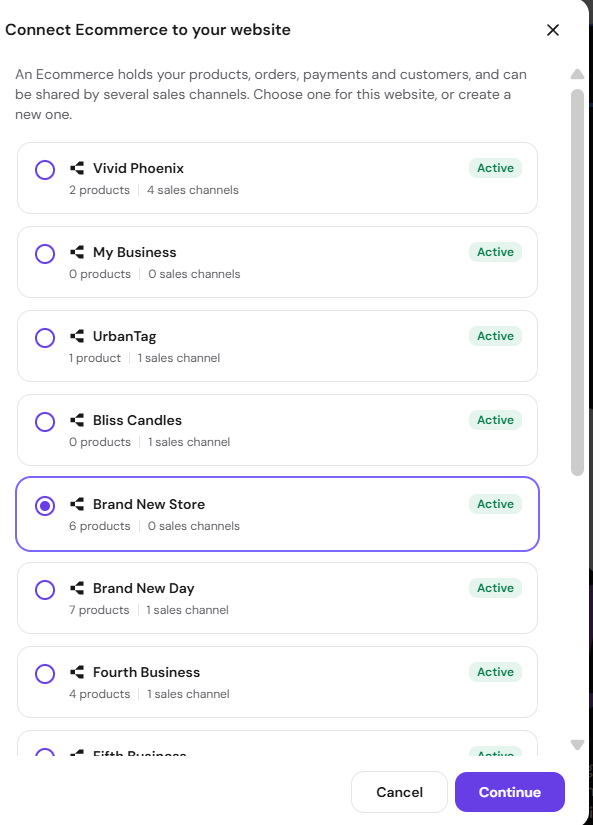
- After that, you can pick which Ecommerce you want to add the store to and click Continue.
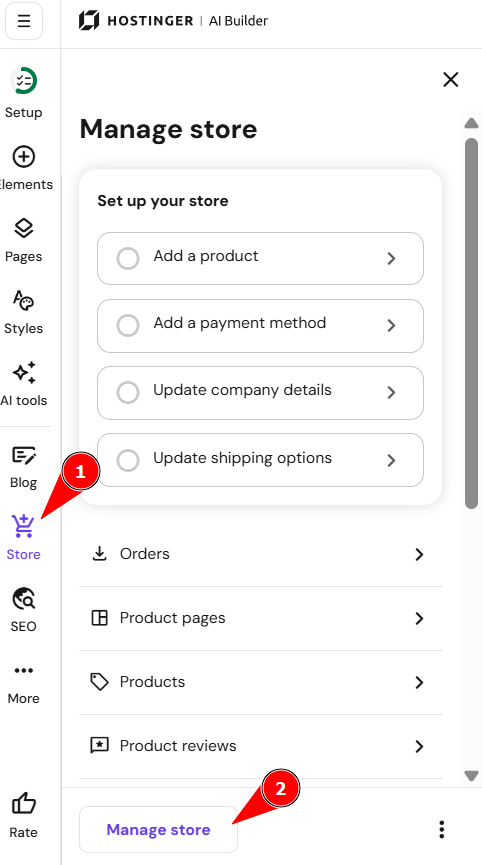
This way, a sample product list section is inserted into your page – you can customize it later. Now, again, expand the Online store panel on the left and click on Manage store:
Start setting your online store up by completing these two simple steps:
-
Insert the title of your business and click on Continue
-
Select your country and the preferred currency for your store and click on Continue
After that, you’ll be redirected to your store management area. Here, you’ll find your products, orders, and all the store settings.
Remove the store from your manual mode website
You can remove the store from your Hostinger AI Builder manual mode website in the builder or by disconnecting the website from Hostinger Ecommerce.
Option 1 – Remove the store in the builder
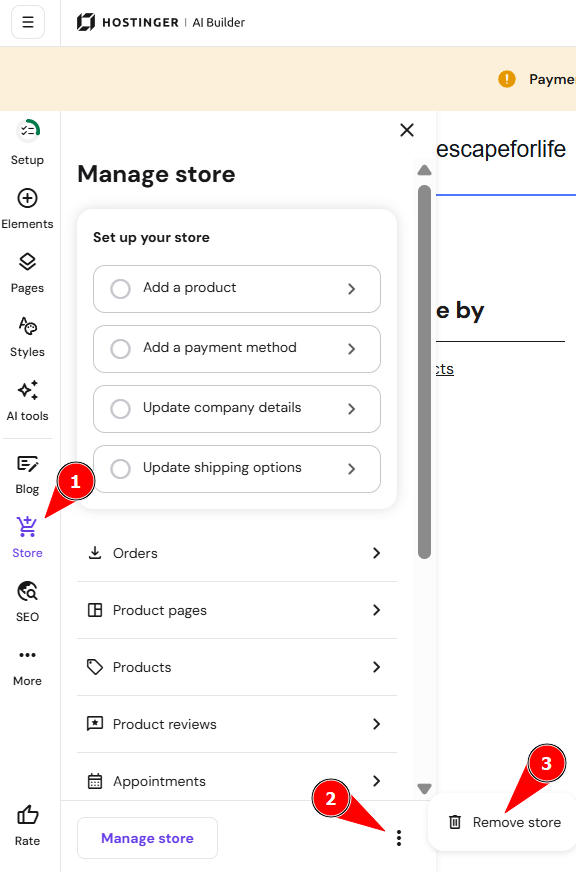
- Open the builder and click Store in the left panel.
- Click the three-dot icon (⋮) next to Manage store.
- Select Remove store.
Option 2 – Disconnect the website from Hostinger Ecommerce
Disconnect the website on the Sales channels page. See Switch Hostinger AI Builder manual mode sales channel to disconnect it.
Learn more: How to Create an Online Store