The Hostinger Ecommerce integration connects your online store to Hostinger Reach, so customers who give marketing consent at checkout sync to Reach as subscribers. Once connected, Hostinger Reach tracks abandoned cart and purchase events for email automations, and you manage store email marketing from the Email marketing dashboard in Hostinger Ecommerce.
Email marketing dashboard
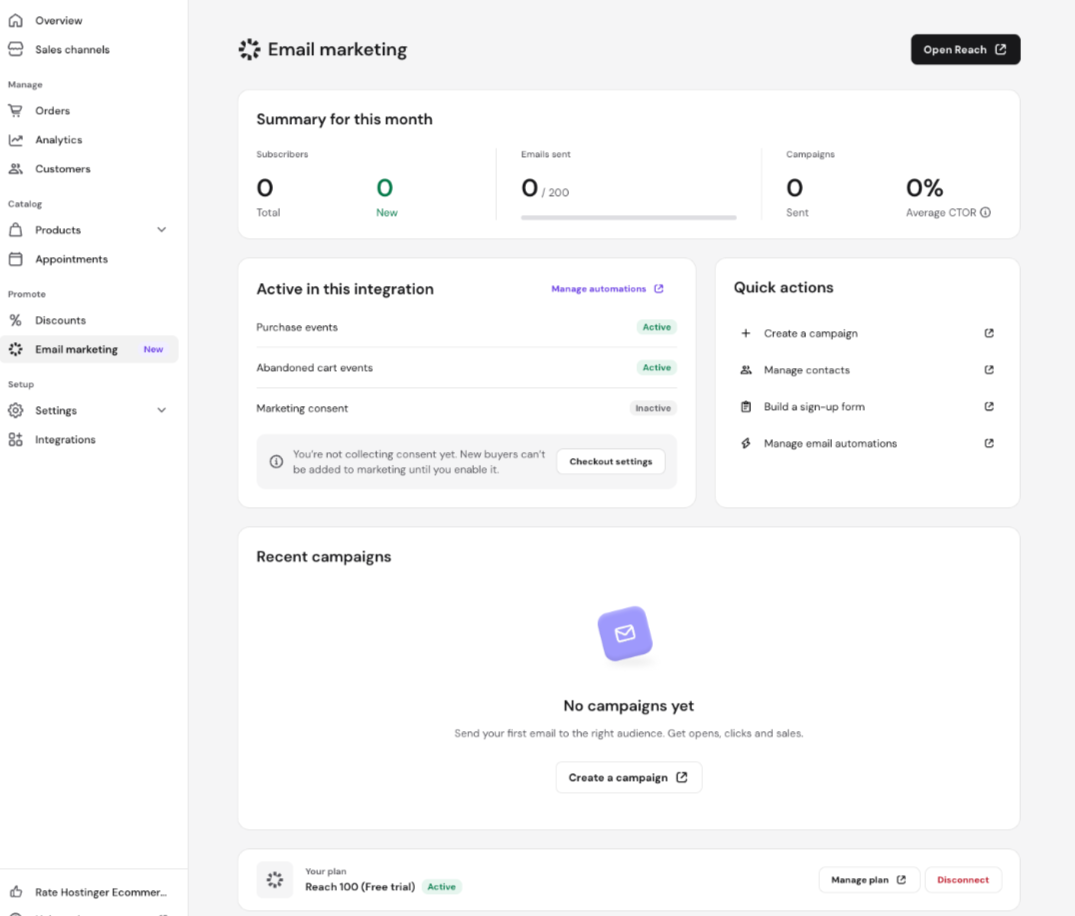
The Email marketing dashboard in Hostinger Ecommerce gives you a single place to monitor and manage your store’s email marketing activity:
- Monthly summary — a real-time overview of subscribers, emails sent, and campaign performance, including average click-to-open rate (CTOR).
- Purchase and abandoned cart event tracking — automatically captures buyer behavior to trigger the right emails at the right time.
- Quick actions — create campaigns, manage contacts, build signup forms, and set up automations directly from the dashboard.
- Integration status panel — see which events are active and manage your automation settings without leaving the dashboard.
- Direct access to Reach — jump into the full Hostinger Reach dashboard with a single click.
To access it, go to your store dashboard, then Email marketing.
Connect your Hostinger Ecommerce store to Reach
To connect your store:
- Open your Hostinger Reach dashboard.
- Go to Integrations.
- Find Hostinger Ecommerce and click Connect.

- Select the eCommerce store you want to connect.
- Click Connect store.

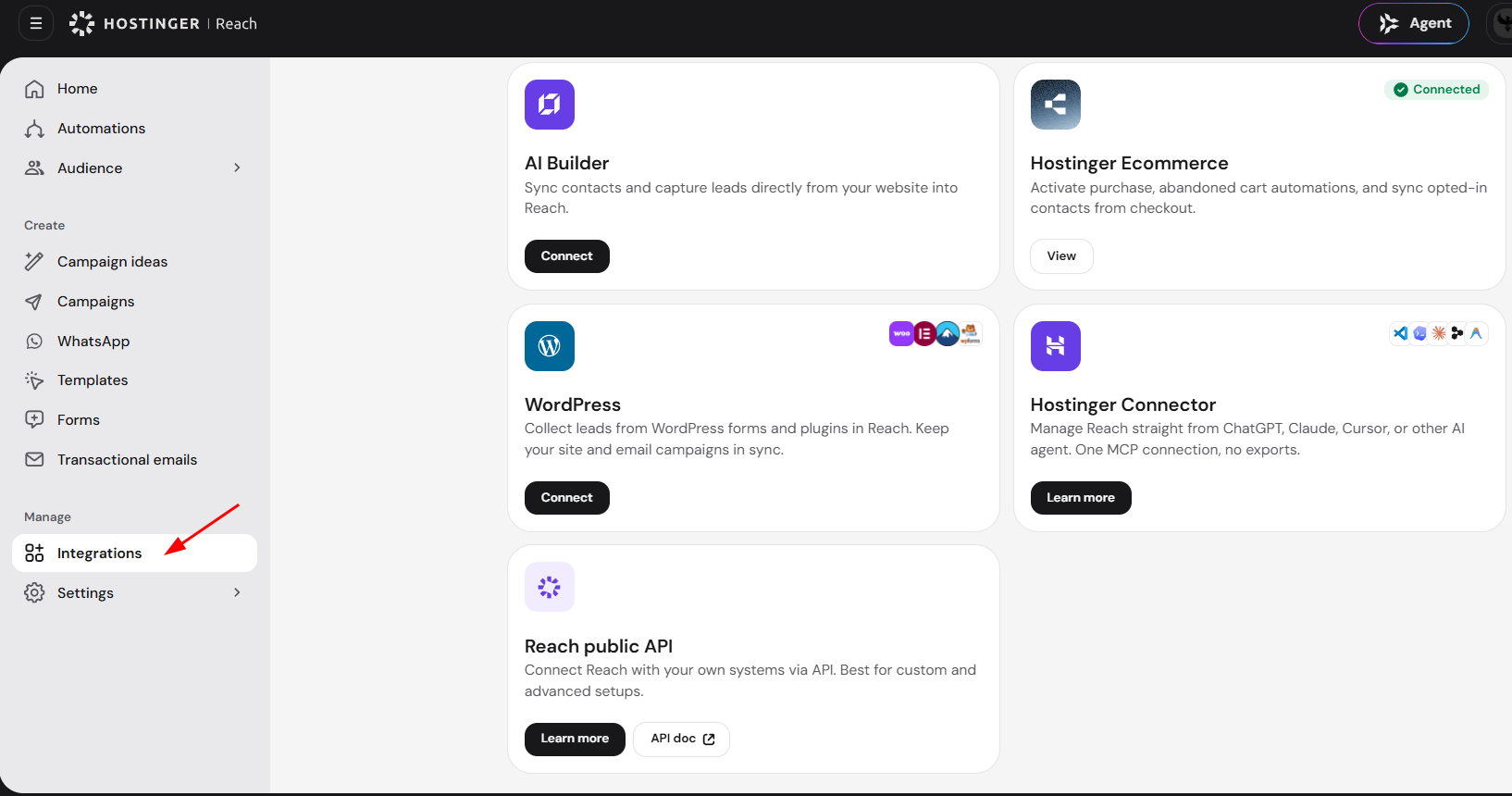
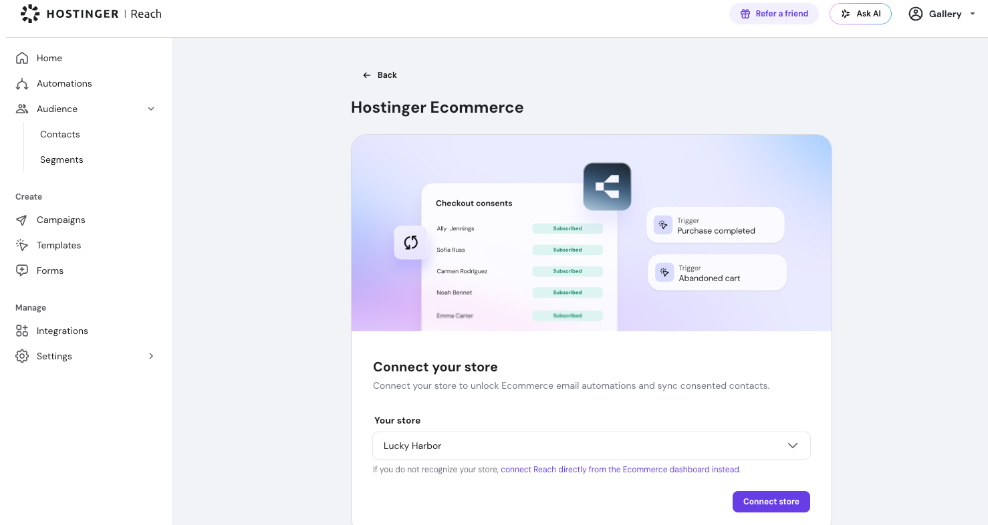
You will see a list of your eCommerce stores rather than individual sales channels.
For example, if you have an eCommerce business called Coffee Mugs with several sales channels, such as a Quick Link store and a Website Builder store, you will connect the entire Coffee Mugs eCommerce instance. You can later select a specific sales channel when configuring an automation.
Once connected, your store will appear as active on the Integrations page.
What happens after connecting your store
Connecting your Hostinger Ecommerce store enables three main capabilities:
- Reach starts monitoring abandoned cart and purchase events from your store.
- Customers who provide marketing consent during checkout can be automatically added to Reach as subscribers.
- Hostinger Reach 500 and higher plans can edit store transactional emails, such as order confirmations and shipping updates. See Hostinger Ecommerce: How to customize transactional emails in Hostinger Reach.
If your Reach plan includes email automations, you can use these events to send automated emails to customers who abandon their carts or complete a purchase.
Use Reach AI with your store catalog
Once your Hostinger Ecommerce store is connected, Reach AI can pull in your store’s products, prices, images, and discount codes automatically when you create a campaign or form. You no longer need to copy product details in manually.
Stores with a connected Hostinger Ecommerce integration see a banner on the Reach Home screen inviting them to create a campaign with real store products.
- Click Try it now on the banner.
- Reach prefills the AI prompt with a store-specific request, ready for you to edit before sending.
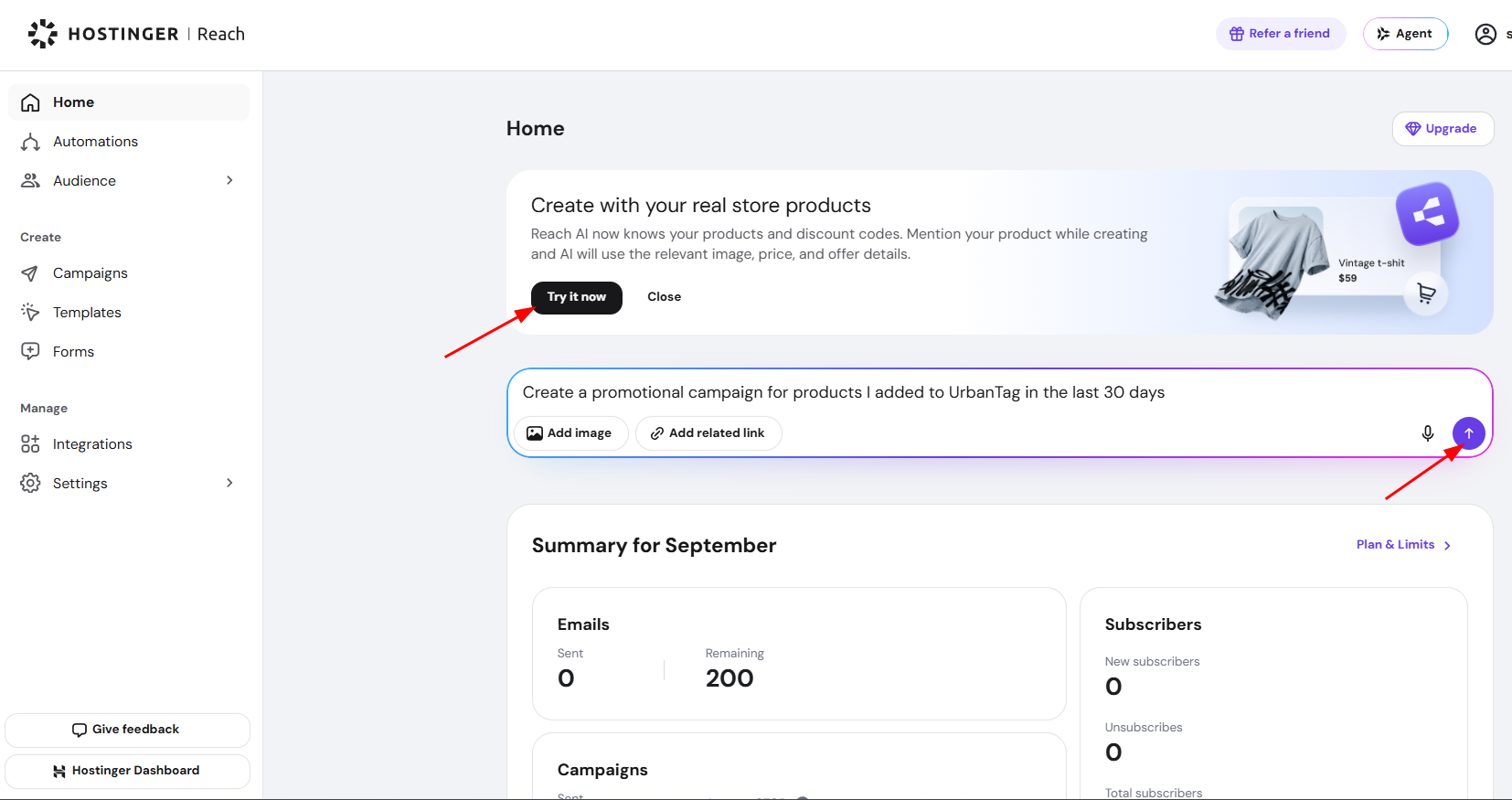
You can also mention any product name or discount code from your store while creating a campaign or form, without using the banner. Reach AI includes the matching price, image, and other details in the result automatically.
The eCommerce integration’s Features page also lists this capability under AI that knows your store.
Create an eCommerce email automation
To create an automation:
- Open your Hostinger Reach dashboard.
- Go to Automations.
- Click New automation.
- Select the Ecommerce category.
- Choose the automation flow you want to use, such as:
- Customize the automation flow, email content, timing, and conditions.
- Activate the automation.
During the setup of eCommerce automation, Reach will confirm that your eCommerce store is connected. You can also choose a specific storefront or sales channel, such as a Quick Link store or Website Builder store inside automation trigger.
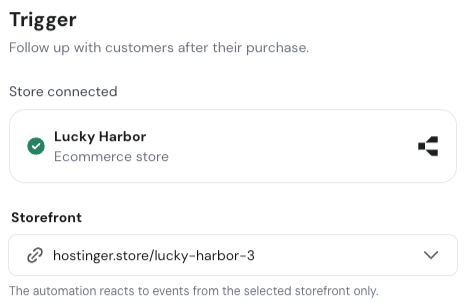
For post-purchase automation, you can also choose to:
- Apply the automation to all products.
- Enter specific product URLs to trigger the automation only for selected products.
- The URL needs to be a link to your specific product page.
How abandoned cart automations work
An abandoned cart automation is triggered when a customer:
- Proceeds to the checkout page.
- Enters their email address.
- Leaves the checkout without completing the purchase and 1 hour passes
- Reach automation is in active status
How to collect subscribers in Reach
There are several ways to add subscribers to Hostinger Reach:
Add existing subscribers manually
You can import or manually add contacts who have already agreed to receive your marketing emails.
Use a signup form
Create a signup form in Reach and:
- Embed it on your website.
- Share it using a direct URL.
- Use it on another supported platform.
Contacts who submit the form and provide marketing consent are added to your Reach audience.
Enable marketing consent during checkout
The Hostinger Ecommerce integration can also collect subscribers directly from your store checkout.
To enable this option:
- Open your Hostinger Ecommerce dashboard.
- Go to your store management area.
- Open Settings.
- Select Checkout.
- Enable the Marketing consent checkbox.

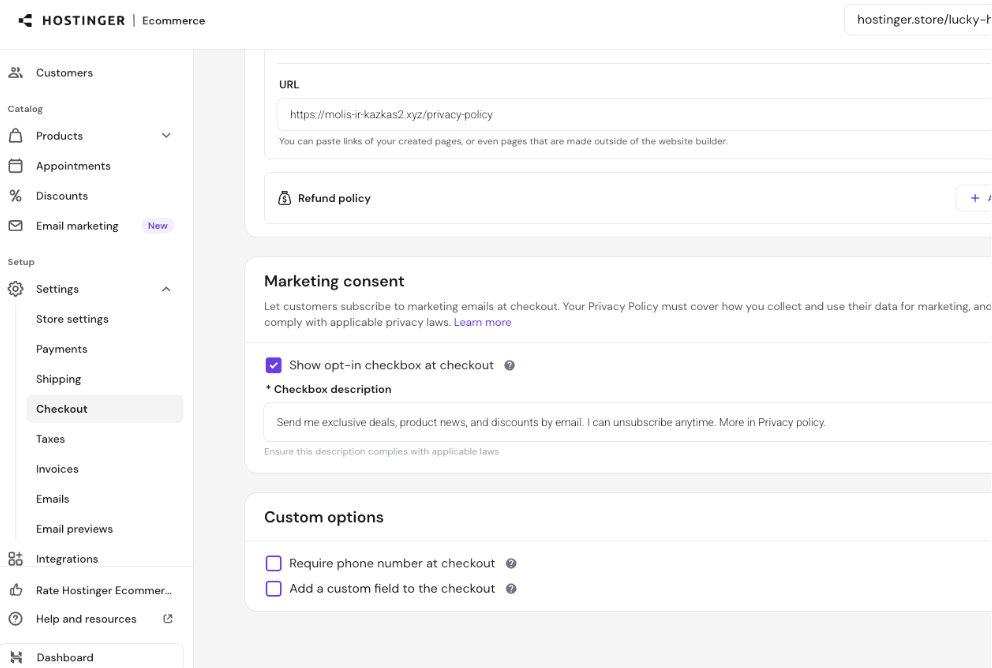
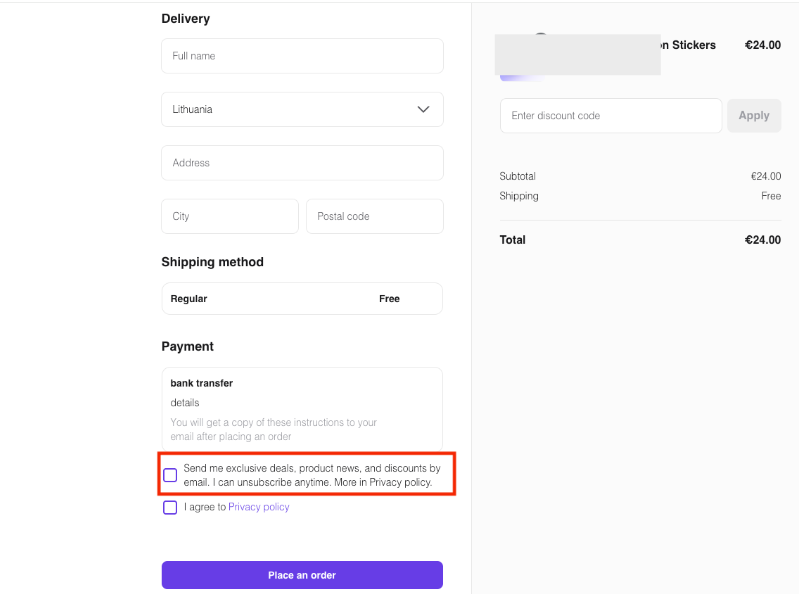
A newsletter subscription option will then appear during checkout. Customers who select it will be automatically synced to Reach as subscribers.
Contacts collected through checkout are tagged accordingly, making it easier to identify and organize them in Reach.
When checkout marketing consent is enabled, consenting contacts are automatically transferred to Hostinger Reach.
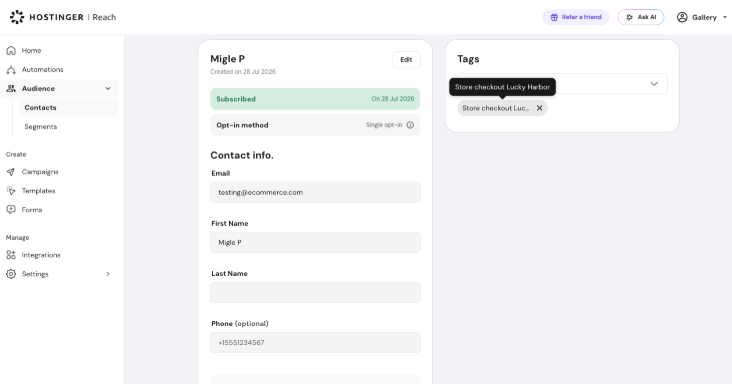
They are added with the Subscriber status, which means you can include them in:
- One-time email campaigns
- Abandoned cart automations
- Purchase follow-up automations
- Other supported marketing automations
Reach also applies a tag showing that the contact came from your Ecommerce checkout and automatically creates a segment:

Summary
After connecting your Hostinger Ecommerce store to Hostinger Reach, you can:
- Monitor abandoned cart and purchase events.
- Create automated emails based on customer activity.
- Select the storefront and products to which an automation applies.
- Collect marketing consent during checkout.
- Automatically sync consenting customers to Reach as subscribers.
- Send subscribers both automated emails and one-time campaigns.
Connect your Hostinger Ecommerce store from the Integrations page in Hostinger Reach to start syncing checkout subscribers and sending automated store emails.
Additional resources: