Forms in Hostinger Reach are one of the simplest and most effective ways to grow your email marketing contact list. A form is typically a short sign-up element where visitors can enter their email address (and optionally other details like name) to subscribe to your communications that can be added either directly to your site or shared using a standalone link.
Once a visitor submits a form, their contact details are automatically added to your Reach contacts list — ready for future campaigns.
Step-by-step integration guides
Before creating your form, choose how you want to use it on your site. Follow the relevant guide below:
- Add a form to a WordPress site
- Add a form to a Hostinger AI Builder manual mode site
- Add a form to a Hostinger AI Builder agentic mode site
Note that you can add a form built with Reach to any site. These step-by-step guides are just to support non-technical people to succeed.
Why use forms?
Forms are essential for building a high-quality email list because:
- They collect legitimate, consent-based contacts
- Visitors explicitly opt-in to receive your emails
- You can grow your audience organically
- Contacts are automatically synced to Reach
This ensures you’re reaching people who are genuinely interested in your content — whether it’s promotions, updates, or educational material.
How forms work
A form usually includes:
- Email address field (required)
- Optional fields (e.g., name, surname)
- Consent checkbox (GDPR compliance, depending on your region)
When a visitor submits the form:
- Their data is captured
- They are added to your Reach contacts
- You can target them in future campaigns
Types of forms in Reach
Hostinger Reach currently supports:
1. Embedded forms
- Added directly into your website pages
- Always visible (e.g., newsletter section in footer or homepage)
- Best for consistent, passive subscriber collection
2. Standalone forms (shareable link)
- Hosted on a separate page
- Can be shared via:
- Social media
- Messaging platforms
- Great for collecting subscribers outside your website
3. Pop-up forms (coming soon)
- Will appear as overlays on your website
- Ideal for capturing attention and boosting conversions
Best practices: Give users a reason to sign up
People are more likely to subscribe if there’s a clear benefit. Common incentives include:
- Discount codes
- Free e-books or resources
- Exclusive content or tips
- Educational material
How to create a form in Hostinger Reach
Step 1 – Name your form
Give your form an internal name (only visible to you).
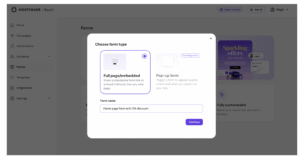
Step 2 – Design your form
- Click Start designing
- Choose your incentive
- Reach AI will generate a form layout
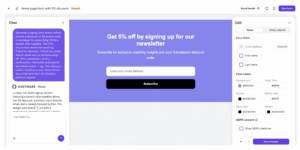
You can then customize it in two ways:
Chat mode (AI-assisted):
- Ask to change layout or style
- Add images
Edit mode (manual):
- Modify text and sections
- Add more fields (e.g., name, surname)
- Reorder or remove elements quickly
- Adjust colors, buttons, and styles
- Check “after submission” message
Customizing form fields and images
In the Reach form builder, you can customize contact fields and images directly on the canvas:
Contact fields:
- Click any contact field to edit its title and placeholder text in the Design panel.
- Placeholder text can be customized or left empty.
Form images:
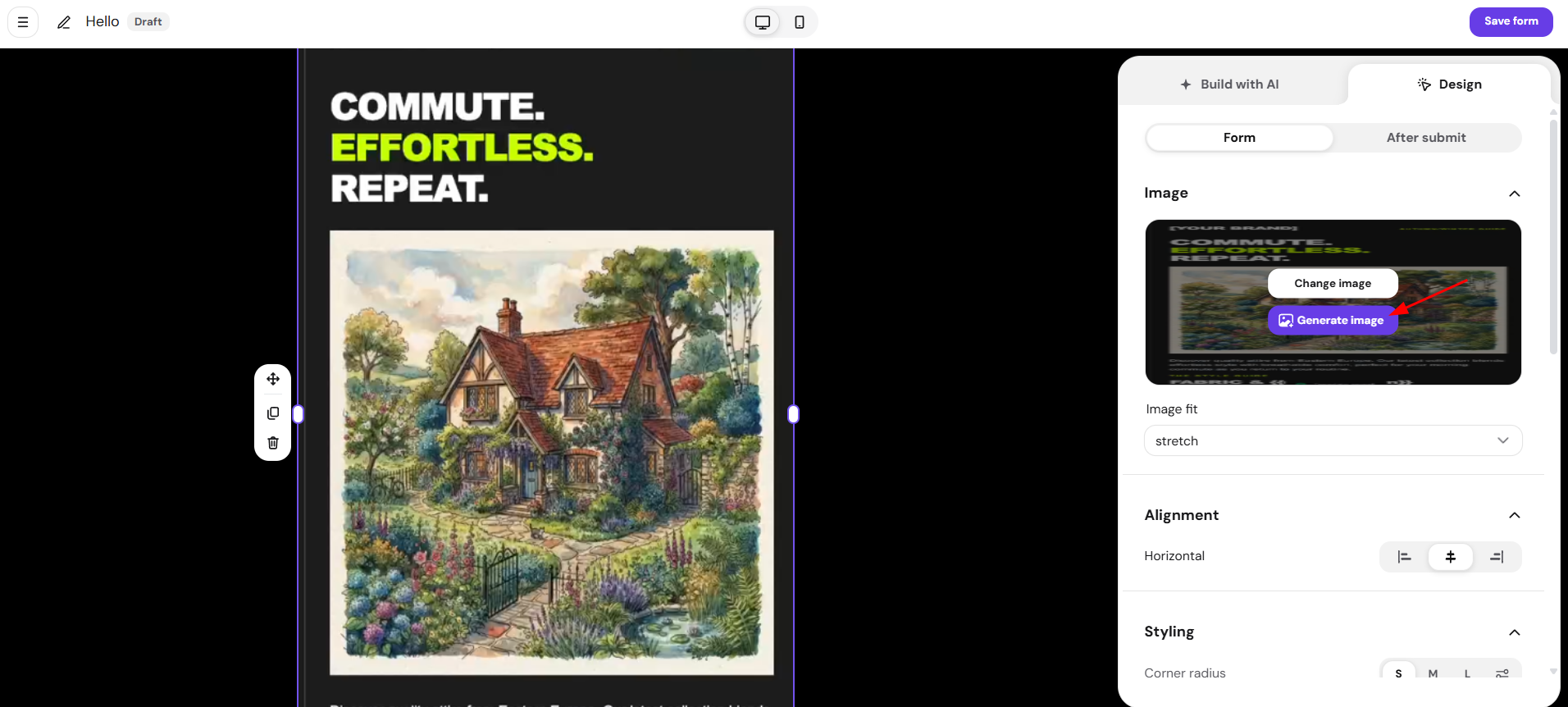
- Click a form image to resize and align it using the same controls as the email builder.
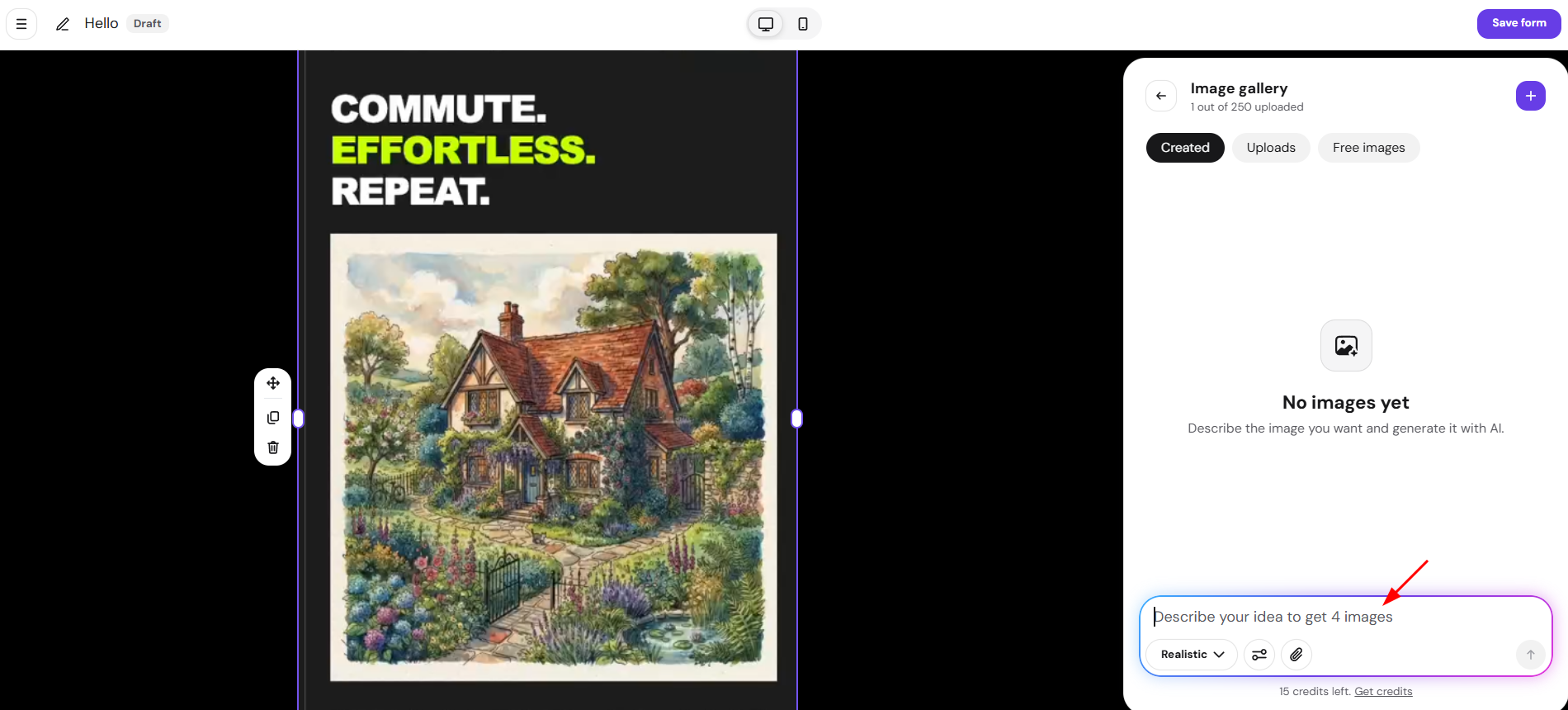
- To generate a new image instead of uploading one, click Generate image, then describe what you want.

You can optionally choose a style (Realistic, Illustration, Flat design, 3D render, Minimalist), a layout (Banner, Horizontal, Vertical, Square), and attach a reference image. Each generation returns 4 variations to pick from.

- Generated images are saved to your Image gallery under Generated, alongside your Uploads and Free images, so you can reuse them later without regenerating.
Step 3 – Set up your audience
Choose how contacts will be organized in Reach when a new subscriber signs up:
- Add a tag (recommended)
- Create a segment (optional but useful)
This helps you target subscribers from this form later.
After you create a segment, you can also automate a welcome email for subscribers that are signing up to this form. Check how to setup automated welcome email.
Step 4 – Activate your form
Before using your form, you must activate it.
NOTE
- If the form is not active (still in draft or paused), it will not display, even if embedded in your site or shared via link.
Step 5 – Add or share your form
You now have two options:
- Embed on your website
- Share via direct link
For detailed instructions, follow the integration guides listed at the beginning of this article.
Version history
Every edit to a form is saved as a version, the same way it already works for email templates. You can review past versions, preview them on the editor canvas, and restore any earlier version.
To view version history:
- Open the form editor.
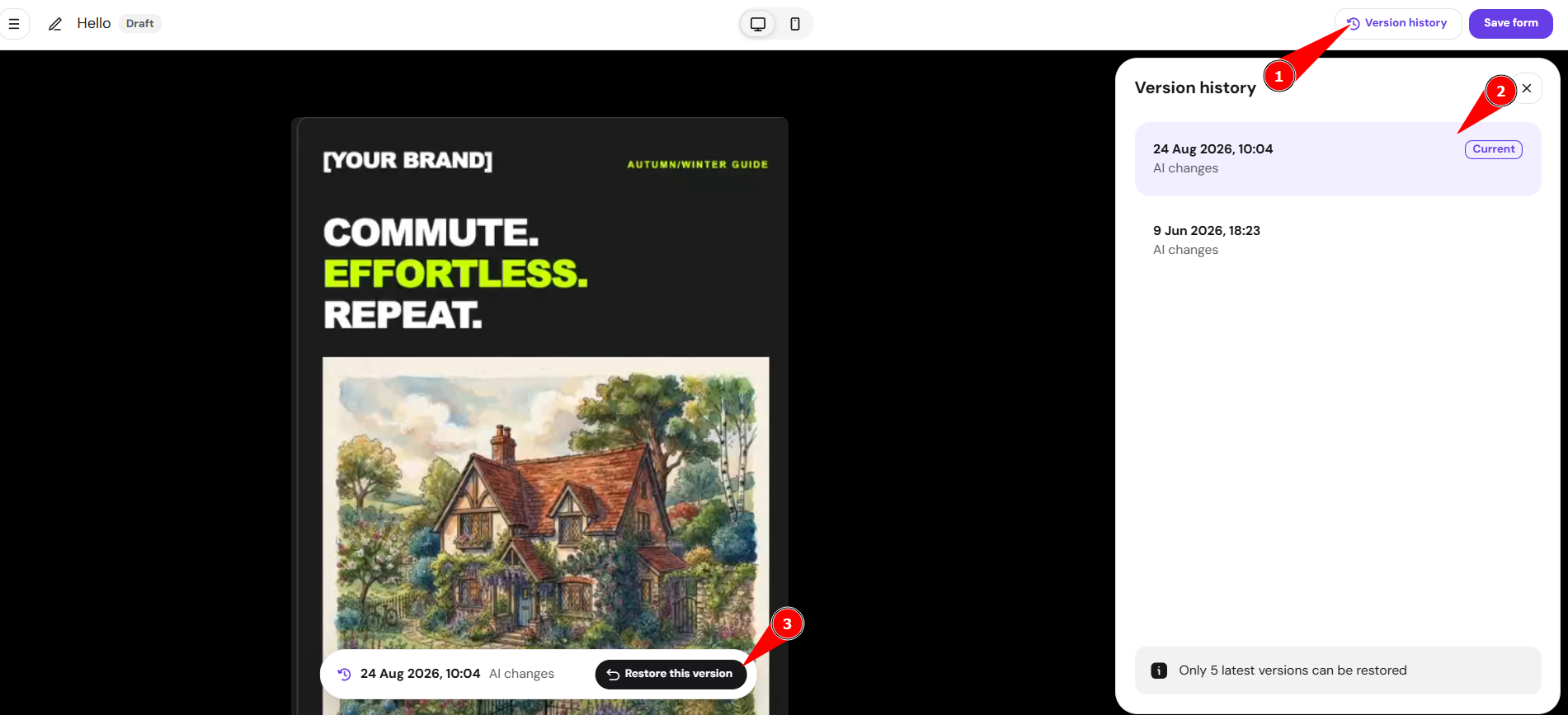
- Select Version history in the top-right corner.
- The panel lists each version with its date and whether the change was Manual changes or AI changes. The version currently live on your form is marked Current.
To preview a version:
- Select any version in the panel.
- A read-only preview loads on the editor canvas, along with a Restore this version option.
To restore a version:
- Select the version you want to restore.
- Select Restore this version, then confirm by selecting Restore in the dialog that appears.
NOTES
- Only the 5 latest versions can be restored.
- If your form is published, restoring a version updates it immediately for new and reloaded visits. Visitors who already have the form open keep the version that had loaded for them. You can still access other versions from history afterward.
Summary
Forms in Hostinger Reach are a powerful, flexible way to:
- Grow your subscriber list
- Collect consent-based contacts
- Automatically sync users into your email marketing system
You can embed them on your site or share them as standalone pages — depending on your strategy.