The Welcome Email Automation feature allows you to automatically send a pre-configured welcome email to every new subscriber. This helps you build trust and establish early engagement without the need for manual effort.
With a ready-to-use template, activation is quick and requires minimal setup. At the same time, you still have access to essential customization, scheduling, and performance tracking options. This ensures that every new subscriber receives a timely and consistent welcome message, helping drive engagement from the very first interaction.
How to enable Welcome Email Automation
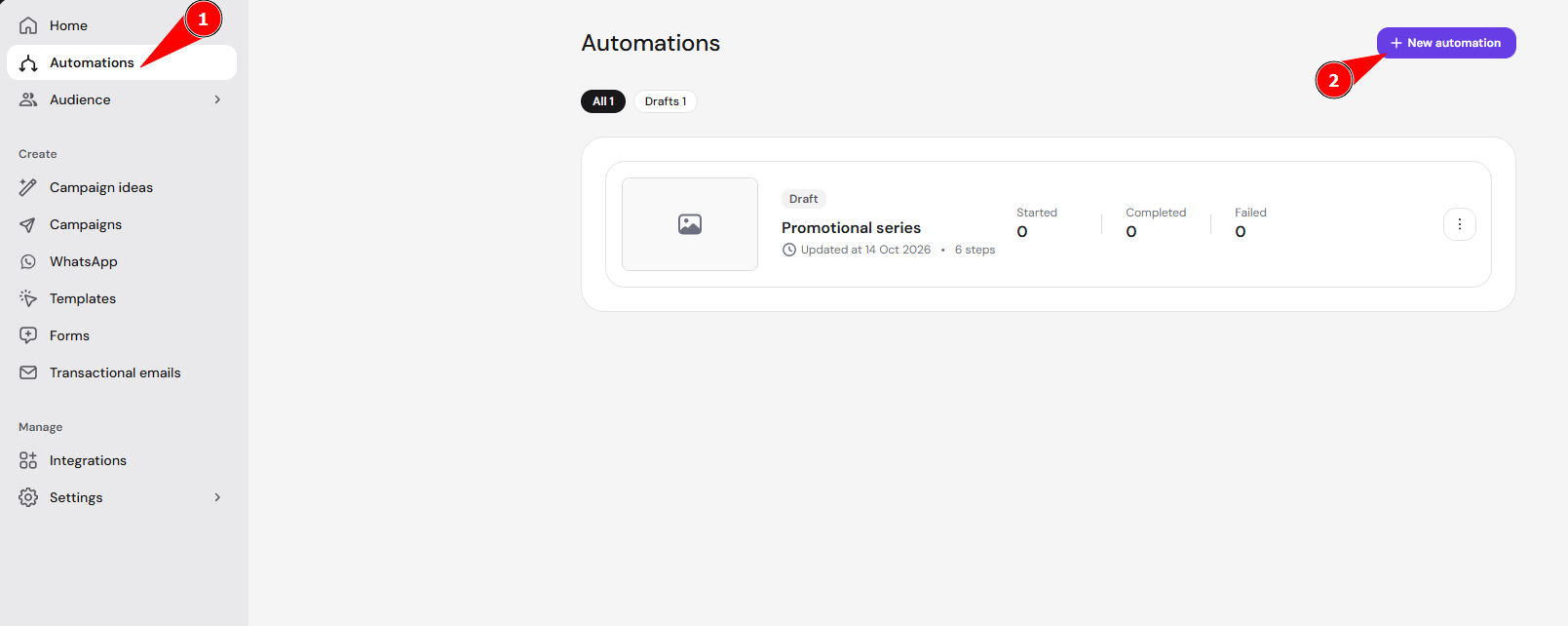
- Open the sidebar and select the Automations tab.
- Click New automation.

- Choose an automation flow, such as Single welcome email or Welcome series.

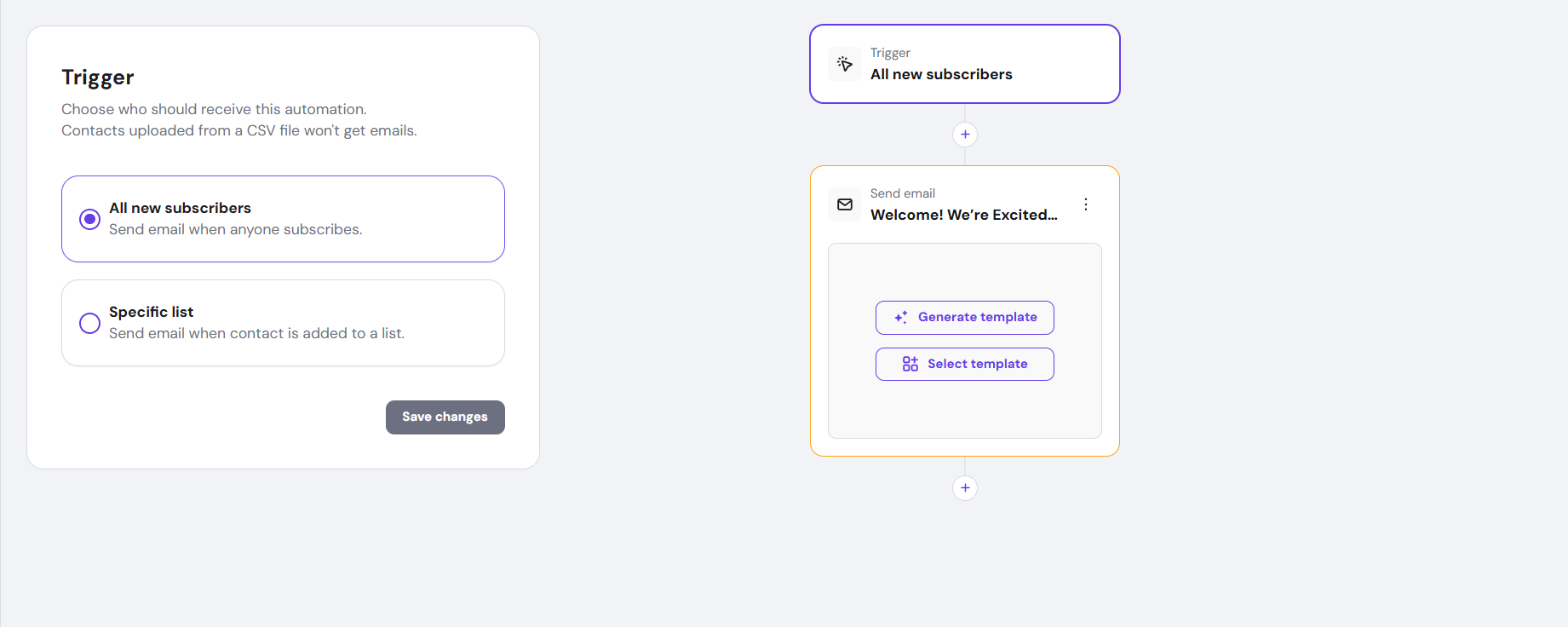
- Begin customizing your automation.

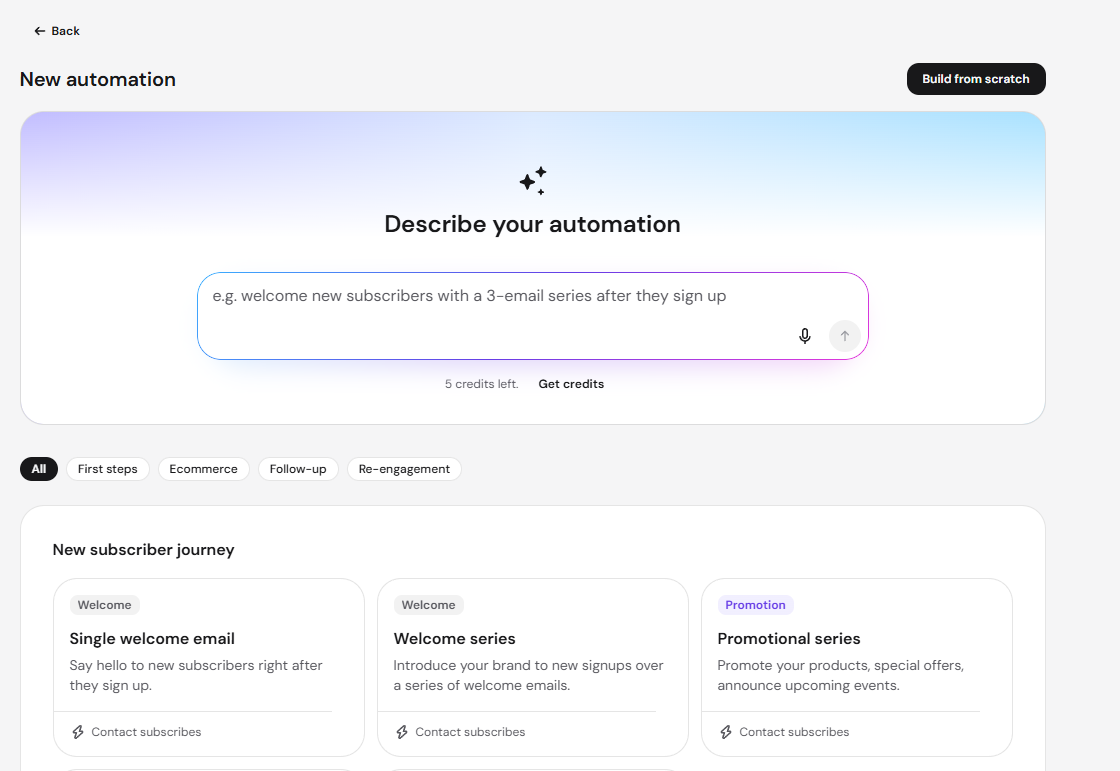
If you’d rather choose your own trigger and build the automation step by step instead of using a template, click Build from scratch on the Select an automation flow screen. See Hostinger Reach: Drip campaign automation for how to set up a custom automation. Or if you want to create a draft using AI instead, check How to generate an automation draft with AI.
By enabling Welcome Email Automation, you create a reliable and consistent way to connect with subscribers immediately after signup. This eliminates the need for time-consuming manual sending, reduces missed opportunities, and supports stronger long-term engagement and retention.