Hostinger Reach can generate a complete automation draft from a plain-language description, instead of requiring you to build the workflow step by step. Describe what you want the automation to do, and Reach generates a plan showing the goal, trigger, email sequence, and timing before anything is created. Review the plan, request changes if needed, then confirm it to build the automation.
Before you start
- You need a Hostinger Reach account connected to the Automations page. See Hostinger Reach: How to sign up and access the dashboard if you haven’t set one up yet.
How to generate an automation draft
- Go to Automations, then click New automation.
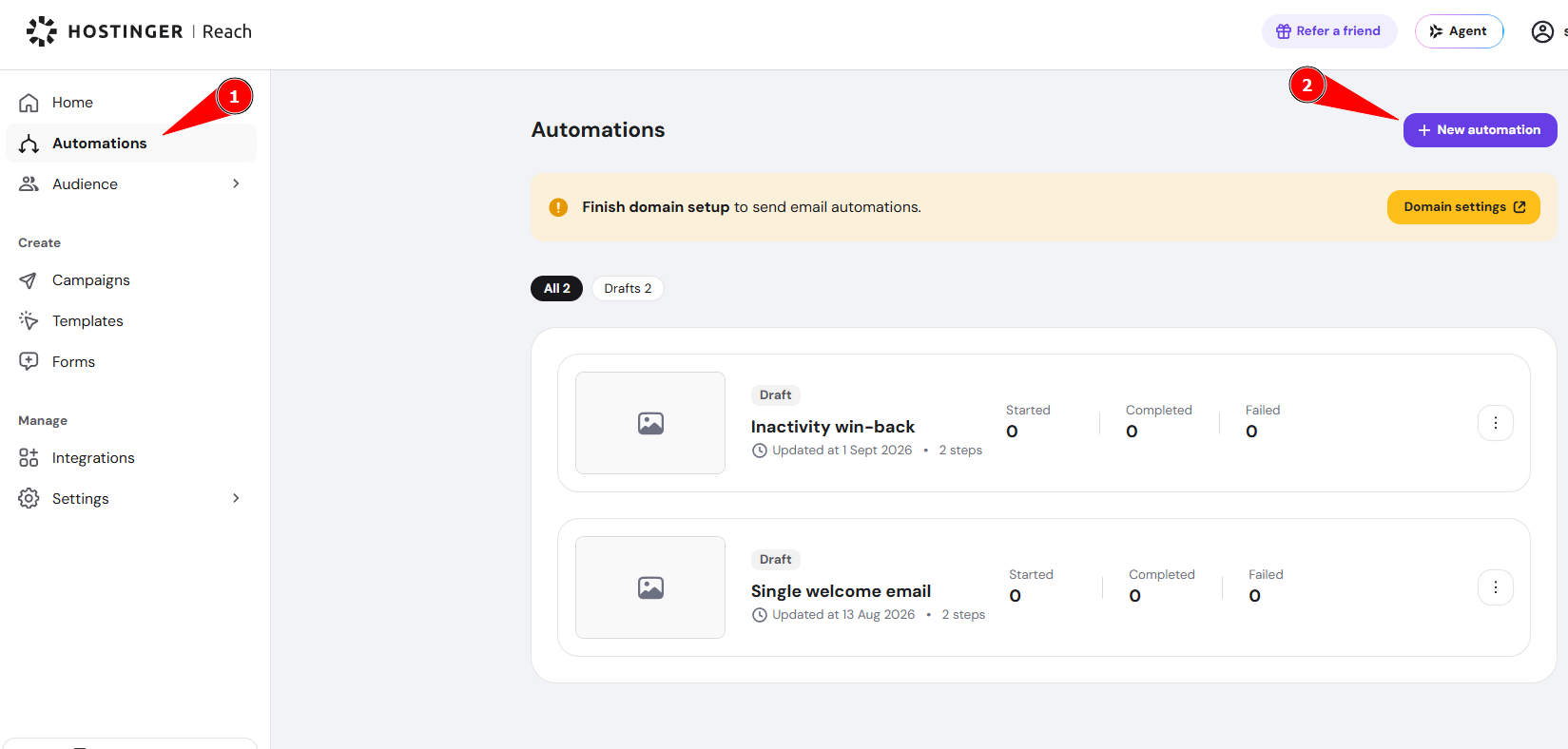
- In the Describe your automation field, type what you want the automation to do.

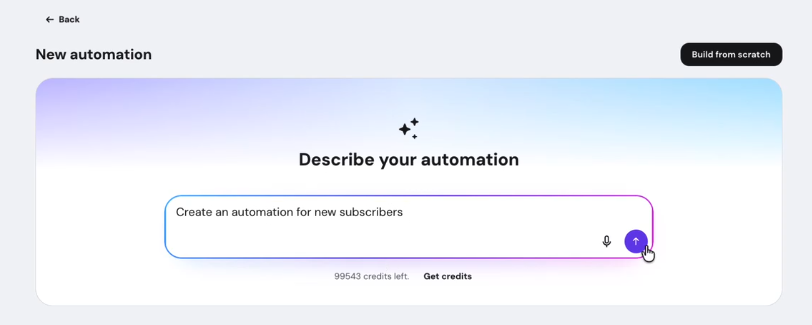
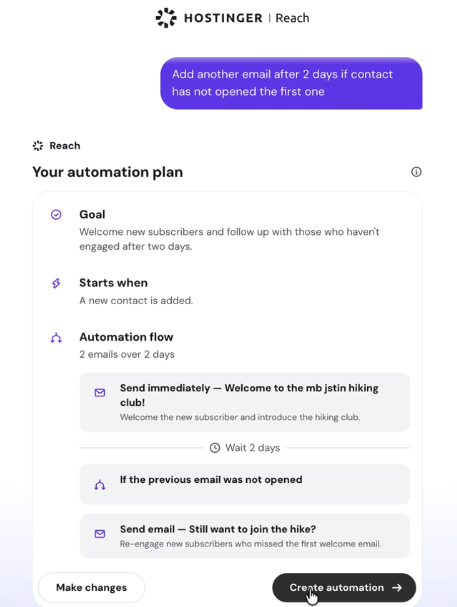
- Review the generated plan. It shows the Goal, when the automation Starts, and the Automation flow, including each email and any delay between them.
- Click Create automation to build the flow.

NOTE
- Creating the automation deducts credits from your account. This happens after you confirm the plan, not while you’re still describing or reviewing it.
If the generated plan isn’t quite right, you can refine it without starting over.
- Click Make changes below the plan.

- Type what you want adjusted.
- Click Apply changes.

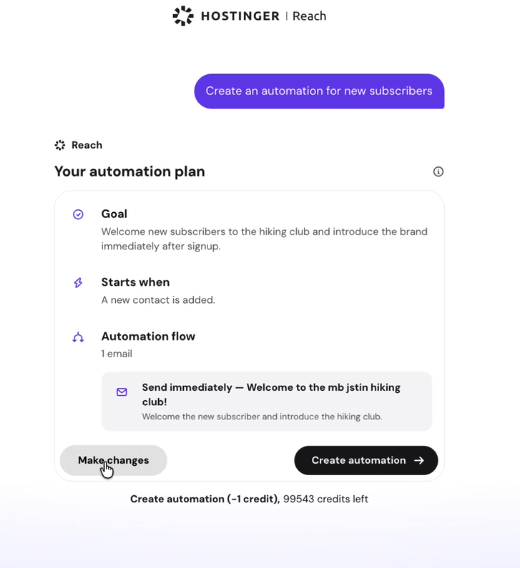
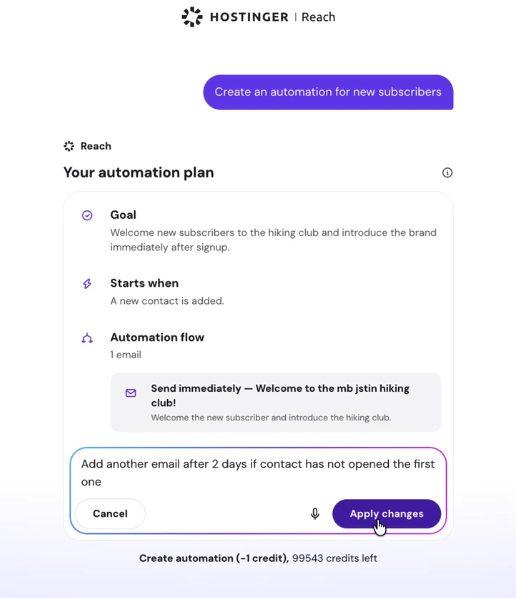
Reach updates the plan to reflect your instruction. Repeat this as many times as needed before you create the automation.
What happens after you create the automation
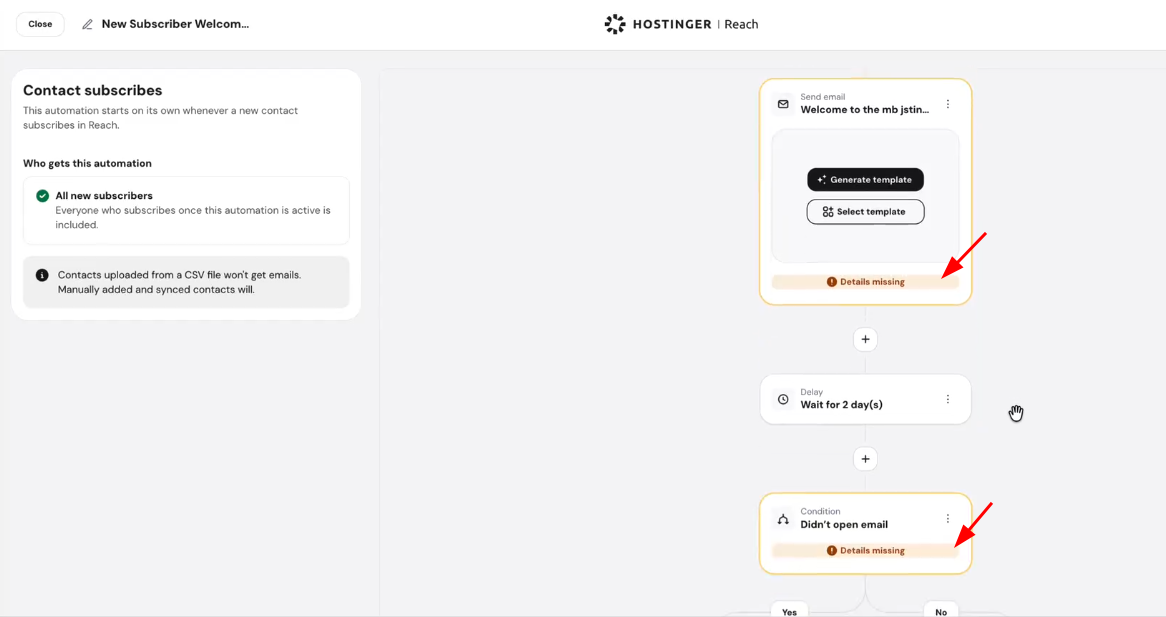
The finished flow opens directly in the workflow editor as a draft, with each step already placed on the canvas. Complete any step flagged Details missing, then activate the automation when you’re ready. For a Send email step, click Generate template to describe the email you want and let Reach write it for you, or click Select template to choose an existing one.
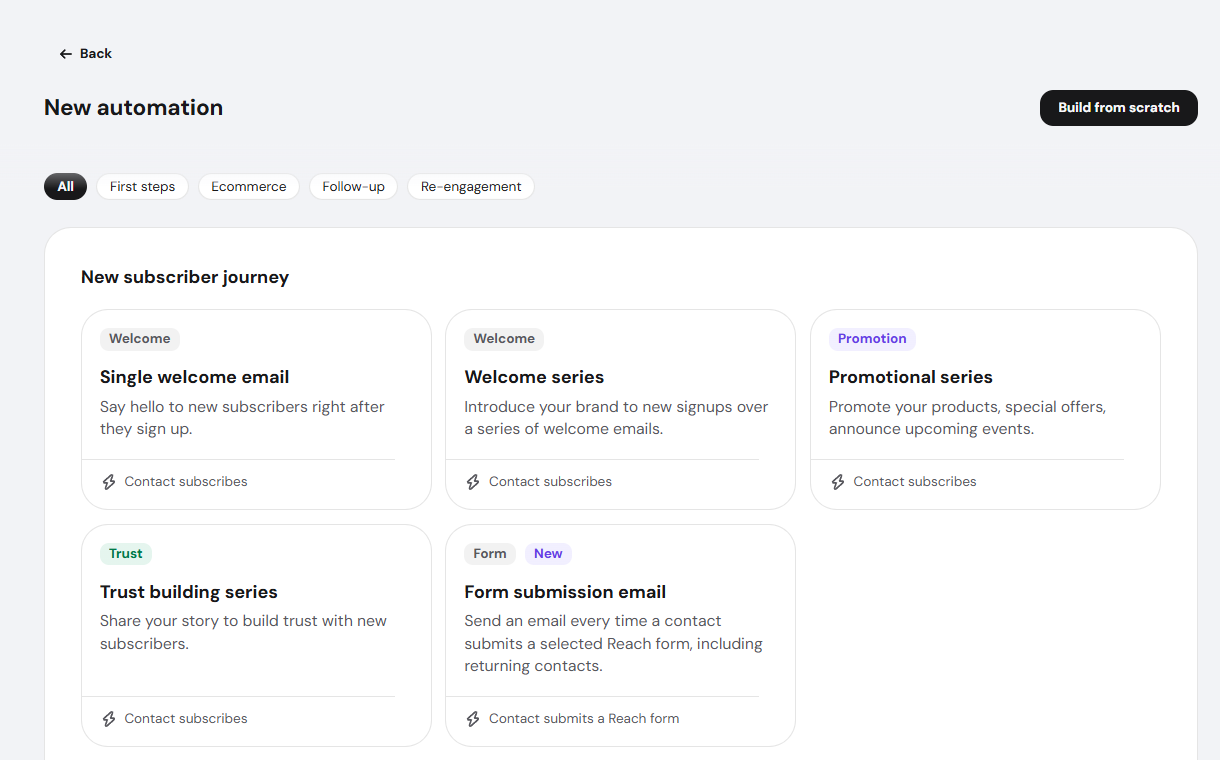
The New automation screen also lists predefined templates below the description field, organized by category such as First steps, Ecommerce, Follow-up, and Re-engagement. Describing your automation in plain language and picking a predefined template are two separate starting points on the same screen — use whichever fits how you prefer to work.
The plain-language draft works for any automation goal, including drip campaigns, follow-ups, post-purchase flows, and abandoned cart recovery. If you’d rather follow the full manual setup or see the predefined template options for one of these goals, see these:
- Hostinger Reach: Drip campaign automation
- Hostinger Reach: How to use re-engagement automations for follow-up emails
- How to set up post-purchase email automation in Hostinger Reach
- Hostinger Reach: How to set up abandoned cart email automation for Hostinger AI Builder stores
- How to set up abandoned cart email automation for WooCommerce in Hostinger Reach
Once activated, your automation runs on its own, sending emails and applying delays exactly as shown in the plan you reviewed.