Change values of PHP parameters in Hostinger, such as upload_max_filesize, max_input_vars, timezone, and more.
The information below doesn’t apply to websites created with Hostinger AI Builder.
Change PHP parameter values
To change the values of a lot of PHP parameters, go to Websites → Manage site, search for PHP Configuration on the sidebar, and click on it:
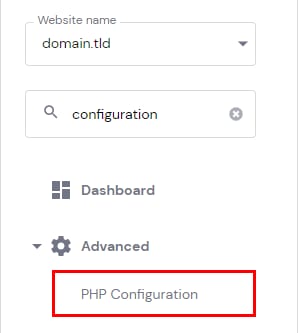
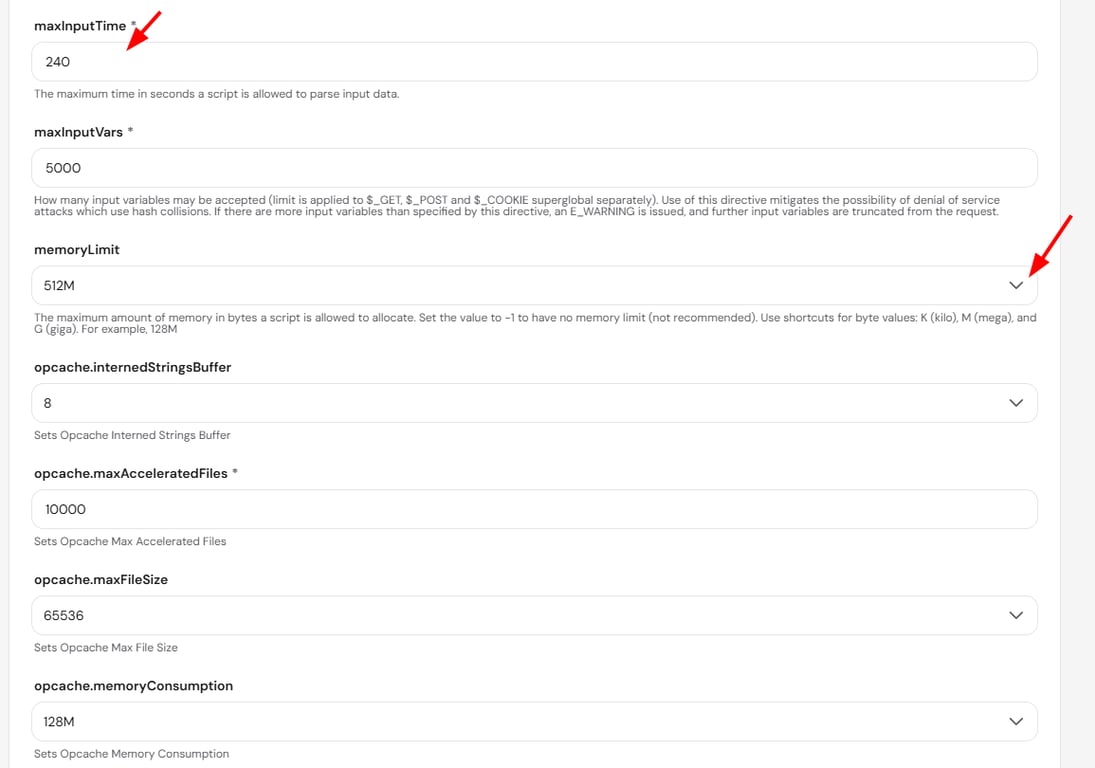
Then, select the PHP Options tab. Below the basic options, you are able to define the values of several parameters, like timezone, disabled functions, and limitations: execution time, file uploads, input time, memory limit, and others.
To set a new value for limits, insert the desired value or select it from the drop-down list, if available:
NOTES
-
You can only set values that are equal to or lower than your hosting plan’s limit. If you set the bigger value, your hosting plan’s maximum value will be applied
-
You can check limitations and other PHP configuration information on the PHP Info page
-
PHP parameters, missing on this page, can be changed using the .htaccess file
- If you also need to enable or disable PHP error messages, see how to display PHP error messages in Hostinger.