Add legal pages, such as Privacy Policy, Refund Policy, and Terms and Conditions, to your Hostinger AI Builder manual mode website through the Pages and navigation panel.
Creating legal pages
If you’ve already created legal pages, jump to step 3
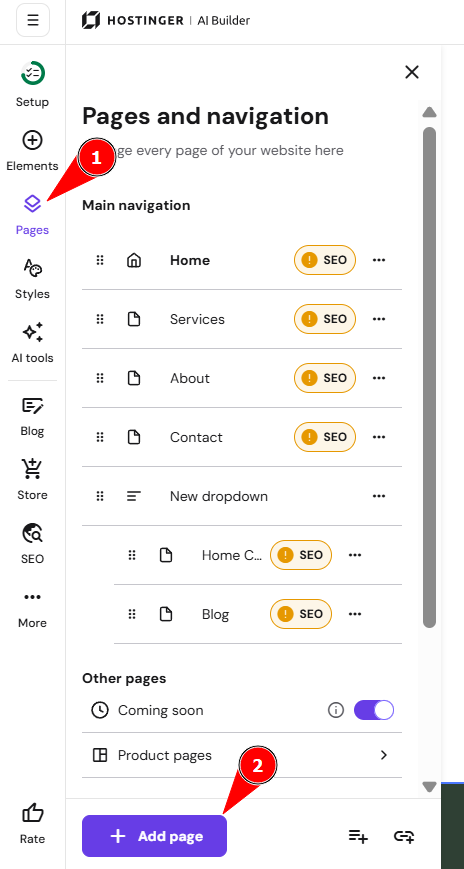
- In the editor, open the Pages and navigation from the side menu.
- Select Add page.
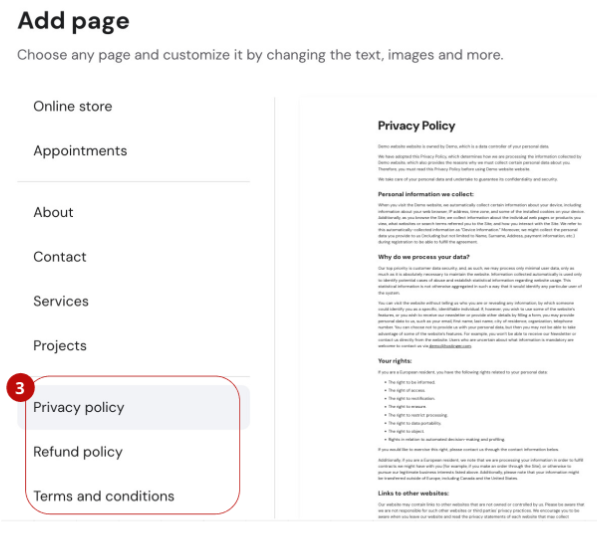
- From the menu on the left, select the preferred page: Privacy Policy, Refund Policy, and/or Terms and Conditions.
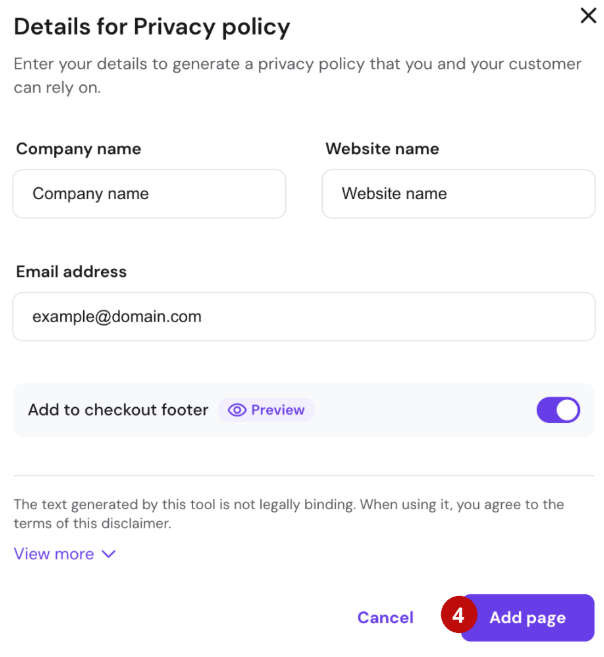
- Fill in the required information and click on the Add page. The page with generated content will be inserted into your site. You can edit and update this information anytime. Feel free to customize the page however you like! Also, make sure to enable the option Add to checkout footer in case you’re running an online store. This way, your legal page will become visible at the checkout.
These are the templates. It is your responsibility to review, adapt, or supplement the templates to ensure they comply with the actual transactions occurring on your website. We kindly recommend seeking legal advice if needed. Hostinger is not responsible for your compliance with laws and is not liable for any damages or losses resulting from the use of the templates.
Hyperlinking legal pages in the footer
- After creating your legal pages, you have the option to hide them from your website’s navigation menu.
- To hyperlink Legal Pages in the footer, make sure to add the footer section to your website.
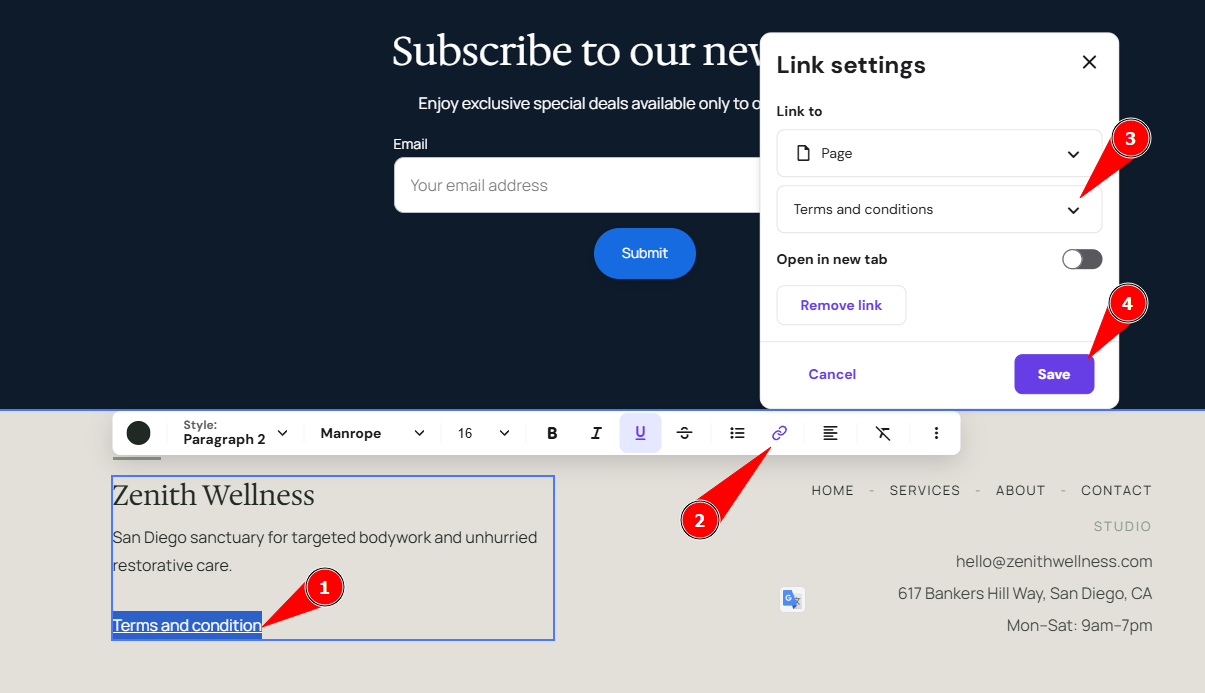
- Add a text element to your footer and insert the titles of your policy pages (e.g., Privacy Policy) there.
- Hyperlink the text in the footer with the legal pages that you created earlier:
To add more legal pages and show them in the footer, repeat the steps above.
If you run an online store, remember to add links to your policy pages in the Store settings → Checkout → Checkout policies.
What legal pages are necessary?
What legal information is necessary for your website depends on your business type and the laws and regulations in your country. Most often, you will need the following pages:
|
Terms and Conditions |
This document explains the rules for using your website or online store |
|
Privacy Policy |
This document informs your customers what information is collected through your website. This may include things like:
Customers want to know if their personal data will be exposed to third parties or used for newsletters or other communication. By providing a clear explanation, you can be sure to increase your brand’s liability among your clients. A privacy policy is also required by law in some countries – for example, the GDPR in Europe requires every business to explicitly explain to its customers how their data is collected, used, and stored. |
|
Payment Information |
The payment info page should cover all possible questions about payment methods in your store |
|
Shipping Information |
The shipping information page explains your delivery policy and may include the following information:
|
|
Return Policy or Refund Policy |
This document specifies your terms for refunds and product returns in your online store |