Hostinger Agent legal pages are draft policies tailored to your business type, the customer data you collect, and the countries you sell to. Hostinger Agent drafts a privacy policy, terms of service, a refund and cancellation policy, and a cookie policy as downloadable Markdown (.md) files, then adds a finished policy to your Hostinger AI Builder website in agentic mode. Hostinger Agent also reviews a draft or your website and lists what is still missing, such as business details, providers, or cookie consent.
Legal pages from Hostinger Agent are drafts with placeholders, not legal advice. Have a qualified lawyer in your country review each policy before you publish it.
Before you start
- Start a legal page by describing it in the chat, or select the skill with the bolt icon or from the Skills tab. See how to use Hostinger Agent skills for both options.
- Prepare your legal business name, business address, contact email, and the providers you use for payments, hosting, and delivery. Hostinger Agent leaves bracketed placeholders for any details you do not provide.
Create a privacy policy with Hostinger Agent
The Privacy policy skill drafts a privacy policy that explains what personal data your website collects, why, and which rights your customers have. To create a privacy policy:
- Ask Hostinger Agent for a privacy policy and name your business type and country. For example: Create a privacy policy for my online store in Germany.
- Answer the questions in the form: what your store sells and how it is operated, which customer data it collects, and where you sell.

- Download the .md file with the privacy policy.
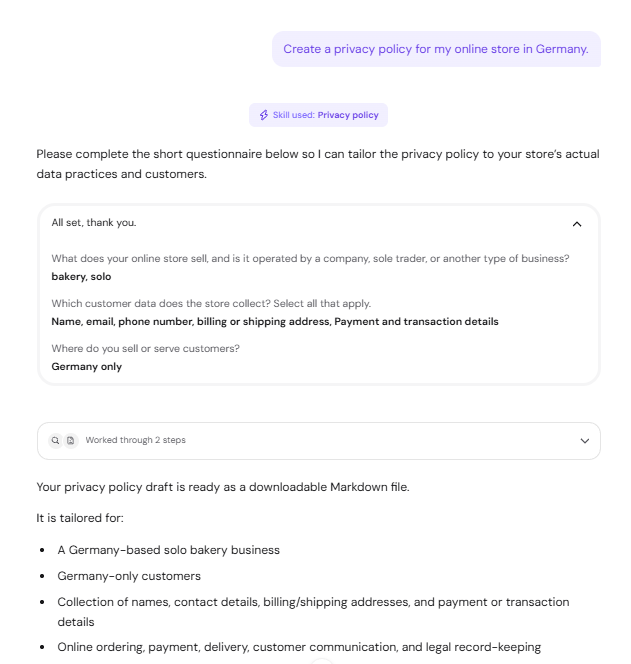
The privacy policy ends with a Before publishing checklist. Replace every bracketed placeholder, name each provider you actually use, and add your real cookie practices before you publish the page.
Create terms of service and a refund policy with Hostinger Agent
The Terms of service skill drafts terms of service and, in the same request, a refund and cancellation policy. To create terms of service and a refund policy:
- Ask Hostinger Agent for both documents. For example: Create terms of service and a refund policy for my store.
- Answer the questions in the form: how customers pay and whether they create accounts, what products you sell, and your refund approach for cancellations, failed delivery, damaged goods, and incorrect orders.

- Download the files for the terms of service and the refund and cancellation policy.
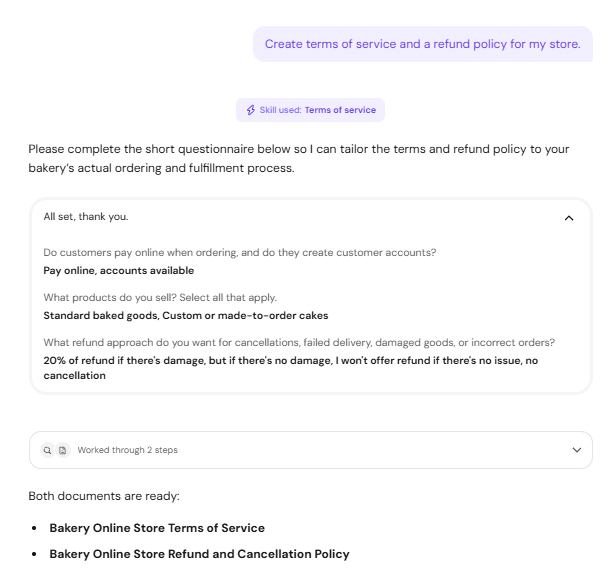
Hostinger Agent adjusts refund rules that conflict with consumer law in the country you sell to. For example, a requested cap on refunds for damaged goods becomes an optional remedy that does not replace the customer’s legal rights.
Create a cookie policy with Hostinger Agent
Hostinger Agent drafts a cookie policy that covers necessary, preference, analytics, and marketing cookies, consent settings, and third-party services. Ask Hostinger Agent to Create a cookie policy, then download the .md file.
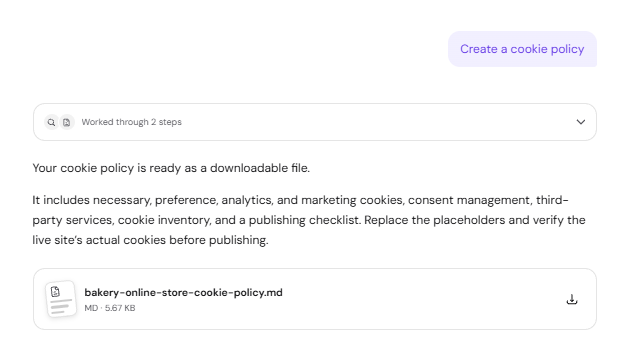
The cookie policy includes an empty cookie inventory table and a publishing checklist. Scan your live website for cookies and third-party services, fill in the table, and confirm which cookies need visitor consent before you publish the page.
Add a legal page to your Hostinger AI Builder website with Hostinger Agent
Hostinger Agent adds a policy to your Hostinger AI Builder website in agentic mode as a dedicated page with a footer link. To add a legal page:
- Ask Hostinger Agent to add the policy and name the website. For example: Add the privacy policy to my website domain.tld.
- Review the Editing your website card, which describes the new page and footer link, and click Confirm. Click Deny to cancel.

- Wait for the update to finish. Hostinger Agent shows a preview of the updated website, with Open in AI Builder and View site buttons.
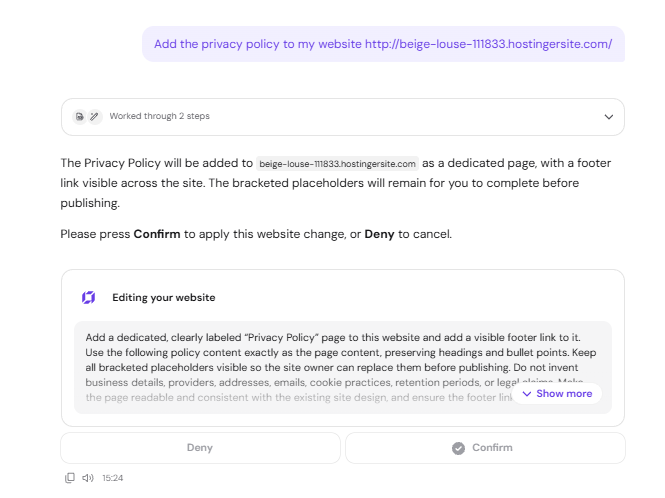
Hostinger Agent keeps the bracketed placeholders on the page, so replace them in the editor before the page goes live. See Hostinger AI Builder: How to edit and update your project in agentic mode to change the page text.
For a Hostinger AI Builder website in manual mode, add the policy in the editor instead. See Hostinger AI Builder: How to add legal pages in manual mode and how to add a cookie banner in manual mode for the steps.
Review legal pages and GDPR readiness with Hostinger Agent
Hostinger Agent reviews a policy draft or your website and lists what still needs to change before you collect customer data. Hostinger Agent checks two things:
- A policy draft: ask, for example, Is this privacy policy legally valid? Hostinger Agent reads the file and lists the gaps, such as missing business details, unnamed providers, or general retention periods.
- Your website: ask, for example, Check my website for GDPR compliance. Hostinger Agent runs a preliminary General Data Protection Regulation (GDPR) audit and lists findings for the privacy policy, providers, cookies, retention, customer rights, and store setup, with links to official sources.
Run the website check after any Hostinger Agent website edit has finished. An edit that is still in progress cannot be verified, so the audit reports the new page as not yet confirmed.
Your legal pages are ready to complete, review with a lawyer, and publish on your website. All files Hostinger Agent creates are collected in Files, where you can preview and download them.