13 best ecommerce platforms for online stores in 2026
Sep 03, 2026
/
By Jordana A. & Ariffud M.
/
23 min Read

The best ecommerce platforms are WooCommerce for WordPress customization, Hostinger AI Builder for beginners and low-cost launches, Wix for design flexibility, Shopify for omnichannel growth, and PrestaShop for international stores. We compared 13 platforms by ease of use, total cost, transaction fees, product support, customization, scalability, and store performance.
The right choice depends on what you sell and how much technical control you need:
- WooCommerce: best for WordPress users who want full control.
- Hostinger AI Builder: best for beginners launching an affordable store quickly.
- Wix: best for small businesses prioritizing design flexibility.
- Shopify: best for brands selling across multiple channels.
- PrestaShop: best for multilingual and multi-currency stores.
The full comparison below shows each platform’s strongest use case, starting price, and transaction-fee model.
| Ecommerce platform | Best for | Pricing | Transaction fees |
| WooCommerce | WordPress users who want full customization | Free plugin | None from WooCommerce; WooPayments charges 2.9% + $0.30 per U.S. transaction |
| Hostinger AI Builder | Beginners launching a store quickly | From $3.99/month | None |
| Wix | Drag-and-drop design with built-in ecommerce | $29 to $159/month | None from Wix; payment processor fees apply |
| Magento Open Source | Developers and growing enterprises | Free, self-hosted | None |
| Shopify | Omnichannel selling and fast scaling | $5 to $2,300+/month | Depends on the plan; 0% extra with Shopify Payments |
| Easy Digital Downloads | Selling digital products on WordPress | Free core plugin; paid plans from $199 to $999/year | None from EDD |
| Ecwid by Lightspeed | Adding a store to an existing website or social media account | From $5/month (Starter) to $149/month | None |
| BigCommerce | High-volume and multi-location stores | $39 to $399+/month | None from BigCommerce, but an Open Payment Provider Fee of up to 2% applies to third-party gateways |
| Big Cartel | Artists and small creative businesses | Free to $30/month | None |
| Square | Brick-and-mortar businesses expanding online | Free to $149/month | 3.3% + $0.30 per online transaction on the Free plan; 2.9% + $0.30 on paid plans |
| OpenCart | Global, multi-store selling | Free, self-hosted; OpenCart Cloud from $14.95/month | None |
| Sellfy | Creators selling digital, physical, and print-on-demand products | $22 to $119/month | None |
| PrestaShop | International, multilingual stores | Free, self-hosted | None |
1. WooCommerce
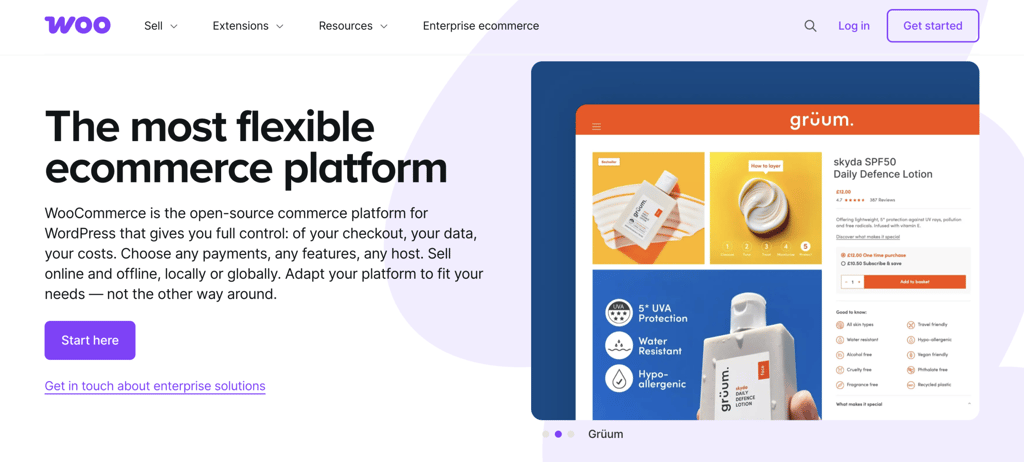
WooCommerce is a WordPress ecommerce plugin and a strong choice for business owners who value flexibility and customization. It lets you turn a WordPress website into an online store with built-in tools for inventory management, payments, and shipping.
After activation, you can start selling right away. The official WooCommerce Marketplace lists more than 1,200 premium extensions, plus thousands of community plugins, so you can scale a store of almost any size.
WooPayments, the built-in payment solution, processes credit and debit card payments and connects to local payment methods. It’s free to add, though it charges 2.9% + $0.30 per local transaction for U.S. cards, plus 1% extra for international cards.
WooPayments also supports Apple Pay, Google Pay, and multi-currency checkout. WooCommerce includes native cart and checkout blocks for the WordPress block editor, which help you edit storefronts faster without custom code.
A store’s appearance is as flexible as its features, since WooCommerce works with the full WordPress theme catalog. You can browse our roundup of the best WooCommerce themes for options.
Speed depends entirely on your host. Our tests showed an average total load time of 7.3 seconds and an LCP of 3.6 seconds, while three sites hosted with Hostinger averaged a 3.6-second load time and a 1.3-second LCP.
WordPress and WooCommerce are community-driven, so neither offers dedicated support. However, plenty of online resources can help you troubleshoot issues and improve performance.
WooCommerce advantages
- Extensive themes. WooCommerce works with the full official and third-party WordPress theme catalog, and you can hire a developer to build a custom theme.
- Highly scalable. A large plugin library expands functionality as you grow, as our guide to the best WooCommerce plugins shows.
- SEO-friendly. WooCommerce inherits WordPress SEO tools that improve visibility on search engines.
WooCommerce limitations
- Steep learning curve. Setting up and running a WooCommerce store is harder for users new to WordPress, though our WooCommerce tutorial walks you through it.
- Self-maintenance. You’re responsible for updating WordPress core, plugins, and themes.
WooCommerce pricing
WooCommerce is free to install, which keeps it accessible for small businesses. Your WordPress site still needs web hosting and a domain.
As a host recommended by WordPress.org, Hostinger tunes its managed WooCommerce hosting plans for performance.
Plans start at $3.99/month and include one-click WooCommerce setup, a free domain, a content delivery network (CDN), and a 99.9% uptime guarantee.
All plans include automatic daily backups, WordPress auto-updates, a vulnerability scanner, and a staging tool for risk-free testing. They also include AI features for content creation, troubleshooting, and site management.
Other costs to budget for include premium themes and plugins. Our breakdown of WooCommerce pricing covers the full picture.
Who is WooCommerce best for?
WooCommerce rewards sellers who want deep control and plan to grow content alongside their store, since it inherits WordPress’s publishing strength.
The trade-off is ongoing upkeep, so skip it if you’d rather not manage hosting, updates, and security yourself.
2. Hostinger AI Builder
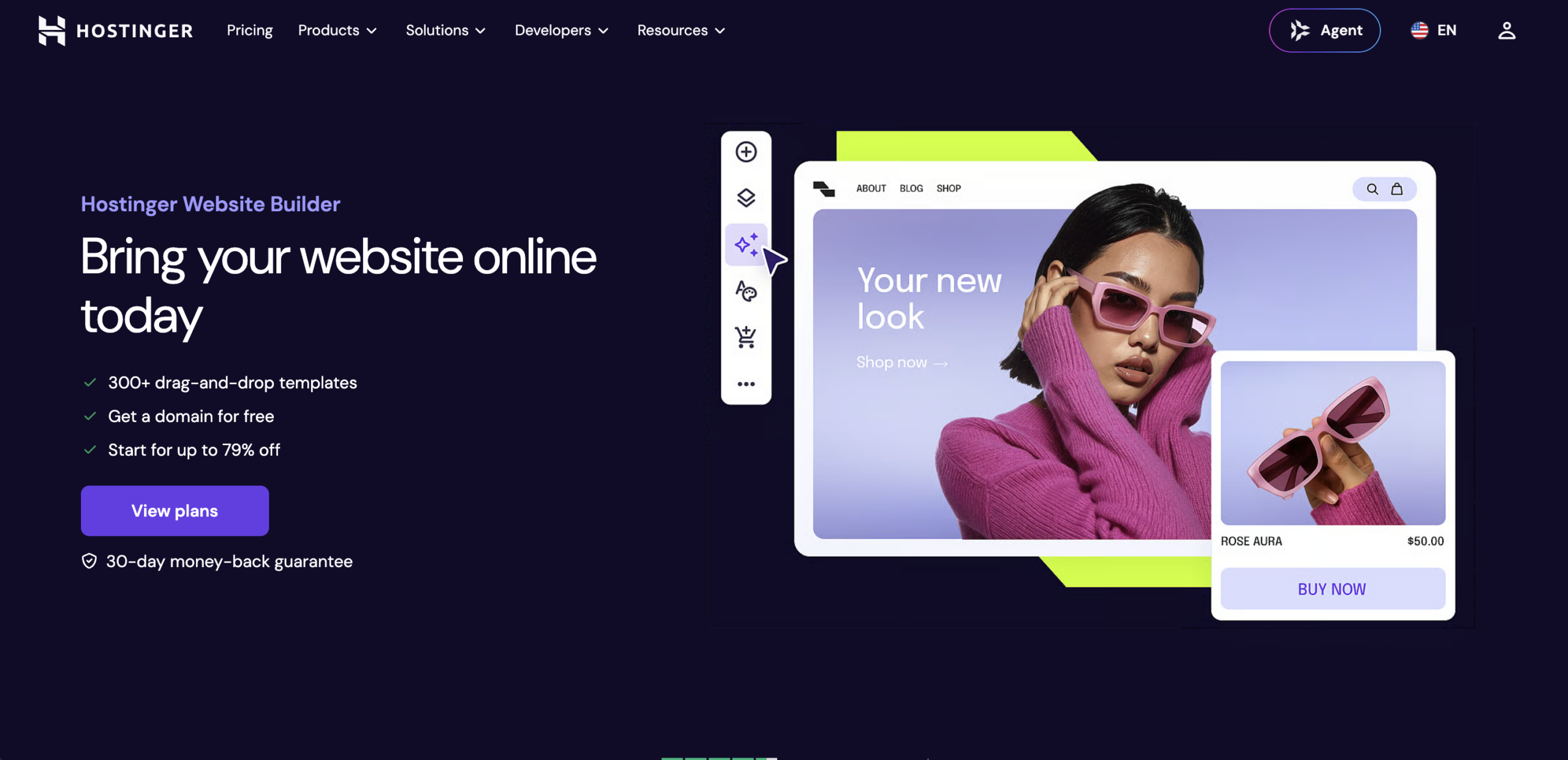
Hostinger AI Builder’s manual mode is the quickest way for beginners to build an ecommerce website – describe your business, let AI generate a starting layout, then take full control with the drag-and-drop editor. The onboarding flow builds a store with relevant images and copy for your brand, then the drag-and-drop editor lets you adjust any part of the site visually.
You can also start from one of more than 400 responsive, designer-made templates. Each template fits a specific niche and supports your SEO.
Hostinger AI Builder includes AI tools for branding and marketing tasks. It writes product titles, subtitles, and descriptions from uploaded images. Separate tools help you design logos and create blog content.
The builder also connects to Printful for print on demand, so you can sell custom merchandise without producing, stocking, or shipping it yourself. Built-in appointment and booking tools let service businesses take reservations from the same dashboard.
For traffic tracking and marketing, the builder supports Google Analytics, Meta Pixel, and WhatsApp for customer inquiries. Its Google Ads integration connects via Google Tag, with Google Shopping campaigns available to run from your Google Ads account.
Built-in speed optimization keeps load times low. All assets are automatically served via Hostinger’s CDN (hCDN), with images optimized on upload. The three sites we tested averaged a 1.8-second LCP and a 2.5-second full load time, and all scored a B in GTmetrix.
Hostinger offers 24/7 help through live chat and email. Written and video learning materials are available on the Hostinger Tutorials page and the Hostinger Academy YouTube channel.

Hostinger AI Builder advantages
- AI-driven website creation. Describe your business with a text or voice prompt. AI generates a starting layout that you customize with the drag-and-drop editor.
- AI customization tools. Create a logo, visuals, content, and user behavior predictions in one place. You also get AI tools for product pages and image editing.
- Intuitive editor. The drag-and-drop grid layout simplifies customization, with more than 400 designer-made templates as a starting point.
Hostinger AI Builder limitations
- No free plan. New users get a seven-day free trial and a 30-day money-back guarantee instead.
- Limited integrations. The builder favors built-in features over third-party add-ons.
Hostinger AI Builder pricing
Hostinger includes the site builder with its hosting plans by default. The Business plan, from $3.99/month, adds ecommerce features for selling up to 1,000 products.
Plans include a free domain for the first year, templates, 24/7 support, and a 30-day money-back guarantee.
The builder charges no transaction fees, so you only cover your payment processor’s rate. Supported payment options include Stripe (with Apple Pay, Google Pay, and Link), kevin. for EU/EEA customers, and manual/offline payments.
Who is Hostinger AI Builder best for?
Hostinger AI Builder’s manual mode wins on speed to launch and low monthly cost, which makes it a natural first store for beginners. The 1,000-product cap and shorter integration list are the main trade-offs once your catalog or needs grow.
3. Wix

Wix suits small businesses that want full drag-and-drop design freedom alongside built-in ecommerce. Its editor lets you place any element anywhere on a page instead of locking you into rigid sections like some competitors do.
The platform pairs that design freedom with an AI website builder that generates a tailored store from a few prompts, then lets you refine it visually. Wix also offers AI tools for writing product descriptions, generating images, and improving copy as you edit.
On the commerce side, Wix Stores supports up to 50,000 products, subscriptions, dropshipping integrations, abandoned cart recovery, and a loyalty program on its Core plan and above.
Wix Payments handles cards and digital wallets natively, and you can also add PayPal.
The Wix App Market adds more than 800 apps and integrations for shipping, marketing, accounting, and analytics, with support for over 80 payment gateways.
For support, Wix offers 24/7 help through live chat and callbacks, plus a help center and Wix Learn courses.
As a hosted platform, Wix manages speed for you. Pages with many apps or heavy media can still slow down, so keep image sizes and add-ons in check.
Wix advantages
- Flexible drag-and-drop editor. Position elements freely for more granular layout control than most builders allow.
- No platform transaction fees. Wix charges nothing on sales beyond your payment processor’s standard rate.
- Large app ecosystem. The Wix App Market covers shipping, marketing, accounting, customer support, and analytics.
Wix limitations
- No template switching. Once you pick a Wix template, you can’t switch to another without rebuilding the site.
- Higher entry price for ecommerce. Selling online requires the $29/month Core plan at minimum, which costs more than entry-level options like Hostinger AI Builder or Big Cartel’s free tier.
Wix pricing
Wix offers four paid plans suited to ecommerce: Core at $29/month, Business at $39/month, Business Elite at $159/month, and Enterprise with custom pricing. Wix bills all listed rates annually.
Every plan includes hosting, an SSL certificate, and a free custom domain for the first year.
Core adds ecommerce features, including dropshipping, subscriptions, abandoned cart recovery, and the loyalty program.
Business adds advanced shipping rules and multi-currency support and removes product limits. The entry-level Light plan at $17/month doesn’t support selling, so start on Core or above.
You only pay your payment processor’s standard rate, typically 2.9% + $0.30 per transaction, with nothing added by the platform.
Who is Wix best for?
Wix is worth it when design control matters more than catalog size, and its AI tools and large app ecosystem keep it competitive. The template lock-in is the main catch, so choose carefully up front and start on the Core plan to sell.
4. Magento Open Source
Magento Open Source fits developers and businesses that need to scale a large, complex catalog.
After Adobe acquired Magento, the software became available in three editions: Magento Open Source, Adobe Commerce, and Adobe Commerce Cloud. This entry covers the free Magento Open Source edition.
The current release is Magento Open Source 2.4.9, published in May 2026, with support through May 2029. This version requires PHP 8.4 or 8.5.
A community-run nonprofit fork called Mage-OS tracks the same codebase and ships faster bug fixes for developers who want an Adobe-free path.
Sellers with large catalogs benefit from Magento’s catalog management, which supports unlimited products and organizes them with grouping and categorization.
The inventory system includes concurrent checkout protection to prevent stock discrepancies when several customers buy the same item at once.
Magento Open Source offers multi-store features for large-scale management, so you can run multiple stores from one admin panel.
A built-in content management system (CMS) organizes content, and user role management lets you assign permissions across the team.
The Login as Customer feature, part of the core since version 2.4, lets you sign in as a shopper to resolve order issues directly. Additional communication tools require third-party extensions.
Magento’s speed depends on your hosting choice. Our tests on three sites showed load times between 5 and 11 seconds, with an average LCP of 1.2 seconds.
Magento advantages
- B2B functionality. Connect to customer relationship management (CRM) systems, build custom catalogs per company, and manage quote requests with built-in tools.
- Advanced SEO. Edit URL paths, add meta descriptions for products and pages, and auto-generate a sitemap to support rankings.
- Detailed analytics and reporting. Track sales, taxes, search terms, and invoiced and refunded totals for better decisions.
Magento limitations
- Limited support. Free users rely on the knowledge base, documentation, and community forums.
- Steep learning curve. Installation and customization need technical skill, though our Magento tutorial can help.
Magento pricing
Magento is free, but it needs a reliable virtual private server (VPS) or dedicated server to run well.
Hostinger’s Magento VPS hosting plans simplify setup with a VPS template and the Hostinger Agent AI assistant, which can also help troubleshoot and configure the store.
Plans start at $6.49/month and include scalable resources, free real-time snapshots for testing, and automatic weekly backups. Extra costs include premium extensions and templates from the Adobe Commerce Marketplace and third-party sources.

Who is Magento best for?
Magento earns its place when you have developer resources and a catalog complex enough to need B2B tools, multi-store management, and custom pricing rules.
Without those needs, WooCommerce or PrestaShop offer similar open-source freedom with less overhead.
5. Easy Digital Downloads
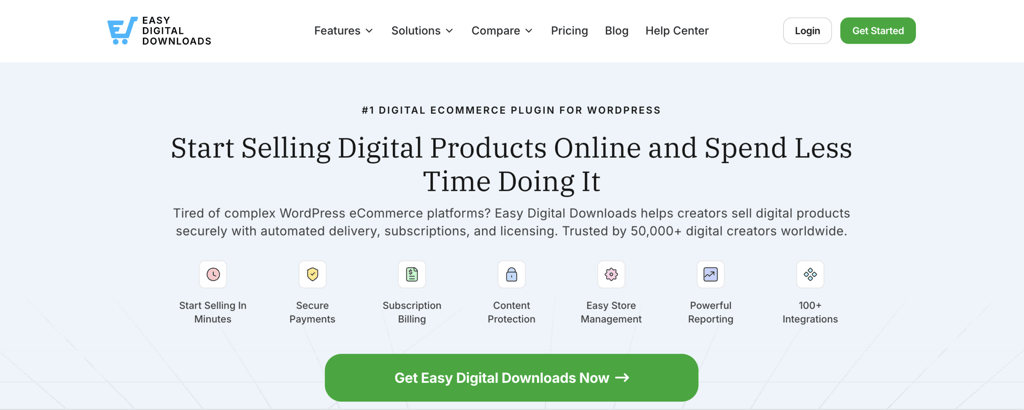
Easy Digital Downloads (EDD) is built specifically for selling digital products on WordPress, such as software, ebooks, templates, music, and online courses. That narrow focus sets EDD apart from WooCommerce, which supports both physical and digital sales.
The feature set reflects that focus. EDD includes file access controls, download limits, license key generation, software licensing, discount codes, and detailed sales reporting out of the box. Its extension ecosystem expands the core plugin further.
Payment gateways include Stripe, PayPal, Square, and Authorize.net. Add-ons cover recurring payments, email marketing integrations, and frontend submissions that turn a store into a multi-vendor marketplace with commissions and payouts.
EDD also bundles modern selling tools across its higher passes, including EU VAT compliance, abandoned cart recovery, multi-currency support, and AI-powered product recommendations.
As a lightweight WordPress plugin, EDD adds little overhead. A digital store’s speed comes down to your host and theme, just like it does with WooCommerce.
Easy Digital Downloads advantages
- Purpose-built for digital sales. Every core feature targets digital products, so you don’t have to deal with irrelevant shipping or inventory settings.
- Native software licensing. Built-in license keys and an API make EDD a natural fit for selling plugins, themes, and apps.
- Lightweight footprint. EDD stays lean compared with full-commerce plugins, which helps keep a digital store fast and simple.
Easy Digital Downloads limitations
- No physical product support without workarounds. Selling physical goods requires the Simple Shipping extension, which is included in the Professional and All Access passes or available as a separate purchase on lower tiers.
- Paid extensions add up. Advanced features sit behind annual passes, so costs climb as your feature needs grow.
Easy Digital Downloads pricing
EDD offers a free core plugin on the WordPress directory, which covers basic digital selling.
Paid passes are billed yearly and range from the Personal pass at $199/year to the All Access pass at $999/year, with the Extended pass at $399/year and the Professional pass at $599/year in between.
Higher passes add more site activations and the full extension catalog, including software licensing and multi-vendor marketplace tools. As with WooCommerce, hosting and a domain are separate costs you cover yourself.
Who is Easy Digital Downloads best for?
EDD is the best WordPress option for stores that sell only digital products. It gives software, ebook, and course businesses the right tools without WooCommerce’s extra physical-commerce features, so physical sellers should look elsewhere.
6. Shopify

Shopify is an all-in-one platform for sellers who want a quick setup and room to scale across channels. Its clean interface and built-in features let new users start selling right after they buy a plan.
Shopify lets you sell unlimited products and share store access through collaborator accounts. It tracks inventory across multiple locations, supports simultaneous checkouts, and scans for tax updates.
Shopify offers a point-of-sale system that works with most POS hardware for in-person selling. Advanced retail features require Shopify POS Pro, which costs extra per location on top of the base plan.
Other features include customer segmentation, marketing automation, and fraud analysis through Shopify Payments. Shop Pay speeds up checkout with saved details and installment options for buyers.
Our speed test across three Shopify sites showed an average LCP of 2.8 seconds and a full load time of 7.7 seconds.
An LCP under three seconds shows critical content quickly, though the slower full load can still affect the experience. Compress images and turn off unused apps to improve it.
Shopify advantages
- Abandoned cart recovery. Win back shoppers who left items in their cart through automated emails.
- 24/7 support. Live chat is available on every plan, while phone support is reserved for Plus users.
- International selling. Tailor pricing and the shopping experience for different markets.
Shopify limitations
- Limited free design. Shopify offers few free themes, and paid ones cost roughly $140 to $500, which is steep for small budgets.
- Transaction fees. Using a third-party processor instead of Shopify Payments adds an extra fee, and Shopify Payments is available in about 39 countries.
Shopify pricing
Shopify renamed its mid-tier plan from Shopify to Grow in 2025. The lineup now includes Starter at $5/month, Basic at $39/month, Grow at $105/month, and Advanced at $399/month, with annual billing lowering each rate.
Companies with complex needs can choose the Plus plan, with custom pricing from $2,300/month. New users can test the platform with a short free trial and a discounted first month, though these offers change over time.
With Shopify Payments, processing costs 2.9% + $0.30 online on Basic and drops to 2.7% on Grow and 2.5% on Advanced. A third-party processor adds a 0.6% to 2% surcharge depending on tier, or 0.2% on Plus.
For in-person selling, Shopify POS Pro costs an extra $89/month per location.
Who is Shopify best for?
Shopify is a safe pick when you want the fastest path to a polished, scalable store and can absorb the monthly cost. Watch app bills and the third-party processor surcharge, since they can add up as you grow.
7. Ecwid by Lightspeed
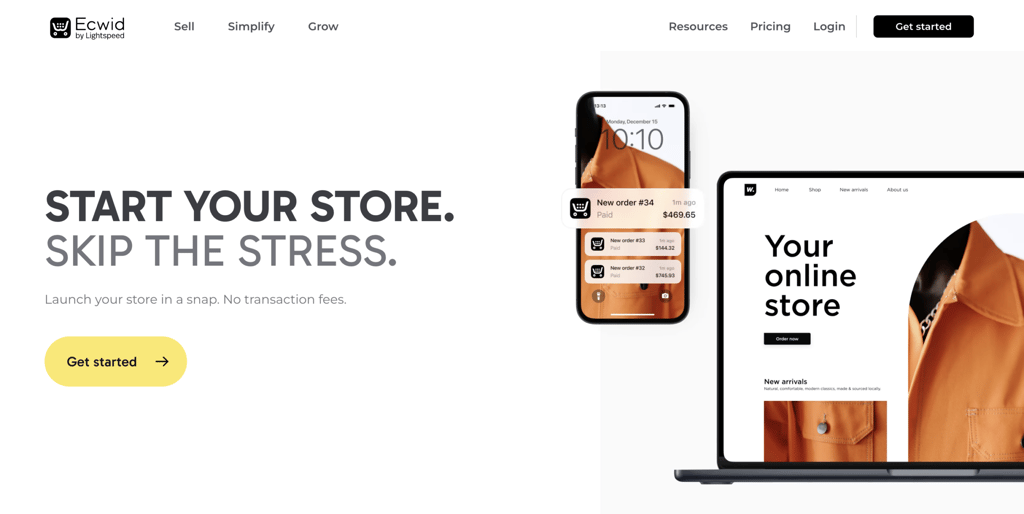
Ecwid by Lightspeed adds a store to an existing website or social media account without requiring a rebuild. You can create an account, integrate the widget with your channel, and start selling.
The widget connects to marketplaces like Amazon, eBay, and Walmart for omnichannel selling. On social platforms, you can use Meta and TikTok tools to turn followers into customers.
Ecwid charges no setup or transaction fees on any plan, and you can choose from more than 70 payment providers worldwide, including PayPal and Stripe.
The Lightspeed point-of-sale integration syncs inventory between online and in-person sales. It also works with Clover and Square POS.
The App Market offers free and paid apps for added functionality, plus AI-powered product recommendations.
As a hosted solution, Ecwid handles security, maintenance, and optimization. The three sites we tested loaded fully in 4 to 14 seconds, with an LCP of around 2 seconds and a C in GTmetrix.
Ecwid advantages
- Automated tax invoices. Generate tax invoices for customers or export them in bulk, though automated tax rates are reserved for paid users.
- Widget-based tool. Add Ecwid to an existing website or social media account to start selling to an audience you already have.
- PCI DSS and GDPR compliance. Ecwid meets the Payment Card Industry Data Security Standard for handling card payments and personal data.
Ecwid limitations
- Limited site builder. The point-and-click editor lacks advanced customization, and complex changes need custom CSS.
- One-page templates. Building a multi-level navigation structure requires an extra paid app.
Ecwid pricing
Ecwid’s entry plan starts at $5/month (Starter) and scales by product count and sales channels. Paid tiers reach $149/month with monthly billing or $119/month with annual billing.
Every plan includes a site builder, free themes, a responsive shopping cart, and a customer management dashboard.
The Starter plan limits product listings to 10 and doesn’t connect to a custom domain. Higher tiers, Venture, Business, and Unlimited, add abandoned cart emails, Mailchimp integration, advanced SEO tools, and larger product and digital file limits.
Who is Ecwid best for?
Ecwid fits when you already have a website or social following and want to add checkout without rebuilding. Expect to outgrow it once you need a full storefront or stronger SEO, since the store loads as an embedded widget.
8. BigCommerce
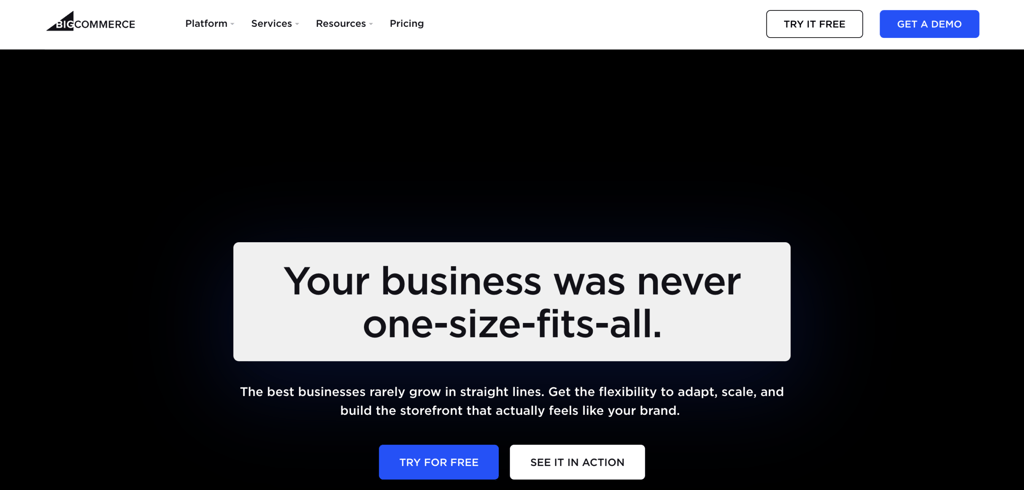
BigCommerce handles high-volume and multi-location stores with complex needs. One standout feature is headless commerce, which separates the storefront from the back end.
That setup lets you build multiple storefronts for personalized experiences using a CMS like WordPress, while BigCommerce runs store operations. It helps brands serve different customer groups from one system.
Omnichannel selling spans marketplaces, social platforms, and search engines, and a real-time inventory system helps reduce delivery delays.
BigCommerce also offers click-and-collect with a ZIP code store locator, so customers can find the nearest pickup point.
Other built-in features include POS integration, blogging, and abandoned cart recovery. Growth and above plans include 24/7 phone, chat, and ticket support, while Core is limited to 24/7 chat and email.
Performance is BigCommerce’s clear weak spot here. Our tests showed an average load time of 16.8 seconds, with one site over 22 seconds, an average LCP of 5.19 seconds, and F scores in GTmetrix for two of three sites.
BigCommerce advantages
- Unlimited staff accounts. Assign permissions so team members can access only the tasks they need.
- API support. Build custom features to improve workflows, though the API has a steep learning curve for non-technical users.
- Persistent cart. Save shopping carts to customer accounts across devices and store card details for returning buyers as a PCI DSS-compliant provider.
BigCommerce limitations
- GMV thresholds force upgrades. Each plan caps annual gross merchandise volume, so crossing the limit moves you to a pricier tier even if you don’t need the extra features.
- Complex scalability. The page builder simplifies setup, but reaching the platform’s full potential takes technical and coding knowledge.
BigCommerce pricing
BigCommerce renamed its plans on June 1, 2026, to Core, Growth, Scale, and Performance, with base prices unchanged.
Core costs $39/month, Growth costs $105/month, Scale costs $399/month, and Performance uses custom pricing. Annual billing lowers each rate.
Plan eligibility ties to annual gross merchandise volume, and those caps dropped in the same update. Core covers up to $30,000/year, while Growth covers up to $100,000/year.
A new Open Payment Provider Fee applies to orders settled through a third-party gateway. It charges 2% on Core, 1% on Growth, and 0.6% on Scale, so the platform’s old fee-free position no longer applies to outside processors.
Premium themes cost roughly $150 to $300, and paid apps add to the monthly bill, so budget for extras if your store has specific needs.
Who is BigCommerce best for?
BigCommerce makes sense once you already move real volume and need its native B2B and multi-storefront tools. For an early or small store, the steep learning curve, low GMV caps, and new payment fee make lighter options a better value.
9. Big Cartel

Big Cartel is a budget-friendly platform for artists and small creative shops with limited catalogs. The onboarding flow works well for non-developers, with pre-built templates and a point-and-click editor for store design.
Sellers can accept payments through Stripe and PayPal or in person using the platform’s app. Big Cartel charges no transaction fees, which helps keep costs low alongside the free plan.
Both free and paid plans include free templates, automated sales tax for stores selling in USD, and product imports from Etsy, Squarespace, and Shopify.
Diamond, the top plan, adds abandoned cart recovery. The platform also connects to Zapier and print-on-demand services.
Big Cartel ranks among the fastest platforms here. Our tests showed an average load time of 2.3 seconds, with main content loading in about one second, and two of three sites scored an A in GTmetrix.
Big Cartel offers SEO tools to support rankings, auto-generating a robots.txt file and a sitemap for easier crawling. However, you can’t change meta descriptions on existing product pages.
Big Cartel advantages
- Free templates. Free and paid users access the same template library.
- Sales tax autopilot. Automatically calculate and manage sales tax to ease compliance.
- Fast performance. Big Cartel is among the fastest hosted platforms, with no extra optimization needed.
Big Cartel limitations
- Limited payment processors. Without a built-in processor, stores accept payments only through Stripe and PayPal.
- Basic digital delivery. Native digital downloads cover one file per product. Bundles and layered goods need the paid Pulley service.
Big Cartel pricing
Big Cartel offers a free Gold plan plus two paid tiers: Platinum at $15/month and Diamond at $30/month, dropping to $12/month and $24/month with annual billing. Gold limits you to 5 products, Platinum raises that to 50, and Diamond reaches 500.
Both paid plans include advanced template customization, label printing with shipping discounts, inventory tracking, ad support, a custom domain, and Google Analytics.
Digital products sell natively on the paid plans. The paid Pulley service handles bundles, multiple files, and larger storage.
Who is Big Cartel best for?
Big Cartel is the right call for a small, curated catalog you want to start selling for free. Plan to move on once you pass 500 products, or sooner if you need payment options beyond Stripe and PayPal.
10. Square

Square fits brick-and-mortar businesses that want to sell online and in person from one system. It connects directly to Square POS software, so sellers can manage online and in-person transactions in the same place.
The drag-and-drop builder helps new users set up a store. It’s less flexible than some alternatives on this list, but you can still match the design to your brand with a custom logo and color palette.
For fulfillment, the Free and Plus plans support flat-rate and weight-based shipping, while the Premium plan adds real-time carrier rates from USPS, FedEx, and UPS.
Security is a standout feature. Square Risk Manager flags fraud patterns and lets you create custom rules and alerts to reduce chargeback risk.
Square also charges no chargeback fees and offers Chargeback Protection, which can cover eligible disputes. You can enable two-factor authentication for more secure logins, and every plan supports pickup, delivery, and Square POS synchronization.
Two of the three sites we tested loaded fully in under five seconds, while one took more than eight seconds. LCP averaged around 1.1 seconds, and none of the sites scored below a C in GTmetrix.
Square advantages
- Free domain. Both paid plans include a custom domain, while the Free plan uses a Square subdomain.
- Unlimited items. Every plan, including the free tier, supports unlimited product listings.
- Social media integration. Turn social media accounts into sales channels by linking them to your store.
Square limitations
- Layered fees. Online payments, in-person payments, and delivery services each come with separate charges, as outlined below.
- Limited customer support. 24/7 phone support is available only on the Premium plan. Free and Plus users can access phone and chat support during business hours.
Square pricing
Square overhauled its pricing in October 2025 and now offers three unified tiers: Free, Plus at $49/month, and Premium at $149/month, with custom pricing for merchants processing more than $250,000/year.
The Free plan includes unlimited items, online and in-person payments, and standard support. Paid plans add more themes, a free domain, and advanced analytics.
Transaction fees also changed with the overhaul. The Free plan charges 3.3% + $0.30 for online card payments and 2.6% + $0.15 for in-person payments.
Plus and Premium reduce online card payment fees to 2.9% + $0.30, while Premium offers the lowest in-person rate at 2.4% + $0.15.
Who is Square best for?
Square pays off if you already use Square POS in a physical store and want to manage online and in-person sales from one system.
For an online-first business, the Free plan’s 3.3% + $0.30 transaction fee makes each sale more expensive than some alternatives on this list.
11. OpenCart
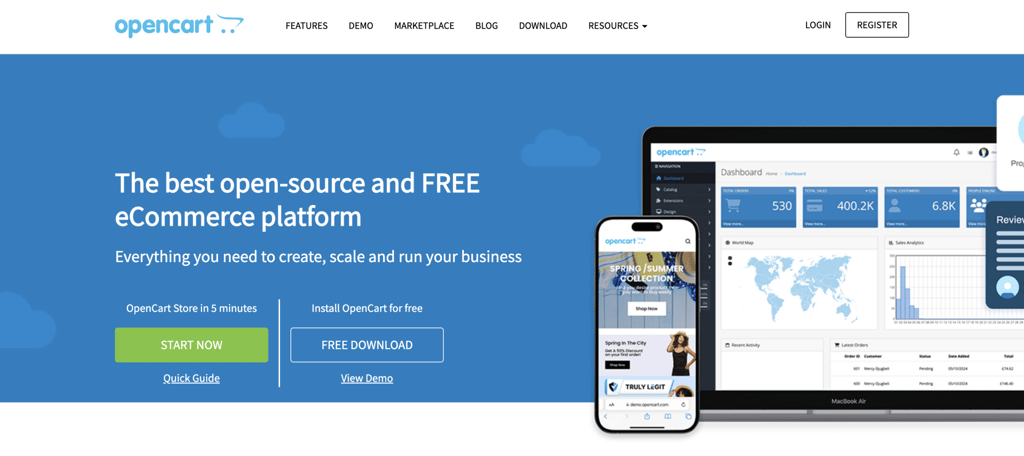
OpenCart is an open-source platform built for selling globally across multiple stores and currencies. It uses modules for customization, so you can tailor a store to your needs. The current release is OpenCart 4.
The platform stands out for global selling. It accepts international payments through PayPal, Stripe, Square, and dozens of regional gateways, with multi-currency support and translations into more than 40 languages, including right-to-left languages.
Stores selling physical products can widen their reach with built-in and module-based shipping methods. You can also sell digital products or subscriptions for recurring payments.
An extension marketplace with over 13,000 modules and themes covers payments, shipping, analytics, and design. OpenCart now supports an API-first approach for headless commerce and progressive web app builds.
Like other self-hosted carts, OpenCart is only as fast as its host. Our tests showed only one of three sites loading fully in under 4 seconds, with LCPs ranging from 2 to 4 seconds.
OpenCart advantages
- Built-in affiliate system. Commission affiliates to drive traffic, with payouts through check, PayPal, or bank transfer.
- Multi-store support. Manage settings and inventories for several stores from one dashboard, each with its own theme.
- Guest checkout. Let customers buy without creating an account.
OpenCart limitations
- No built-in bulk editing. Large catalogs need a bulk editing module to speed up work.
- Highly technical. Outside OpenCart Cloud, module installation and core updates require technical skill.
OpenCart pricing
The open-source version of OpenCart is free to download and use, so you only need reliable hosting and a domain to start. With Hostinger’s OpenCart hosting, from $6.49/month, you can install OpenCart in a few clicks as a VPS template.
The hosted version, OpenCart Cloud, offers plans starting from $14.95/month (introductory) and caters to non-technical users with a streamlined setup.
Neither version charges transaction fees. Premium modules and themes start at $5 and $25, respectively.
Who is OpenCart best for?
OpenCart suits technical sellers who want free, open-source global selling or those who use OpenCart Cloud to skip the setup work for a monthly fee. WooCommerce is the friendlier route if you already know WordPress.
12. Sellfy
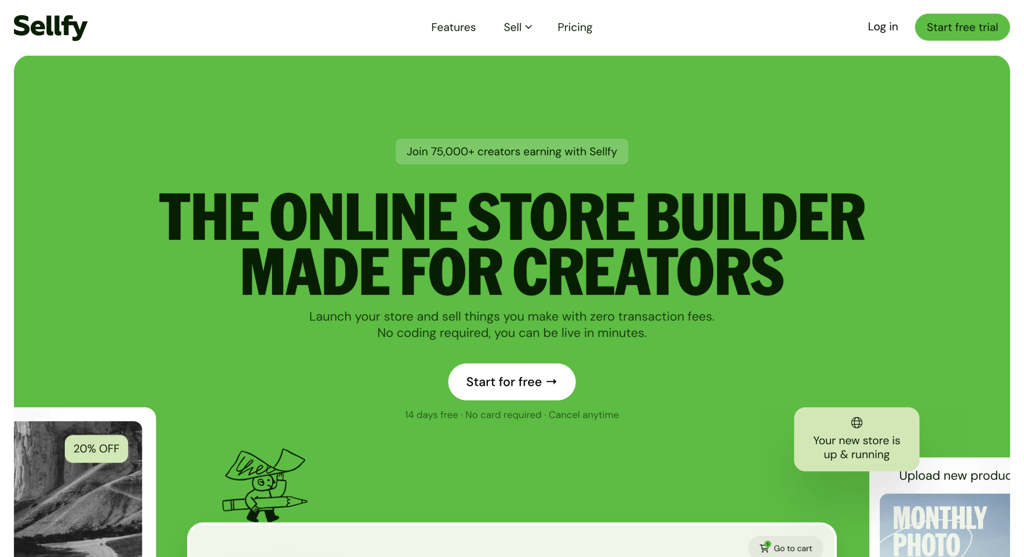
Sellfy is a creator-focused platform for selling digital products, merchandise, and subscriptions in one place. It bundles tools for monetizing digital assets, physical goods, and recurring services.
Its print-on-demand service suits artists with an existing following. You supply the design, choose products, and set prices, while Sellfy handles production and shipping.
The onboarding flow works well for non-technical users, with templates and a point-and-click editor.
Sellfy supports PayPal and Stripe. You can boost sales with cart abandonment tools, affiliate marketing, and email marketing, while automatic translation helps open your store to a global audience.
Sellfy’s visually heavy sites averaged 3.9 seconds for both page load and LCP. Compressing images, especially in the main content, helps meet Google’s three-second target.
Sellfy advantages
- Many product types. Sell physical and digital products, subscriptions, and print-on-demand items from one platform.
- Advanced embed features. Show your store and products on any website, YouTube end screens, and social media accounts.
- Upselling. Offer bundles and buy-one-get-one deals to lift average order value.
Sellfy limitations
- Forced branding. Removing Sellfy branding requires the Business or Premium plan.
- Limited templates. Sellfy offers few pre-built templates and lacks a drag-and-drop editor or advanced customization.
Sellfy pricing
Sellfy offers three plans with annual billing: Starter at $22/month, Business at $59/month, and Premium at $119/month, with bigger savings on two-year terms.
There’s no free plan, but a 14-day free trial and a 30-day money-back guarantee let you test it with less risk.
Each plan caps annual sales at $10,000 on Starter, $50,000 on Business, and $200,000 on Premium. Exceeding the cap adds a 2% overage fee.
Plans also increase email marketing credits as you move up: 2,000 on Starter, 10,000 on Business, and 50,000 on Premium. Sellfy charges no transaction fees beyond your Stripe or PayPal processor rate.
Who is Sellfy best for?
Sellfy works for creators who want to sell digital products, merchandise, and print-on-demand items in one place without handling fulfillment. The annual sales caps and limited template choices become constraints once you scale.
13. PrestaShop
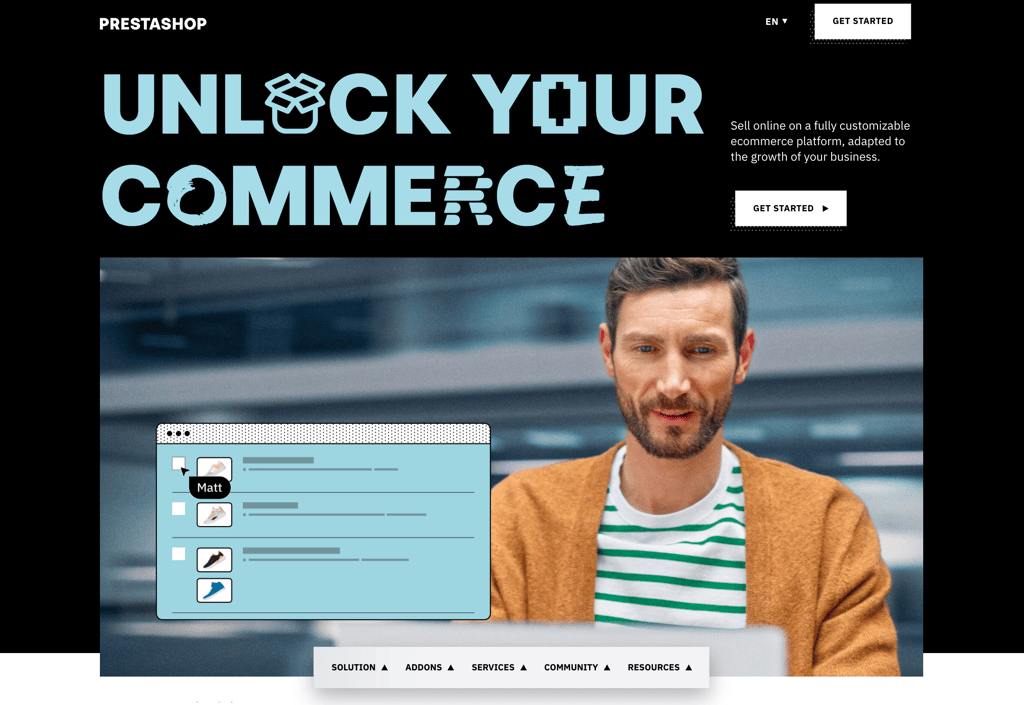
PrestaShop is a free, open-source platform built for selling internationally across many languages and currencies. The latest major release, PrestaShop 9, arrived in June 2025.
PrestaShop 9 modernizes the platform with a new default theme called Hummingbird 2.0, updated in PrestaShop 9.1 for European Accessibility Act compliance. It also includes a redesigned admin interface and a new Admin API for headless commerce.
An Update Assistant tool checks compatibility before migration to reduce upgrade risk.
What sets PrestaShop apart from WooCommerce and Magento is its native support for international selling.
The platform includes built-in multilingual management across more than 75 languages, multi-currency support, and separate storefronts per country from a single installation, with no paid extensions required.
The catalog handles thousands of products with attributes, combinations, and custom categories. Built-in tools cover order management, advanced taxation, and major payment gateways like Stripe, PayPal, and Klarna.
A large module marketplace extends functionality, though paid modules add up faster than WooCommerce’s free plugin ecosystem.
Since PrestaShop is self-hosted, the community provides free documentation and a public forum. PrestaShop also offers paid Premium and Business support packages directly.
Community modules and themes are plentiful, with many built for European VAT and GDPR compliance.
Self-hosting puts speed in your hands. Version 9‘s Symfony 6.4 core runs measurably faster than version 8, so a well-configured host can keep a large catalog quick.
PrestaShop advantages
- Native international support. Multilingual, multi-currency, and multi-store features are built in, with no paid add-ons needed to sell across borders.
- No platform transaction fees. PrestaShop charges nothing on sales, so you only pay your payment processor’s standard rate.
- Modern technology stack. PrestaShop 9 runs on Symfony 6.4 and PHP 8.1 or newer, with a developer-friendly Admin API and the TypeScript-based Hummingbird 2.0 theme.
PrestaShop limitations
- Technical setup required. Like other self-hosted platforms, you manage hosting, security patches, and updates yourself, which can be hard for non-technical users.
- Paid modules add up. Many essential extensions for analytics, advanced shipping, and marketing automation are sold individually and raise the total cost.
PrestaShop pricing
PrestaShop is free to download and use, so your main costs are hosting, a domain, payment processing, and any premium modules or themes.
Hostinger’s PrestaShop hosting streamlines setup with one-click installation, optimized server configurations, and a free domain for the first year, starting at $3.99/month.
Premium modules typically cost $30 to $300 each for tools like advanced search and abandoned cart recovery, and themes usually cost $50 to $200 one time, with free options in the official marketplace.
Who is PrestaShop best for?
PrestaShop is an excellent choice for merchants selling across multiple countries and languages, especially in European markets.
Its native multilingual and multi-currency support removes the patchwork of paid plugins that other open-source platforms need for the same job.
The trade-off is technical setup and the cumulative cost of paid modules.
PrestaShop suits store owners who are comfortable managing their own hosting and budget, or those willing to work with a developer, in exchange for a flexible, fee-free platform built for international ecommerce.
How to choose the best ecommerce platform for your project
Choosing the best ecommerce platform comes down to your technical skills, product type, budget, and growth plans. Weigh the following factors to narrow your options.
Identify your business needs
Every platform targets specific business needs and user groups, so choose one that matches your use case. Ask yourself a few questions to pin down the features your store needs:
- Will your products be physical, digital, or a mix of both?
- How large is your inventory?
- What languages, currencies, and payment methods does your target market prefer?
- What marketing strategies will you use?
- How do you plan to handle shipping?
- What analytics and reporting features do you need?
- Do you expect significant growth in traffic and sales?
Your answers usually point to a category. Digital-only sellers do well with Easy Digital Downloads or Sellfy, physical and offline sellers with Square or Big Cartel, and developers who want full control with WooCommerce, Magento, OpenCart, or PrestaShop.
Pick the one you can operate
Unless you hire a developer, your store will only be as good as your understanding of the platform. That makes an intuitive interface and beginner-friendly features worth prioritizing.
If you’re not very technical, look for platforms with drag-and-drop builders and simple customization. They let you set up and manage a store without deep technical knowledge.
Hosted platforms are easier for beginners than content management systems because they keep every tool in one place.
Hostinger AI Builder goes further with AI. It builds your layout, writes product descriptions, and includes an AI assistant for marketing, so even complete beginners can launch in minutes.
AI-powered features to look for
The best platforms now offer AI tools that handle routine tasks, create content, and support better decisions. The most useful AI ecommerce features to look for include:
- Design assistance. AI website builders create a full store layout from your description, choosing colors, fonts, and layouts that fit your business type.
- Technical support. AI chatbots answer questions and help you customize your site, like having a web developer available around the clock.
- SEO management. AI optimizes product pages, suggests keywords, and helps your store rank higher.
- Content creation. Automatic product description, blog post, and marketing copy generation saves hours and keeps content consistent.
- Visual customization. AI generates logos and removes backgrounds from product photos for a more professional look.
Hostinger AI Builder includes all of these in one platform, which lets beginners compete with larger businesses that have dedicated teams. Platforms with built-in AI tools tend to save time and produce better results than doing everything by hand.
Consider customizability and scalability
Customizability and scalability depend on whether a platform is software-as-a-service (SaaS) or open-source.
SaaS platforms like Hostinger AI Builder and BigCommerce include hosting, security, and support through tiered pricing, which makes them easy to use and suitable for beginners.
Their closed environments offer less customization flexibility, and third-party tools may come with limits and extra fees.
Open-source platforms like WooCommerce and Magento give you full control over customization and scalability. In exchange, you manage hosting, security, and updates yourself.
Whichever you pick, confirm that it has the core ecommerce features and performance you need, plus room to grow.
In our testing, Hostinger AI Builder and Big Cartel both loaded in under three seconds on average. Self-hosted platforms like WooCommerce and Magento can match that with good hosting and proper setup.
Check the supported payment methods
Offering several payment options improves the customer experience and widens your reach, so a good platform should support popular gateways and processors.
If you sell internationally, look for multiple currencies and regional payment methods. If you sell in person, check for offline payment support.
Be aware of transaction fees and integration costs, since they affect your margins. Above all, confirm that the platform meets the Payment Card Industry Data Security Standard (PCI DSS) to protect customer payment data and maintain trust.
Evaluate customer support quality
Look for platforms with multiple support channels, such as live chat, email, phone, and a thorough knowledge base. 24/7 support helps if you operate across time zones or serve customers worldwide.
Quality matters as much as responsiveness, so check user reviews to see how well the support team resolves issues. Responsive, knowledgeable support eases setup and reduces downtime, which protects your sales.
Verify access to SEO and marketing tools
Strong SEO and marketing tools are key to driving traffic and sales. Choose a platform with built-in SEO features like customizable meta tags, sitemaps, and clean URLs, so you can apply best practices without third-party tools.
The same applies to marketing. You should be able to run email campaigns, connect social media, and analyze performance.
Features like discount codes, abandoned cart recovery, and customer segmentation strengthen your strategy, while blogging support helps with content marketing.
Find the best value for money
Weigh long-term costs when comparing platforms. Pick a few options that fit your needs, then compare their features and expenses side by side.
SaaS platforms usually charge monthly or yearly subscriptions. Free and open-source platforms require hosting, a domain, and renewal fees. Remember to budget for extras like marketplace integrations, themes, and extensions.
Costs vary widely. Hostinger AI Builder starts at $3.99/month with no transaction fees and bundled templates, while BigCommerce runs $39 to $399+/month and adds a payment fee on outside gateways.
WooCommerce itself is free and pairs well with managed hosting that includes themes and plugins. For digital-only stores, Easy Digital Downloads keeps costs lower than a full-commerce setup.
The real cost depends on the features you need, so plan a budget and stick to it instead of overspending on tools you may not use.
What is the best ecommerce platform for beginners?
Hostinger AI Builder works best for complete beginners because its AI tools handle the technical work automatically. You can launch a professional store in minutes with no coding or design skills.
WooCommerce is another solid choice if you want more control and don’t mind a learning curve. It offers extensive tutorials and works with any business type.
The key is matching the platform to your comfort level and business needs. Our tutorial on how to start an online store walks you through the whole process, from choosing products to setting up your platform and making your first sale.

All of the tutorial content on this website is subject to Hostinger's rigorous editorial standards and values.

Jordana is a Senior Content Writer with a background in Information Systems. She has over five years of experience in WordPress and is casually dabbling with PHP and MySQL. Her passion for writing and technology drives her to create tutorials for anyone wanting to build their online presence. Follow her on LinkedIn.

Ariffud is a Technical Content Writer with an educational background in Informatics. He has extensive expertise in Linux and VPS, authoring over 200 articles on server management and web development. Follow him on LinkedIn.