To create an email marketing campaign, set a measurable goal, choose the subscribers you want to reach, and plan one email or a sequence around what you want them to do. Then create, test, and send the emails, and compare the results with your original goal.
Rather than using a one-size-fits-all approach, the campaign type you choose should depend on who exactly you’re emailing, what you think they want, and what you’re promoting. For example, you’d use a different message to welcome new subscribers than for announcing a product launch to people who already follow you.
What is an email marketing campaign?
An email marketing campaign is a type of digital marketing strategy where you plan email communication to a specific group of subscribers to achieve a specific, measurable goal, such as generate sales for a new product, get people to register for a webinar, or encourage inactive customers to engage.
It could be just a single email sent to everyone on your email list or a series of emails throughout a new product launch.
For example, a running store could send three launch emails to subscribers interested in trail-running shoes while running a separate welcome series for new subscribers. Both are campaigns, but they’re aimed at different people and outcomes.
Is direct email marketing the same as an email marketing campaign?
No. Direct email marketing (or direct response marketing) is when you send a focused, single-purpose message to drive a specific, immediate action from a single person or select group. An email marketing campaign is a broader effort, often used to drive sales or brand awareness to a target audience.
For example, a bakery sends past customers three emails about its new Valentine's Day cakes: a preview of the designs, a guide to choosing flavors, and a final email asking them to order by February 10. The last email is direct email marketing to generate orders, while all three emails make up the campaign.
Types of email marketing campaigns you can send
Common types of email marketing campaigns include welcome, promotional, product launch, newsletter, abandoned cart, re-engagement, and lead nurturing campaigns.
Campaign type | When to use it | What the campaign could include |
Welcome | You get a new subscriber or sign up | An introduction to your brand, what subscribers can expect, and information about your products or services |
Promotional | During sales or limited-time offers | The offer, eligible products, and deadline reminders |
Product launch | You’re preparing to release a new product or service | A preview, launch announcement, and answers to FAQs |
Newsletter | You have news, tips, or other useful content to share | An email featuring relevant updates, articles, or resources |
Abandoned cart | A shopper leaves the cart or website without purchasing | An automated reminder with a link back to the unfinished order or browse |
Re-engagement | Subscribers haven’t interacted with your emails for a while | A reminder of what they’re subscribed to, a relevant offer, or a chance to update their preferences |
Lead nurturing | Someone has shown interest but needs more information before buying | Product benefits, consultation offer, or answers to FAQs |
Other email campaigns include post-purchase emails, event or webinar invitations, price-drop awareness, seasonal campaigns, and review requests.
You can use more than one at once, and you’ll notice that they often overlap. For example, a running store could announce new shoes in its regular email newsletter, run a separate product launch campaign, or do both.
How to create an email marketing campaign
Start by setting a campaign goal and choosing your audience. Then plan and create the emails, test them with a small sample before sending, and review the results to see how you can improve your next campaign.
Let’s use a hypothetical example of a running store preparing to launch new trail-running shoes so you can see how the steps work in practice.
1. Define the campaign objective and success metric
Define your campaign objective by deciding what you want to achieve, such as generating sales or getting event registrations. Then choose how you’ll measure success and set a target and deadline.
Let’s say our running store has a broader email marketing strategy to increase sales from email subscribers this year. For its shoe launch, it sets a more specific goal: Get five orders from the launch emails within 14 days of the product launch.
To see whether the campaign was successful, the store counts purchases that came through the launch emails, not all shoe sales during those 14 days.
To track this, the store adds UTM tags to its email links. These are short labels (such as utm_campaign=shoe_launch) used to track where traffic comes from. Website analytics can then identify and count campaign-related visits and purchases.
2. Select the audience segment
Choose your campaign audience based on interest and previous actions. Subscribers who’ve shown interest in what you’re promoting are more likely to engage. You can derive this information in your email marketing platform.
For example, Hostinger Reach lets you create audience segments based on email engagement (open rate and clicks), tags, custom contact fields, and source. You can also use its AI to describe the group you want in plain language (such as “contacts who clicked a previous product email”).
For the trail-running shoe launch, the store wants to reach people interested in running gear. It uses a Running gear updates signup form to build an email list of subscribers who agreed to receive those updates. Let’s say 60 people signed up through that form.
For this example, let’s use Hostinger Reach to select the audience:
- Open Audience → Segments. Reach automatically creates a segment for a connected website signup form after receiving its first submission.
- Find and open the segment associated with the Running gear updates form.
- Review its conditions and matching contacts to confirm that it includes the subscribers who signed up through that form. You’ll select this segment as the audience when preparing the launch emails.
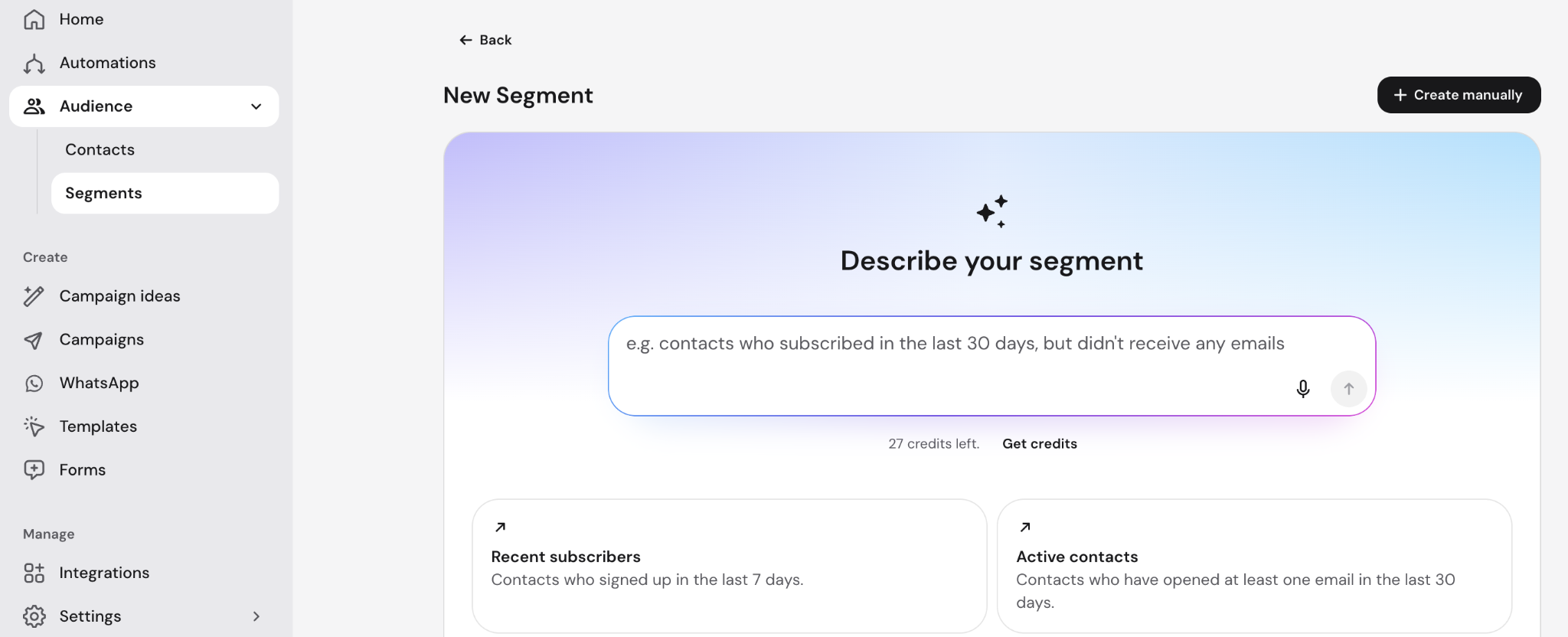
You can also create segments using previous email clicks, existing contact tags, or Reach’s AI. Open Audience → Segments. The New Segment screen opens automatically when you have no saved segments; otherwise, click New Segment.
From there, describe your target audience for Reach’s AI to suggest filters, or select Create manually to set the conditions yourself.
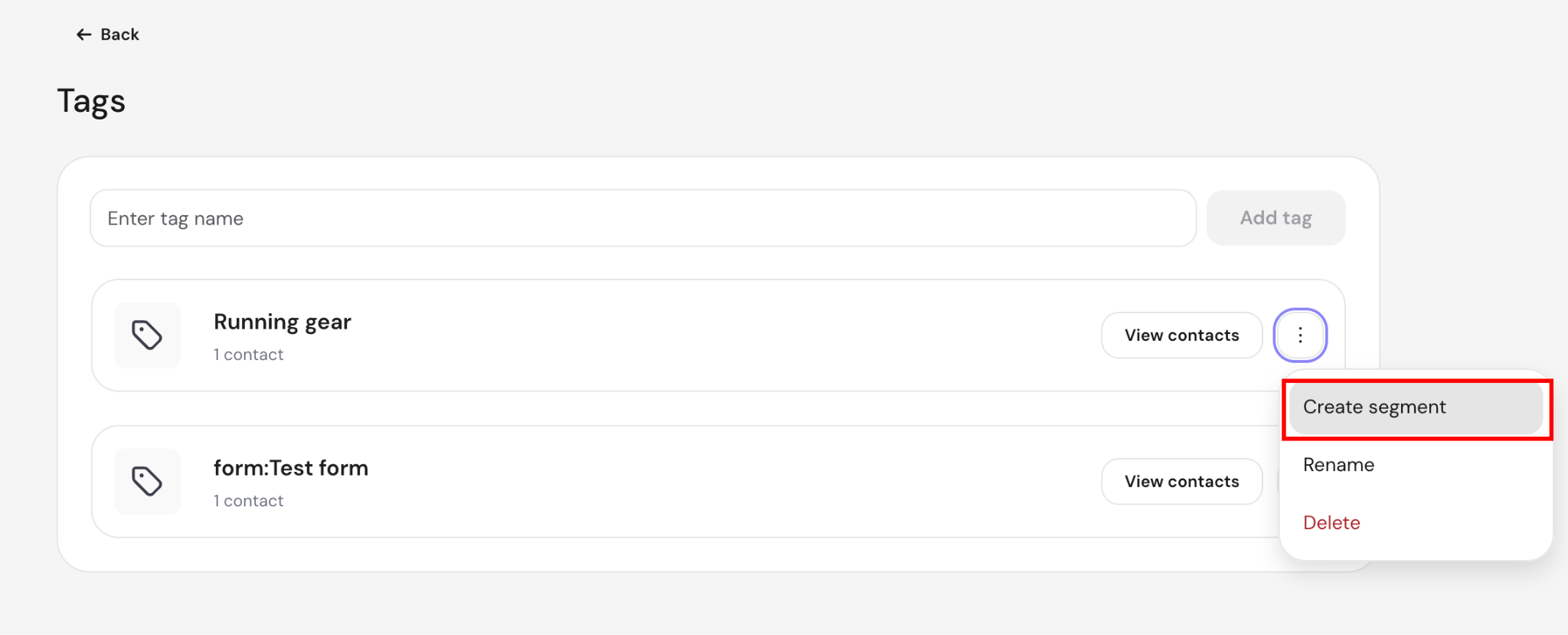
Since I didn’t have a signup form ready to test Reach’s segmentation features, I tried creating a segment using tags instead.
I created a Running gear tag under Contacts → Manage → Tags and assigned it to my test contact. The process was straightforward, and I liked that the tag’s three-dot menu had a Create segment shortcut, so I didn’t have to return to the Segments page.
3. Choose the right type of campaign
Pick a campaign type based on what you want subscribers to do and how it supports your campaign goal.
Our running store’s goal is to get five orders for its new trail-running shoes, so the best campaign type is a product launch. It focuses specifically on introducing new products and encourages subscribers to purchase.
4. Decide between one email or a sequence
Choose one email for a straightforward announcement, or a sequence when subscribers need different information at different stages of the campaign.
For the trail-running shoe launch, the store chooses a three-email sequence instead of sending one promotional email to announce the new shoes.
Each email has a specific purpose:
- Before launch. Introduces the new shoes and shares their release date to build interest.
- On launch day. Announces that the shoes are available and links to the product page.
- After launch. Shares practical tips on how to get the right fit and prepare the shoes for their first trail run.
Check your email sending allowance before planning a sequence. Hostinger Reach’s free plan lets you send 200 emails per month to 100 unique recipients. Sending three emails to our 60 subscribers would use 180 sends, leaving you 20 remaining sends.
To check your remaining sending allowance, click your profile icon in the top-right corner of Hostinger Reach and select Plan & limits.
5. Plan the message, CTA, and timing
Decide what you’re promoting and whether to include a special offer, such as a discount or early access. Then plan the main message, call to action (CTA), and time frame. For a sequence, make these decisions for each email.
For our trail-running shoe launch, the store isn’t offering a discount or special deal. Instead, the campaign focuses on introducing the new shoes, announcing when customers can buy them, and sharing useful fitting advice.
When to send | Main message | CTA | |
Preview | Three days before launch | “Meet our new trail-running shoes, launching in three days!” | “Preview the shoes” |
Launch | On release day | “Our new trail-running shoes are now available to order!” | “Shop now” |
Follow-up | Three days after launch | “Find the right fit and get ready for your next trail run with our new shoes.” | “See fitting tips” |
For each CTA, pick where it should go, whether that’s a product preview page, the order page, or a fitting guide. Just ensure all links work when you test the emails.
6. Craft the emails
Open your email marketing platform and create an email draft using a template or AI. Add a subject line, email text, images, and a CTA that match your campaign plan.
Let’s use Hostinger Reach’s AI to create the launch-day announcement for our trail-running shoe launch.
On the Reach homepage, find What would you like to share with your audience? and enter a prompt such as:
Write a launch-day email for subscribers interested in running gear. Our new RidgeTrail 1 trail-running shoes will be available on November 12, 2026. Highlight these features: breathable mesh upper, rubber outsole with 4 mm lugs, and reinforced toe cap. Include a View details button linking to https://northpeakrunning.com/trail-running-shoes. Don’t invent discounts, reviews, or additional product specifications.
Then follow these steps:
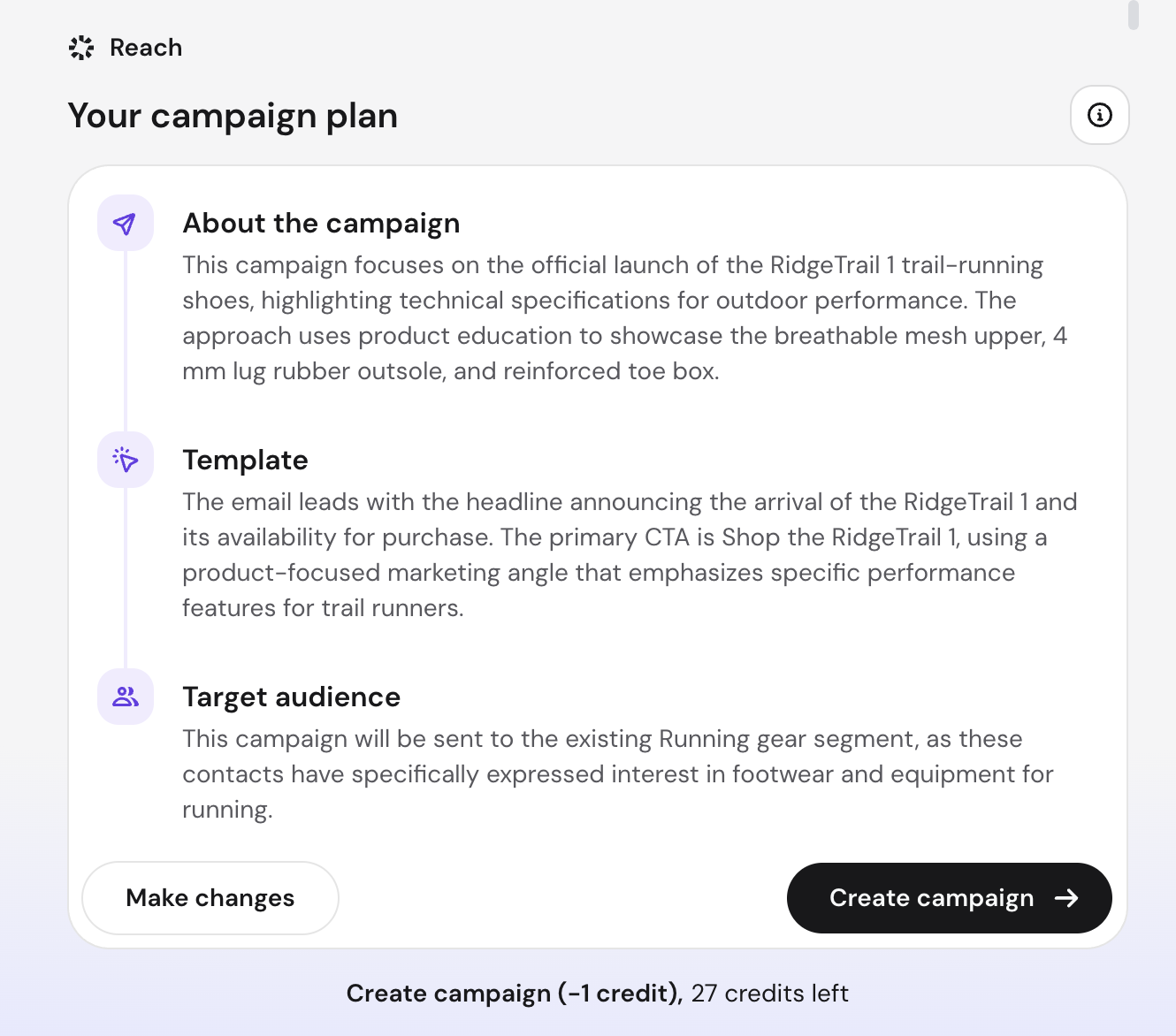
1. Review the campaign plan. Reach suggests a template and target audience. Check that they match your launch plan, and select Make Changes to correct anything that doesn’t.
2. Click Create Campaign. This lets you make an editable draft – it uses one AI credit.
3. Edit the draft. Review these three areas:
- Template. Check the text, images, and CTA. You can edit them manually or use Reach’s AI to generate or rewrite individual sections without recreating the entire email. Review any AI-generated changes for accuracy.
- Campaign details. Choose a subject line by writing it yourself or using Reach’s AI suggestions. Check the sender information and optionally add a preheader – the short preview text that appears alongside the subject line in many inboxes.
- Recipients. Select your running-gear segment.
4. Review. Check the campaign summary, select Save as draft, and test the email before sending it.
Repeat the process for the preview and fitting-tips emails, adjusting the subject line, message, and CTA to match each email’s purpose.
✍️ Prefer to write a marketing email yourself? Open Campaigns → Create campaign, choose a template, and add your content manually.
AI can add product details you didn't provide.
When I tested Reach with our trail-running shoe email, it claimed the shoes offered "excellent grip on wet and loose surfaces," which wasn't in my prompt. Check these details against your actual product specifications before sending, so customers aren't deciding based on inaccurate information.
7. Check consent, deliverability, and technical setup
Now that your email drafts are ready, ensure you have permission to contact your subscribers and that your sender information and domain are configured properly. These checks improve email deliverability, which makes sure your emails reach inboxes instead of going to spam.
Here’s what to check in Hostinger Reach:
- Subscriber permission. Only send the launch emails to subscribers who’ve agreed to receive updates. Leave out anyone whose permission you can’t confirm.
- Sender details. Under Settings → Brand details, check your business name and postal address. Verify the sender name and email address in Campaign details. Then, preview the email to confirm it includes an unsubscribe link.
- Domain authentication. Under Settings → Domain, check that SPF, DKIM, and DMARC are verified. These email authentication records help email services verify that messages come from your domain.
Reach automatically adds the SPF, DKIM, and DMARC records when Hostinger manages your domain’s DNS settings. Otherwise, open Settings → Domain in Reach, copy the required DNS records, and add them through your DNS provider.
Allow up to 24 hours for changes to take effect. Then, check that Reach shows the records as verified before sending.
Don't create a second SPF record for the same domain. Having multiple SPF records can cause email authentication to fail, preventing messages from reaching recipients.
When you already use another email service, update your existing SPF record using the combined value provided by Reach instead of adding a new one. Check that Reach verifies the updated record.
8. Test and launch the campaign
Test each email by sending yourself a copy, checking how it looks and whether its links work, then reviewing the final sending settings before launch.
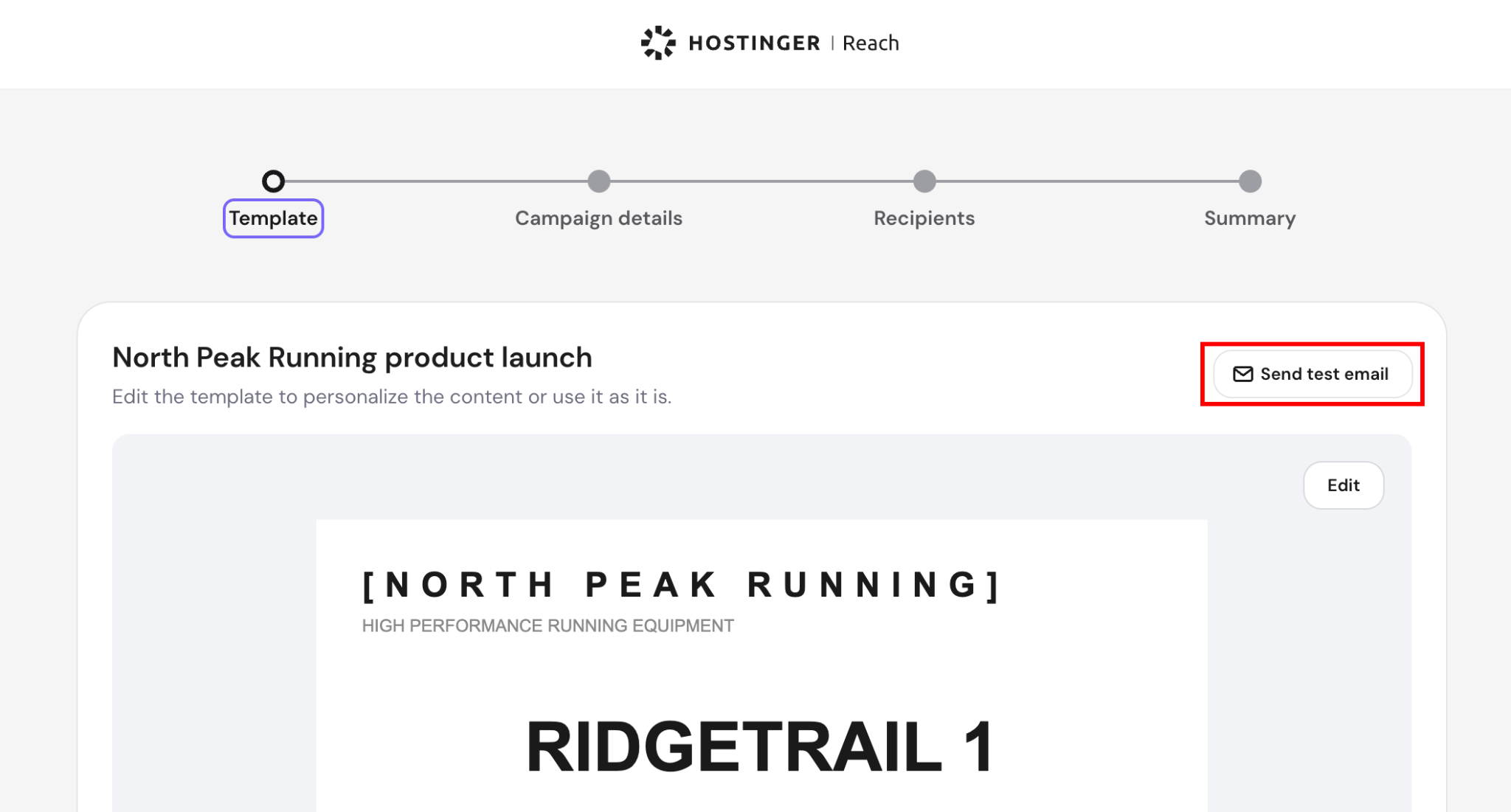
In Hostinger Reach, open your saved email draft under Campaigns and select Send test email in the Template step.
Open it on both your phone and computer to check that the text, images, and buttons display correctly. Click each link to confirm it opens the intended page.
Once everything looks good, go to Summary and confirm the selected audience and recipient count. Select Schedule send, choose your planned date and time, and confirm the schedule.
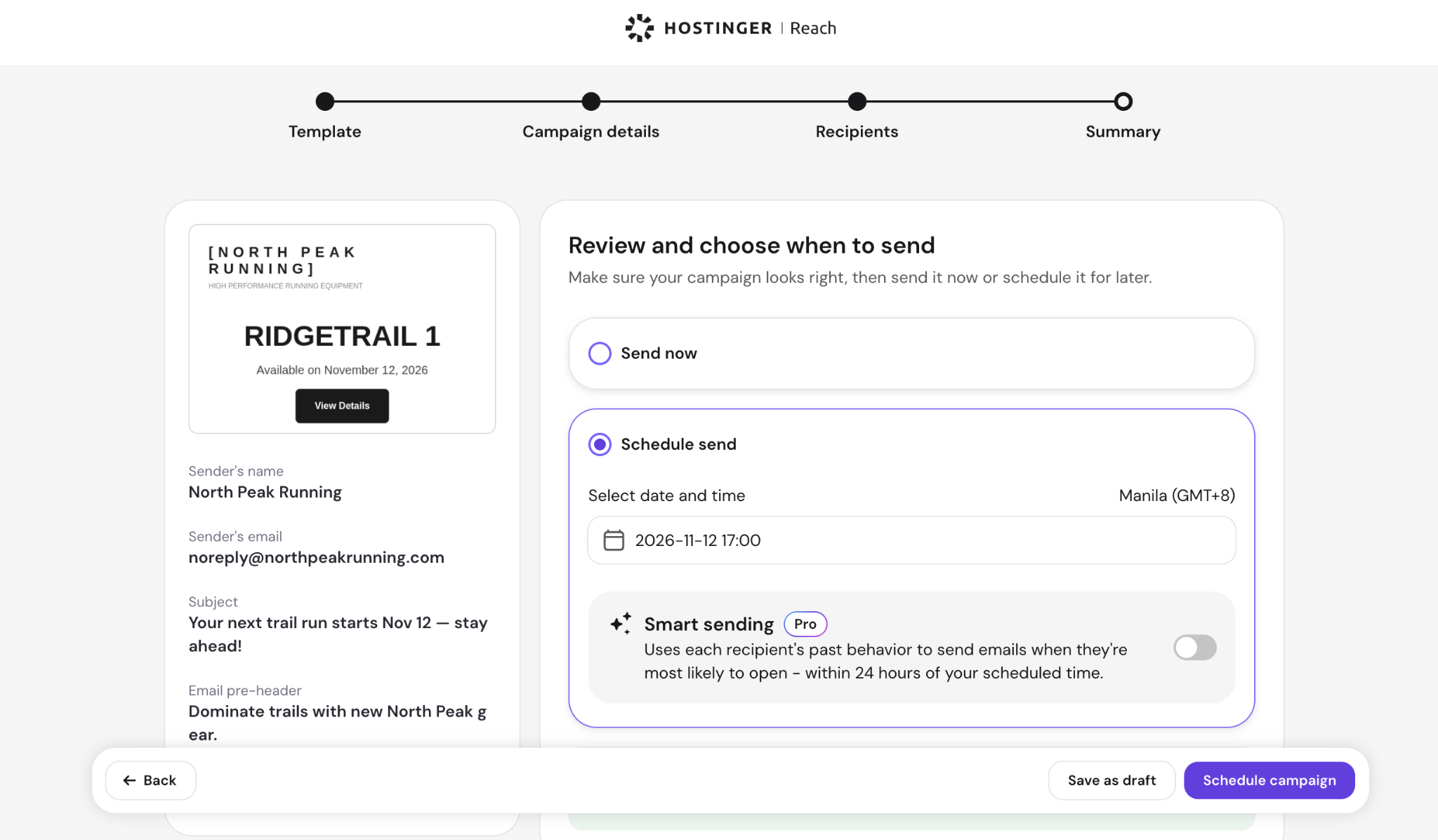
Repeat this process for the preview, launch-day, and fitting-tips emails. For campaigns that need to go out immediately, select Send now instead.
Check Smart Sending before scheduling. On the Reach Pro plan, this feature can be enabled by default and spreads email delivery over a 24-hour window based on subscriber engagement.
Turn it off under Summary for time-sensitive announcements, such as our shoe launch, so subscribers don’t receive the announcement the following day.
9. Analyze results and plan the next campaign
Evaluate your campaign using your email platform and website analytics to compare purchases or campaign-related signups with your original goal. Then review clicks and delivery results to decide what to improve next time.
To measure email performance, open Campaigns in Hostinger Reach and expand each sent email’s report. Review clicks, bounces, and unsubscribes. Use Click map to see which links subscribers clicked, and your website analytics to check how many visits led to purchases.
Let’s say our running store generated three orders from emails in the 14 days after the shoes went on sale, falling short of its five-order goal.
To understand why, check what happened at each stage:
- Emails weren’t delivered. Check bounce reports and remove addresses that permanently failed.
- Subscribers received emails but didn’t click. Review whether the message and CTA gave them a clear reason to visit the store.
- Subscribers clicked but didn’t buy. Check shoe availability, shipping costs, and whether customers can complete checkout without errors.
Choose one improvement to test in your next campaign. You can use A/B testing instead of changing it for everyone at once.
Send two versions (for example, different subject lines or CTAs) to equal parts of your list, then use the better-performing version for the rest of the send or for future campaigns.
Email marketing campaign examples for inspiration
These five email marketing campaign examples show how brands handle different goals, from promoting products to building customer relationships. Each one offers an idea you can adapt for your own emails.
1. Moroccanoil – Keeps the main offer in focus
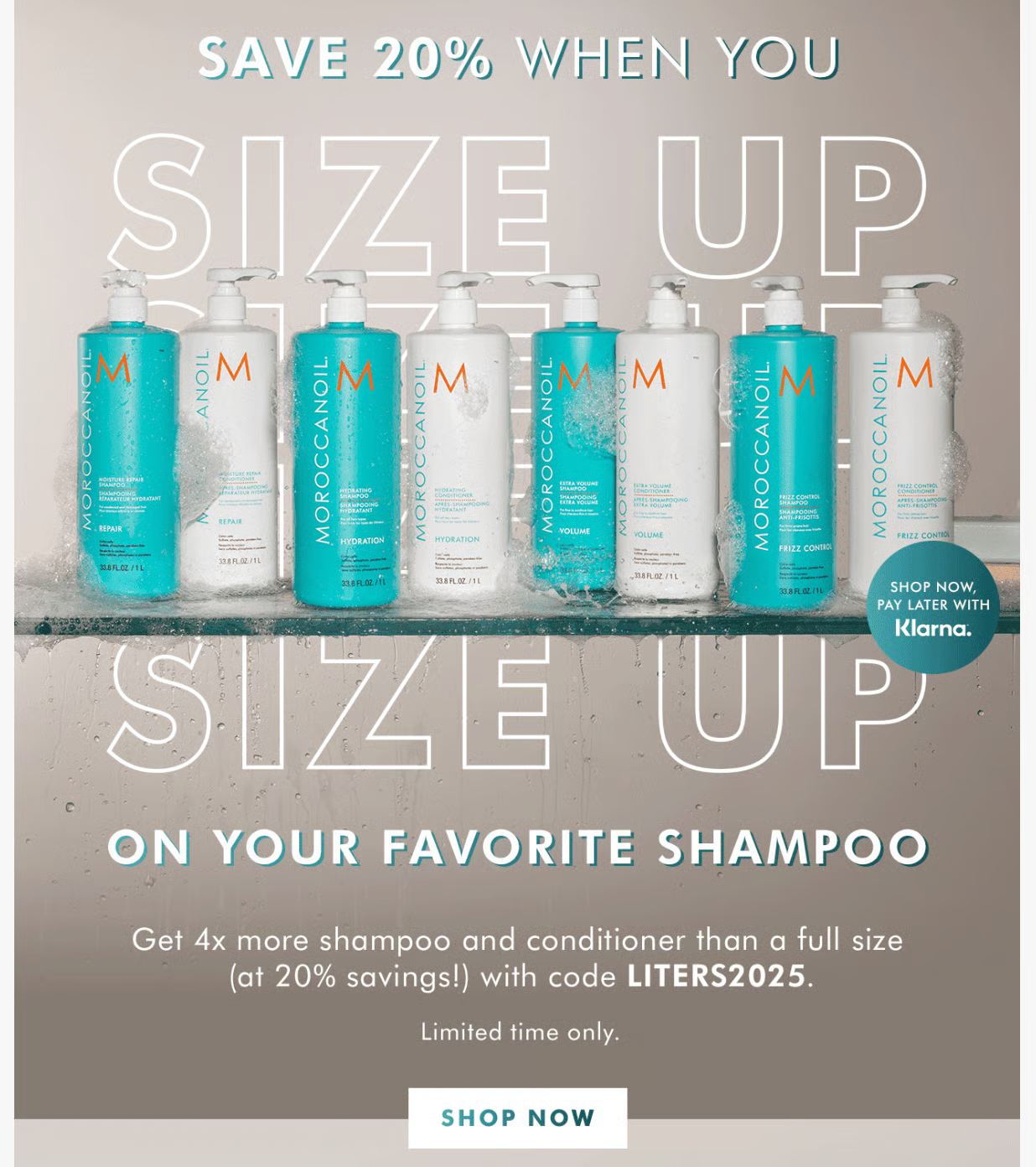
Moroccanoil leads with 20% off its larger shampoo and conditioner bottles, explaining how much more product customers get when they size up. It also recommends its L’Originale fragrance alongside the promotion.
The savings are easy to understand, while the fragrance recommendation takes a supporting role. It’s a useful way to feature another product without distracting readers from the main offer.
2. Magnolia Pearl – Builds excitement before launch
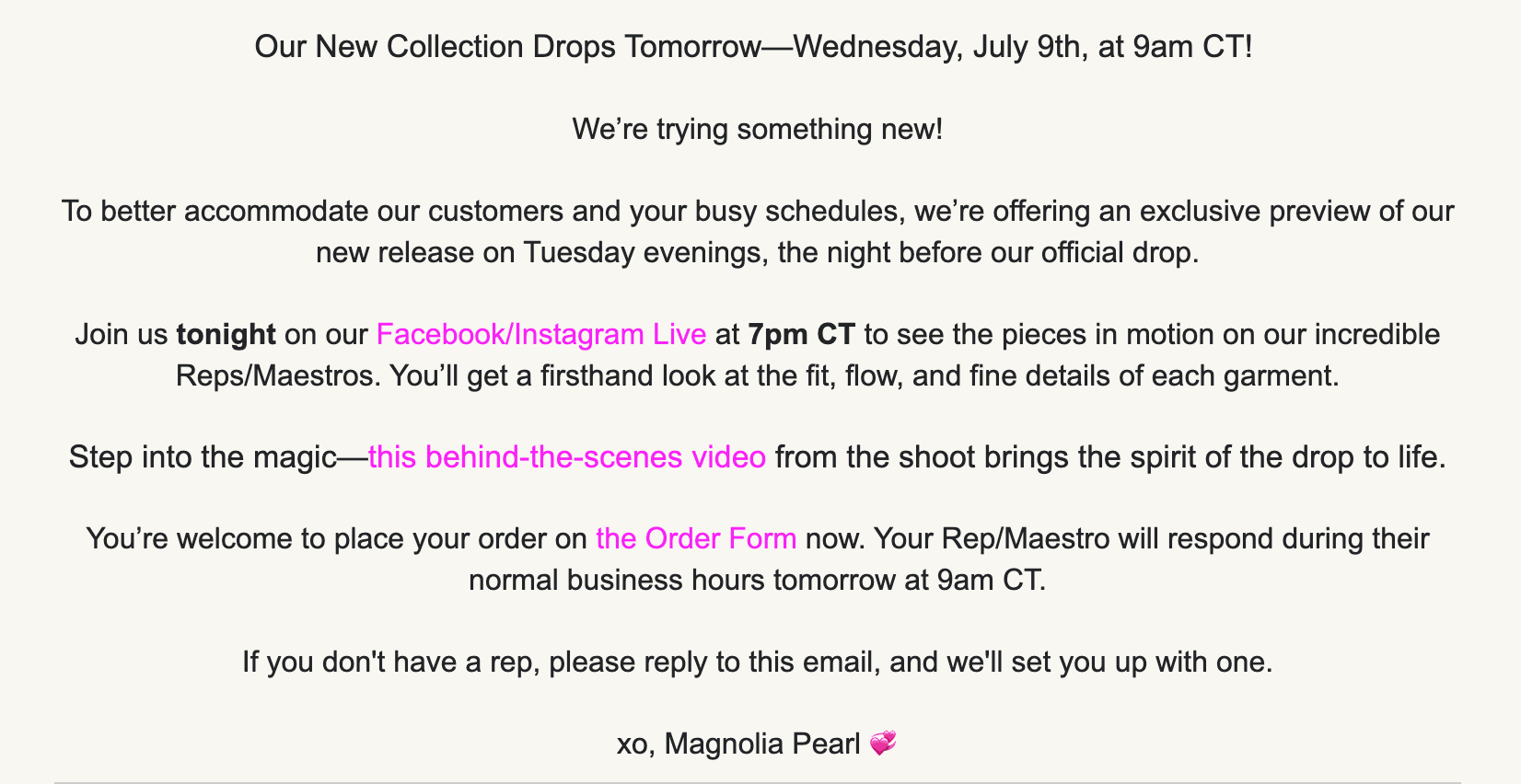
Magnolia Pearl announces that its new collection arrives the next day and invites subscribers to an early preview through Facebook or Instagram Live. It also shares a behind-the-scenes video and offers an order form for customers ready to buy.
These options give shoppers a closer look at the collection before release, rather than asking them to buy based on photos alone. Smaller businesses can borrow this idea with a short product demonstration instead of organizing a live event.
3. My Bargain Buddy – Makes the newsletter personal
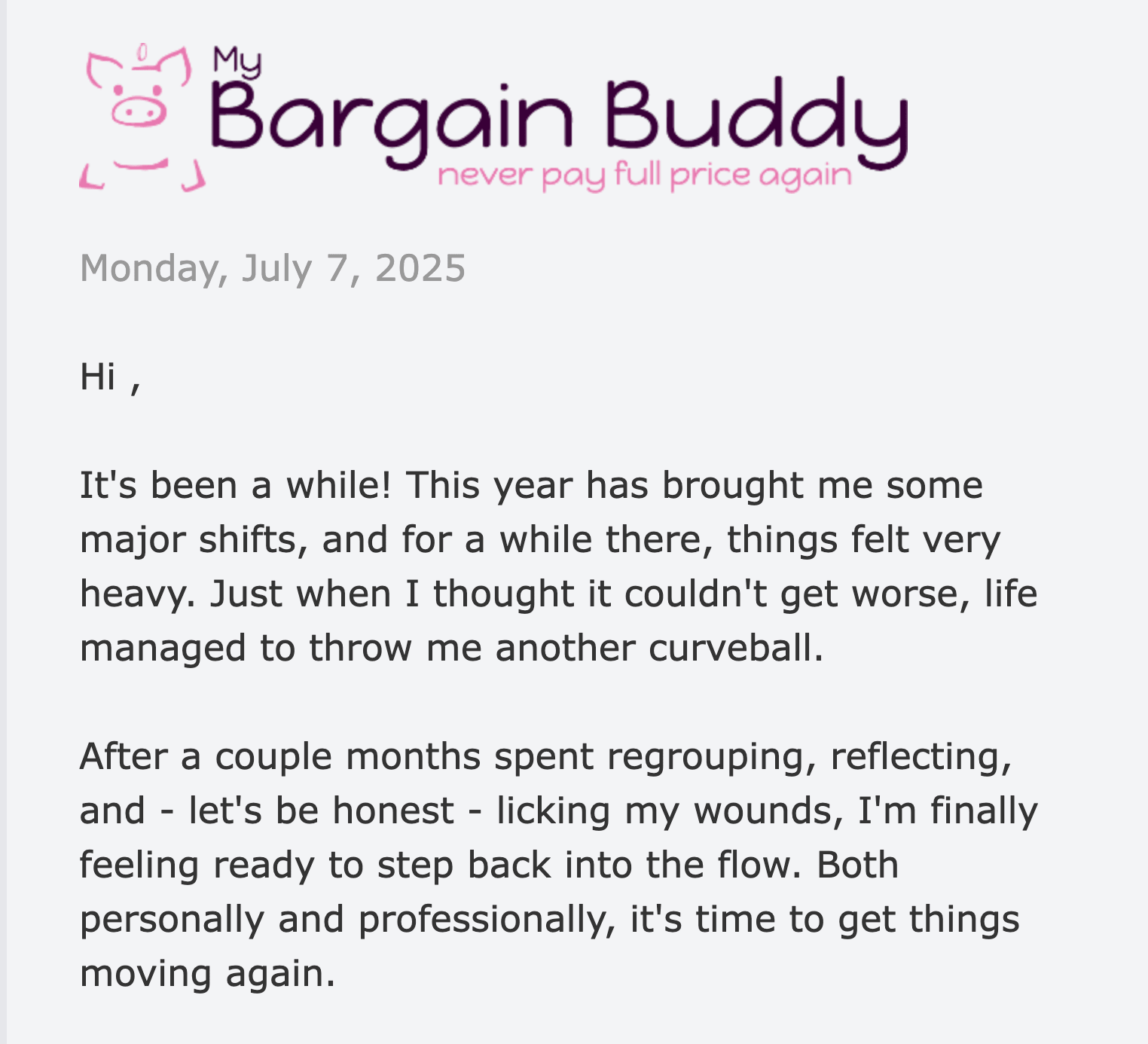
My Bargain Buddy’s founder opens with a personal update about a difficult period in her life, rather than the usual deals. She also includes her photo and invites subscribers to reply with questions or comments.
The story explains why subscribers haven’t heard from her in a while, and the invitation to reply gives them a chance to reconnect. It’s a good reminder that newsletters don’t always need to promote something. Sometimes, keeping the conversation going is enough.
4. Rare Beauty – Invites shoppers to take another look
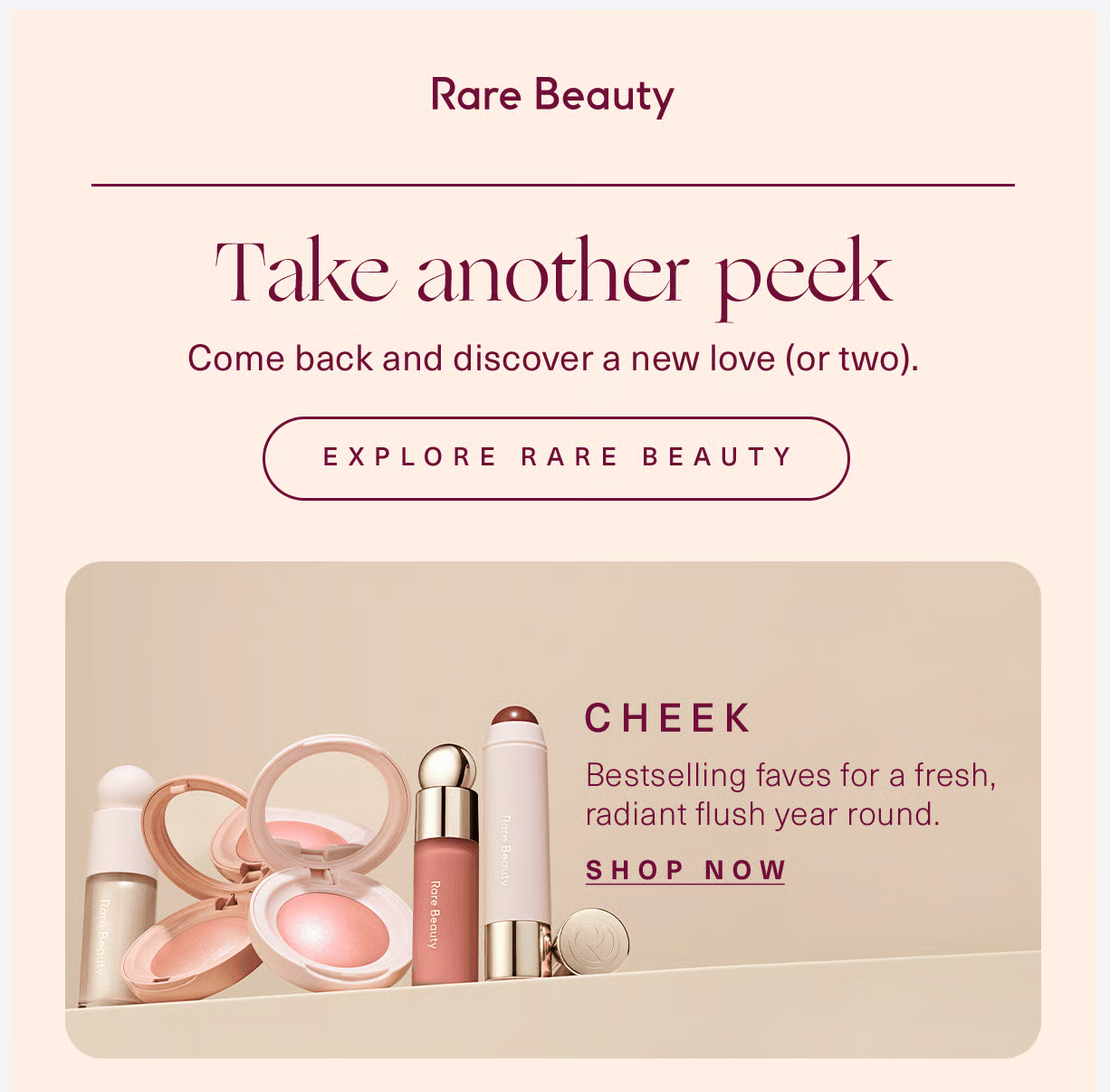
Rare Beauty welcomes shoppers back with the friendly headline “Take another peek” and an Explore Rare Beauty button. It also features bestselling cheek products for readers who want to browse something else.
Rather than pushing for an immediate purchase, the email gives shoppers a relaxed reason to return. The product recommendations offer more to explore without making the message feel like a hard sales pitch.
5. Inessa – Offers expert advice before purchase
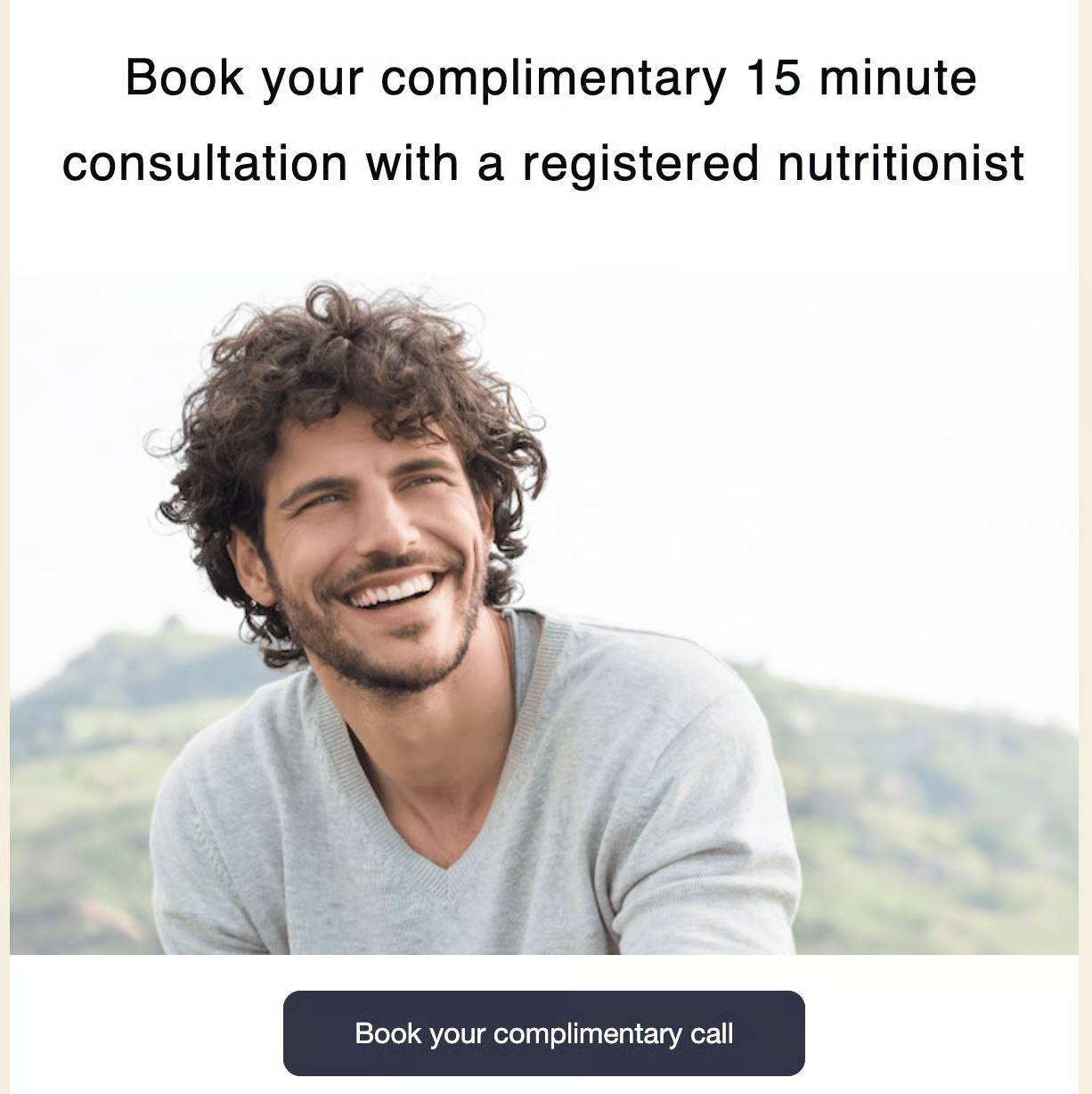
Instead of pushing supplements right away, Inessa invites subscribers to book a complimentary 15-minute consultation with a registered nutritionist. It also highlights the team’s expertise in areas such as gut health and energy.
A short, free consultation gives customers a chance to ask questions before choosing a supplement. For businesses selling products that need more explanation, expert guidance gives people a useful next step without pressuring them to buy.
What should your first email marketing campaign be?
Start with a welcome email if you’ve just begun collecting subscribers, or a product announcement if you’re launching something new to people who’ve shown interest in it. You can also find campaign ideas by looking at customer questions and past purchases.
For example, common questions about sizing are a good reason to send a helpful guide, while customers’ previous orders can help you identify related products to recommend.
Whatever you choose, keep your first campaign focused on one measurable goal. Review the results and use these email marketing best practices to improve your next campaign.
All of the tutorial content on this website is subject to Hostinger's rigorous editorial standards and values.

Alma is a Content Writer at Hostinger with a background in communications and 9+ years of experience in SEO, content, and marketing. She writes about email marketing, ecommerce, AI tools, domains, and web hosting. Off the clock, she's either farming virtual crops, losing track of time in RPGs and her sanity in MOBAs, or rolling horribly in D&D. Follow her on LinkedIn.

Miglė Padelytė is the Product Manager for Reach at Hostinger, where she focuses on creating an exceptional user experience and driving business growth. She's an empathy-driven, hands-on leader who loves diving deep to solve real user problems and tackle complex challenges. With a background in fintech, Miglė is comfortable with data analysis and uses her technical skills to make smart, informed decisions. Follow her on LinkedIn.