Hostinger AI Builder realtime features let visitors see each other’s actions on your website as they happen, such as room chat, live polls, and multiplayer games. Realtime is built into every Hostinger AI Builder site in agentic mode, so no setup is required. Describe the live feature you want in the chat, and the AI agent adds realtime whenever your request needs visitors to see changes made by other people the moment they happen.
Before you start
- Confirm your hosting plan meets the hosting requirements for Hostinger AI Builder.
- Building in agentic mode uses AI credits.
Realtime features you can add with Hostinger AI Builder
Hostinger AI Builder can add any realtime (real-time) feature you describe, as long as visitors need to see changes made by other people as they happen. Common examples include:
- Multiplayer games – games played with other people. See Hostinger AI Builder: How to create a game in agentic mode.
- Room chat and typing indicators – visitors chat in a shared room and see when others are typing.
- Live viewer counts – for example, “12 people are viewing this.”
- Live cursors – visitors see each other’s cursors on a shared board.
- Live polls and quizzes – results update for everyone as people vote or answer.
- Watch-together rooms – visitors watch the same video in sync, and play or pause for everyone.
These are only examples. Describe any live feature you have in mind, and the AI agent builds it with realtime included. Realtime features work alongside everything else you can build in agentic mode. See Hostinger AI Builder: Overview and features in agentic mode.
Add a realtime feature in Hostinger AI Builder agentic mode
- Open your project in Hostinger AI Builder agentic mode. If you don’t have a project yet, create a website in agentic mode first. You can also include the live feature in your first description.
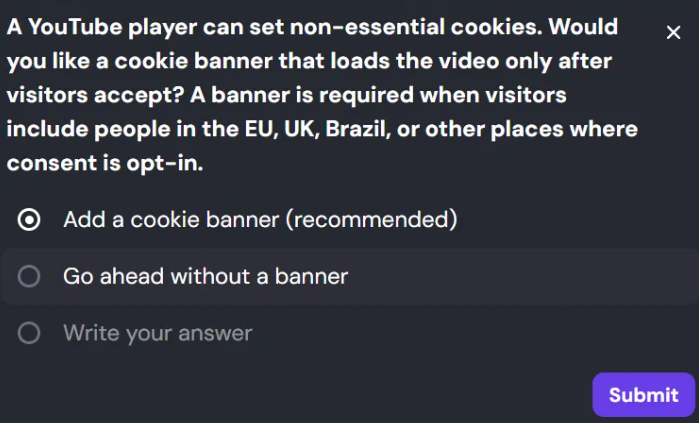
- Describe the live feature you want in the chat. For example: “Add a live poll that updates for all visitors.” The AI agent may ask follow-up questions before building, such as whether to add a cookie banner when a feature embeds YouTube videos.

- Review the result in the preview, then describe any changes in the same chat.
- Publish your website so visitors can use the feature.
Your website now updates live for everyone who uses the feature, without any extra setup.