Turn your Hostinger AI Builder manual mode online store into a catalog by hiding product prices, Add to bag buttons, and the product quantity picker.
Hide product prices & “Add to Bag” buttons
To hide prices and “Add to bag” buttons:
- Go to the store management area
- Go to Products and select the product you want to hide its price
- Scroll down and find Pricing, then enable Hide ‘Add to bag’ button
- Click Save to save the changes.
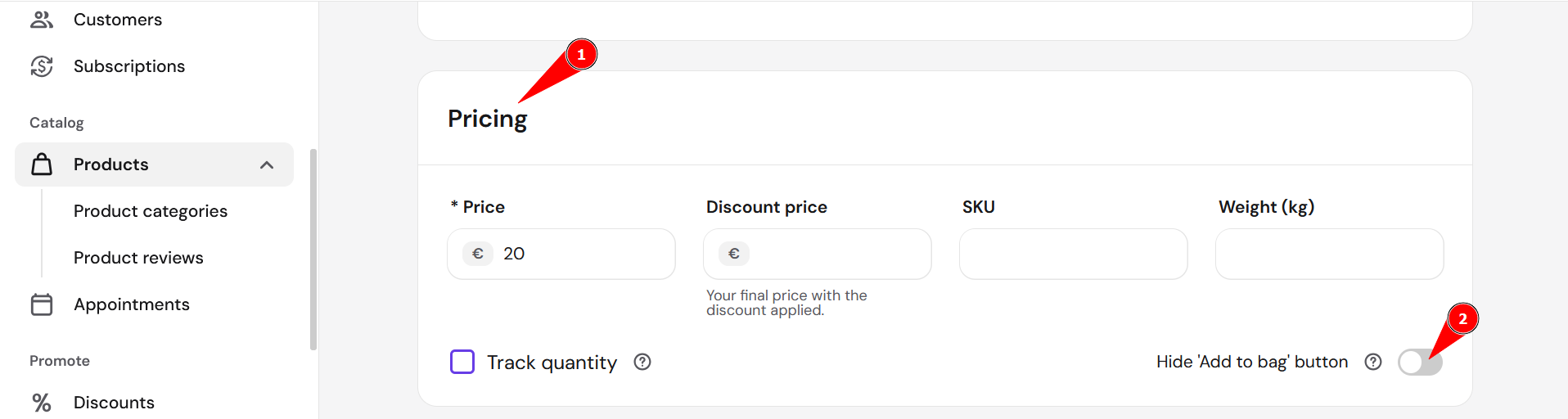
Once you do that, the item can’t be purchased directly from your store. Besides, it’s automatically not required to display the product price anymore – you may remove it completely.
Hide the product quantity picker
To disable the quantity picker, follow these steps
-
Open a product page
-
Click on the product section
- Scroll down and find Pricing
-
Uncheck the box in the Track quantity
- Click Save to save the changes.
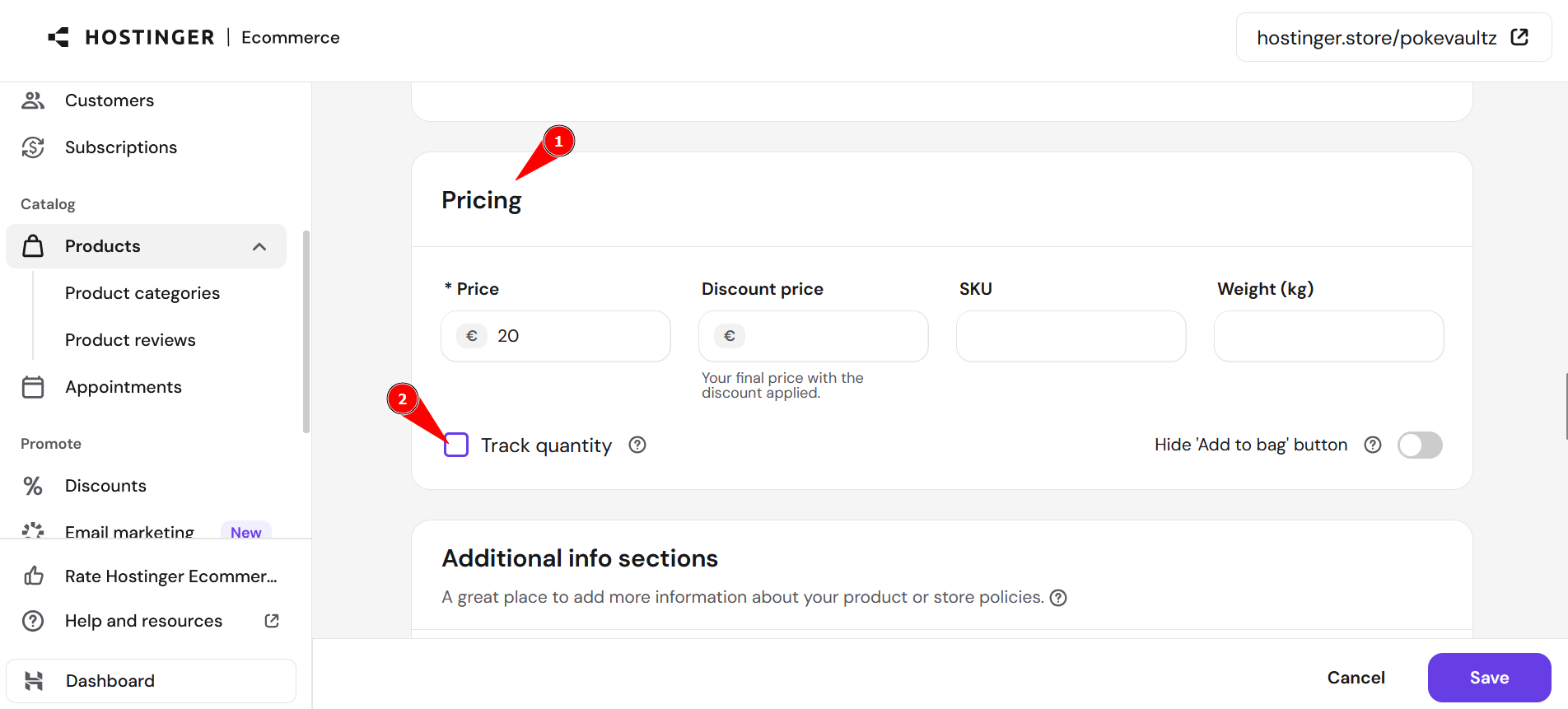
Finally, update your website for the changes to reflect online.
NOTES
- You may also insert additional sections into your product pages and add more elements there, e.g., a contact form for your clients’ inquiries.
- If you’re turning multiple products into a catalog, creating product categories first makes them easier to browse.