AI Campaign Drafts in Hostinger Reach create a complete email campaign draft from your description, including a campaign strategy, email template, and recommended audience. Describe your goal on the Reach homepage, review and adjust the AI campaign plan, then click Create Campaign to generate the draft for 4 Hostinger credits.
Getting started
From your Reach homepage, you’ll see the question:
“What would you like to share with your audience?”
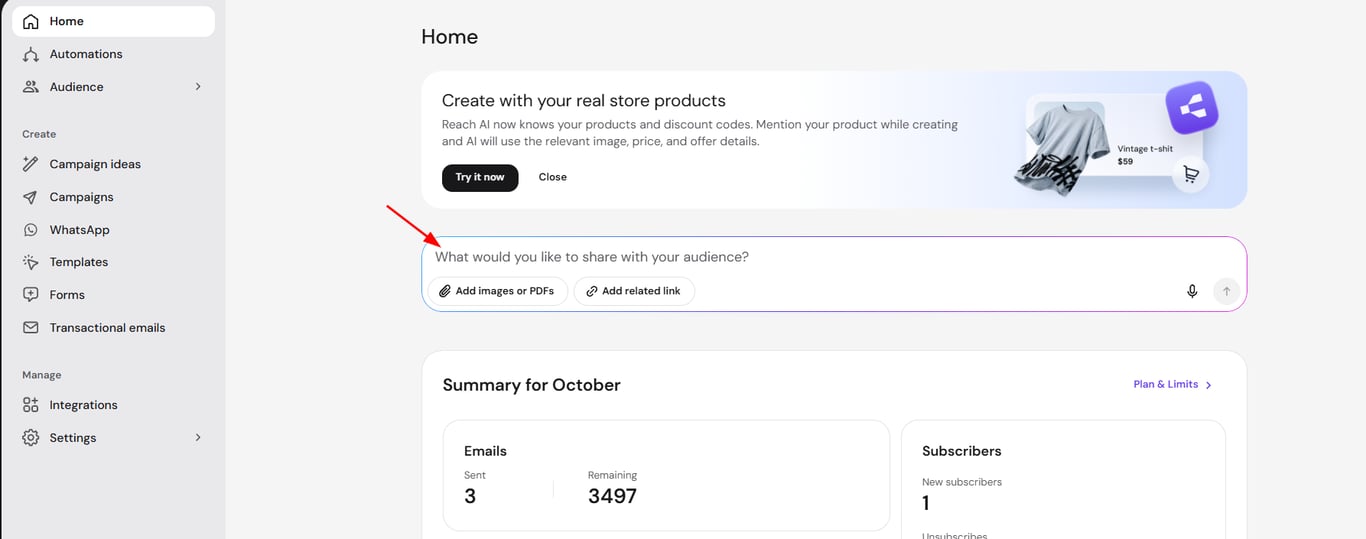
This is where you provide the information AI will use to create your campaign draft.
Describe what you’d like to communicate and include as much relevant context as possible. You can also add:
- Product links
- Event pages
- Website URLs
- Images
- PDF files with your campaign text, such as an email draft or a document saved as PDF
- Product descriptions
- Promotional details
The more information you provide, the better AI can tailor the campaign to your goals.
Example prompts
Here are some examples of information you can provide:
Product Launch
We’re launching our new wireless headphones next week. They feature active noise cancellation, 40-hour battery life, and premium sound quality. Here’s the product page: [link]
Event Promotion
We’re hosting a webinar about email marketing best practices on August 15. We’d like to attract small business owners and marketers. Here’s the registration page: [link]
Seasonal Sale
We’re running a summer sale with up to 40% off selected products. The promotion runs from July 1–15. Here’s our store page: [link]
Company Announcement
We’ve introduced a new customer loyalty program that rewards repeat purchases. We’d like to inform existing customers and encourage sign-ups.
Review your campaign plan
Once AI analyzes your request, it generates a campaign plan for you to review.
The plan includes:
- Campaign objective and strategy
- Suggested email template
- Recommended target audience
Before creating the campaign, you’ll have the opportunity to review these recommendations.
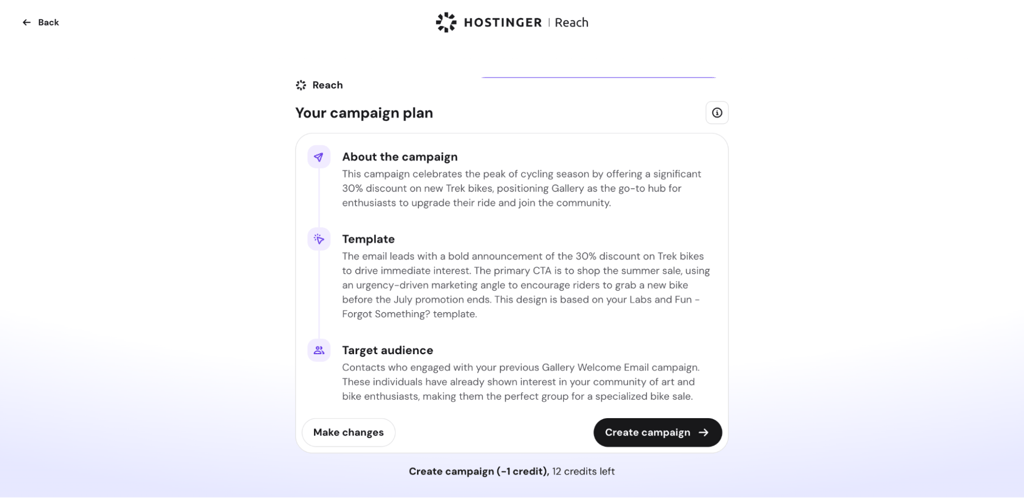
Make changes
Want to adjust something?
Click Make Changes and describe what you’d like to modify. For example:
- “Target existing customers instead of new subscribers.”
- “Make the campaign more promotional.”
- “Focus on our upcoming webinar instead of the product launch.”
Apply the changes and review the updated campaign plan.
When you’re satisfied with the plan, click Create Campaign.
Creating your campaign draft
Creating a campaign draft uses 4 Hostinger credits. Describing and adjusting the campaign plan is free. If the draft fails to generate, no credits are used.
After you click Create Campaign, AI begins preparing a complete campaign draft for you.
The generated draft includes:
- Campaign strategy
- Email template content
- Suggested audience settings
The draft is fully prepared and ready for your review.
Wait for your campaign
Campaign generation typically takes around one minute.
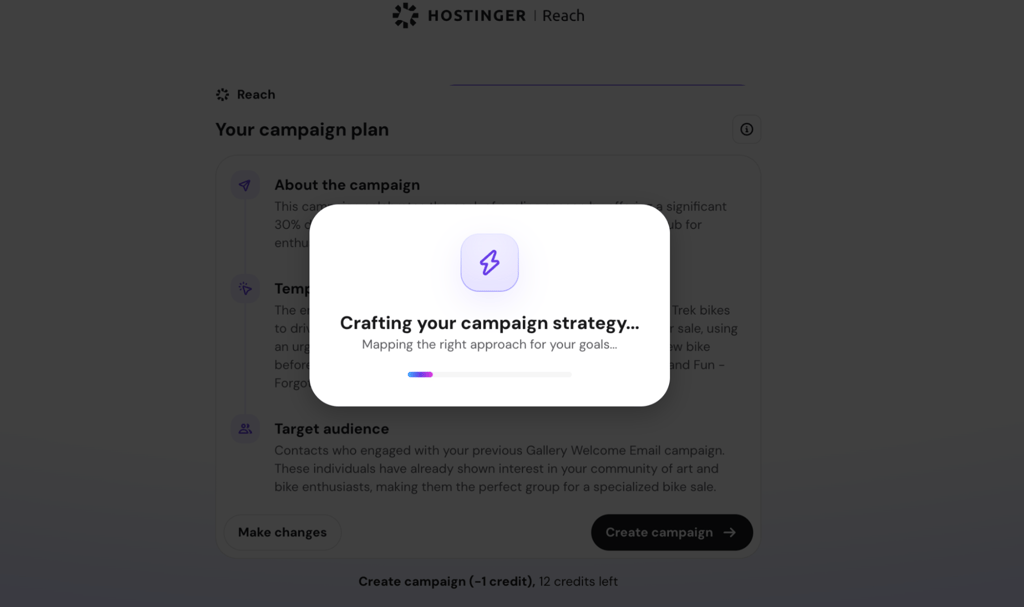
While AI is creating your campaign, Reach prepares all the necessary campaign elements behind the scenes—saving you significantly more time than creating everything manually.
Review and send your campaign
Once the campaign is ready, Reach opens it on the Template step of the campaign creation flow, with a Built by AI label above the steps. The flow has the same four steps as a campaign you create manually, and AI pre-fills each one:
- Template – the email content AI generated. Click Edit to change it.
- Campaign details – the subject and other campaign details.
- Recipients – the audience AI suggested.
- Summary – a final review, where you send the campaign now or schedule it.
You can edit anything AI generated before you send the campaign. See Hostinger Reach: How to create an email campaign for each step, including how to add an emoji to the subject.
Keep your Brand Details up to date
For the best results, make sure your Brand Details settings in Reach are fully completed and up to date.
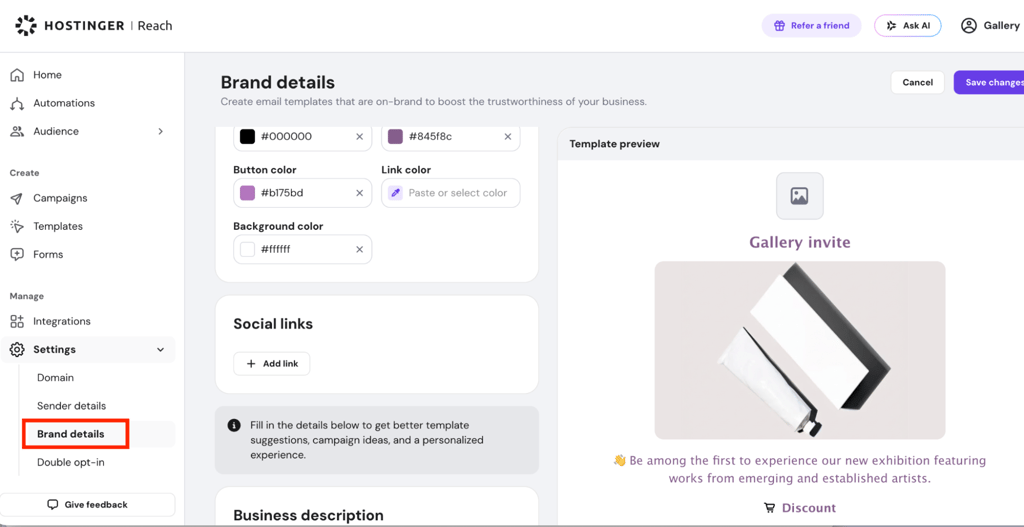
AI uses this information to better understand:
- Your business and industry
- Your products and services
- Your target audience
- Your brand voice and positioning
The more accurate and complete your brand information is, the more relevant and personalized your AI-generated campaign plans and drafts will be.
Before creating AI Campaign Drafts, take a moment to review your Brand Details and ensure all information reflects your current business and marketing goals.
NOTES
- Creating a campaign draft uses 4 Hostinger credits from your Hostinger credits balance.
- Campaign generation typically takes about one minute.
- AI-generated content can be edited at any time before sending.
- AI suggestions are designed to help you get started faster, but you should always review the generated content before sending.
- You remain fully in control of the final campaign.
Once your AI campaign draft is ready, review each step, make any edits, and send or schedule your Hostinger Reach campaign.
More Hostinger Reach AI and email features