Customize the SEO settings of your product pages in Hostinger AI Builder manual mode. Product pages are created automatically once you create a product.
Access product SEO settings
- Within the builder, expand the Online store panel on the left. Click Product Pages.
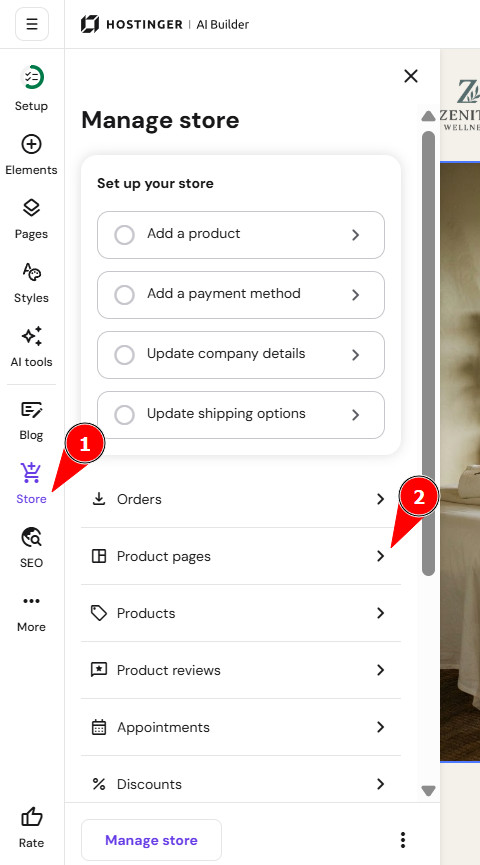
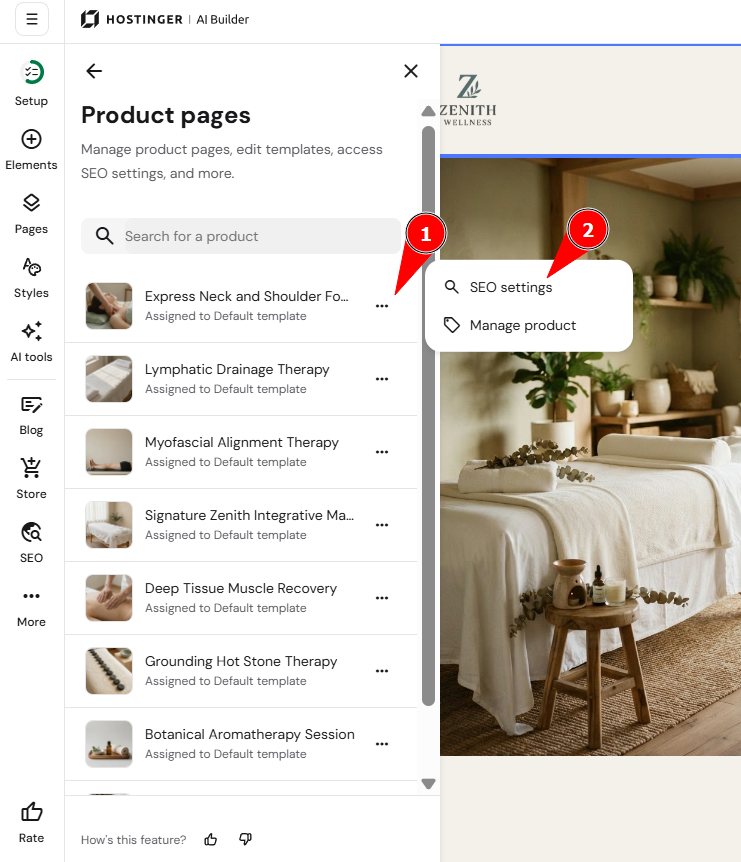
- Find the product page in question.
- Click on the ellipsis to see more options, and select SEO settings:
You’ll be redirected to the product page SEO settings panel, where you can do the following:
-
Add the meta title and description
-
Edit the page URL
-
Add keywords
-
Hide the page from search engines
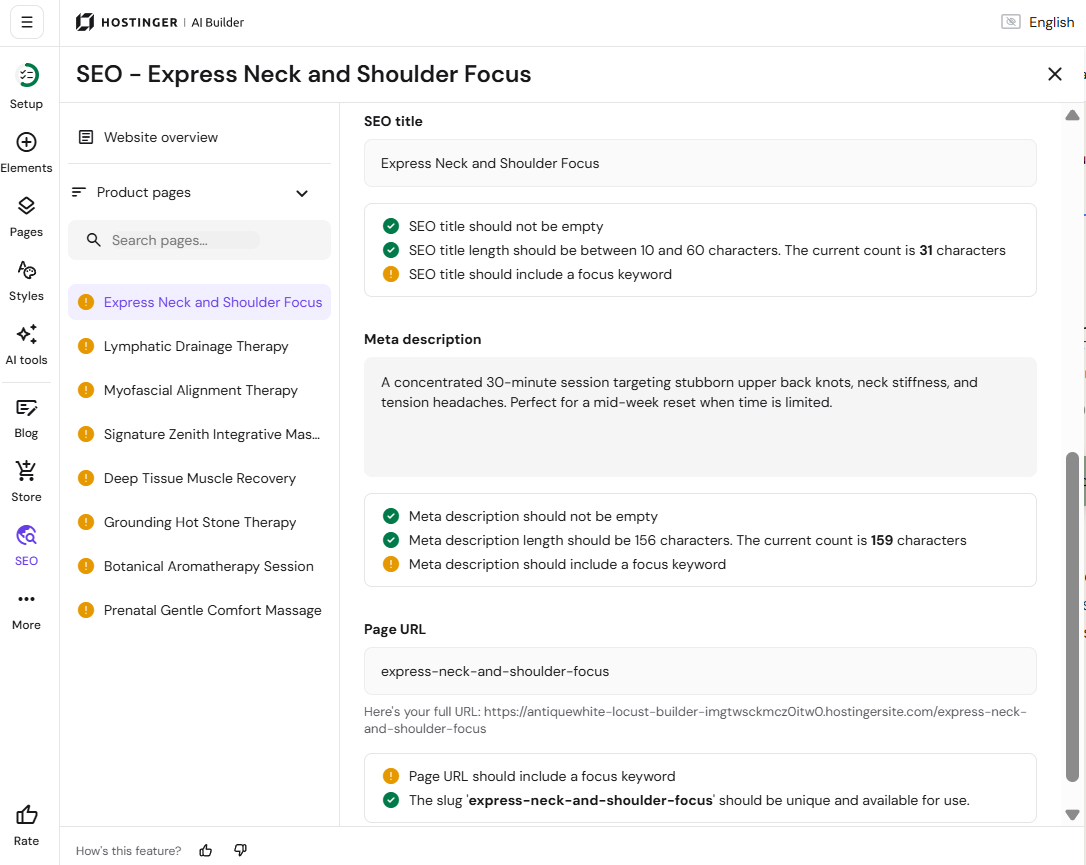
There, you will also find our AI SEO Assistant, which can help you by generating new SEO titles, meta descriptions, and keywords for your pages.
NOTES
-
You may add custom sections to each of your product pages; use additional sections to supplement your product page with authentic content: the more valuable, error-free, keyword-rich content there is on a page, the better chance it has to appear high in the search results
-
The product title is used as the alt text for the main product image by default