Monday October 19, 2026
Gusti S. & Larassatti D.
Hostinger weekly product updates: Week 42, 2026

Here’s what shipped the week of October 12 to 16, 2026, across Hostinger AI Builder, Hostinger Agent, Hostinger Reach, and Node.js hosting:
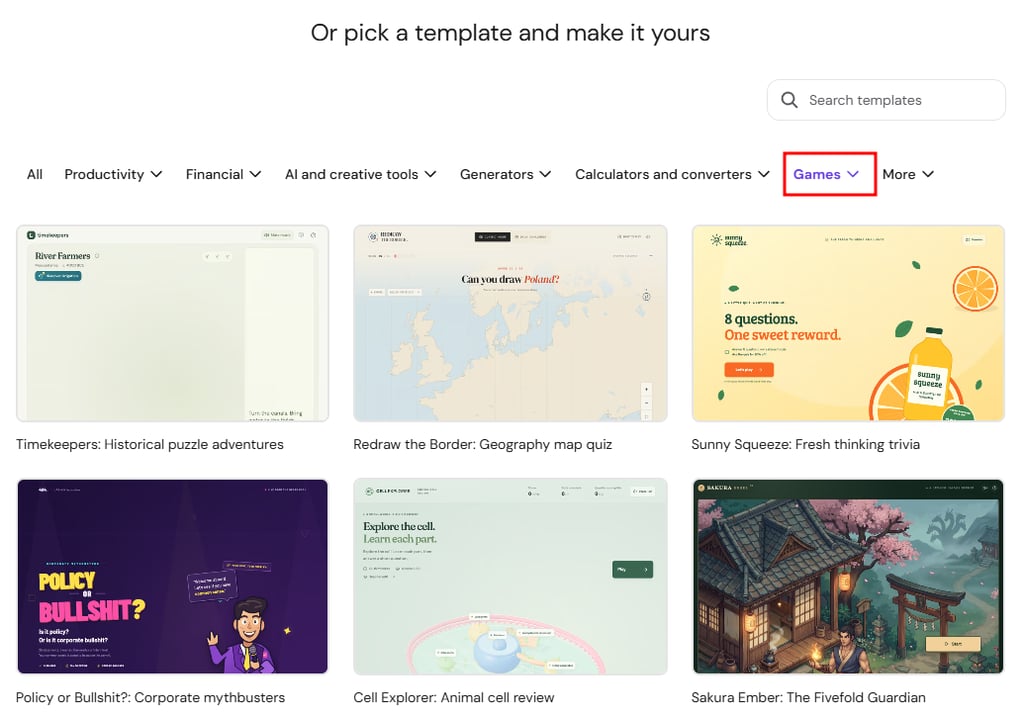
- Hostinger AI Builder can now build games in any of 15 genres, from a description in agentic mode or a ready-made template.
- Hostinger AI Builder agentic mode projects now keep test and live data in separate environments.
- Hostinger Agent jobs can now start when an event occurs in a connected app, such as a new email in Gmail.
- Hostinger Reach now lets you create audience segments using agentic AI mode (beta).
- AI credits are now live in a single shared wallet across Hostinger AI Builder, Hostinger Agent, Hostinger Reach, and GPU hosting.
- Node.js websites connected to GitHub now receive automatic preview links for every pull request (currently available only in our Mumbai and Germany data centers).
Build games with Hostinger AI Builder
You can now create games with Hostinger AI Builder. Describe a game idea in agentic mode, and AI Builder recognizes that you’re asking for a game, so it builds one instead of a website.
You can describe a game from scratch in any of 15 genres or start from a ready-made game template. Templates can be customized by chatting with AI or by making visual edits.
Browse the Hostinger game templates, or see how to select templates in agentic mode to pick one inside AI Builder.
Separate test and live data for Hostinger AI Builder projects
Hostinger AI Builder’s agentic mode now stores your project data in two environments of its integrated backend:
- Test data holds records created while you preview your project in the editor.
- Live data holds records created by visitors on your published website.
You can switch between the two environments, manage records, and update your data structure directly from the editor.
Here’s what happens when you publish:
- First publish: AI Builder copies all Test data records to Live data, including user accounts and files attached to records.
- Later publishes: Only new records added to Test data are copied. Any edits or deletions you make to existing test records stay in the test environment.
Records that already exist in Live data stay exactly as they are, and Live data is never copied back to Test data. That way, what your visitors create stays untouched while you test changes in the editor.
Read our guide to learn more about the test and live data environments in Hostinger AI Builder.
Start Hostinger Agent jobs with events from your connected apps
Hostinger Agent jobs can now run on events, not just on a fixed schedule. With event triggers, a job starts as soon as something happens in one of your connected apps.
For example, you can set up a job that summarizes every new email that lands in your Gmail inbox. Jobs can also be triggered by events in other connected apps, such as a new GitHub issue or a new Slack message.
Our support article explains how to set Hostinger Agent triggers.
Create audience segments using an agentic mode in Hostinger Reach (beta)
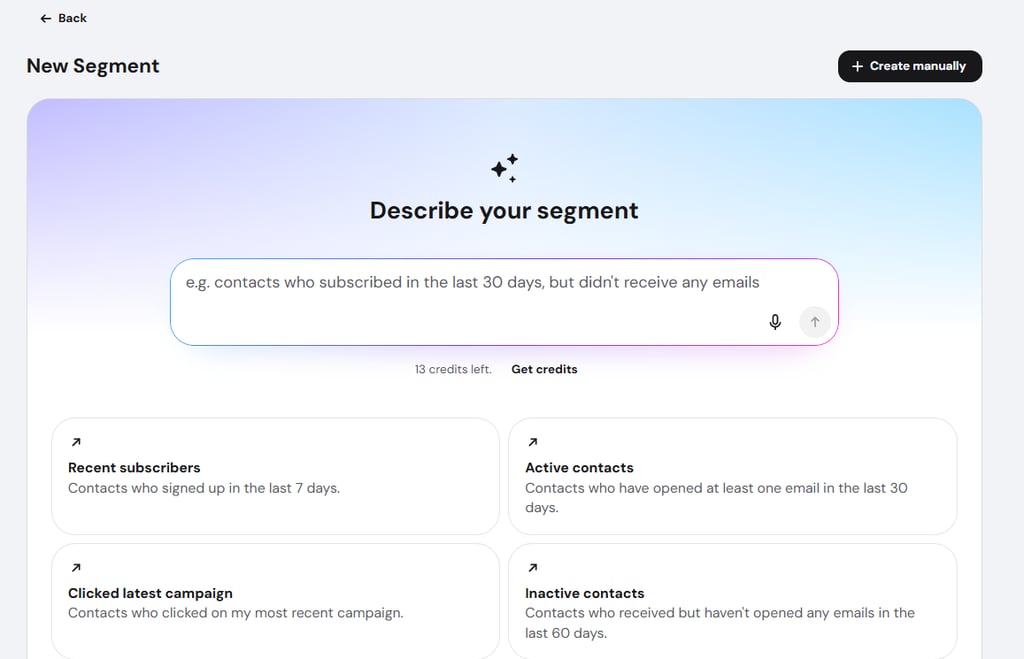
Audience segments in Hostinger Reach let you group contacts based on their information and behavior. That way, you can send the right message to the right people and improve engagement across your campaigns.
Now there are three ways to create audience segments in Hostinger Reach:
- With AI-powered segmentation: go to Audience → Segments.
- Manually: build the segment yourself by navigating to Audience → Segments.
- With Hostinger Agent (beta): describe your target audience to Agent in the Recipients step when creating a new campaign.
Hostinger AI credits now share one shared wallet
Your AI credits now live in one wallet shared across Hostinger AI Builder, Hostinger Agent, Hostinger Reach, and GPU hosting.
Trial credits are used first, and auto top-up now also kicks in when you spend credits in AI Builder.
Balances now show on a new scale, where 1 AI Builder credit equals 50 AI credits, so your credits keep the same value. Hosting plans also come with AI credits: 250 on Single, Premium, and Business, 500 on Unlimited, and 1,000 on Cloud and Agency.
Learn more about how Hostinger’s AI credits shared balance works.
Preview pull requests for Node.js websites
Hostinger now creates a temporary preview of your Node.js website for every GitHub pull request. Once it’s ready, the preview link appears as a comment on the pull request. Your live site stays untouched, and the preview is removed once the pull request is merged or closed.
If you’d rather not use PR previews, you can turn them off from the Hostinger dashboard. PR previews are currently available only for websites hosted in our Mumbai and Germany data centers.
See how to preview pull requests for Node.js websites.
That’s all for this week
For the running log of every release, check our changelog, and for the story behind each week’s updates, browse our weekly product updates. You can also see what’s coming next on our roadmap.

Gusti Ayu Sandra is a Brand Reputation Specialist at Hostinger, where she keeps conversations between the brand and its community honest and helpful. Her career started in Customer Success, which taught her what customers really care about. Today, she works closely with the community across different platforms to make sure every voice is heard. Follow her on LinkedIn.

Larassatti Dharma is a content writer with 5+ years of experience in the web hosting industry. She has populated the internet with over 100 YouTube scripts and articles around web hosting, digital marketing, and email marketing. When she's not writing, Laras enjoys solo traveling around the globe or trying new recipes in her kitchen. Follow her on LinkedIn