Select a template in Hostinger AI Builder agentic mode to jump-start your next project. Hostinger AI Builder is an AI-powered software development tool that lets you create custom web applications in minutes with no coding required, and choosing a pre-made template makes getting started even easier.
How to select a template
Before you begin, make sure you have an active Hostinger AI Builder subscription.
-
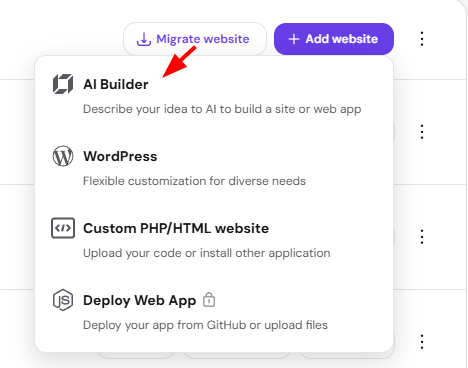
Go to Add Website and choose AI Builder.
-
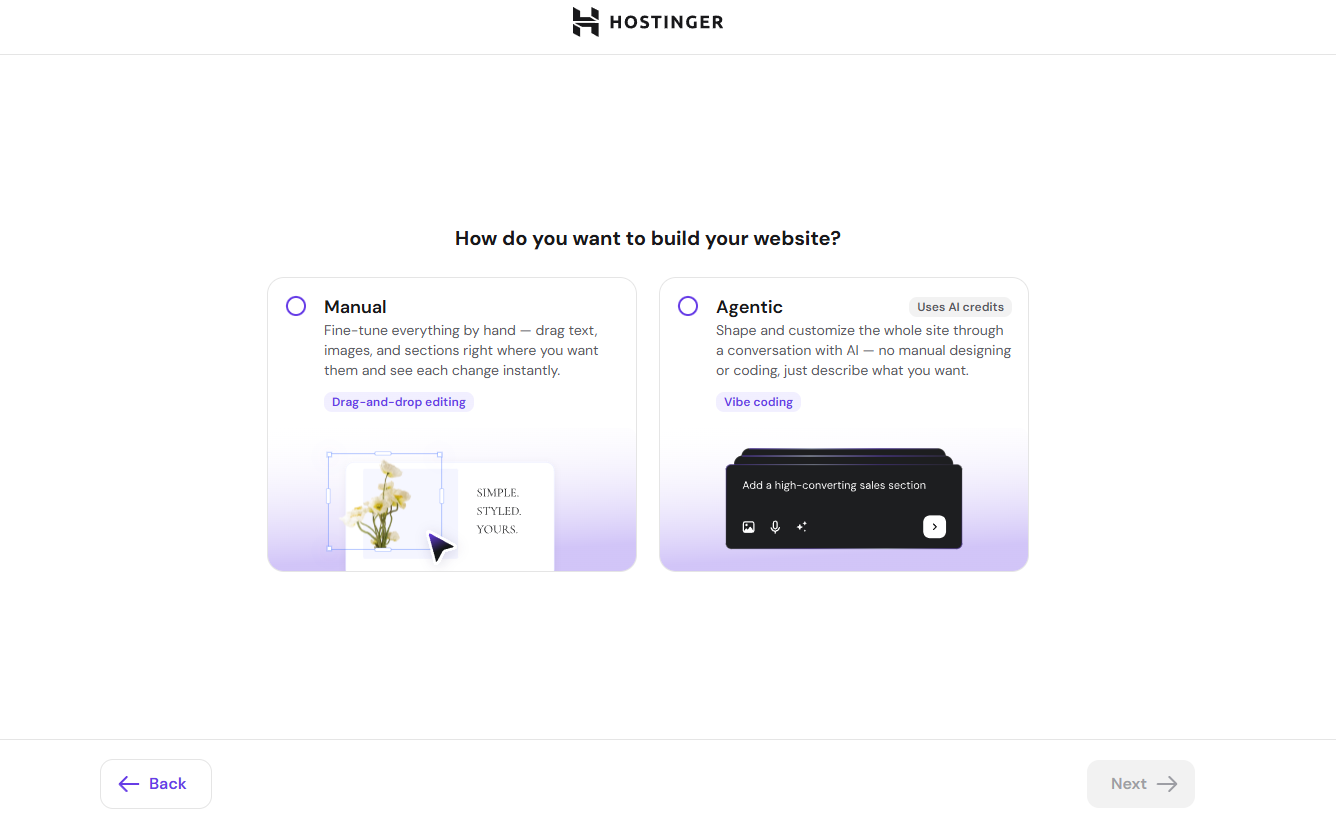
Choose Agentic
-
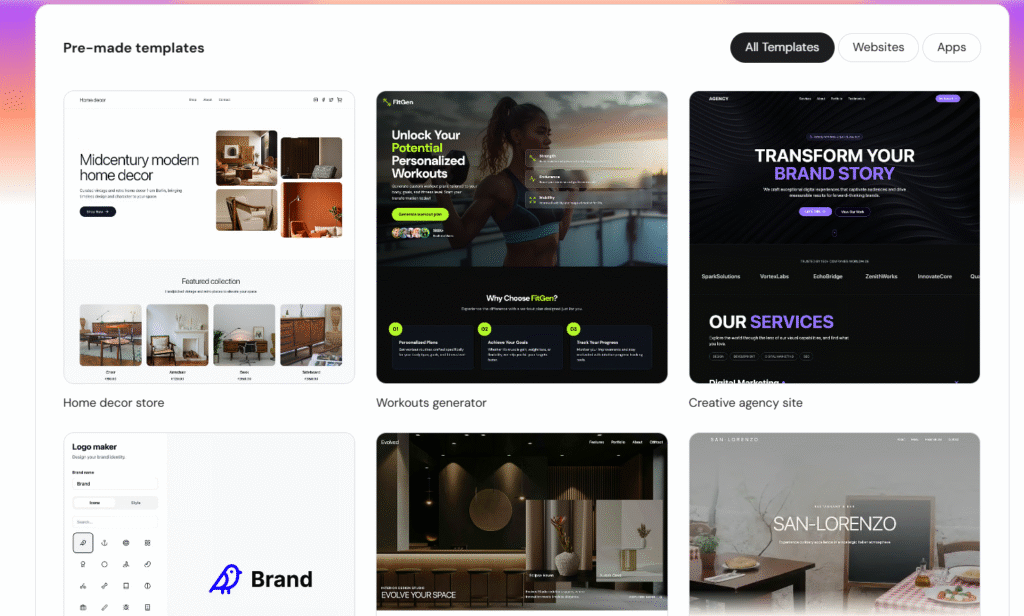
You’ll be taken to a screen where you can pick between prompt creation or pre-made Templates. You can also remix an existing template to customize it as a starting point.
-
Select the template you want to use to start building your website.
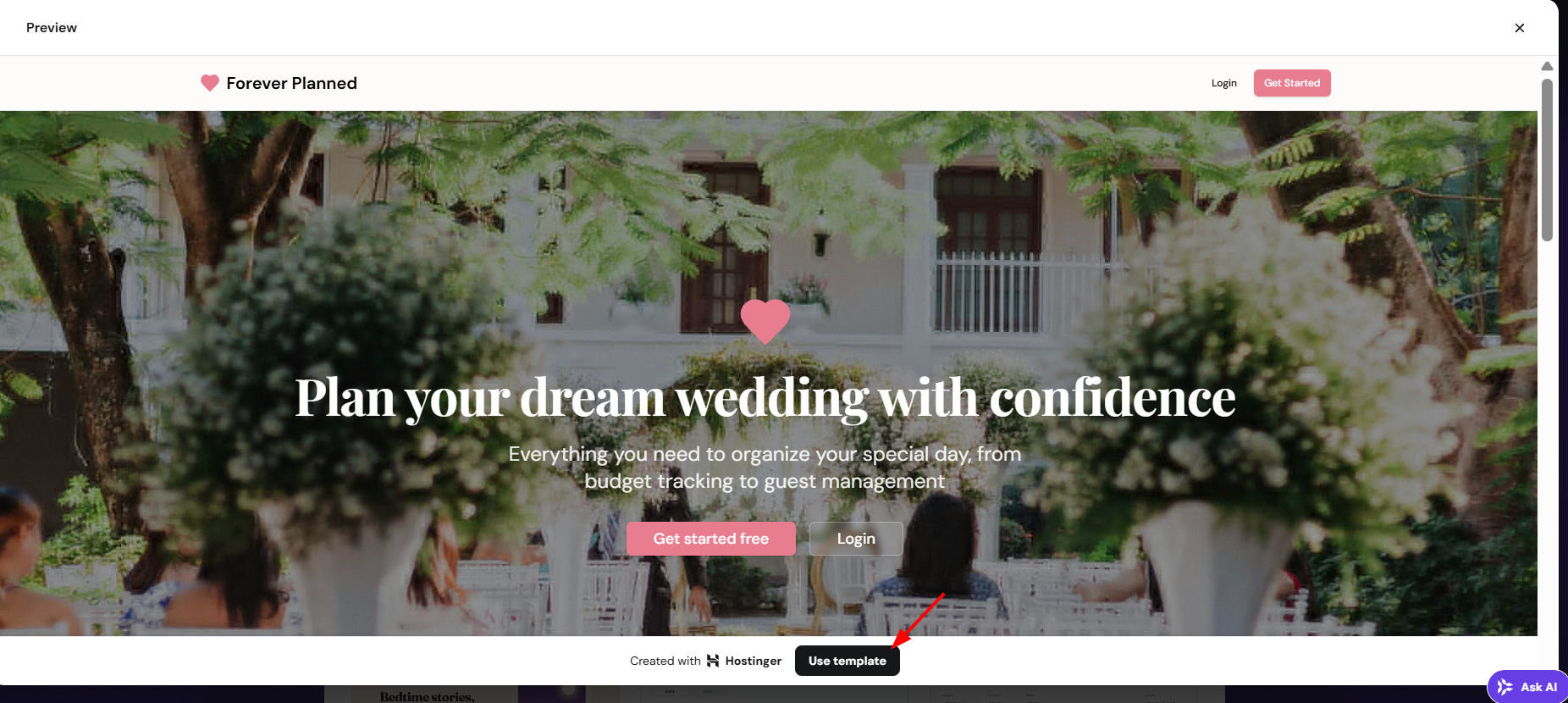
Once your template is selected, you can begin customizing your Hostinger AI Builder project right away and bring your idea to life with ease.