Monday October 5, 2026
Gusti S. & Simon L.
Hostinger weekly product updates: Week 40, 2026
Here’s what shipped the week of September 28 to October 2, 2026, across Hostinger Reach, Hostinger Email, Hostinger MCP, Hostinger Dashboard, and Hostinger AI Builder:
- Hostinger Reach can now send marketing campaigns on WhatsApp, alongside email.
- Hostinger Email can import emails from .eml files, or a .zip of them.
- Hostinger MCP moved to a leaner three-tool structure for AI agents.
- A new Google Ads integration connects your account from Hostinger Dashboard.
- Hostinger AI Builder sites can be previewed on a phone via QR code once they’re live.
Here’s a closer look at each.
Send WhatsApp marketing campaigns with Hostinger Reach
Hostinger Reach now supports WhatsApp as a marketing channel, alongside email.
You start from a dedicated WhatsApp landing page and connect a WhatsApp Business Account directly in Reach. A new message editor lets you build templates, and a template list keeps your reusable ones organized.
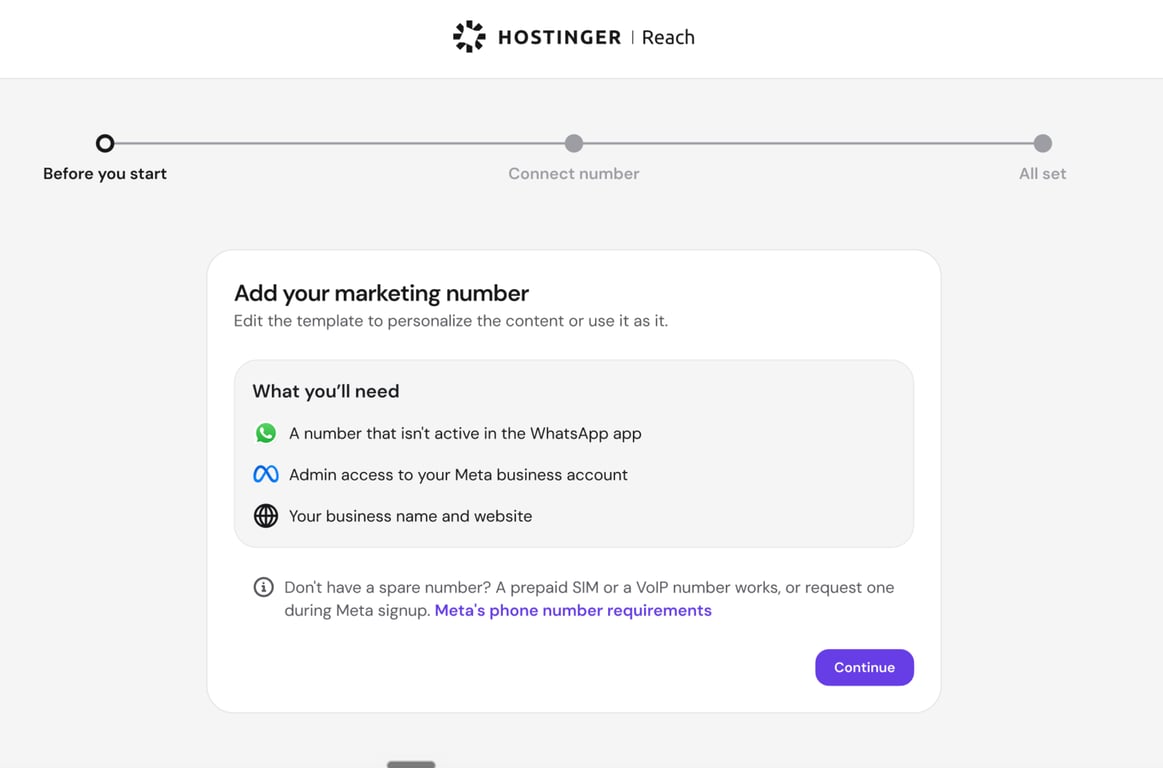
Sending a campaign is simple: pick a template and recipients, review, and send. From there, a campaign list and details track what’s sent and ongoing, while account settings manage the WhatsApp Business Account connection.
With this, the whole marketing flow lives in one place, giving you another way to reach customers with timely promotions, announcements, and updates without leaving Reach. To get started, you’ll first connect WhatsApp and complete the Meta setup.
Connect Google Ads from Hostinger Dashboard
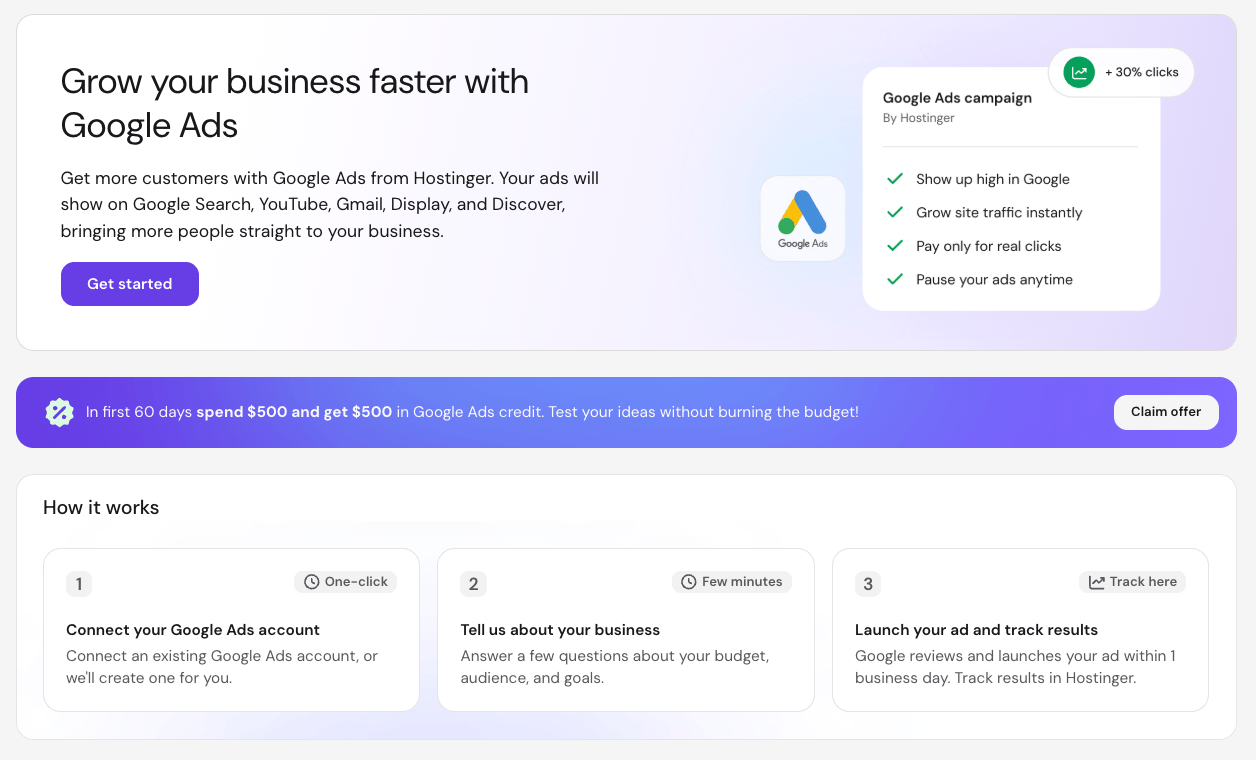
Hostinger’s new Google Ads integration lets you connect a Google Ads account directly from Hostinger Dashboard using Google’s OAuth sign-in.
You can link an existing account or create a new one in a few steps. From there, launch a Google Ads campaign for any website built with Hostinger, with headlines and images generated automatically with AI. Then track ad performance, traffic, and spend right in hPanel.
New accounts also get a bonus: spend $500 on ads in your first 60 days, and Google adds $500 in ad credit to your account balance.
A leaner three-tool structure for Hostinger MCP
Hostinger MCP now exposes three tools instead of one entry per API operation: search finds the Hostinger operations relevant to a task, execute runs a single operation, and multi-execute runs several operations in one request.
The full set of Hostinger operations is still reachable through these three tools, so nothing is removed. Tool names are generated automatically, following the same naming convention as the Hostinger CLI.
Bundled skills ship with the MCP server to guide the AI assistant on which operation to choose once search returns results. The point is to keep the number of tools an agent sees small and stable, since a long list of individual operations eats up context and raises the chance the agent picks the wrong one.
The Hostinger API MCP server guide has the full details.
Import emails from a file in Hostinger Email
You can now import emails into Hostinger Email from a file. If you have a backup of your emails as .eml files, you can import them via webmail directly: log in to Hostinger Email, go to Settings, then Email Import, and click Import emails.
You can also pack multiple .eml files into a single .zip archive to import them together.
Preview Hostinger AI Builder sites on your phone with a QR code
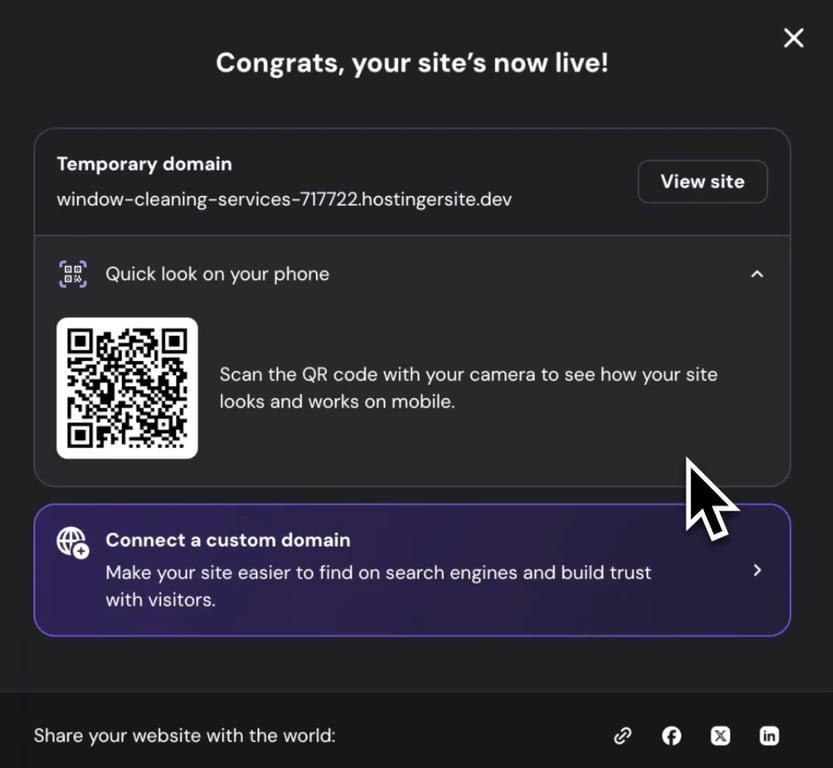
When a website goes live for the first time in Hostinger AI Builder, the success screen now includes a Quick look on your phone option. Select it to show a QR code you can scan with a phone or tablet to open the published site right away, with no need to type the address. Read more here about how it works in the publishing process.
That’s all for this week
For the running log of every release, check our changelog, and for the story behind each week’s updates, browse our weekly product updates.

Gusti Ayu Sandra is a Brand Reputation Specialist at Hostinger, where she keeps conversations between the brand and its community honest and helpful. Her career started in Customer Success, which taught her what customers really care about. Today, she works closely with the community across different platforms to make sure every voice is heard. Follow her on LinkedIn.

Simon is a dynamic Content Writer who loves helping people transform their creative ideas into thriving businesses. With extensive marketing experience, he constantly strives to connect the right message with the right audience. In his spare time, Simon enjoys long runs, nurturing his chilli plants, and hiking through forests. Follow him on LinkedIn.