How to make an ecommerce website in 7 steps
An ecommerce website is an online store that lets you sell products or services.
Having a digital shop lowers the cost of running a business and allows you to reach a vast number of people who prefer convenient online shopping.
To create a profitable ecommerce website, you need an effective plan, the right tools, and a solid understanding of who your customers are.
Here’s a breakdown of the seven steps to build a successful online store:
- Get to know your audience. Figure out exactly who your customers are, what they want, and how they shop before you build a single page.
- Choose a brand name. Pick a memorable name, get a domain for your site, and find a reliable hosting provider to store your website files.
- Get an ecommerce platform. Select the software that will run your store, handle inventory, and process customer payments.
- Set up payment and shipping methods. Integrate secure payment methods and plan logistics for product delivery.
- Design your store. Create a simple, mobile-friendly design that clearly displays your products and aligns with your brand’s style.
- Set up product listings. Write compelling descriptions and take high-quality photos that will drive customers to purchase without needing to see the item in person.
- Create essential ecommerce website pages. Set up the most important pages, such as your Homepage, About us, and clear policy pages, to earn trust.
1. Research your audience
A successful store starts with who you are selling to, not just what you are selling. This is the foundation of understanding ecommerce. Every decision you make about your shop – from its appearance to the products you feature – is based on what your customers need and how they behave.
Here are the key aspects of audience research:
- Demographics. Know the basics, such as age, location, and income, but also why they buy. What are their hobbies, values, and lifestyle? This information directly shapes your brand’s voice and the store’s design.
- Shopping behavior. How and when do they typically buy products like yours? Do they mainly shop on their phones, late at night, or only after reading twenty reviews? Knowing these habits helps you decide where to focus your efforts.
- Pain points. What problems are your customers trying to solve, and how does your product fix those problems? Focusing on their challenges lets you clearly show your product as a necessary solution, not just another thing they might buy.
- Competitor analysis. Look at stores that already cater to your target audience. What are they doing well, and where are they making mistakes? The gaps in their offers are your best chances to stand out.
- Buyer personas. Create a few profiles of your ideal customers, such as “Student Sam” and “Busy Parent Beth.” These personas will guide all your content, marketing, and design choices, helping you maintain consistency.
- Search intent and language. How do your customers talk about your potential products? Are they using jargon or simple terms? Research the exact words and phrases they type into Google when searching for a solution or product like yours. This ensures your content actually answers their questions and ranks well.
- Trust and information sources. Where does your audience go for advice and recommendations? Do they rely on social media influencers, industry blogs, forums, or email newsletters? Knowing their trusted channels helps you focus your marketing efforts where they matter most.
2. Pick a brand name and secure your domain and hosting
Once you know your audience, the next step is to choose a brand name that resonates with them.
A great brand name is typically short, easy to pronounce, memorable, and closely related to what you sell.
To start, brainstorm a few names that match your niche. Focus on keeping them simple and say them out loud to check how they sound.
Next, ensure that your preferred name is also available as a domain name. This is where you connect your creativity with a bit of research.
Securing a domain name
A domain name is the address people type into a browser to find your store, like yourstorename.com. Choosing a suitable domain helps build your brand’s credibility.
Here are a few tips for selecting the right one:
- Keep it short and memorable. Just like your brand name, try to keep it brief so it’s easy to type and remember.
- Prioritize common extensions. The .com extension is the most recognized and professional. But there are also other great options, such as the .online and .shop extensions.
- Avoid numbers and hyphens. These often lead to spelling mistakes and confusion, which can direct customers to the wrong site.
- Check for trademarks. Ensure the name isn’t too similar to one already being used by another company to avoid potential legal issues later on.
If you’re not sure how to choose the right domain name, use a domain name generator to help with brainstorming.
Domain Name Checker
Instantly check domain name availability.
Choosing a hosting provider
Web hosting is a service that stores all your website files and keeps your website running, allowing customers to access it at all times.
When selecting a web hosting provider, consider these factors:
- Uptime guarantee. Choose a provider that guarantees at least 99.9% uptime, because frequent downtime means you’re losing sales and trust.
- Speed and optimization. A slow site means lost customers as well. Select a host with fast server response times (under 200 ms) and support for tools like Content Delivery Networks (CDNs) for optimal global performance.
- Bandwidth. This is the amount of data your site can transfer. High-traffic ecommerce sites need a plan with enough bandwidth to handle customer volume without slowing down.
- Storage. Ensure the plan has sufficient space for all your content, especially large product photos and videos, to prevent your store from running out of space.
- Security. Look for features such as SSL certificates, firewalls, and automated backups to protect customer data.
Deciding how to choose a web hosting provider often comes down to ease of use. You want to keep things as simple as possible.
Finding a single provider for both hosting and domain registration, such as Hostinger, which offers a free domain for the first year of hosting, is a great way to ensure a seamless setup and avoid technical issues.
3. Choose an ecommerce platform
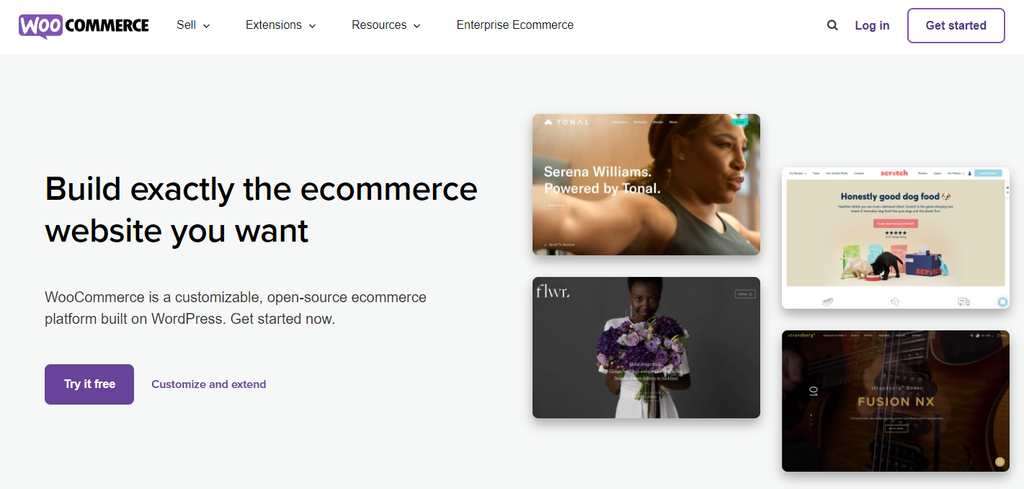
An ecommerce platform is the software that gives you all the tools to build, manage, and run your online shop. It includes everything from organizing your products to taking credit card payments.
The right ecommerce platform affects the features of your store, how much it can grow, and how easy it is to use every day, so you need a solution that works now but can also grow with you later.
The truth is, the best ecommerce platforms are the ones that suit your unique needs best, not the ones with the highest price or the most features.
Here are key factors to consider when choosing an ecommerce platform:
- Budget. Don’t just look at the monthly fee. Factor in transaction costs, paid themes, and any extra apps you might need.
- Technical skill. Do you need a platform that requires no coding, or are you comfortable managing a more complex, open-source system?
- Long-term goals. If you plan to expand fast, handle thousands of products, or sell globally, ensure the platform is built to accommodate that size.
- Ease of use. A simple dashboard makes daily tasks, such as managing products and orders, much easier.
- Scalability. The platform should handle big spikes in traffic and sales without forcing you to switch systems or causing major issues.
- Marketing tools. Look for built-in features to customize your pages for search engines and connect easily with marketing services.
- Payment options. Confirm that the platform integrates with the primary payment systems your customers use, such as Stripe, PayPal, or local options.
- Support. Find out how effective the customer support is because you’ll want a quick response if your store encounters problems.
4. Set up payment and shipping methods
Once you’ve chosen a platform, the next step is to set up secure ways to receive payments and reliable methods for delivering your product.
Integrate payment gateways
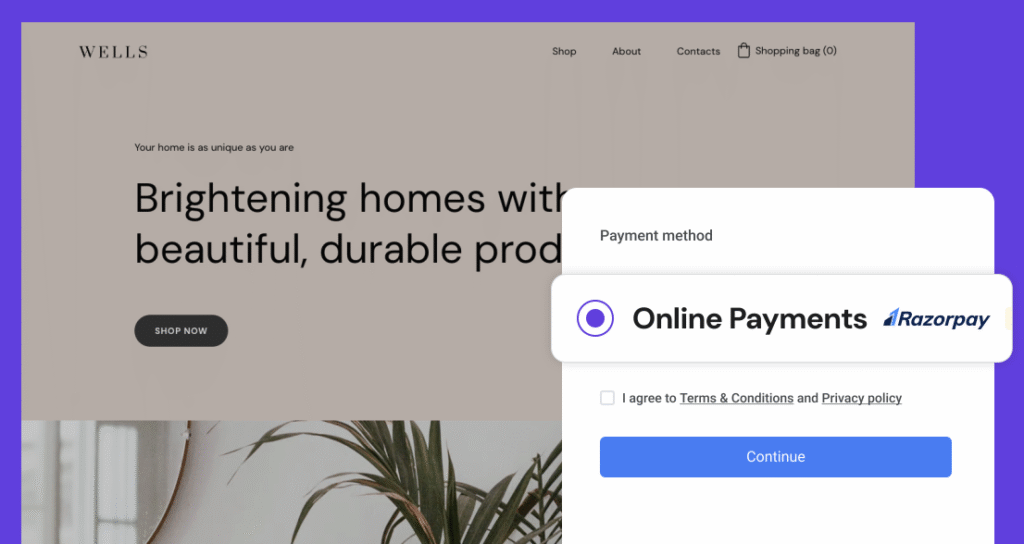
Most ecommerce platforms include their own payment systems and also support popular third-party processors. Ensure you accept the payment methods your audience commonly uses.
For example, if you’re selling to customers in India, integrating with a local provider like Razorpay ensures you support local cards and bank transfers, which boosts customer confidence.
Define your shipping strategy
Customers need to know their delivery options before making a purchase.
Ask yourself these practical questions to define your shipping strategy:
- Where will you ship? Locally, regionally, or will you offer global shipping?
- What pricing model works best? Will you offer free shipping (with the cost built into the product price), a flat rate (good for items of similar size), or real-time variable rates (best for products that vary in size and weight)? As you define your shipping rates, it’s also important to learn how to price a product effectively, allowing you to align your shipping costs with your pricing strategy.
- Are you fulfilling or dropshipping? If you plan on starting a dropshipping business, where a third-party supplier handles warehousing and shipping, you will need to integrate with specific supplier platforms to ensure they handle shipping effectively.
- Which carriers will you use? If you’re fulfilling, research service providers like FedEx, UPS, or local post offices based on their reliability, cost, and how fast they typically deliver to your customer locations.
A clear and transparent shipping and return policy based on these questions helps customers complete their purchases and reduces support requests later.
5. Design your ecommerce store
A clean, simple ecommerce website design helps showcase your brand and makes it easy for customers to find what they need quickly.
Thanks to professional templates and AI builders, you don’t have to hire a developer to make your site look professional.
These pre-made templates make designing much easier, letting you change colors, fonts, and layouts without writing code.
Just ensure the layout you choose is responsive and loads perfectly on any device, as smartphones are the top choice for online shopping among 70% of people.
When refining your ecommerce store, focus on making the customer’s journey as easy as possible:
- Clear hierarchy. The main goal of the design is to show your product. This means using plenty of white space and ensuring the “Add to cart” button is large, contrasting, and immediately visible, especially on mobile.
- Intuitive navigation. Your site map should be logical. Ensure that product categories are easily accessible via the main menu, and that your site features a fast search bar that provides suggested results as the customer types.
- Visual trust. High-quality, consistent imagery and a polished, cohesive layout immediately build trust and show professionalism. Avoid low-resolution images or mismatched fonts across different pages.
- Simple checkout. Choose ecommerce website templates that keep the checkout process simple. Clearly show the shopper their progress and allow for guest checkout to reduce friction.
- Accessibility. Ensure your design uses readable font sizes and sufficient color contrast. This not only helps users with visual impairments but also makes your site easier for everyone to read outdoors or on low-resolution screens.
6. Create product listings
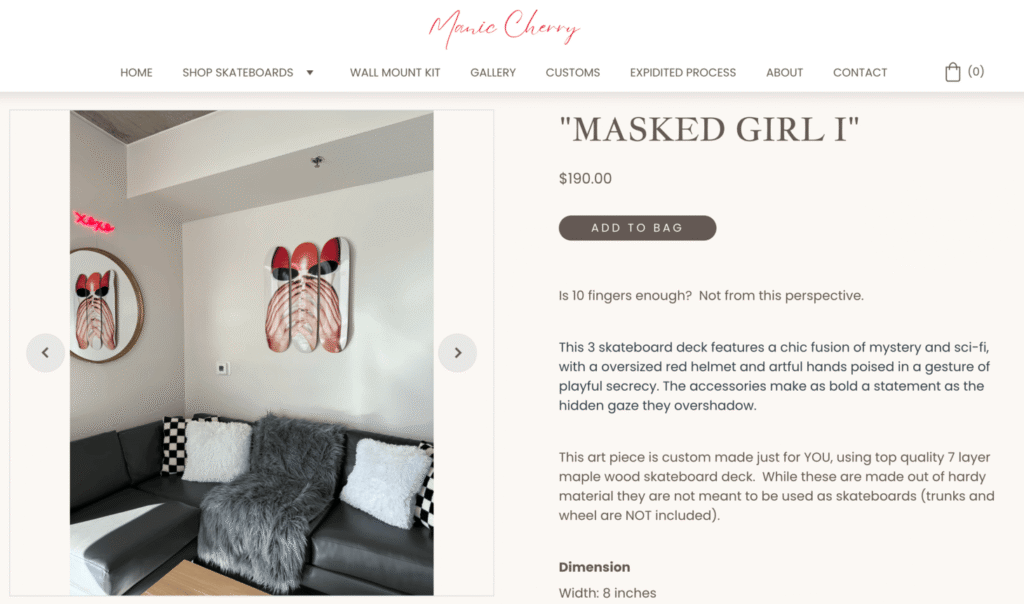
The product listing page is where customers find all the information they need to make a purchase. Since they can’t actually touch or examine the item, the presentation has to be exceptional.
A complete product listing includes:
- Product name and a clear price.
- Multiple high-quality product images or videos.
- Detailed product descriptions that focus on benefits.
- Social proof, such as customer reviews.
- Shopping cart options (like sizing and color selectors).
- A short FAQ section for common product questions.

Since images are often one of the first things visitors notice, you need to feature professional-quality product photos. But you don’t need a huge budget for great images – you just need a plan.
Here are a few tips for taking attractive product photos:
- Define your concept. Show products in a lifestyle context. For example, if you sell outdoor gear, take pictures of it being used outside. This is a more effective way to highlight the product’s benefits than simply showcasing its features.
- Shoot from every angle. Take photos of your products from different views so customers feel like they’re seeing the whole item.
- Use consistent lighting. Natural, soft light usually produces the best results. Avoid harsh shadows or relying solely on a flash, as poor lighting can make the product look cheap or the image may be inaccurate.
- Keep backgrounds clean. Use a neutral or simple background, like a white sheet or plain wall, for your main product shots. A clean background keeps the focus entirely on the product, improving clarity and professionalism.
- Enhance and tweak. Even good photos can be better. Make small edits to brighten, crop, and make sure all your listing photos look consistent.
To pair with your photos, you also need to know how to write a product description.
A product description isn’t just a list of what the item has – it’s a sales pitch for what it does for the customer. It needs to cover all aspects that help people make an informed decision, such as size, materials, uses, and benefits, and address any potential concerns.
7. Add the main ecommerce website pages
To attract customers and generate sales, the information on your core pages needs to be easy to find and digest.
Having all the main ecommerce pages builds trust, answers questions, and guides customers through the buying process.
Homepage
The Homepage is often the first page a shopper sees, so it needs to have clear information, great images, and simple calls to action.
It also needs to load fast. Google pays attention to page speed, measured by Core Web Vitals, because a site that loads quickly keeps people around longer.
Make your Homepage easy to navigate by including a clear search bar and well-organized product categories.
About page
Your About page is where visitors connect with your brand’s story and mission. Go beyond a brief company description by sharing your backstory and clearly explaining your value proposition to make your business truly stand out.
Showing the people behind the company helps humanize your brand and build a stronger connection with visitors.

Contact page
A clear Contact page demonstrates to customers that your business is legitimate and accessible. Make it easy to find your contact information, such as an email address or physical address.
You can also use a contact form to collect customer data, which helps generate leads.
Policy pages (privacy, return, and refund)
These pages are required for building trust and avoiding legal issues.
- Privacy page. Clearly display your privacy policy where you honestly state how you collect, use, and protect customer data.
- Return and refund policy. A detailed policy proves that you stand by your product quality. Clearly list what can’t be returned, the condition items must be in, and the time frame for refunds.
Shopping cart and checkout
Organize all items neatly, displaying photos, prices, and a detailed breakdown of costs, including estimated delivery times.
To increase sales, consider offering a guest checkout option, allowing customers to make purchases without needing to create an account first.
Product pages
With ecommerce, shoppers can’t hold, feel, or try out the product. Instead, everything is based on what they see on your pages.
So, you need to have professional-quality images and provide complete product descriptions.
Covering all aspects of the product, including size, materials, uses, and benefits, can help customers make informed purchase decisions.
For ideas on structuring these pages for maximum sales, look at these product page design examples.
Why you need an ecommerce website
You need an ecommerce website because it allows you to sell products 24/7 with global reach, and reduces your costs compared to a physical store. It also provides valuable data for personalization, giving your business the flexibility to adapt to market changes quickly.
Here are the top reasons why you need an ecommerce website:
Increased preference for online shopping
Online shopping is booming, and the industry is poised to continue growing, with ecommerce sales accounting for a significant portion of global retail.
Customers benefit from the convenience of shopping online in several ways:
- Time efficiency. People can buy anything with a few taps on their phone, saving the time they would spend driving to and walking around physical stores.
- Hassle-free payment. Customers can quickly select their preferred payment method without waiting in long checkout lines.
- A wider choice. When shopping online, customers have access to a wider range of brands and products than they would typically find in their local area.
- Cost-effectiveness. Customers are more likely to shop when rewards or cashback are offered, and they use coupon codes to cut their spending.
Reduced operational expenses with 24/7 availability
Selling products online is significantly less expensive and less risky than running a physical store because you save money on huge fixed costs:
- Staff expenses. You can use chatbots or virtual assistants to automate jobs such as customer support and inventory management. You can also explore how to use AI in ecommerce to get more done with less effort across your entire operation.
- Monthly rent and utilities. While you still need hosting and a domain name, this cost is far lower than paying for commercial rent, electricity, and air conditioning.
Data collection opportunities for personalization purposes
An ecommerce website is a powerful way to collect user data, which is the secret to any successful personalization strategy.
- Customer data. You can track customer behavior and purchase history to give them targeted recommendations and discounts.
- Zero-party data. Since customers demand honesty, many online businesses are shifting toward collecting zero-party data, which is information that customers willingly and actively share with you.
Adaptability to the ever-changing business landscape
Moving your business online makes digital marketing easier and more measurable, enabling you to reach a wider audience than traditional advertising. Being visible online also allows you to build trust and authority.
- Higher return on investment. Strategies such as SEO and email marketing are cost-effective ways to drive traffic to your online store and retain loyal customers.
- Easier tracking. You can set up website analytics to precisely measure the effectiveness of every marketing effort.
- Flexibility. Real-time analysis enables you to adjust, extend, or pause a marketing campaign instantly, ensuring you spend your budget effectively.
Tips to promote your ecommerce store
To promote your ecommerce store, implement strong content marketing, engage with your audience on social media, run a targeted affiliate marketing program, and build a valuable email list.
Implement content marketing
A dedicated ecommerce content marketing strategy will help you build deeper connections with your target market.
It involves creating and sharing valuable content, such as videos, helpful tips, and newsletters, tailored to your target audience.
This approach builds your brand’s authority and positions you as a leader in your industry. Start by writing blog posts that provide valuable content to help your store appear higher in search results and build stronger customer connections.
Boost social presence
Using social media is an effective way to reach your audience where they spend most of their time.
Here’s how you can use social media to grow your brand and business:
- Repurpose content. Take your existing web content (blog posts, product details) and adapt it for platforms like Facebook and Instagram.
- Use social listening. Pay attention to what people are talking about in your niche and what is trending to stay relevant.
- Use social proof. Most consumers trust testimonials, positive comments, and reviews on social media are powerful tools that convince new customers to buy.
- Offer direct customer service. Use DMs and comments to quickly and publicly address customer questions and resolve issues.
- Use shopping features. Integrate direct selling tools, such as Instagram Shopping, Facebook Shops, or Pinterest Buyable Pins, to enable customers to purchase products directly on the platform.
- Run targeted ads. Use the platform’s detailed demographic data to create highly targeted advertising campaigns that focus on warm leads based on their interests and past behavior.
Run affiliate marketing
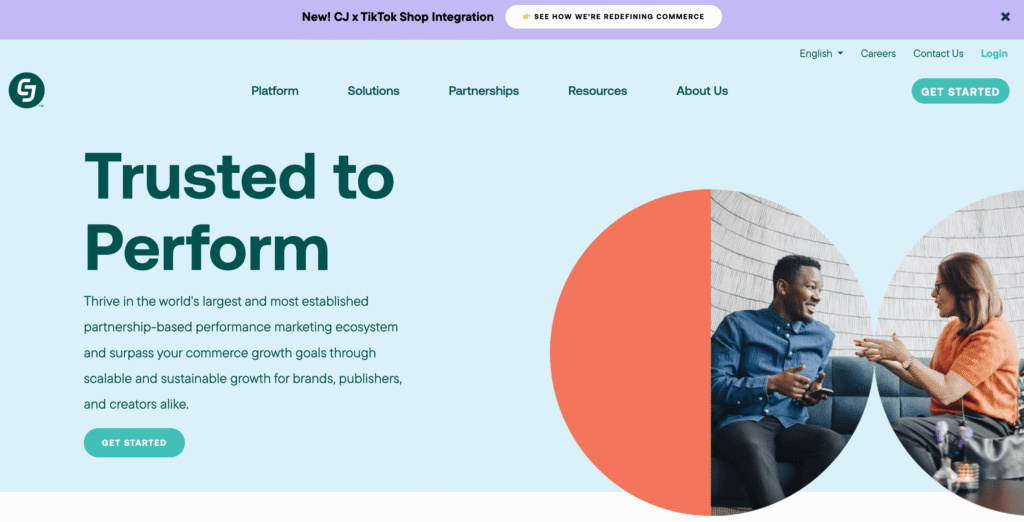
Affiliate marketing involves paying partners a commission for every purchase made through their unique links.
It’s a cost-effective strategy since you only pay when a sale occurs, lowering your advertising costs while potentially yielding a higher ROI.
As affiliate marketing drives 16% of ecommerce sales, it’s an essential strategy for expanding market reach.
Start by setting up a dedicated affiliate area with a platform like CJ or Awin to manage tracking and payments.
To increase affiliate link conversion rates, provide affiliates with exclusive discount codes or special landing pages, so their audience feels they are getting an insider deal.
Build a mailing list
Email marketing is still one of the most effective ways to sell for an ecommerce business. You can use it to share social media posts, announce new products, and send special promotional offers directly to your customers.
The success of your email marketing depends heavily on the quality of your list. You need a strong email marketing strategy for ecommerce to ensure your messages are valuable and targeted.
- Prioritize professionalism. Use a professional, domain-based email address, such as support@yourstore.com, to establish credibility for your brand.
- Segment your audience. Don’t send the same email to everyone. Divide your list based on customer behavior, like new subscribers, cart abandoners, and recent buyers, so you can send highly relevant content and special offers.
- Automate key flows. Set up automated sequences for key moments, such as a welcome series for new sign-ups, an abandoned cart reminder, or a birthday discount. This saves time and ensures consistent communication.
- Use lead magnets. Give people a compelling reason to sign up, such as a discount code or an exclusive guide. Learn how to build an email list for more ideas about how to attract more subscribers.
Calculate the real cost of launching your ecommerce website
After you have a plan for setting up and promoting your store, determining your launch costs is the final necessary step for planning.
You should consider all recurring fees to avoid any surprises later.
Consider three main types of costs:
- Initial setup. Hosting, domain, and premium add-ons.
- Ongoing maintenance. Monthly platform fees and transaction costs.
- Marketing. Paid ads, email service fees, and advertising tools.
These costs depend heavily on the size and needs of your online store. By reviewing your needs and tracking each ecommerce website cost, you can ensure your financial plan is solid before committing to launching your business.
All of the tutorial content on this website is subject to Hostinger's rigorous editorial standards and values.

Simon is a dynamic Content Writer who loves helping people transform their creative ideas into thriving businesses. With extensive marketing experience, he constantly strives to connect the right message with the right audience. In his spare time, Simon enjoys long runs, nurturing his chilli plants, and hiking through forests. Follow him on LinkedIn.

Auksė Žirgulė is the Head of Website Builder at Hostinger, where she focuses on creating real value for customers. With a career that started in QA, her journey into product management broadened her perspective and deepened her understanding of what it takes to build a successful product. Auksė is known for her energetic approach and a passion for leading teams to achieve impressive growth. Follow her on LinkedIn.