Hostinger Ecommerce email marketing consent lets customers subscribe to your marketing emails at checkout with an opt-in or opt-out checkbox. You choose the checkbox type in Settings → Checkout after adding your Privacy Policy, then track who gave consent and remove contacts from your marketing list on the Customers page.
Why collect marketing consent at checkout?
- Re-engage customers with personalized offers and product updates.
- Boost sales through discounts and special promotions sent via email.
- Stay compliant with privacy regulations like GDPR and similar laws that apply to your store.
Enable email marketing consent in Hostinger Ecommerce checkout
Choose how Hostinger Ecommerce checkout collects marketing consent in the Marketing consent section of your checkout settings. The options become available only after you add a Privacy Policy under Checkout policies, because your Privacy Policy must cover how you collect and use customer data for marketing.
- Go to Store Manager → Settings.
- Select Checkout.
- If you haven’t added your Privacy Policy yet, click Add next to Privacy policy under Checkout policies. Learn how to add your Privacy Policy and other legal pages in manual mode.
- In the Marketing consent section, select one of three options:
- Don’t collect marketing consent – customers aren’t asked to subscribe to marketing emails.
- Opt-in checkbox – the checkbox is unticked by default, and customers subscribe only if they tick it.
- Opt-out checkbox – the checkbox is unticked by default, and customers are subscribed unless they tick it.
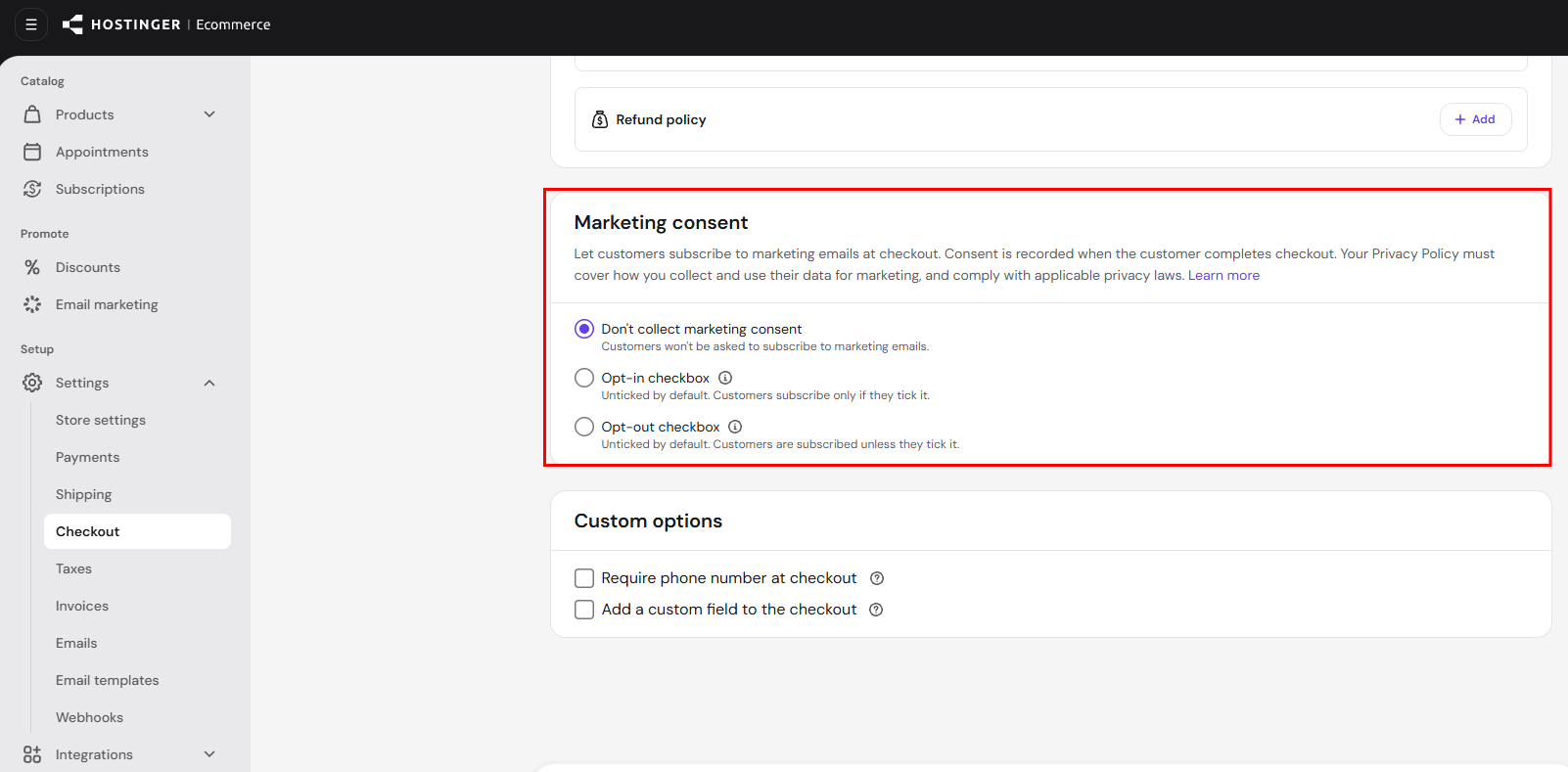
Hostinger Ecommerce records a customer’s marketing consent when the customer completes checkout.
How to preview customers who gave consent?
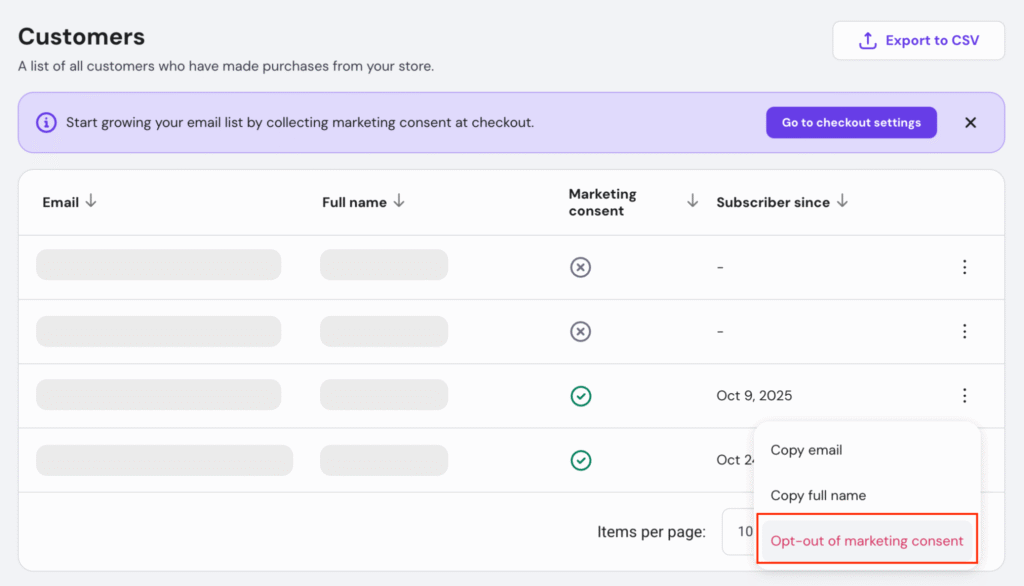
Go to Customers in the Store Manager. In Customers list view all your customers in one place, track who’s given marketing consent, and use these contacts to start your email marketing campaigns in order to grow your audience and boost sales.
How to remove contact from the marketing list?
- Go to Customers;
- Click on 3 dots icon;
- Select Opt-out of marketing consent.
Your checkout now collects marketing consent, helping you grow a compliant email list for future campaigns.