Issue full or partial refunds to customers in your Hostinger AI Builder online store, depending on how they originally paid.
Refund an online payment
If your client paid using an online payment method, log into the merchant account of the payment processor you use in your store and issue a refund from there:
Refund a manual payment
If your client paid using a manual payment method (e.g., cash), contact your client to agree on how you’ll proceed with the refund (e.g., ask the client to specify their bank account number); the client’s contact details can be found in the order summary.
After initiating a refund, you may cancel order fulfillment in your store management area:
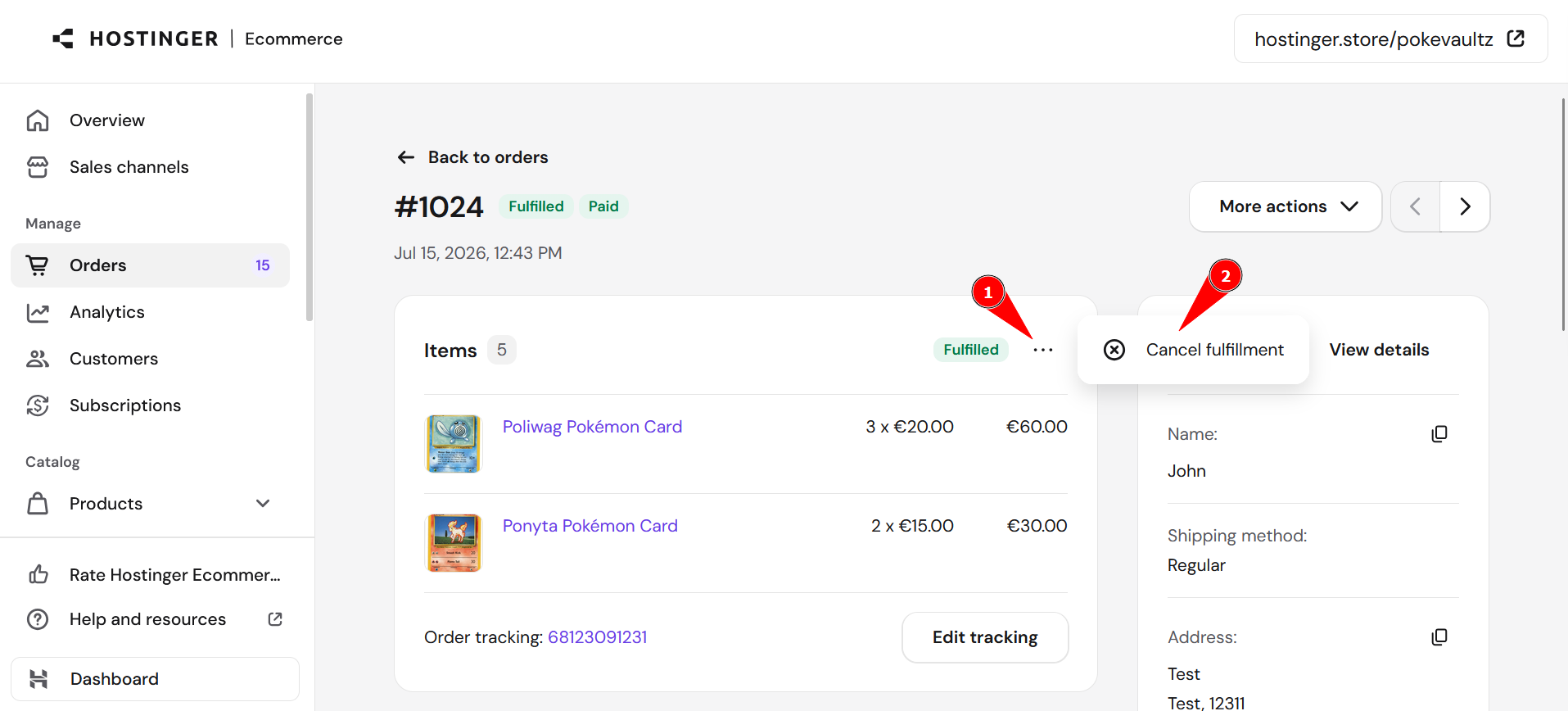
You can also add a Merchant Note to the order to track the refund reason internally. Now you know how to issue refunds in your store created with Hostinger AI Builder.