Check the PHP information of your website in Hostinger at any time, including its current configuration and parameters.
View your PHP information
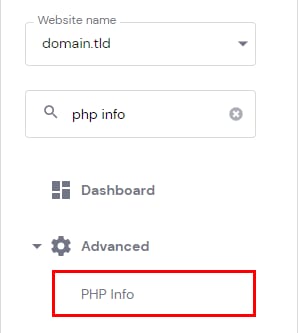
The PHP information and parameters of your website can be checked at any moment by going to Websites → Dashboard, searching for PHP Info on the left sidebar, and clicking on it:
There, you will be able to check the current PHP Configuration for your website, including:
-
If some specific PHP extensions are applied
-
If some specific PHP options are added, and which value they have
-
PHP limitations, like max_execution_time and others
And many more:

With this information, you can confirm exactly which PHP version, extensions, and settings are active for your website, useful when troubleshooting compatibility issues or setting up a new application.
Related PHP tasks