Find the general website settings in Hostinger AI Builder manual mode to configure your favicon, preview image, cookie banner, and WWW prefix.
Access general settings
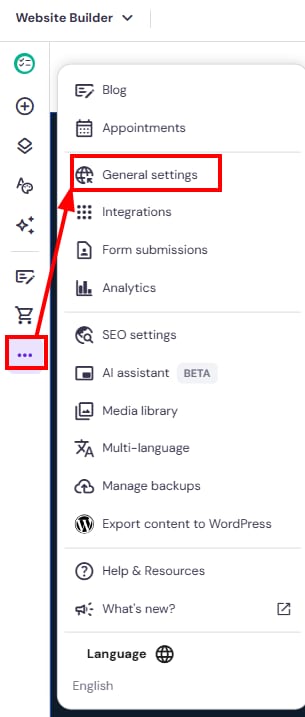
To find the general site settings in Hostinger AI Builder, click on the ellipsis ⋯ button on the left, and select General settings:
Here, you can do the following:
-
Add a favicon.
-
Add a preview image for your website.
-
Enable the cookie banner.
See What cookies are used on your website for details on the cookies set when the cookie banner is enabled. -
Enable the WWW prefix.
These settings help you control how your website appears in browsers, search results, and shared links, and how it handles visitor privacy preferences.