Edit the URL of a page on your Hostinger AI Builder manual mode website. The page URL automatically matches the page title when you create a new page, and updates automatically if you rename the page, replacing any non-Latin symbols with Latin symbols.
Change a page URL
You can easily change that anytime.
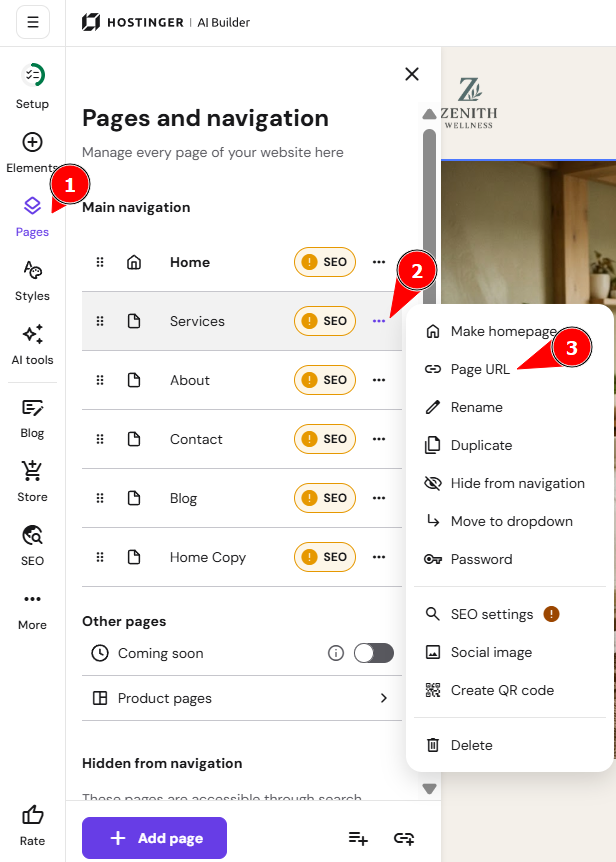
- Open the Pages and navigation panel on the left.
- Then open the ellipsis of a particular page, and select Page URL:
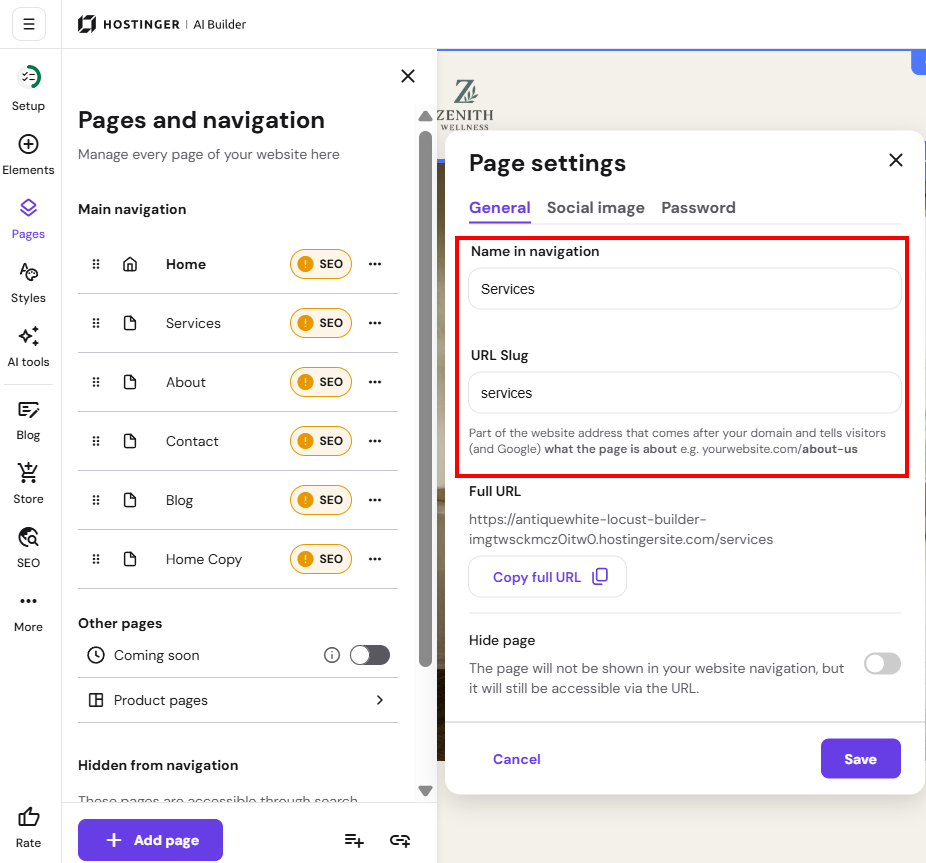
- Edit the URL Slug and save the changes:
- Remember to update your website for the changes to reflect online.
Your page now uses the new URL.
NOTES
- Two pages can’t share the same URL. Publishing or updating your website is blocked until you change the URL of one page or delete it.
- The homepage URL can’t be edited. Make sure your website has no duplicate homepage, because a second page that uses the homepage URL blocks publishing.
To edit a blog post URL, go to the general blog post settings, and to edit a product URL, open the product page settings. See How to Use Hostinger AI Builder Manual Mode for a full overview of managing your website.
More URL and link settings:
- Enable or disable the WWW prefix for your website.
- Manage dofollow and nofollow links on your pages.