Create anchor links in Hostinger AI Builder manual mode to let visitors jump directly to a specific section of your webpage.
Create an anchor link
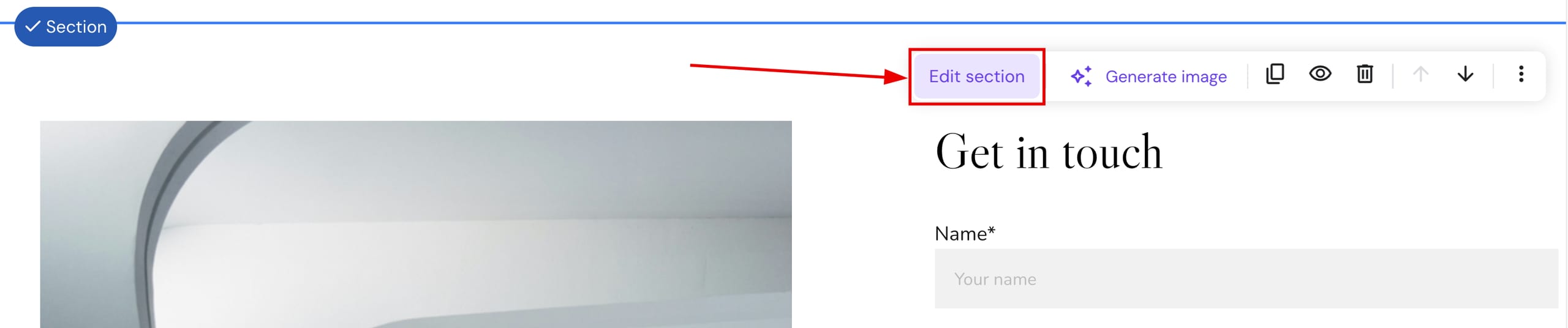
- Within the builder, find the section in question, click on it, and open the section settings:

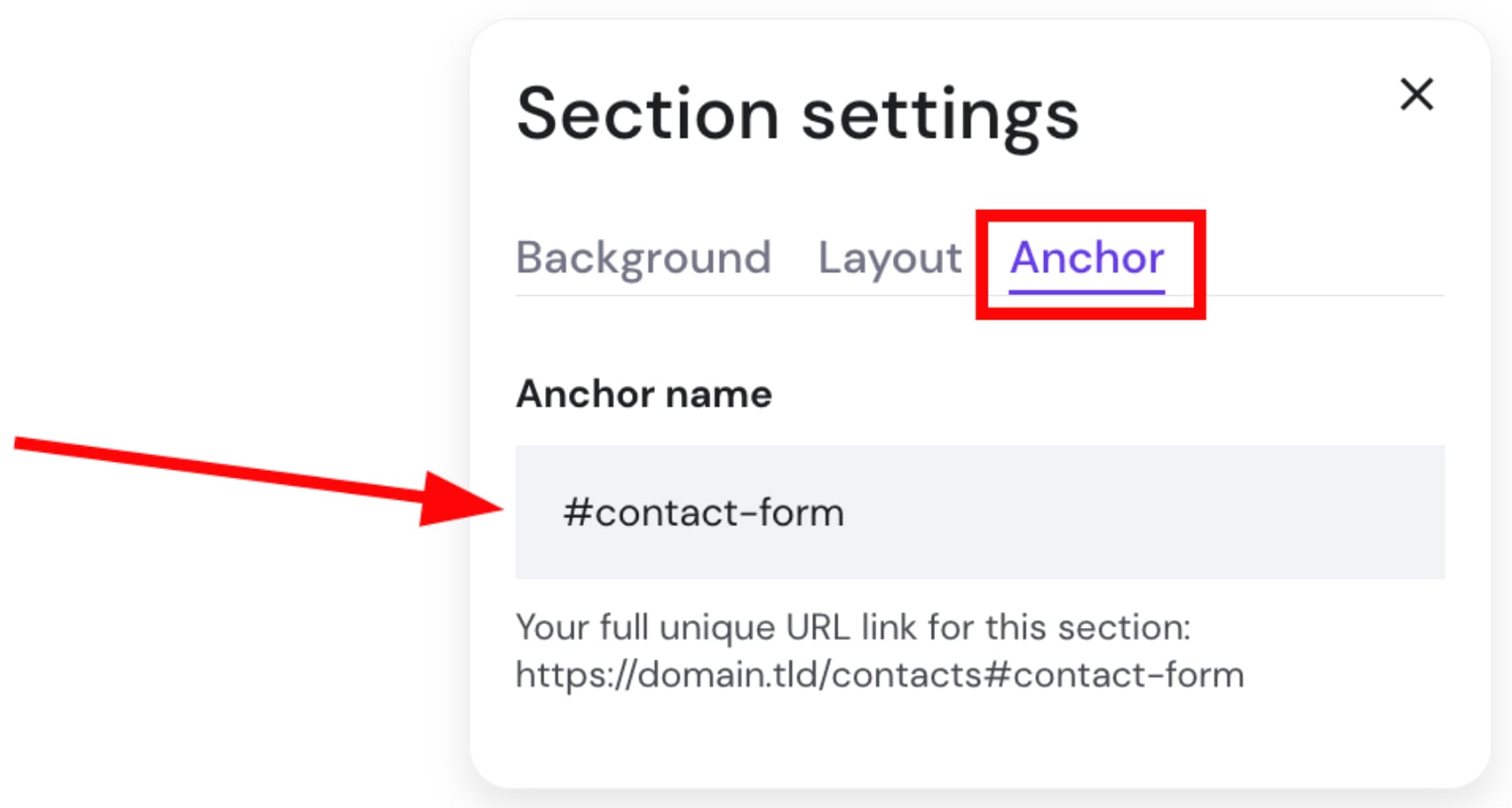
- In the Anchor tab, insert the Anchor name. It should start with the hash symbol #, e.g.,
#contact-form:

- Click outside the settings box to save and close it.
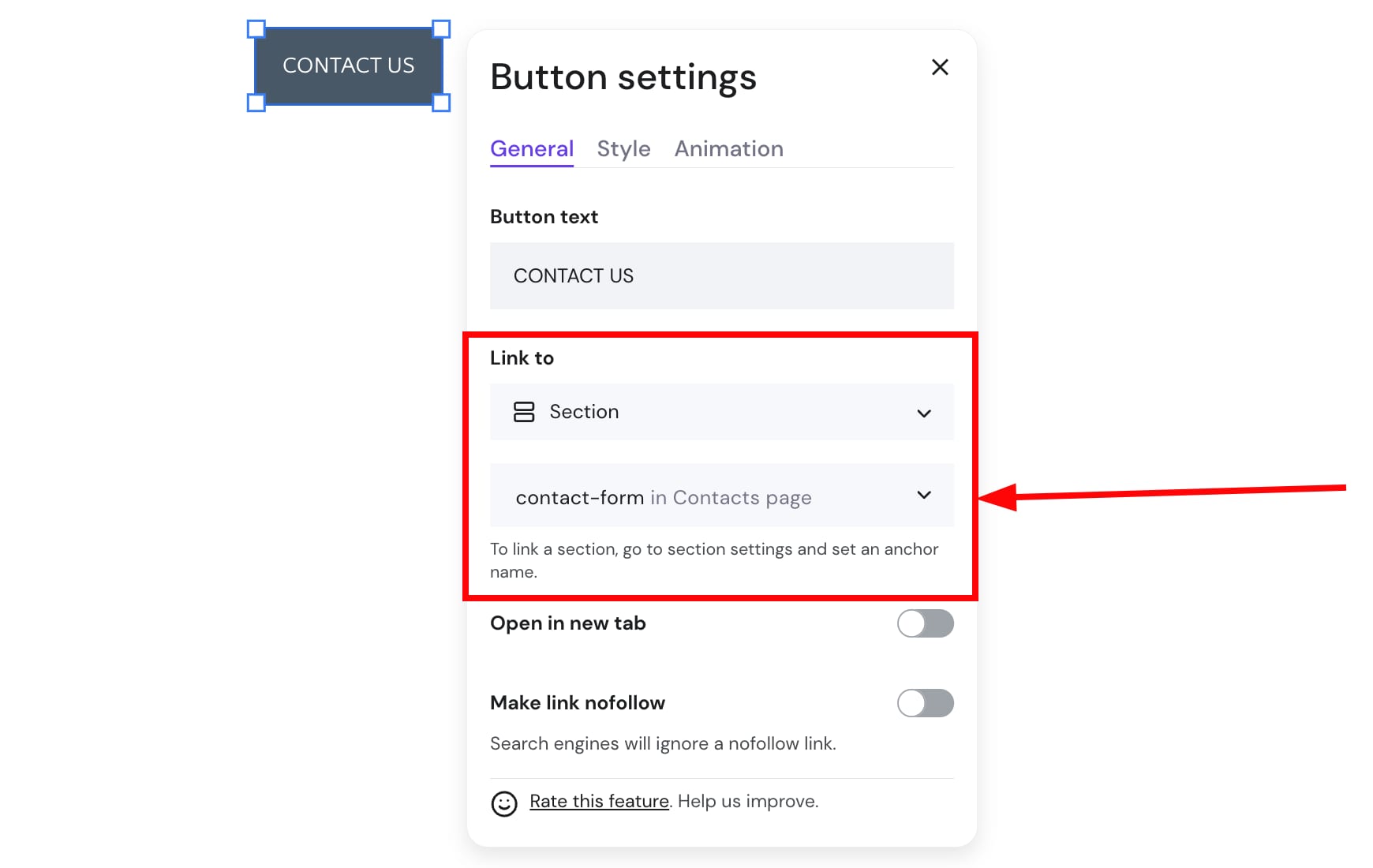
- Now, you can insert that anchor link anywhere on your site: in the navigation menu bar, texts, images, or buttons:

- Finally, update the website for the changes to reflect online.
NOTES
-
The anchor name must start with a letter (#anchor-name, not #1-anchor-name).
-
Anchors are not yet supported for the blog, slideshow, and store sections.
-
See How to Manage Blog Settings for other blog post, header, and section configuration options.
You can also use the anchor feature inside the section settings to set up a back to the top button inside your website.
For that, you simply need to create a button in the final section of the page, follow the steps above and link the button created to the top section inside the page.