Add buttons to your Hostinger AI Builder manual mode website using button elements, the easiest method available.
Button elements
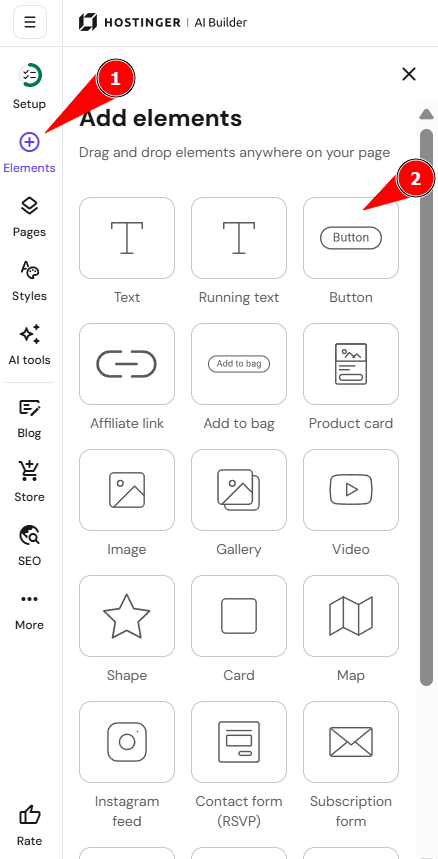
- Within the editor, expand the Add elements panel on the left.
- Select the button element
- Drag and drop it anywhere on your website.
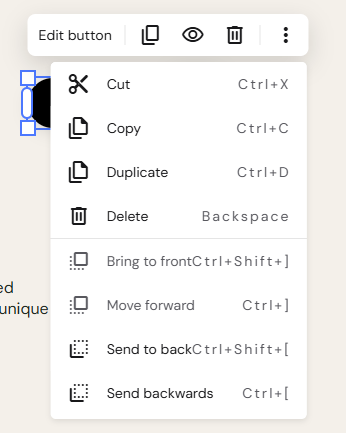
Click on the button to see more options (edit, duplicate, hide, delete, resize, etc.):
Click on Edit button to open its settings:
|
General |
Style |
Animation |
|
Button text: rename the button Linking options: hyperlink a button with:
|
Change the following style attributes of the button:
|
Adding a button to the header
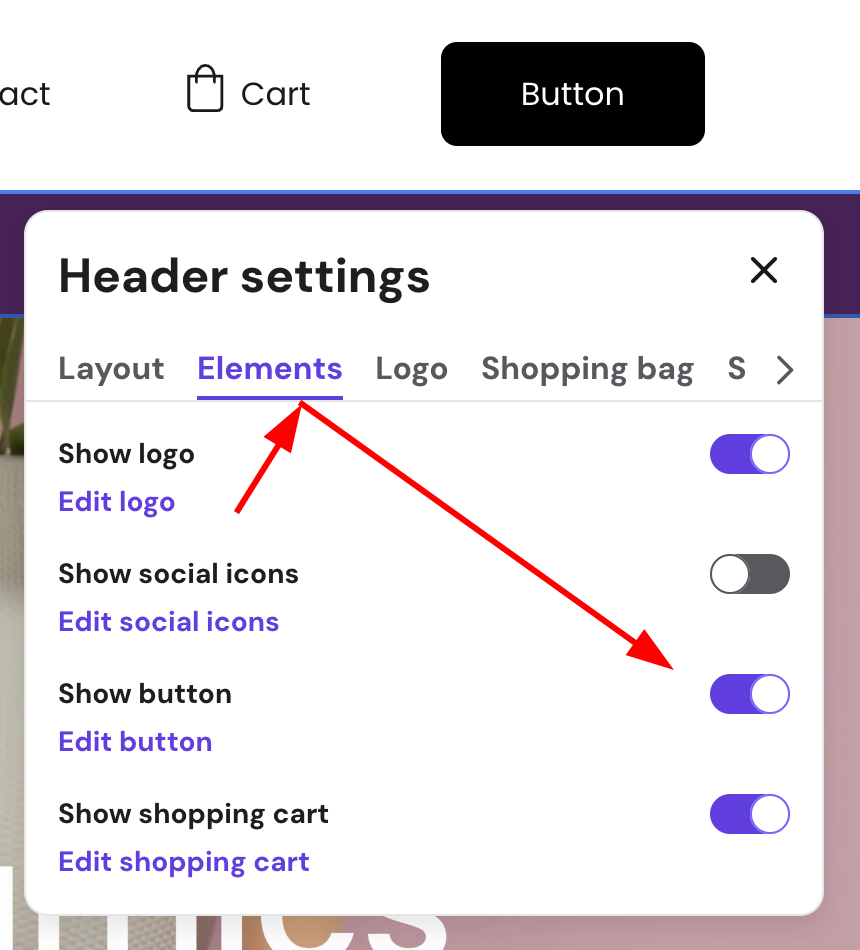
Within the editor, click on the header, and then Edit header:

Then, click Elements, and toggle Show button on. You can customize how the button looks like by clicking Edit button:
NOTES
-
Another way to add buttons is using embed code elements — this way, you can add PayPal, Share, Tweet, and other buttons
-
Learn more about “Add to bag” buttons
- See How to change the button shape to customize the button.