Renew a hosting plan at Hostinger at any time while it’s active, either from Billing → Subscriptions or from the Websites section of the Hostinger dashboard. The renewal price appears in the Renewal price column of Subscriptions, and auto-renewal can renew the plan for you before it expires.
Option 1 — From the Billing section
In Hostinger dashboard, go to Billing → Subscriptions and click on Renew next to the service in question:
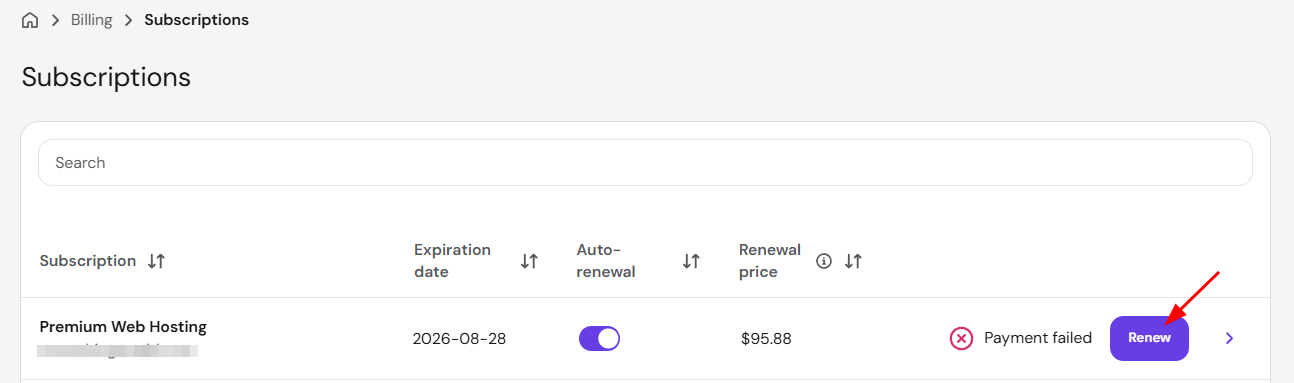
And proceed with the payment.
Option 2 — From the Websites section
In Hostinger dashboard, go to the Websites section. If your hosting plan is about to expire, a notice on the plan’s card shows the expiry date and warns that your websites will go offline. Click Renew in that notice to start the renewal.

If your hosting plan is not about to expire soon, you can hover over the website in question and click Manage site, and search for Renew in the left sidebar:
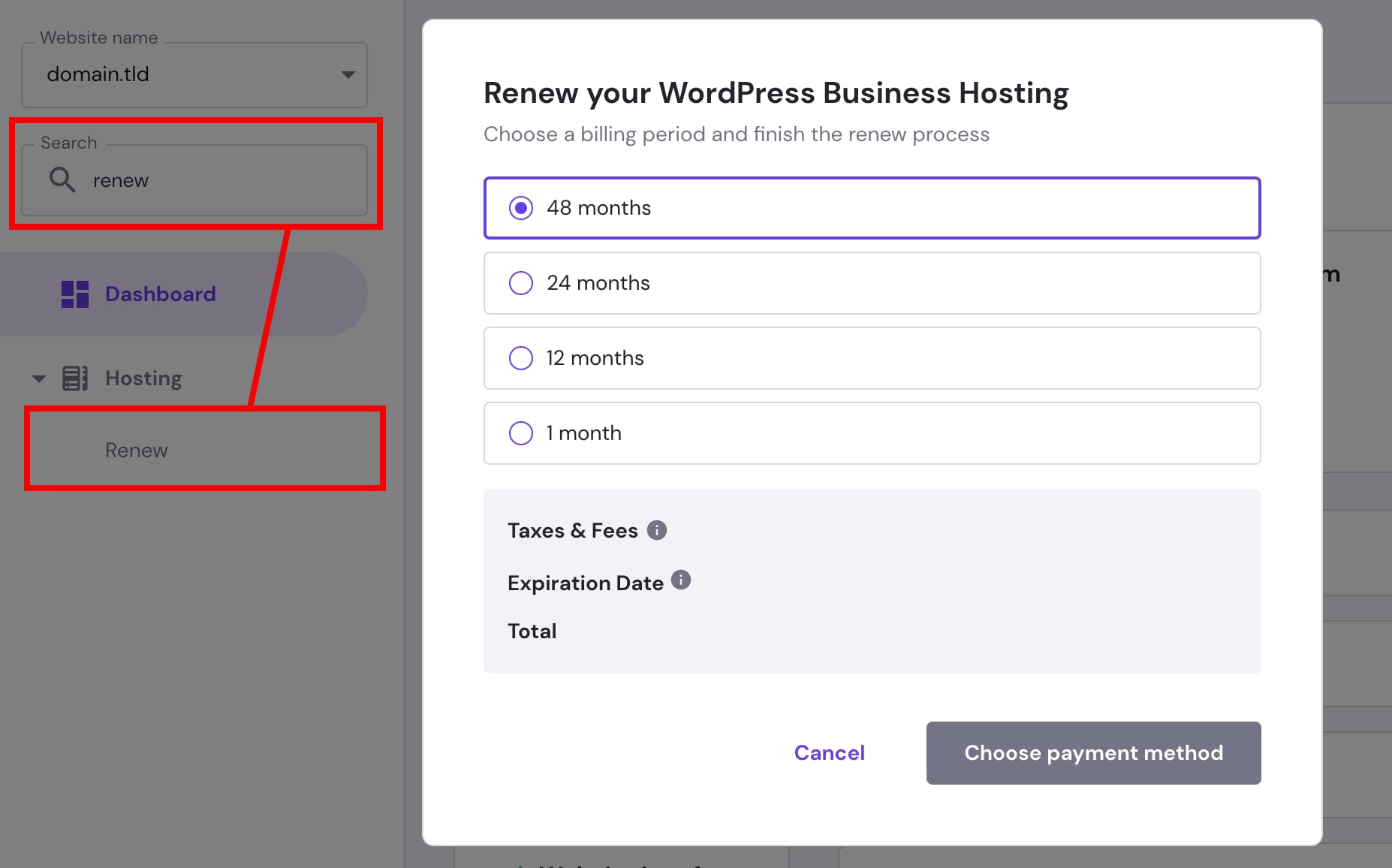
And proceed with the payment.
If your hosting plan expired and is canceled, follow this guide: How to reactivate an expired hosting plan in Hostinger.
How to find the renewal price
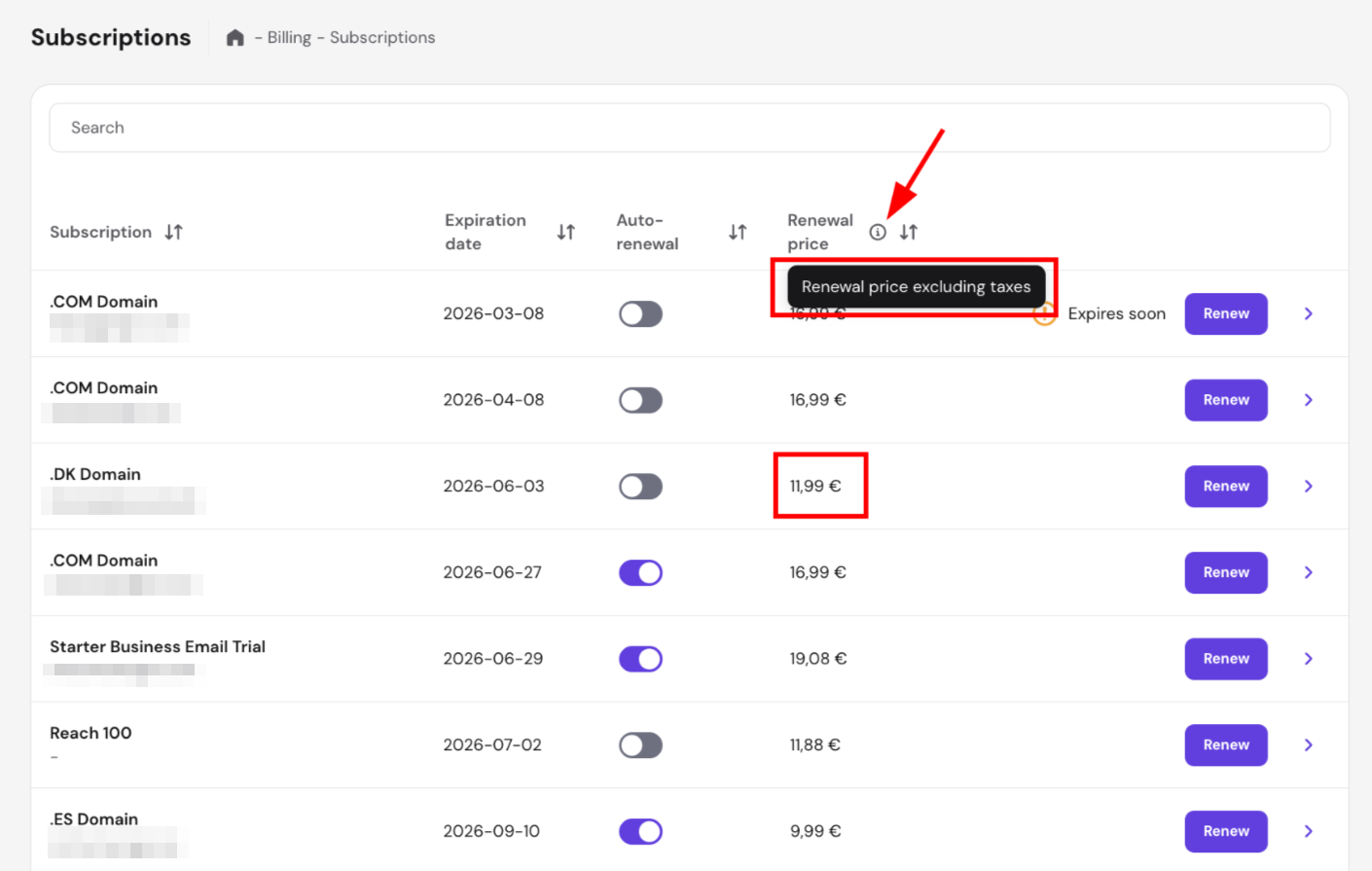
To check the renewal price of your hosting plan, go to Billing → Subscriptions. The renewal price (excluding taxes) is displayed directly in the Renewal price column — no additional steps needed.
Keeping auto-renewal enabled is recommended, because it renews your hosting plan before it expires and helps prevent website and email downtime. Auto-renewal is optional. You can disable it at any time in Billing → Subscriptions, and your plan stays active until its expiration date. To turn it on, see How to automatically renew Hostinger services. To turn it off, see How to disable auto-renewal for Hostinger services.