Hostinger Ecommerce product import adds multiple physical products to your online store at once from a single spreadsheet file. One import can add as many products as your store has free product slots, instead of adding each product manually.
Import products
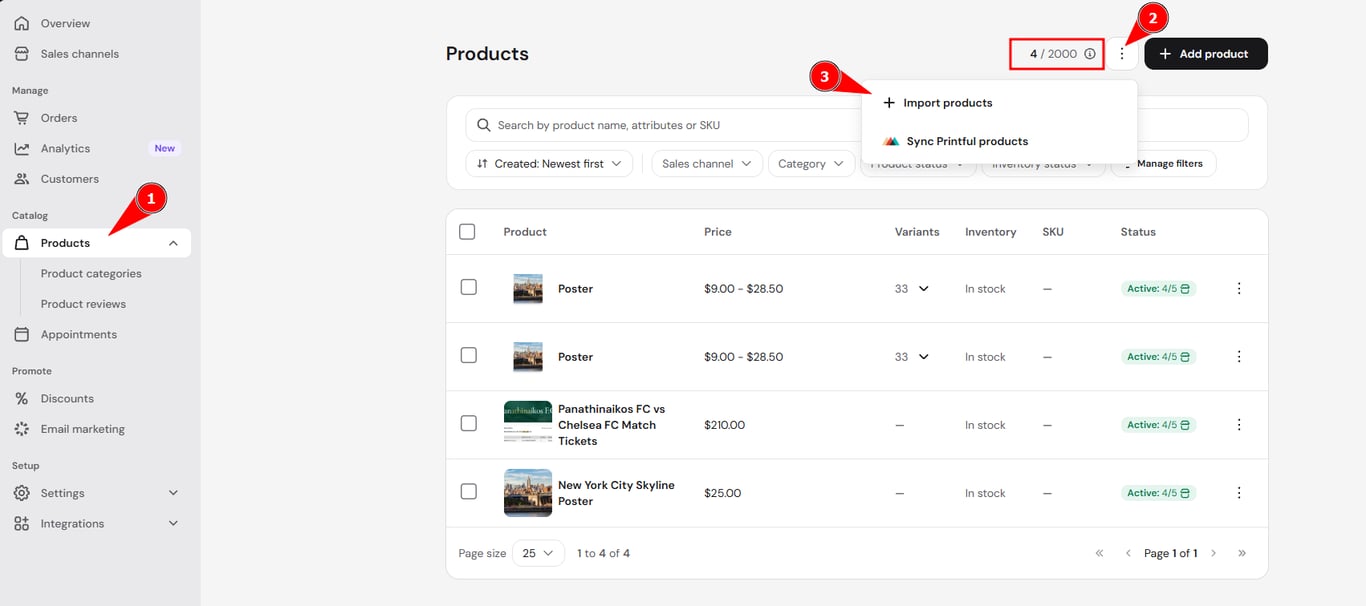
A single Hostinger Ecommerce product import can add as many physical products as your store has free product slots. The import runs in the background, so you can keep working in your store while a large file is processed. You can check your free product slots on the Products page.
To import products to your store:
-
Access the Store Manager.
-
Go to Products → ⋮ option → Import products.
-
Upload your CSV or TSV file containing the product information. The file can be up to 750 KB. The import window shows the exact number, for example Import up to 1996 physical products for a store using 4 of 2,000 product slots.
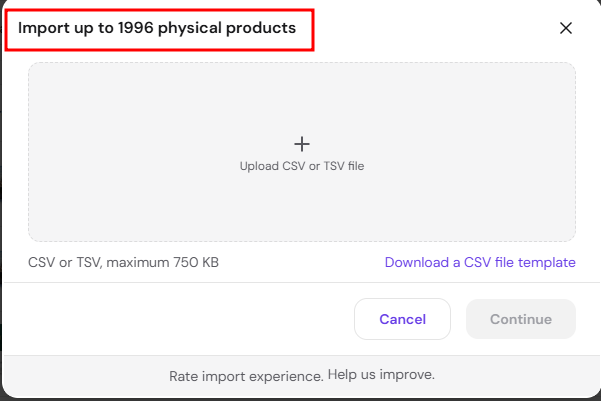
Optional: You can click Download a CSV file template and use it as a starting point to create your import file. - Wait for the import window to close. An Importing products⋯ message appears while the import runs in the background.

The import continues if you move to another page in the Store Manager or refresh the page. When it finishes, a message such as 3 products have been imported appears.
Once the import is finished, the products will be added to your store and can be managed the same way as products created manually. If your products have variations like size or color, you can add product options to them after import.
Import more products than your Hostinger Ecommerce plan allows
If your file has more products than your plan has free product slots, a message states how many products your plan lets you import. For example: Your file has 140 products. Your current plan lets you import 13 of them. The message offers two options:
- Import 13 imports only the number of products your plan allows. The number on the button changes with your plan.
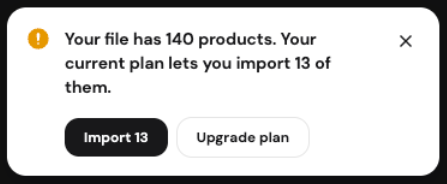
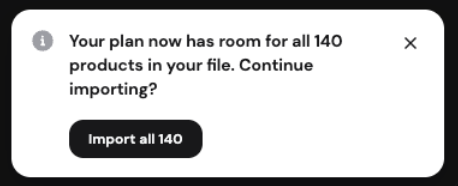
- Upgrade plan lets you import the whole file. After you upgrade, a message states that your plan has room for all the products in your file, and Import all 140 continues the import.
Your Hostinger Ecommerce product import adds your physical products to your online store in the background, so you can keep working in the Store Manager while it finishes. Once the import is complete, the new products appear on the Products page, ready for you to review and manage.
NOTES
- Deleted products can’t be restored in Hostinger Ecommerce. Keep your product spreadsheet as a backup so you can import your products again.
- See Hostinger Ecommerce: What you can restore after deleting a product or store to back up your products and orders.