7 best AI product photography tools for ecommerce in 2026
Oct 19, 2026
/
By Justina B.
/
10 min Read

The best AI product photography tools for ecommerce include Photoroom, Claid, Flair AI, Pebblely, Snapshot, Fibbl, and CreatorKit. Each takes a different approach, from quick marketplace shots to full 3D product scans, so the right pick comes down to your catalog size, your budget, and the platform you sell on.
Here’s what each tool does best, along with pricing and key features.
| Tool | Best for | Key features | Pricing |
| Photoroom | Quick marketplace images | Background removal, AI scene generation, templates, batch exports | From $7.50/month, billed annually |
| Claid | Bulk catalog processing | AI photoshoot scenes, a wide range of editing tools, and an API for developers | From $9/month, billed annually |
| Flair AI | Creative, branded product scenes | Drag-and-drop scene builder, custom AI models, and ad generation | From $8/month, billed annually |
| Pebblely | Fast lifestyle backgrounds | Prompt- or template-based scenes, automatic shadow matching | From $7.50/month, billed annually |
| Snapshot | Shopify-native catalog images | Built into Shopify admin, bulk editor, 1-click attach | Free to install; credit packs from $10 |
| Fibbl | 3D product imagery for footwear and accessories | 3D scanning, virtual try-on, video from one 3D asset | From approximately $561/month, billed monthly |
| CreatorKit | Shopify photos plus social video | AI background removal, brand kit, video templates | From $32/month, billed annually |
1. Photoroom
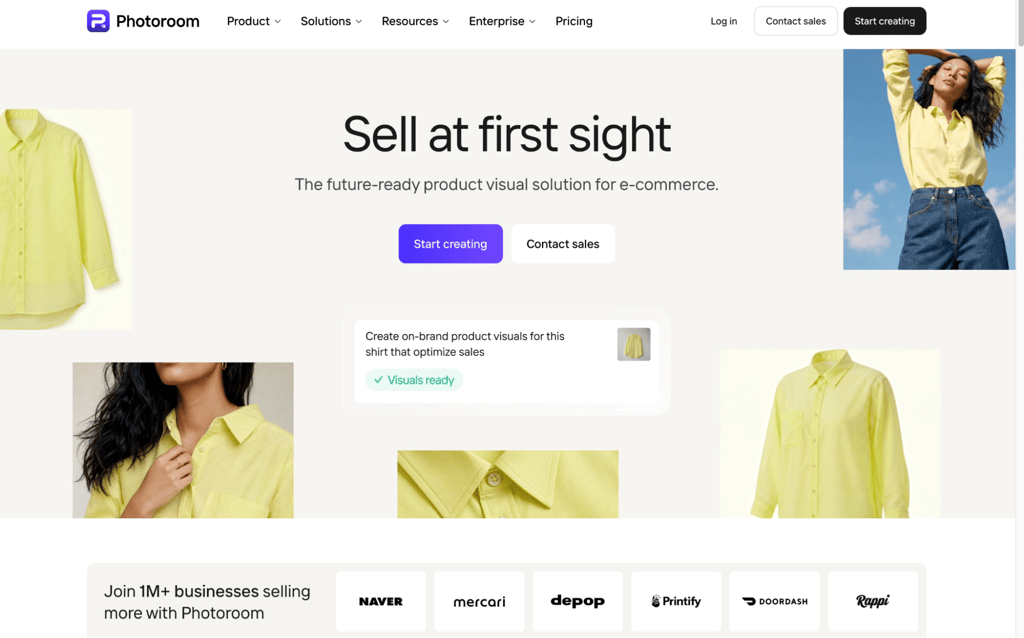
Best for: quick marketplace images.
Photoroom turns a phone photo into a listing-ready image: upload the shot, remove the background, and place the product in a template or a generated scene.
I’d reach for Photoroom when I need one photo fixed fast, not a whole scene built from scratch. The core editing tools are already included in every paid plan, so a higher tier mostly buys more export capacity rather than additional capabilities.
Photoroom pros
- Includes core editing tools at no credit cost. Background removal, retouching, shadow presets, AI fill, and resizing are available on every paid plan, within fair-use limits.
- Covers apparel-specific shots. Photoroom includes virtual model photos and ghost mannequin shots, which show clothing without a visible model.
- Offers marketplace-ready templates. The templates follow Amazon’s white-background and framing rules, so you can export listing images without manual fixes.
- Processes exports in batches. Each image in a batch counts as one export, so the plan’s monthly export allowance is your batch ceiling.
Photoroom cons
- Bills per Space, not per seat. If you run two stores as separate Spaces, you pay for two subscriptions. Teammates invited into one Space share a single plan.
- Reserves key features for higher tiers. Shopify integration starts at Max, and 4K output starts at Ultra.
Photoroom pricing
The free plan covers basic background removal with a cap on exports, enough to test the workflow. Paid plans are billed annually:
- Pro: $7.50/month. Includes 1,000 exports and 8,000 AI credits a month, plus AI backgrounds and AI fashion models.
- Max: $20.99/month. Includes 3,000 exports and 25,000 AI credits, and adds Shopify integration and a video generator.
- Ultra: $82.50/month. Includes 10,000 exports and 75,000 AI credits, and adds 4K resolution.
Enterprise pricing is custom and includes SLA, SSO, and dedicated support for businesses that process large volumes of images every month.
2. Claid
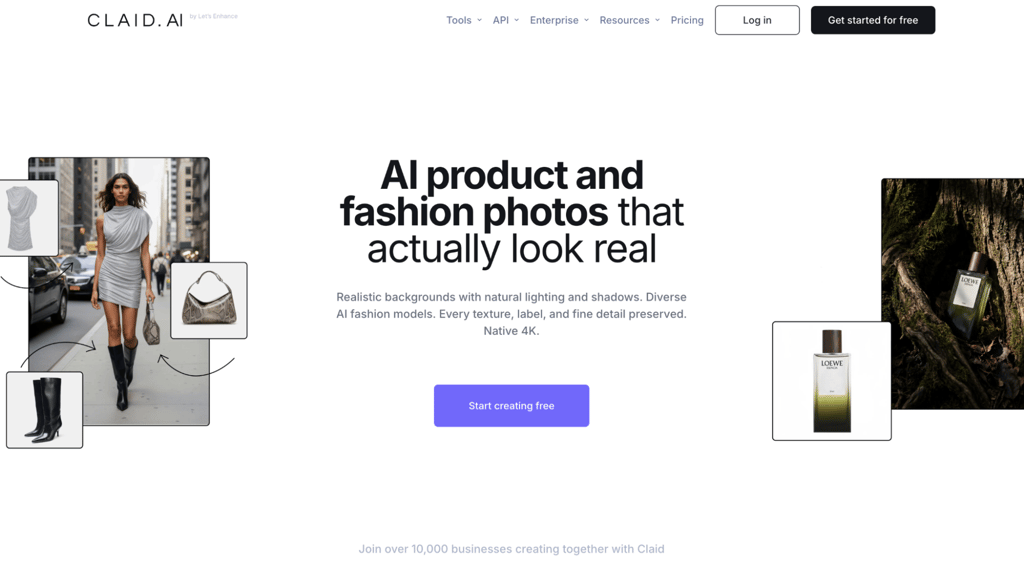
Best for: bulk catalog processing.
Claid works as an AI photo studio for ecommerce and fashion brands that need to edit a whole product line at once, not photo by photo.
Claid is the right call when I’m updating more than a handful of products at a time. Applying one scene across a whole batch saves the kind of manual repetition I’d otherwise do image by image.
Claid pros
- Generates full scenes. Lifestyle and editorial product scenes come from a single source photo.
- Keeps the editing tools in one place. Upscaling, resizing, object removal, and image expansion sit alongside the photoshoot tools, so you don’t need a second app for cleanup.
- Applies a single edit across your entire catalog at once, so you don’t have to repeat the same steps by hand.
- Connects to other software via an API. Developers can use this application programming interface (API) to automate image editing instead of uploading images manually.
Claid cons
- Splits pricing into two systems. Web plans and API credits are priced separately, and the API is billed on a per-use basis rather than with a subscription, so your total cost depends on how you use the tool.
- Needs a sales call for volume. Claid doesn’t publish Business-tier pricing, so getting a quote means a conversation with sales.
- Comes with a learning curve. The sheer number of editing tools can feel overwhelming if you only need basic background swaps, so it’s worth setting aside time to explore them before trusting them with a live catalog.
Claid pricing
Claid’s free trial includes 50 web credits, 50 API credits, and five trial images, not an ongoing free tier. Paid web plans are billed annually:
- Essentials: $9/month, 500 credits a month (about 125 standard AI Photoshoot images).
- Pro: $35/month, 2,000 credits a month. Adds a higher upload limit of 64 MP, keeps 3x history, and 2K/4K generation.
3. Flair AI
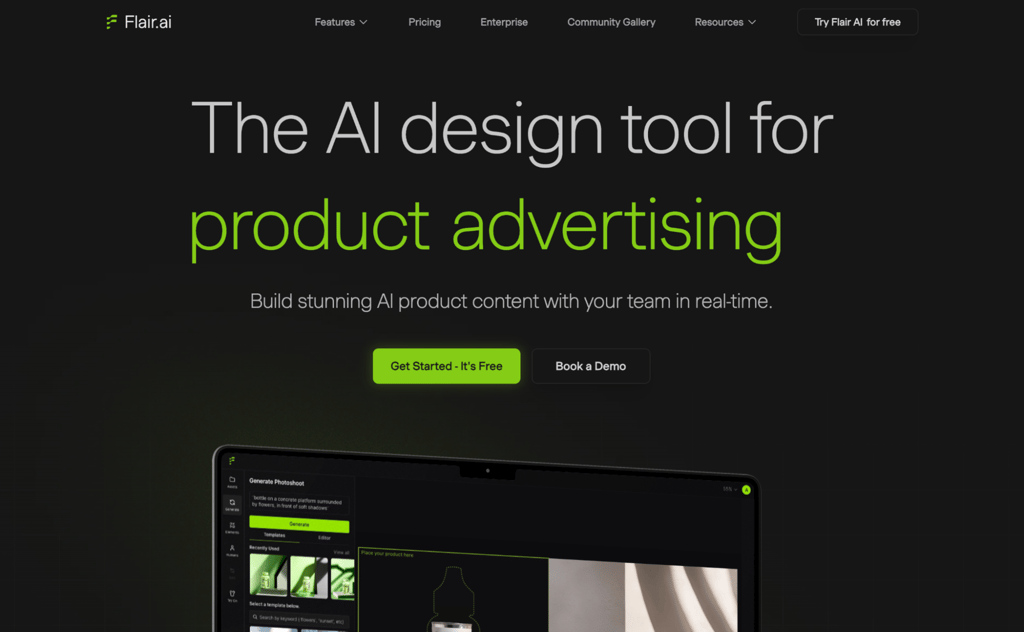
Best for: creative, branded product scenes.
Flair AI centers on a visual canvas, where you place a product and direct the scene yourself instead of picking a preset background.
I like that Flair AI lets me shape a scene instead of accepting whatever comes back first. That control takes patience, though, and I’d keep an eye on the credit cap if I were generating anything on instant mode.
Flair AI pros
- Combines scene and lighting control. Adjust framing, lighting, and styling together rather than as separate steps.
- Supports custom AI models. Both on-model shots and fashion photography can use your own trained models.
- Includes ad generation. You can turn the same product images into ad creative without a separate tool.
- Offers reusable templates. Products in the same line share a consistent look.
Flair AI cons
- Keeps image quotas small. Pro+ includes 80 generated images a month, and Scale Tier 1 includes 150, which is tight for a large catalog.
- Limits commercial use to Pro+ and above. Free and Pro plans don’t include a commercial license, so you need Pro+ before using images in ads or client work.
- Burns credits faster for instant results. Instant generation and ad generation use credits at four times the normal rate, so quick turnarounds eat into your monthly quota faster.
Flair AI pricing
The free plan includes five generated images and one custom model, but no commercial license. Paid plans (billed annually):
- Pro: $8/month. Adds faster rendering, upscales, variations, and two video generations. No commercial license.
- Pro+: $26/month. Includes 80 generated images, custom models, and a commercial license.
- Scale (Tier 1): $38/month. Includes 150 images, more custom models, a commercial license, and early access to an API.
Enterprise pricing is custom and adds unlimited API access, SSO, and custom model training.
4. Pebblely
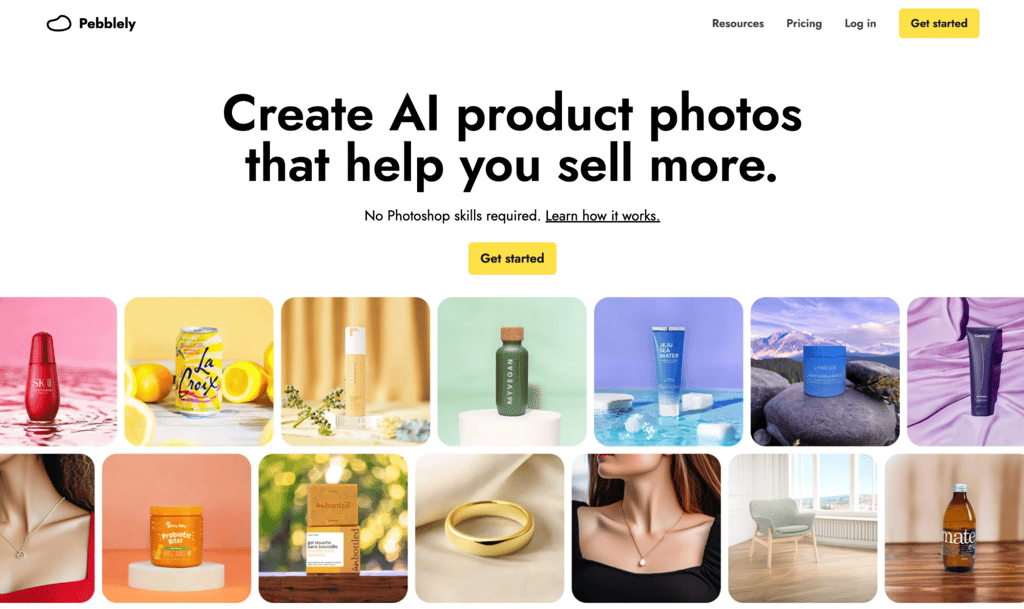
Best for: fast lifestyle backgrounds.
Pebblely is a lightweight AI photo generator that skips the learning curve for sellers who want a finished lifestyle image fast.
When I just want a decent lifestyle shot without overthinking it, Pebblely is the one I’d open first. Describe the scene, get the image back, and move on.
Pebblely pros
- Needs only two steps. Upload the product photo, then describe or pick a scene, and the AI handles cropping and shadows from there.
- Offers two ways to generate. Ready-made templates and custom text prompts both work for the scene.
- Adds shadows and reflections automatically. The product looks like it was shot against its new background rather than pasted onto it.
- Exports in several sizes. Pebblely builds in presets for social media and marketplace listings.
Pebblely cons
- Lighter on editing tools. Fewer advanced options than Photoroom or Claid, since it’s built around one job rather than a full suite.
- Limits images each month. Paid plans cap the number of photos you can generate, which can feel restrictive for larger catalogs, especially with no unlimited tier to grow into.
- Skips 3D and on-model work. No dedicated features for either.
Pebblely pricing
Pebblely has no free plan. Paid plans are billed annually, with two months or more free compared with monthly billing:
- Lite: $7.50/month. 30 images, 40+ themes, and custom prompts.
- Basic: $15/month. 200 images, plus bulk generation.
- Pro: $32/month. 500 images, with the same features as Basic.
Billed monthly, the plans cost $9, $19, and $39.
5. Snapshot
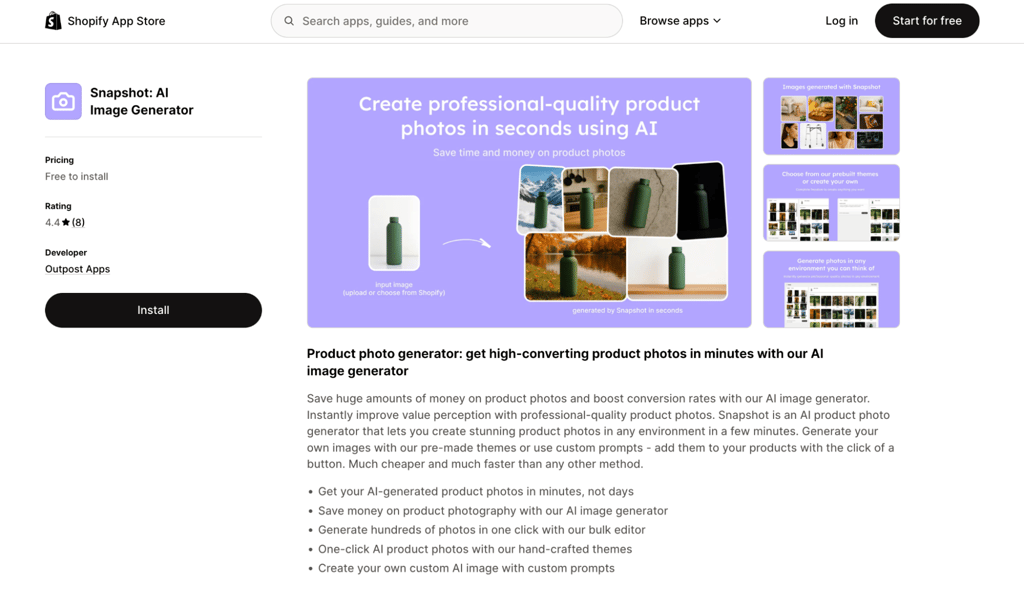
Best for: generating photos inside Shopify.
Snapshot is a Shopify app that generates product photos and adds them straight to your store, without ever leaving the Shopify admin.
If my store already runs on Shopify, staying in the admin to generate and attach photos saves me a step I’d otherwise do by hand. I’d just make sure the two free credits aren’t the only ones I try it with – you’ll want more than that to get a proper feel for it.
Snapshot pros
- Skips the reupload step. A 1-click attach puts finished images straight on the product listing.
- Includes a bulk editor. Generate photos for hundreds of products in a single batch.
- Offers themes built for product photography. If none of them fit, you can write a custom prompt.
- Keeps a familiar workflow. You generate and manage photos right from the same admin screen you already use for products.
Snapshot cons
- Works only with Shopify. There’s no standalone version if your store runs elsewhere.
- Charges per generation. One credit buys one generation, so costs scale with volume. At the listed prices, that’s about $0.45 to $0.67 per generation, so 100 generations on the 100-credit pack cost $50.
- Gives you only two free credits. That’s enough to try the app, not enough to judge it on a real catalog.
Snapshot pricing
Snapshot is free to install and comes with two credits. After that, credits are one-time purchases, not a monthly plan, and one credit equals one generation:
- $10 for 15 credits
- $50 for 100 credits
- $225 for 500 credits
Smaller packs cost more per generation, so buying in bulk is the better deal if you’ll use it regularly.
6. Fibbl
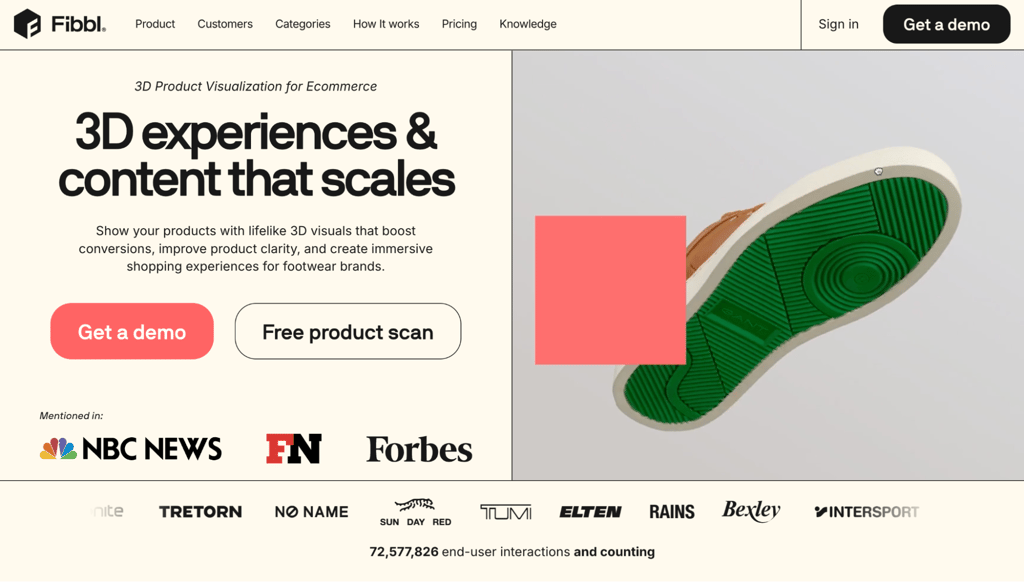
Best for: 3D product imagery for footwear and accessories.
Fibbl is a 3D and augmented reality (AR) platform for footwear and bag brands, and the specialist on this list. It’s priced for established brands, not small sellers. Fibbl builds a 3D model from a physical sample you send in, then generates packshots (simple, isolated product shots), lifestyle images, virtual try-on, and video from that single asset.
Fibbl only makes sense if footwear or accessories are the whole business, not a side category. Sending in a physical sample for scanning is a real commitment, but reusing a single 3D model for every new scene afterward makes up for it.
Fibbl pros
- Reuses one scan many times. New angles, scenes, and formats come from the same 3D model instead of a fresh photoshoot each time.
- Includes an interactive 3D viewer. Shoppers can rotate and zoom to see the true shape and fit before buying.
- Adds virtual try-on on the product page. Customers can preview items using their phone camera, with no app to download.
- Integrates with a single script. Add one snippet of code to your site, and 3D features turn on automatically.
Fibbl cons
- Requires physical samples. You send products to Fibbl for scanning, which is a bigger upfront commitment than uploading an existing photo and can slow down a launch.
- Serves a narrow slice of ecommerce. Outside footwear, bags, and accessories, the scanning process may not be worth the investment.
Fibbl pricing
Fibbl bills monthly, and its prices are converted from euros, so they are approximate. Plans:
- Starter: approximately $561/month.
- Excel: approximately $1,573/month. Adds virtual try-on and AR, with caps of up to 500K website sessions and 1K try-on or AR activations a month. Extra activations cost about $0.22 each.
- Enterprise: custom pricing.
Creating each 3D model costs an additional $270 or so, one-time.
7. CreatorKit

Best for: Shopify photos plus social video.
CreatorKit is a Shopify app and web platform that generates product photos and turns them into short-form video ads for social media. It produces both formats from a single image, using a shared brand kit that covers your logo, colors, and fonts.
I appreciate that CreatorKit keeps the brand kit consistent across photos and video without extra setup each time. The download caps are the catch, so I’d plan around how many finished files I actually need each month, not how many I can generate.
CreatorKit pros
- Applies your brand kit automatically. Every product maintains the same visual identity, with no extra setup per item.
- Includes hundreds of video templates. Covering a range of ad and social formats.
- Integrates with Shopify. The product catalog connects directly, so there’s no manual importing.
- Let you try before you pay. The free plan shows you what finished photos and videos look like before you commit to the Pro or Business plan.
CreatorKit cons
- Caps downloads. Generations are described as unlimited, but each plan limits the number of outputs you can download: 10 per month on Pro and 50 on Business. At Pro’s annual price, that’s about $3.20 per download.
- Locks templates and Brand Kit behind paid plans. Free includes only basic templates, and all templates and the Brand Kit start at Pro.
- Has a low Shopify rating. The listing shows 2.5 stars from seven reviews, with recent complaints about billing and support.
CreatorKit pricing
CreatorKit offers a free plan with 5 downloads a month and watermarked exports. Paid plans are billed annually:
- Pro: $32/month. 10 downloads a month, all templates, Brand Kit, and chat support.
- Business: $82/month. 50 downloads, plus custom templates.
- Business Plus: $115/month. 100 downloads and real-time support.
Billed monthly, the plans cost $39, $99, and $134. Enterprise pricing is custom.
How AI product photography helps ecommerce businesses
AI product photography saves ecommerce businesses time and money by replacing physical photoshoots with software that generates professional-looking images from a single photo, and it’s one of many ways AI in ecommerce is changing how online stores operate.
- Lower photography costs. A studio shoot, photographer, and props add up fast for every new product line. These tools cut most of that cost by generating backgrounds, lighting, and scenes without a camera crew.
- Faster turnaround. New products can go live the same day they arrive, instead of waiting for a photo session to get scheduled and edited.
- Easier testing. Most plans include enough monthly images to try a plain white background against a lifestyle setting on your best-selling product, so you can see what works before committing to one look for the whole catalog.
- More marketing assets. You can restyle the same product photo for a listing, a social post, and an ad, instead of commissioning a separate shoot for each one. That variety informs the design of stronger product pages. It also helps improve the overall online shopping experience.
How to choose an AI product photography tool for your store
Choose the tool that fits where your images will be used (a marketplace, your own store, or ads), how many products you have, and how much you can spend each month. If you want a shortcut, start here:
- Amazon or Etsy sellers who want clean marketplace shots – Photoroom.
- Catalogs with hundreds of products that need regular updates – Claid.
- Stores already running on Shopify – Snapshot or CreatorKit.
- Brands that want full creative control over branded scenes – Flair AI.
- A fast, no-frills lifestyle shot – Pebblely.
- Footwear, bag, and accessory brands are ready to invest in 3D – Fibbl.
What to check before you commit:
- Marketplace requirements. Amazon, Etsy, and similar platforms each have their own image rules, so check that your chosen tool exports in the right dimensions and background style before you commit.
- Editing flexibility. Some sellers want to direct every scene, as in Flair. Others want to upload a photo and get a finished image back, as in Pebblely.
- Caps, not just prices. Flair’s Pro+ plan includes 80 images a month, Pebblely’s Pro plan includes 500, and CreatorKit’s Pro plan allows 10 downloads. Check the limit against your catalog.
When checking a tool’s output, bear in mind that AI can distort logos, fine print, and small details, so compare every generated image with the real product: logos and text, edges and shadows, proportions, and color.
What you need besides product photos to sell online
Strong product images are one part of selling online. You also need a professional storefront, product pages with clear descriptions and prices, payment options, and a way to manage products and orders – all basic steps in launching your online store.
Once your store is up and running, turning one photo into a finished listing still requires several separate steps: uploading the image, writing a description, setting a price, and building a checkout. Hostinger Ecommerce folds most of that into a single step:
Upload a product image, and AI helps write the description, which you can further polish using best practices for writing better product descriptions. You can then build a store with AI Builder or share a Quick Link in a DM, email, or social post, with no website needed to start.
From there, one dashboard covers products, orders, customers, discounts, and analytics. Meanwhile, Hostinger Agent helps you handle routine jobs, such as updating prices or running a flash sale.

All of the tutorial content on this website is subject to Hostinger's rigorous editorial standards and values.

Justina is a Content Writer passionate about marketing, with a background in social media and customer success management. She also loves reading books, traveling and exploring new places as well as cooking, and trying out new recipes. Follow her on LinkedIn.