Connecting your Managed OpenClaw instance to your ChatGPT account via OAuth allows your AI agents to use your existing subscription without manual API keys. This process is handled directly through the OpenClaw Terminal.
Pre-requisites
- OpenClaw application
- ChatGPT account
Step 1 – Access the OpenClaw Terminal
To manage your Managed OpenClaw instance, you need to use the dedicated command-line interface:
- Access your OpenClaw instance.
- Navigate to your OpenClaw dashboard by clicking the Manage button next to your application.
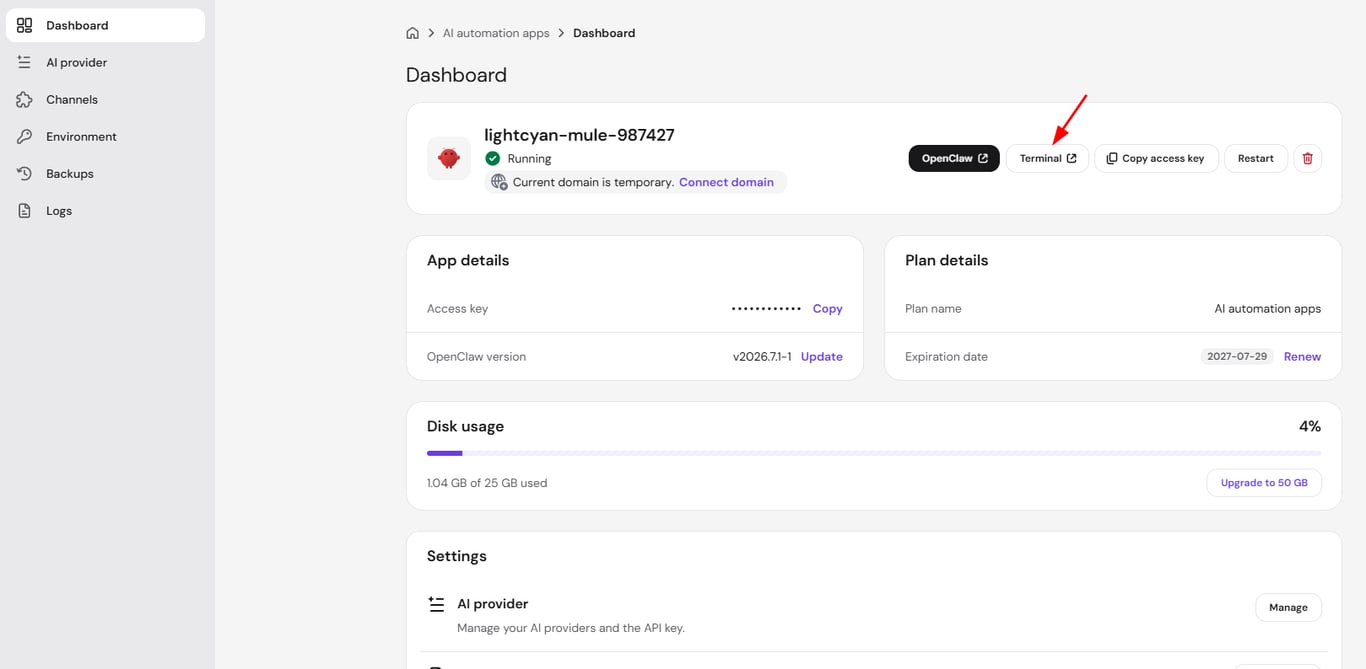
- Click on Dashboard.
- Click on Terminal button.
Step 2 – Authenticate via OAuth
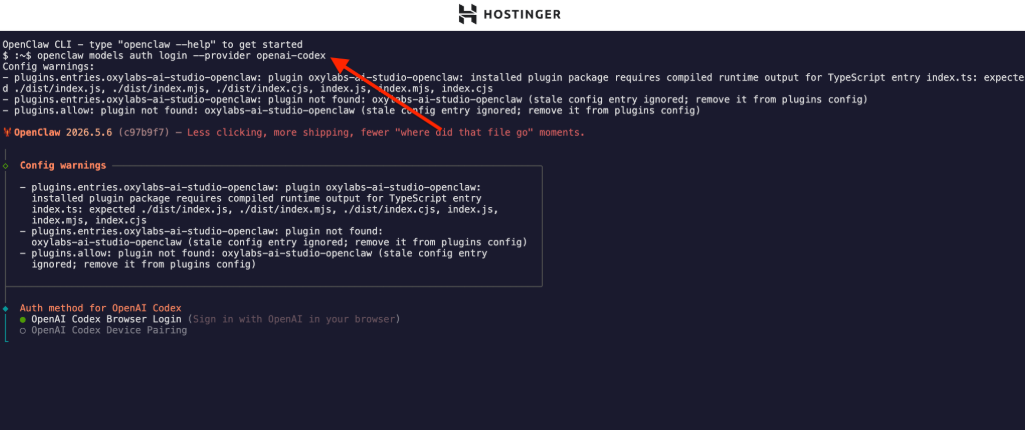
In the CLI , run the following command and follow instructions:
openclaw models auth login --provider openai-codex
Step 3 – Restart gateway
In the CLI , run the following command:
openclaw gateway restart
Your Managed OpenClaw instance is now successfully connected to your ChatGPT account. You can now start deploying agents that utilize your ChatGPT models.
See How to use your ChatGPT subscription in Managed OpenClaw for other details about using your ChatGPT subscription in Managed OpenClaw.