Hostinger Agent creates hiring documents, such as a job description, structured interview questions, and a 30-day onboarding plan, from a description of the role you’re hiring for. To create them, describe the role in the chat, ask for each document in the same conversation, and save the results as files you can download and share with your team. Hiring documents don’t need a dedicated skill; you request them in a regular chat.
Create a job description with Hostinger Agent
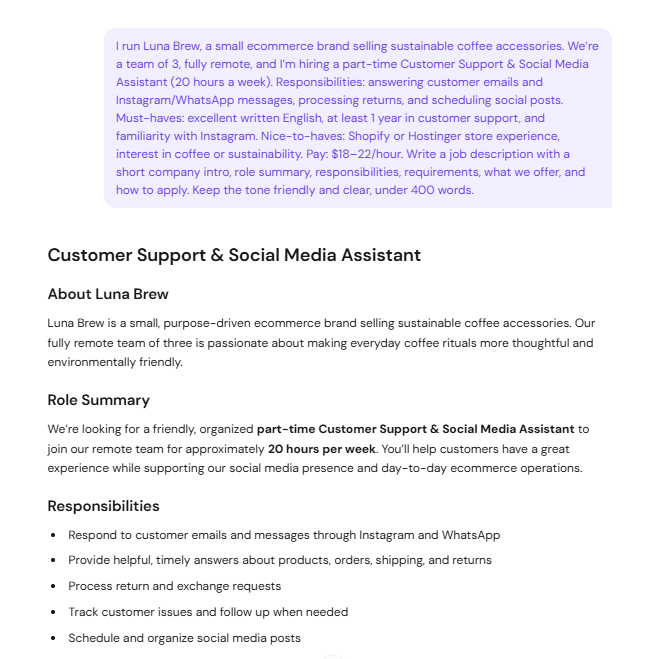
Describe the role and your business, and Hostinger Agent writes a complete job description in the chat.
- Open Hostinger Agent and start a new chat.
- Describe the role and what the job description should include. For example: I run a small online store selling sustainable coffee accessories. We’re a fully remote team of 3, and I’m hiring a part-time Customer Support & Social Media Assistant for 20 hours a week. Responsibilities: answering customer emails and messages, processing returns, and scheduling social posts. Must-haves: excellent written English and at least 1 year in customer support. Write a job description with a short company intro, role summary, responsibilities, requirements, what we offer, and how to apply. Keep the tone friendly and clear, under 400 words.
- Review the job description in the chat and ask for any changes, such as a different tone or length.
Include these details in your request for the most accurate result: the job title, hours and location, main responsibilities, must-have and nice-to-have skills, and what you offer.
Create structured interview questions with Hostinger Agent
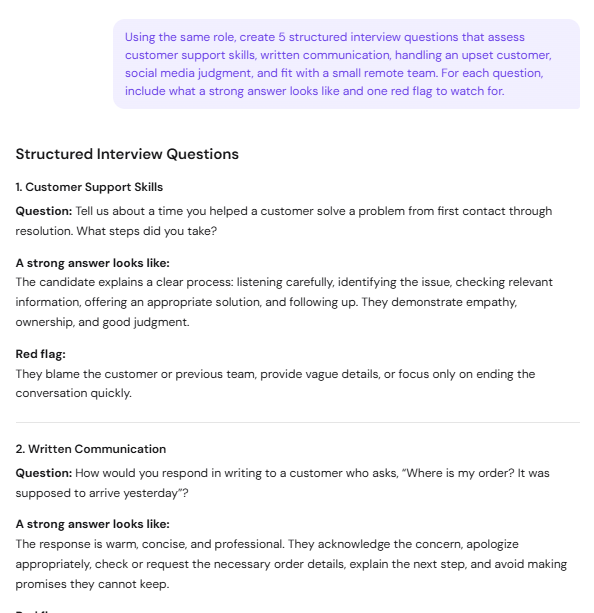
Ask for interview questions in the same chat, and Hostinger Agent uses the role you already described. For example: Using the same role, create 5 structured interview questions that assess customer support skills, written communication, handling an upset customer, social media judgment, and fit with a small remote team. For each question, include what a strong answer looks like and one red flag to watch for.
Each question in the result includes the skill it tests, the question to ask, what a strong answer looks like, and a red flag, so every candidate is assessed against the same criteria.
Create a 30-day onboarding plan with Hostinger Agent
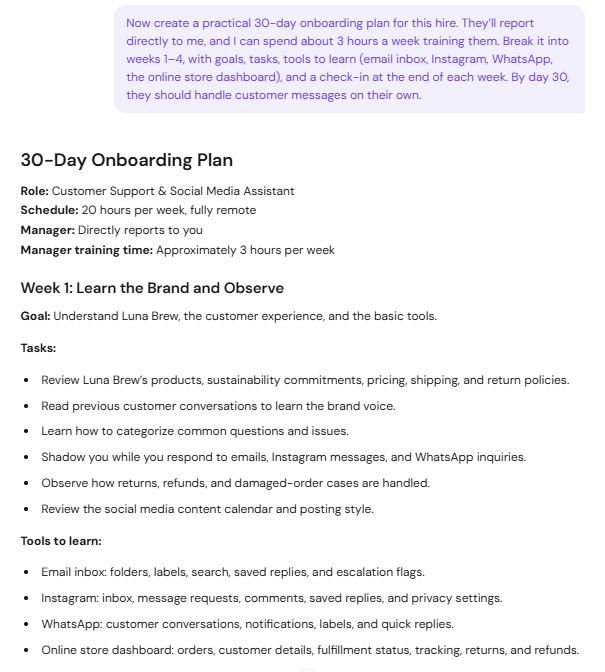
Ask for an onboarding plan in the same chat, and Hostinger Agent builds a week-by-week plan for the new hire. For example: Now create a practical 30-day onboarding plan for this hire. They’ll report directly to me, and I can spend about 3 hours a week training them. Break it into weeks 1–4, with goals, tasks, tools to learn, and a check-in at the end of each week.
The onboarding plan includes, for each week:
- A goal for the week.
- Tasks for the new hire.
- Tools to learn, such as your email inbox or online store dashboard.
- An end-of-week check-in with points to review together.
See how Hostinger Agent creates a job description, interview questions, and a 30-day onboarding plan from a role description in the chat:
Save and download your hiring documents
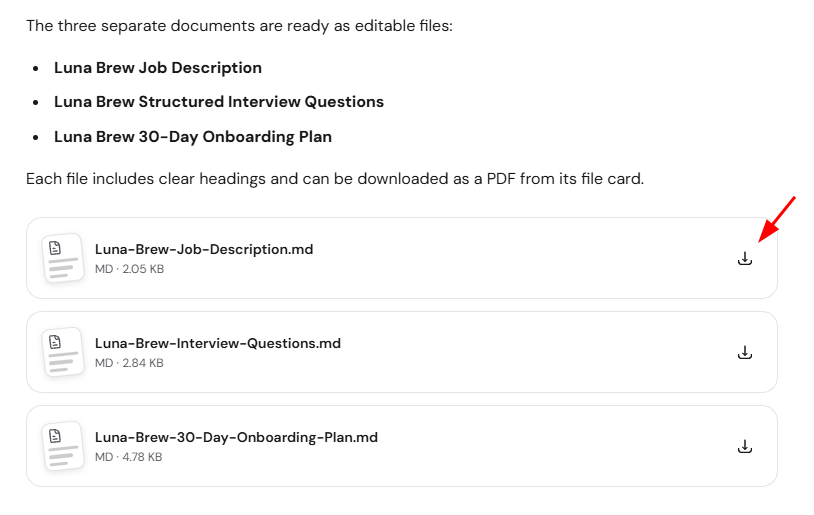
Ask Hostinger Agent to save the documents as files, and it creates a separate file for each one. For example: Give me the job description, interview questions, and onboarding plan as separate files with clear headings so I can edit and share them with my team.
- Hostinger Agent creates the documents as Markdown (
.md) files, with a file card for each one in the chat. - Click the download icon on a file card to save the file.

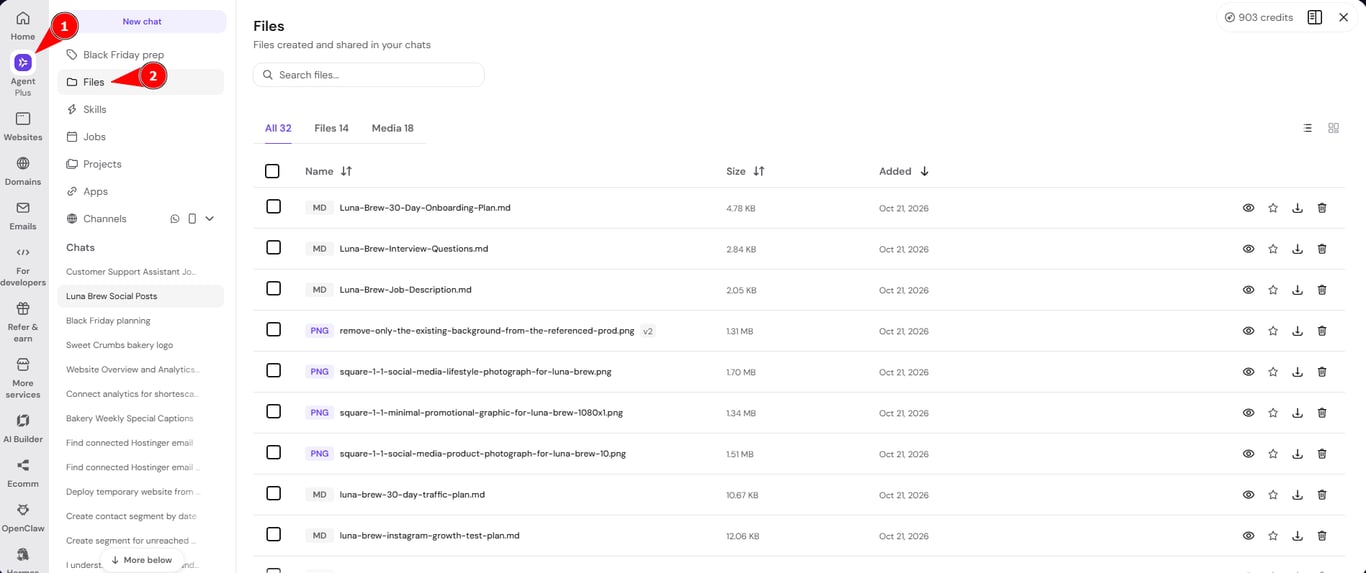
- Select Files in the Hostinger Agent sidebar to find the files later. Files are saved to your Hostinger account, so you can open them from any device after you close the chat.

Tips for better Hostinger Agent hiring documents
- Create all documents in the same chat, so Hostinger Agent reuses the role details and you don’t need to repeat them.
- Give specific requirements, such as the number of interview questions or a word limit, to get documents ready to use without editing.
- Review each document before you share it, and replace any details that don’t match your business.
For tasks that use a dedicated skill, such as marketing plans or logo design, see how to use Hostinger Agent skills. For more prompting advice, see Hostinger Agent: tips for getting better results.
Your hiring documents are ready to share with your team, so you can start interviewing and onboard your new hire with a clear plan.